
Trays for Ruben's Mini Chips (now with parametric tray)
Obliczymy ostateczną cenę na podstawie wybranego pliku. Sprawdzisz ją i zaakceptujesz przed płatnością.
Zapisane na tym urządzeniu.
Some trays for mini poker chips
- Ocena
- 0 / 5
- Polubienia
- 14
- Pobrania
- 115
- Wydruki
- 0
- Wyświetlenia
- 1004
- Oceny
- 0
Aktualizacja u źródła:
Informacje o modelu
- Źródło
- Printables
- Kategoria
- Board Games
- Licencja
- Creative Commons — Attribution — Noncommercial
This all started with Ruben’s Mini Chips.
https://boardgamegeek.com/thread/2951180/ceramic-mini-chips-status-fulfilling-pre-orders-fo/page/1
Then there was a need for trays.
I started with a minimalist tray that holds seven lots of 20 chips: 7x20min.stl
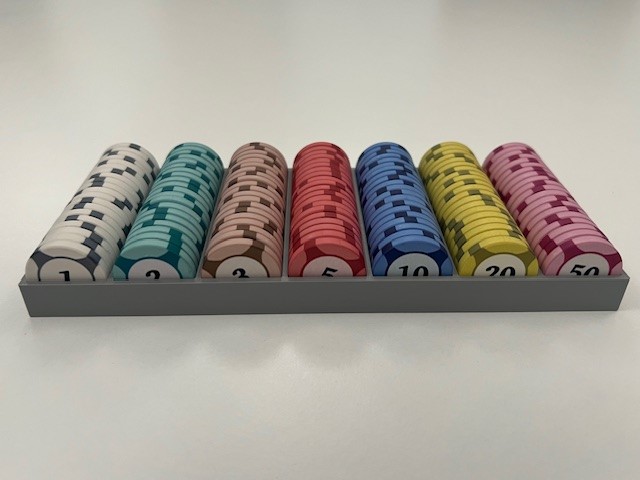
Then added a tray that increase visibility: 7x20vis.stl
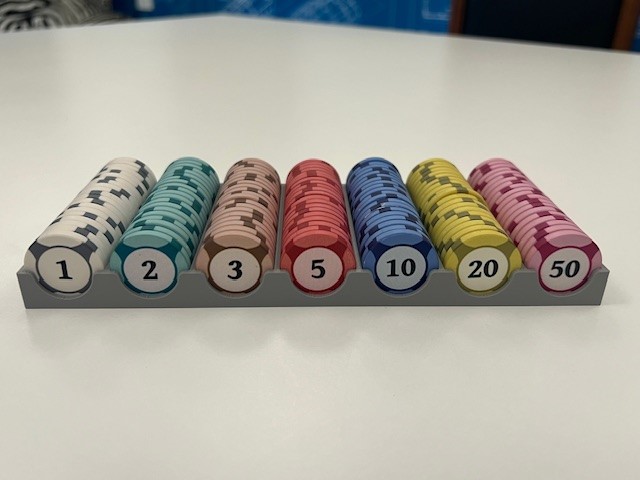
You can use another tray as a lid.
For 18xx I started with a tray that holds six lots of 40 chips: 6x40.stl
We normally split our bank at each end of the table, so then came two tray set, each holding 200 chips: 200bank.stl
The 200bank tray can be printed with a black section and a grey section. The black section is 0.2mm higher than the rest of the model, so you can change filaments manually or automate it.
The grey section is the bank and the black section is the reserve for when the bank breaks.
The 200 bank tray allows you to see that you have all your chips when you pack up.
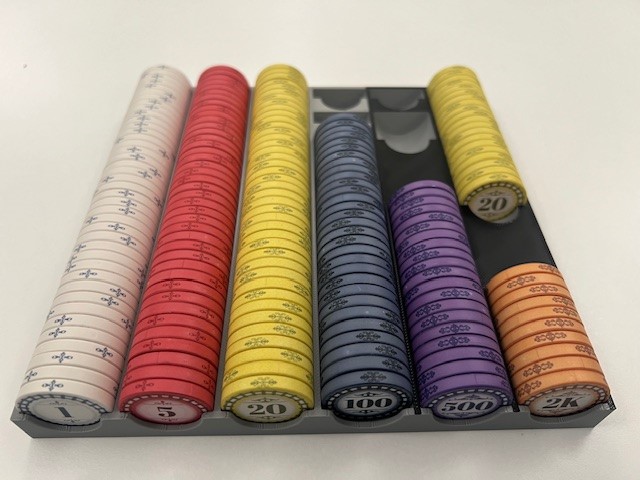
When setting up two trays, in each tray you:
- Move two 20s to the black reserve and you have 8000 bank.
- Move two 20s and five 100s to the reserve and you have a 7000 bank.
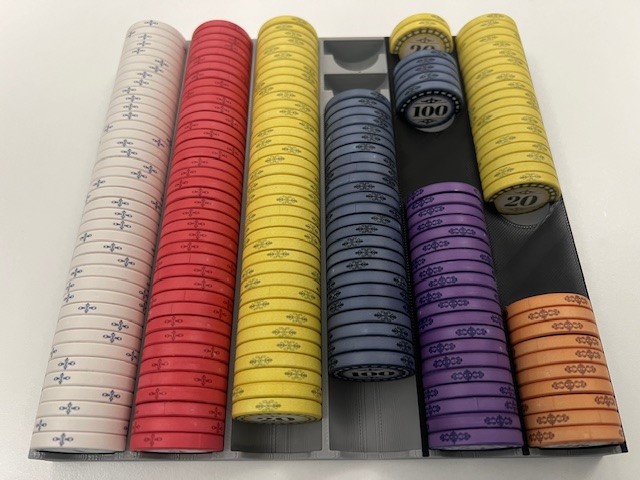
- Move two 20s to the reserve and two 500s to the bank and you have a 10000 bank.
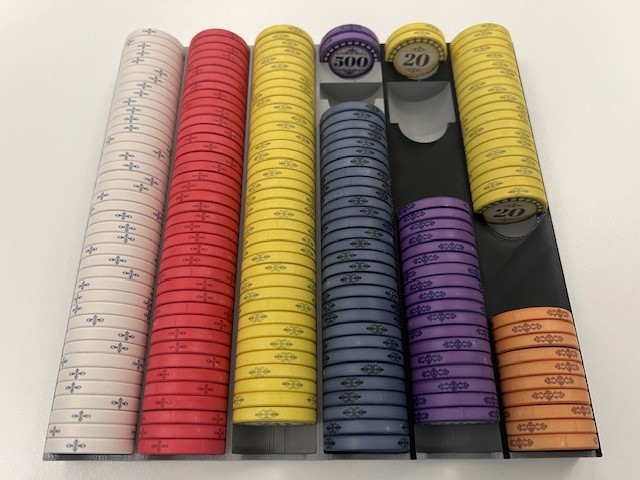
- Move two 20s to the reserve and four 500s to the bank and you have a 12000 bank.
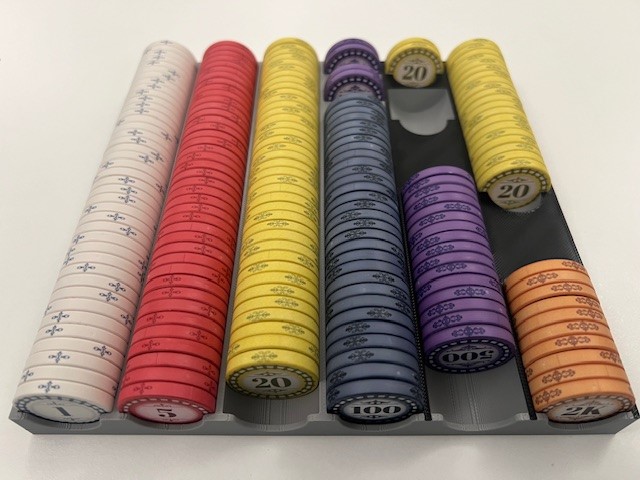
and then I added the parametric tray in a Fusion360 file.
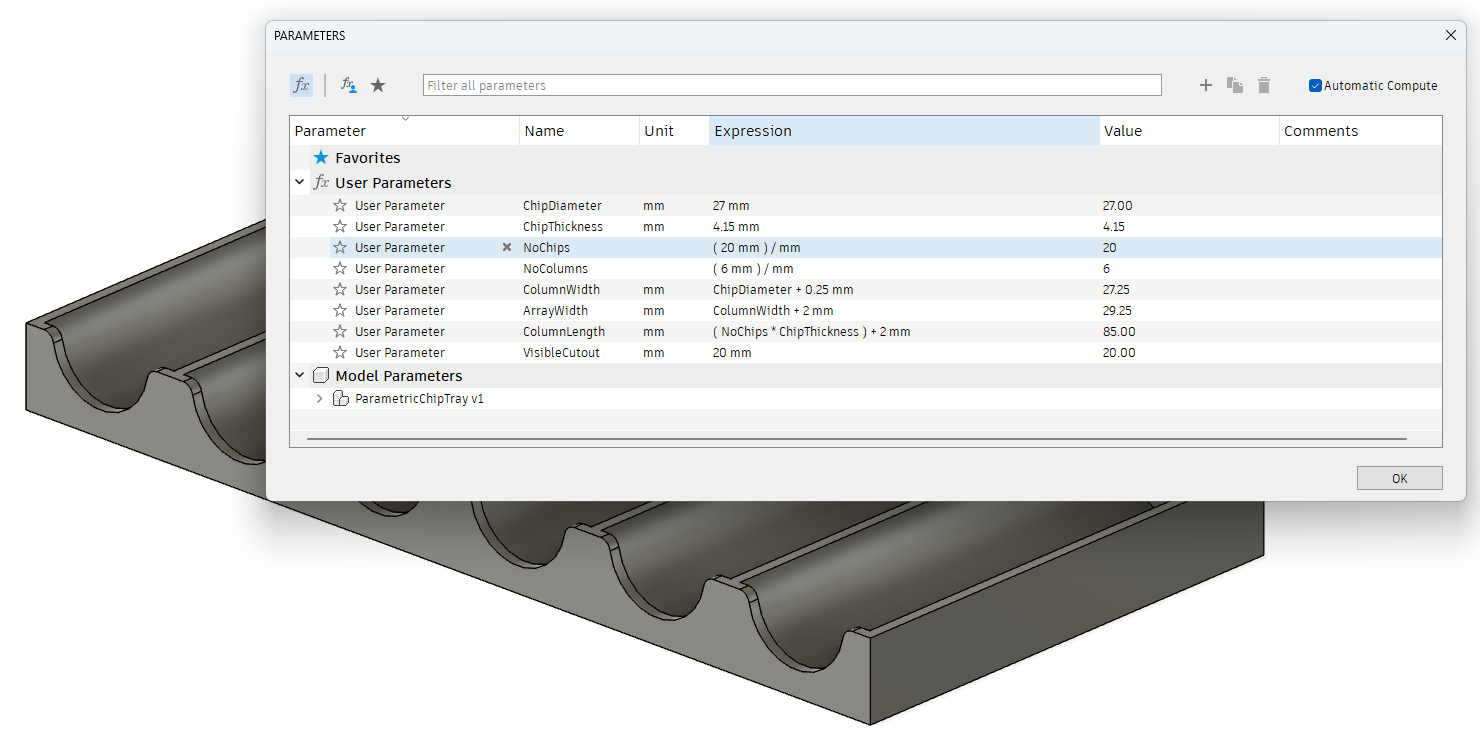
Just adjust the number of chips [NoChips] for the number of chips per column by clicking on that row in the expression column.
And adjust the number of chip columns [NoColumns] by clicking on that row in the expression column.