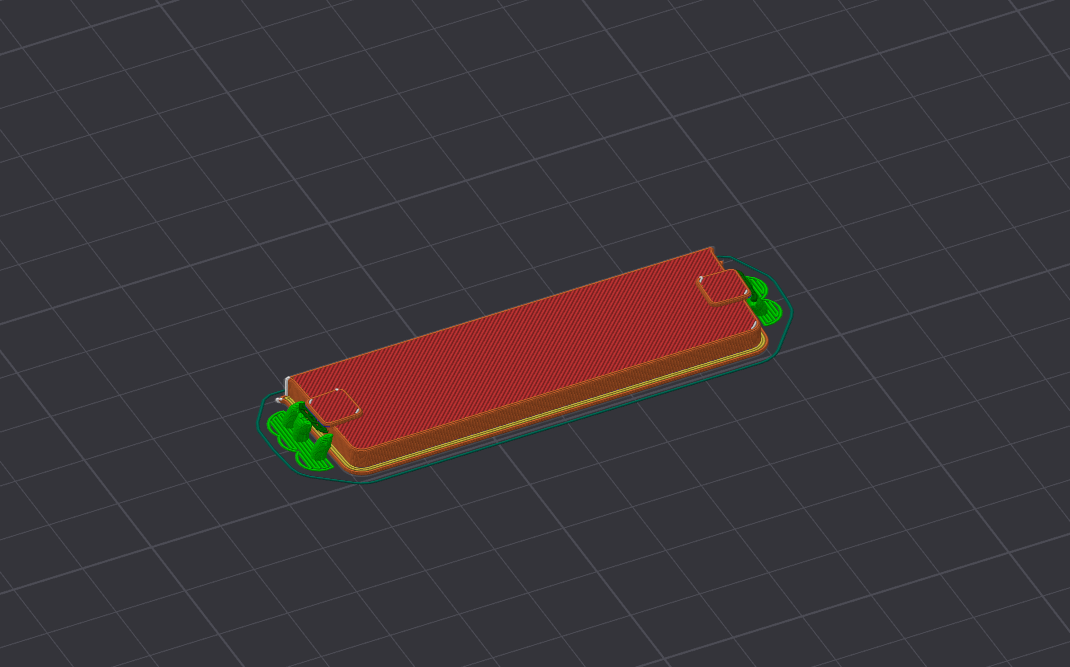
Creality K1C Top Lid Gap Fill
Obliczymy ostateczną cenę na podstawie wybranego pliku. Sprawdzisz ją i zaakceptujesz przed płatnością.
Zapisane na tym urządzeniu.

Filled top lid gap on Creality K1C
- Ocena
- 5 / 5
- Polubienia
- 15
- Pobrania
- 153
- Wydruki
- 0
- Wyświetlenia
- 769
- Oceny
- 1
Aktualizacja u źródła:
Informacje o modelu
- Źródło
- Printables
- Kategoria
- Creality Parts & Upgrades
- Licencja
- Creative Commons — Public Domain
Gap Fill for Top Lid on Creality K1C (Possibly K1)
After installing a raiser on my Creality K1C (which may also be compatible with the K1 model), I felt that leaving the top lid's hole empty was not ideal. The open gap allowed fumes and noise to escape, which was both inconvenient and potentially harmful. To address this issue, I designed a gap fill specifically for the top lid.
I created the design in Fusion 360, aiming for a parametric approach. However, I forgot to apply some parameters—such as the clip extension overlap size being fixed at 1mm—so certain dimensions are not adjustable. Despite this, the design functions effectively for its intended purpose.
You can access and download the design here: Gap Fill Design. Feel free to use it as you wish.
Printing Instructions:
- Orientation: Place the model on its widest side for printing. (sorry, I forgot to do it)
- Print Quality: Use slow mode for better quality (100-150mm/s); it will take no more than 10-15 minutes to print.
- Layer Height: The gap fill should be printed with a 0.16mm layer height to achieve optimal surface quality and dimensional accuracy.
- Supports: Use automatic tree supports for the small overhangs at a 30-degree threshold. This will provide adequate support without excessive material usage and make removal easier after printing.