
Compact CO2 Zigbee sensor
Obliczymy ostateczną cenę na podstawie wybranego pliku. Sprawdzisz ją i zaakceptujesz przed płatnością.
Zapisane na tym urządzeniu.
Informacje o modelu
- Źródło
- Printables
- Kategoria
- Electronics
- Licencja
- Creative Commons — Attribution — Noncommercial — Share Alike
Zigbee CO2 Sensor
This is a case for a very small and compact Zigbee sensor.
No coding is required to build the sensor itself, and the firmware can be flashed via a web browser with one click of a button.
Required Hardware
- Seeed Studio Xiao ESP32-C6
- Adafruit SCD-41
- 6x M2.5x5 Flat head screws
- A few Wires to make the 4 connections
- Foam tape (optional)
Software
For learning about the software and its features check out the GitHub page of this project
Printing instructions
No special care needs to be taken when printing the files. The included 3mf file already has all the parts oriented for their printing orientation.
Assembly
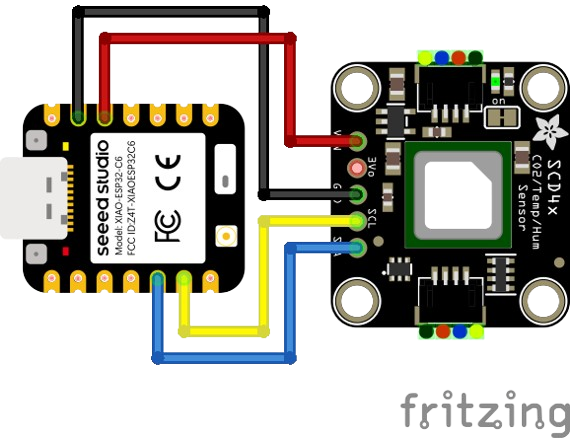
Step 0: Wiring
Wire up the sensor to the ESP like shown in the picture below. But please keep in mind that the wires on the sensor need to be soldered onto the BACK SIDE of the PCB!
Step 1: Tape
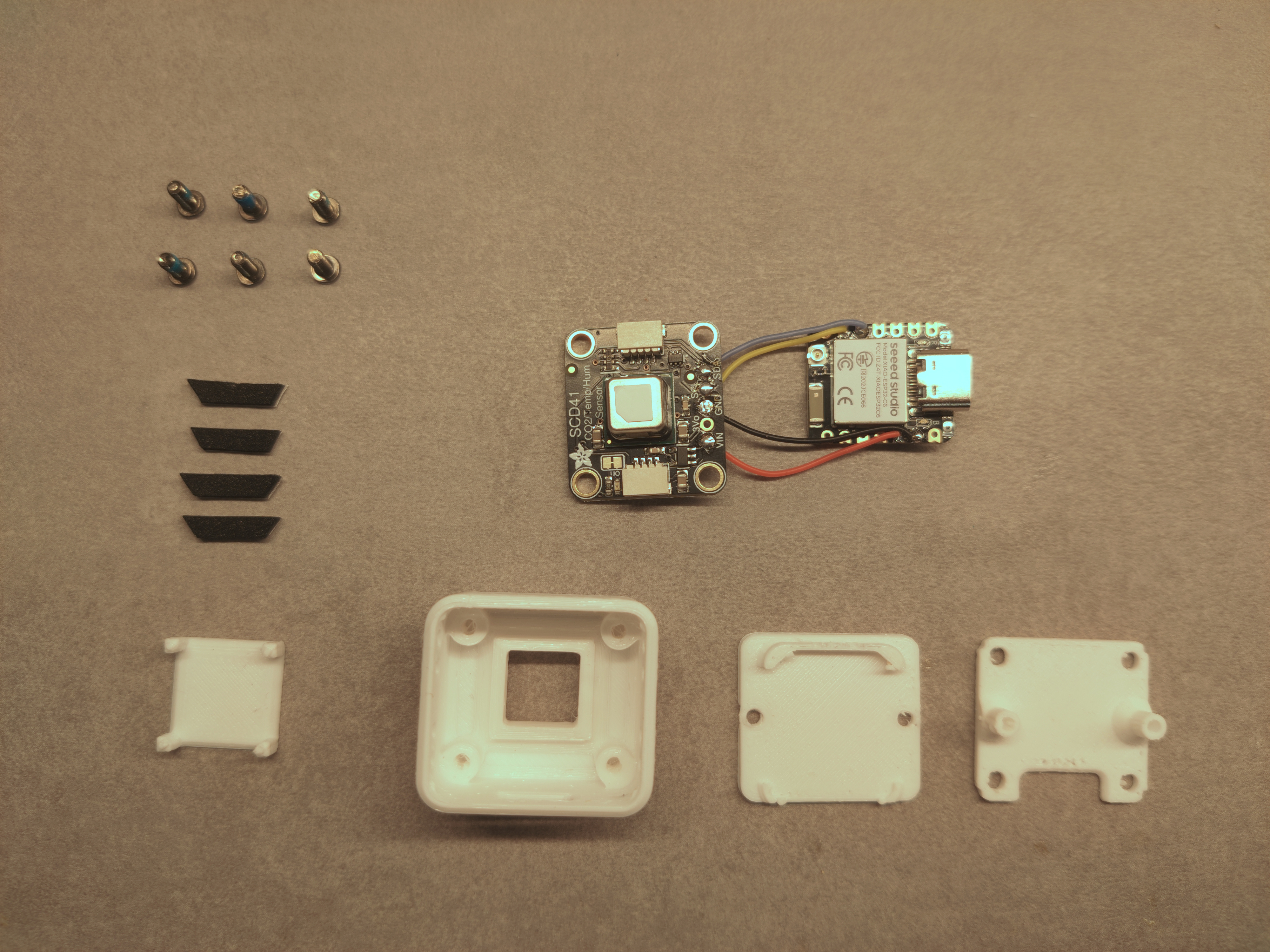
In case you have some foam tape laying around you can use it to seal off the sensor in it's own air pocket. (this is probably not required but is technically recommended by the sensors manufacturer). For this pre-cut the tape into about 15 mm long strips with 45 degree angles like seen in the overview picture below:
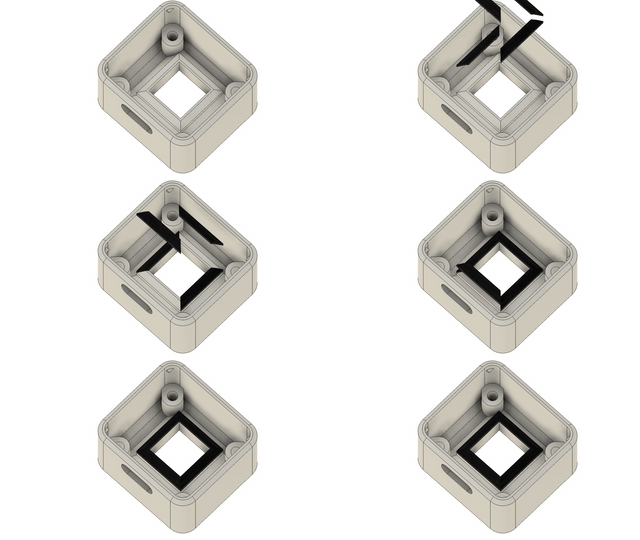
Stick the tape onto the little angled walls inside the case like shown on this animation:
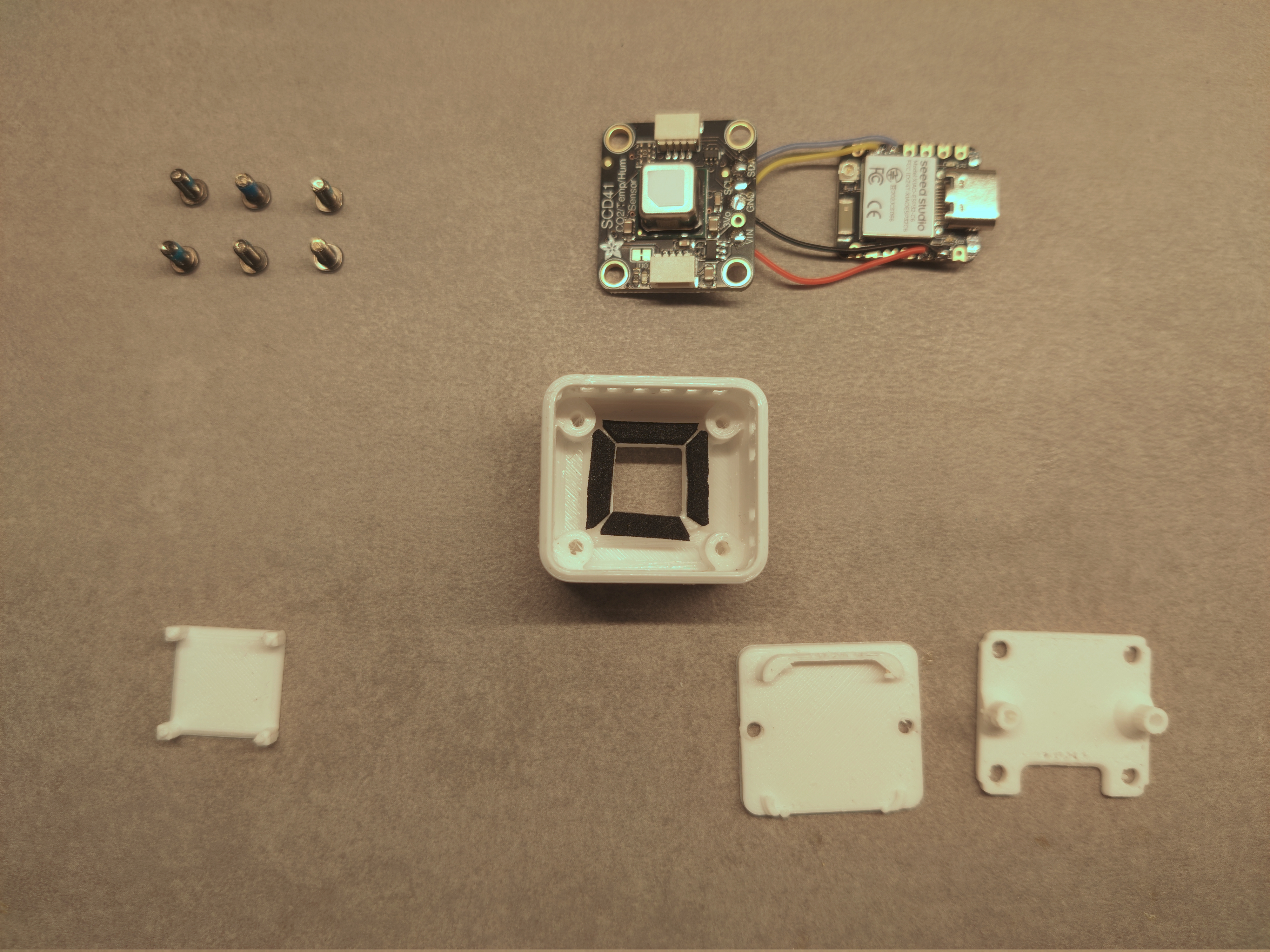
It should look like this when done:
Step 2: The sensor
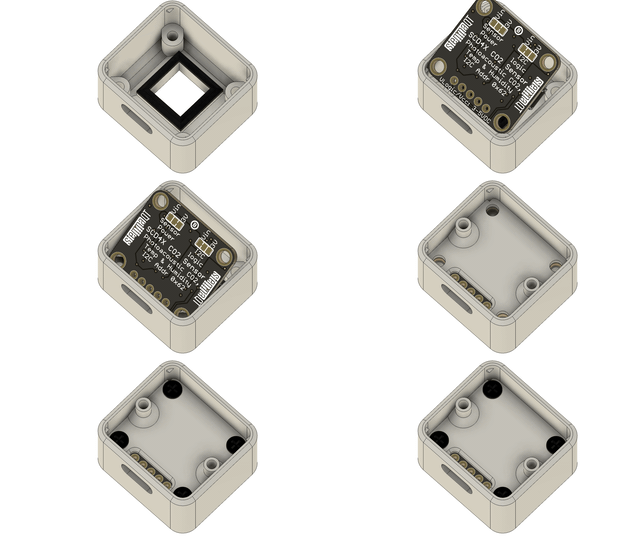
Now place the sensor in the case, make sure the wires face towards the hole for the USB-C port
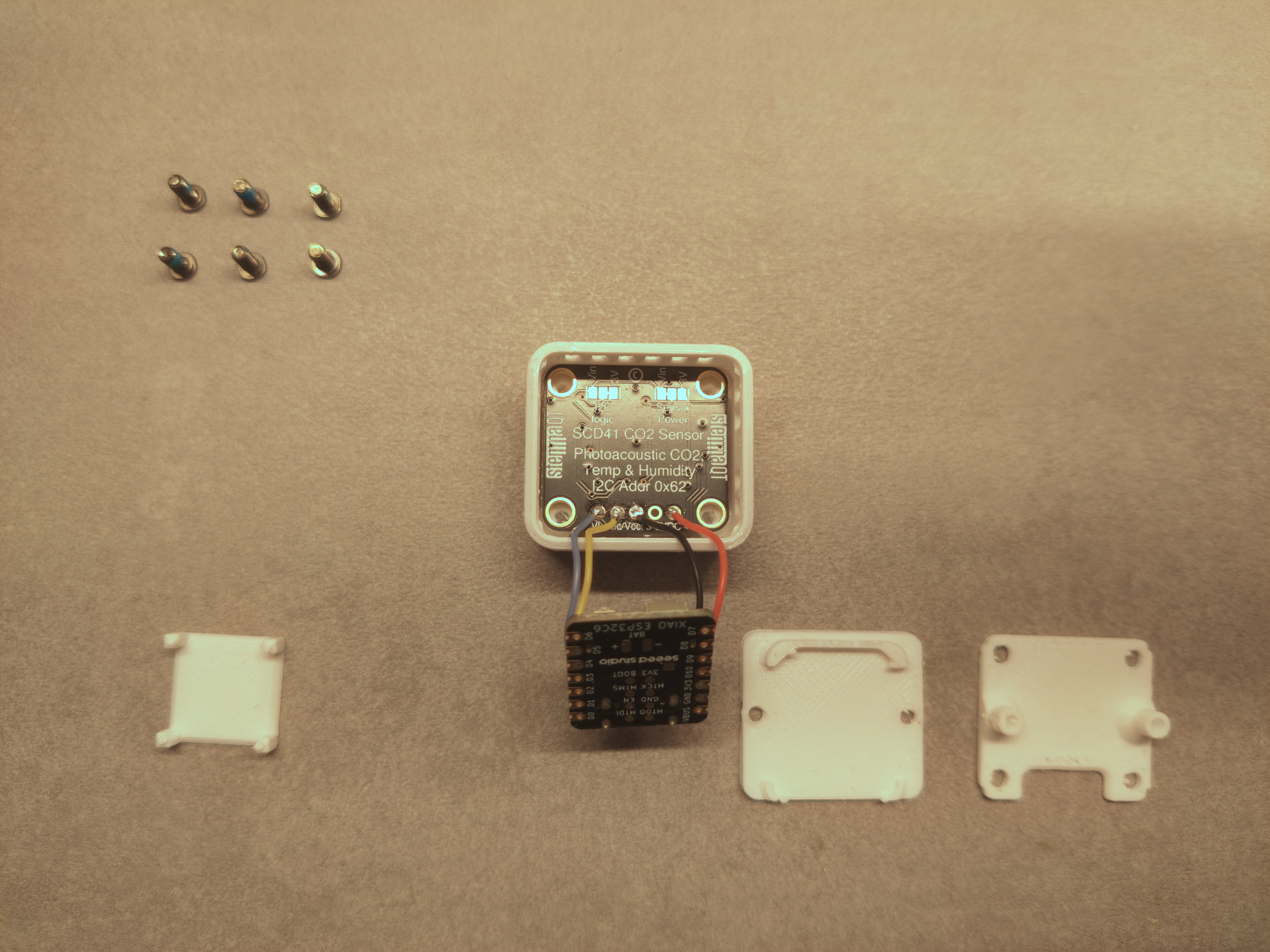
Place the mid-frame on top …
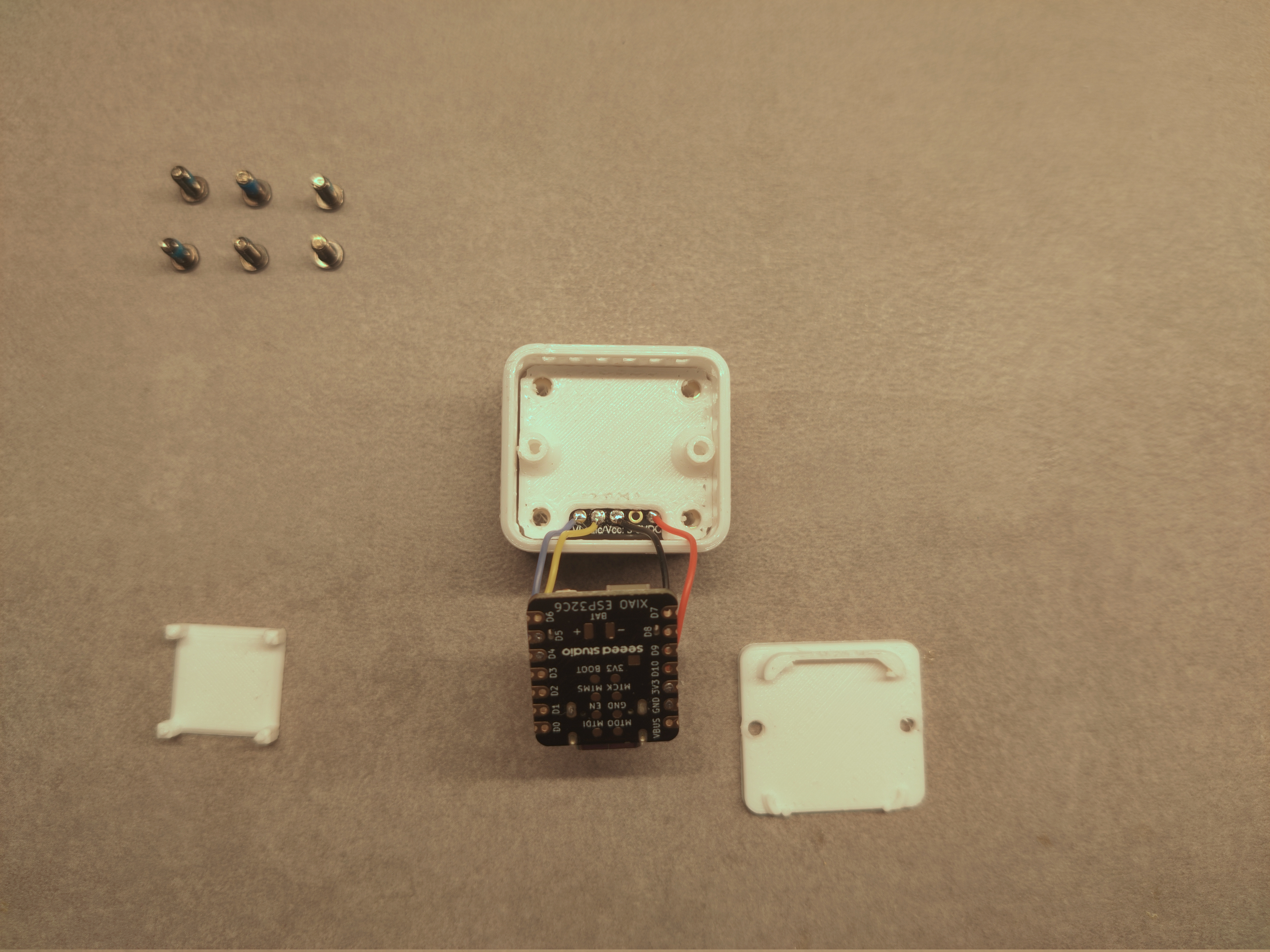
And screw it down. The end result should look like this:
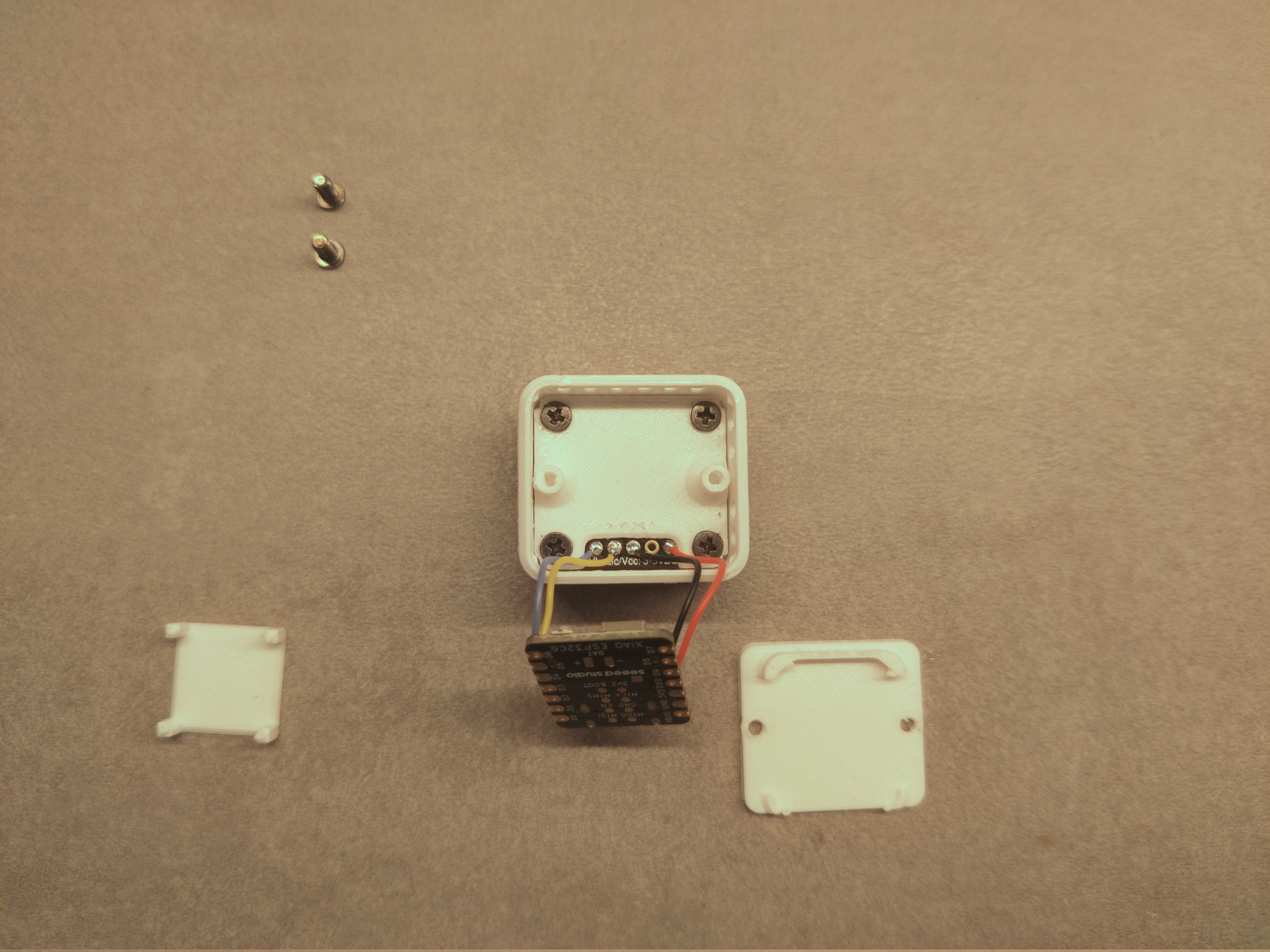
Step 3: Wires
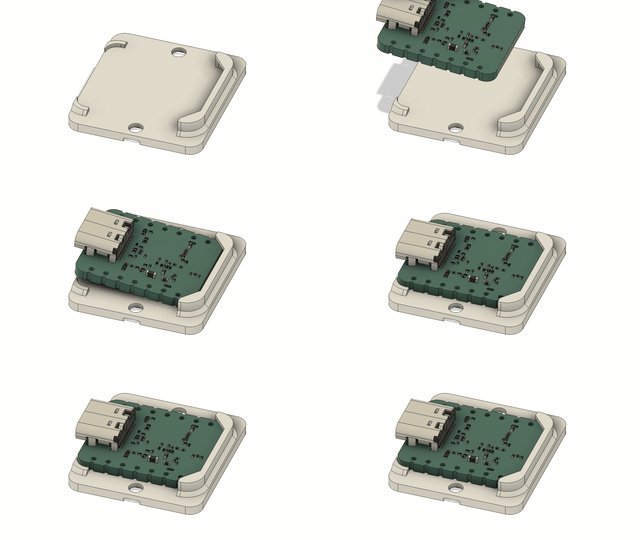
Attach the lid to the ESP breakout board like so:
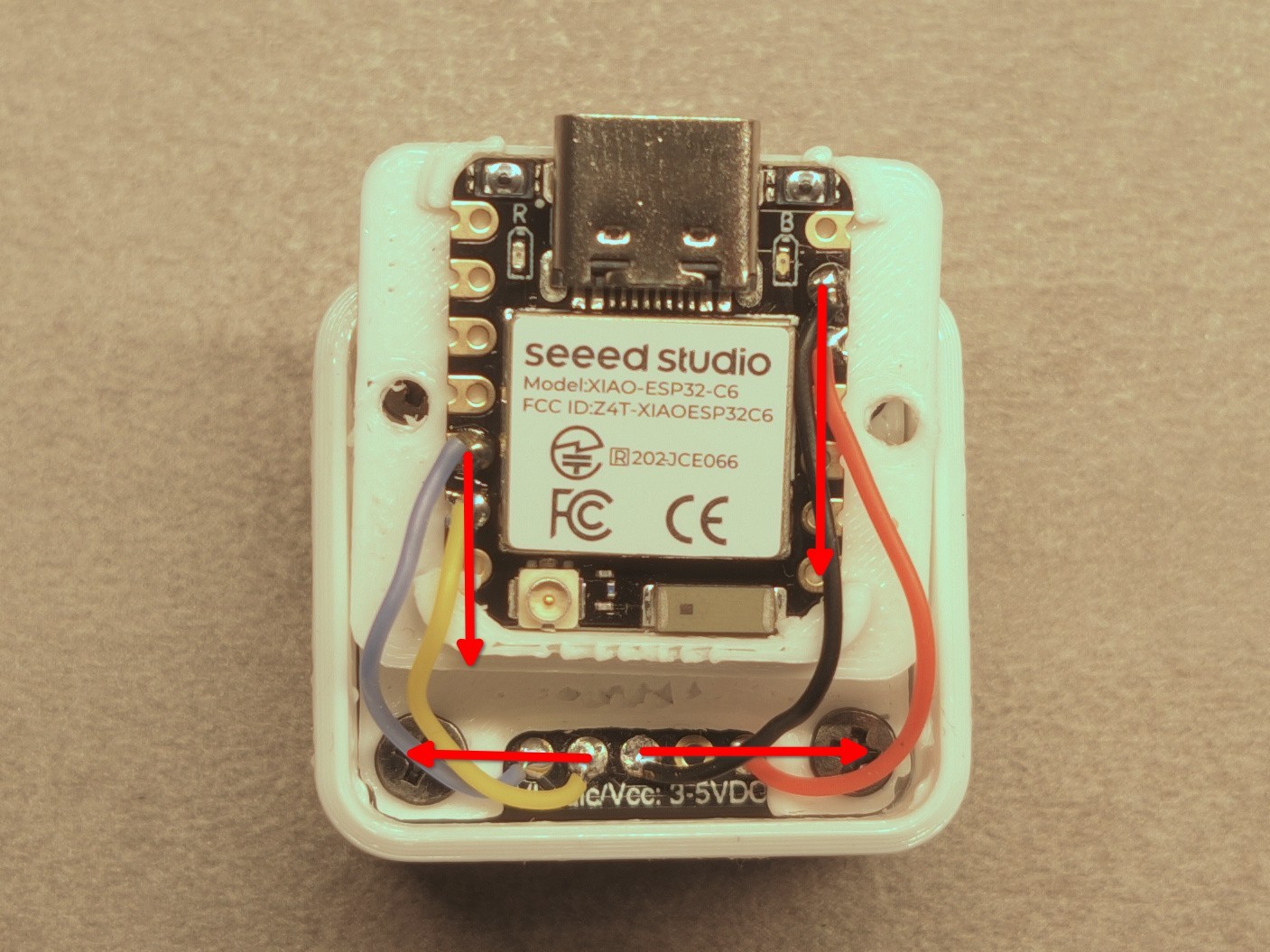
Route the wires like shown on this picture:
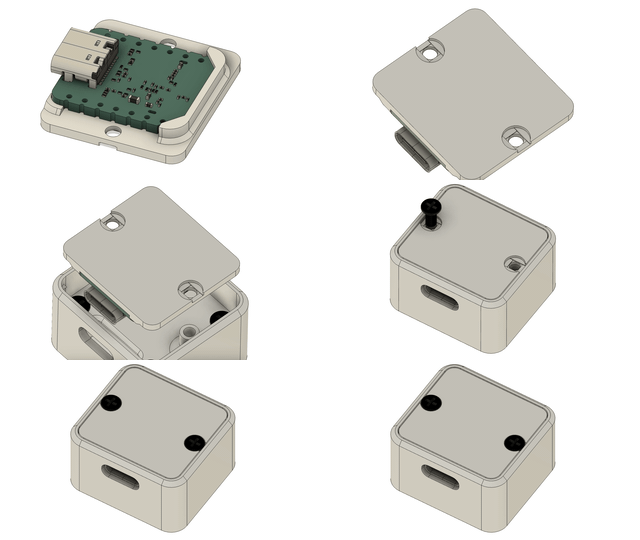
And close up the case
Step 4: Finishing touches
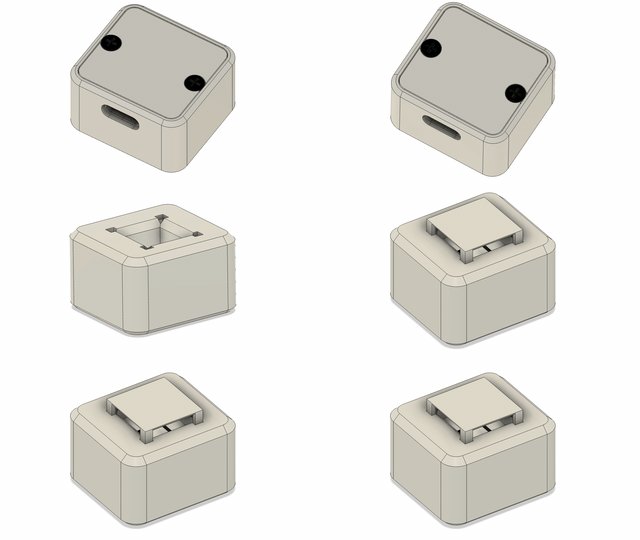
Add the little sun-shield on top. (can be skipped if you know your sensor won't be exposed to sunlight). You may also superglue it in place in case it does not friction fit for you, it should not affect future disassembly of the sensor.
Step 5: Software
If you haven't already, flash the software by clicking the “Connect” button on this web page.
Once the sensor boots up it should go into pairing mode immediately and you can simply add it as a Zigbee device in your favourite hub. If you want more details about the software as well as troubleshooting or report any issues be sure to check out the GitHub page.