
Pentagon Print In Place Fidget!
Obliczymy ostateczną cenę na podstawie wybranego pliku. Sprawdzisz ją i zaakceptujesz przed płatnością.
Zapisane na tym urządzeniu.
love shapes but dont know what to do with them? try this outlandishly entertaining pentagon-ish fidget!
- Ocena
- 0 / 5
- Polubienia
- 2
- Pobrania
- 47
- Wydruki
- 0
- Wyświetlenia
- 350
- Oceny
- 0
Aktualizacja u źródła:
Informacje o modelu
- Źródło
- Printables
- Kategoria
- Other 3D Objects for Learning
- Licencja
- Creative Commons — Public Domain
Summary
In this creation, I used sketch offsets, extrudes, and cuts to create my own telescoping fidget that looks like a pentagon but look closer, it isn't! Working with a partner although we did not have the same designs, definitely made this project easier. (a partner is not required but very much recommended!)
Figure constraints
- The sketch must begin with a constraint box, (center-rectangle created from the origin)
- Your outermost outline must fit within an 8cm x 8cm box or equivalent area (64cm2)
- Dimensions/Relations should be efficient.
- It is not required to fully define your entire sketch, but it will help.
- The sketch must contain zero error messages.
- Demonstrate efficient use of “Offset Entities”
Instructions
- Create a new part
- Import your image into solidworks
- Trace your image onto a new plane
- Reverse offset your image inward until it breaks, then delete the last one
- Boss extrude the outermost offset 1 cm and 25 degrees (this could be set to “blind” however the rest will be set to “up to surface”
- Select the second outermost ring and extrude cut and set it to 25 degrees
- Repeat steps 5 and 6 until you reach the center
- Mirror the object about the right plane
Overview and design choices
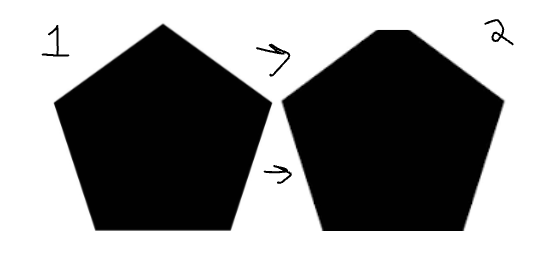
I began by trying to find inspiration on google, and landed upon a silhouette of a pentagon, however you may notice, my print in place has six sides. This was a mistake that turned into a design idea. the top of the pentagon being cut off gave it an originality
I decided to start the offset angle to 15 degrees. This was the most visually pleasing of all of the different angles, giving it a depth not seen in the others. After that printed, i changed it to 20 degrees, and it took a bit too clumped up for my tastes, so i changed it back.

Finally, the last change i made came in the form of thickness. As seen in the photos below, it was originally gargantuan, however was then changed to a more handheld size. This helps with its portability, and allows for more offsets to appear.
