
Bioelectric Cell - Deus Ex: Mankind Divided
Obliczymy ostateczną cenę na podstawie wybranego pliku. Sprawdzisz ją i zaakceptujesz przed płatnością.
Zapisane na tym urządzeniu.
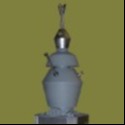
Biocell (Bioelectric Cell) from Deus Ex: Mankind Divided
- Ocena
- 0 / 5
- Polubienia
- 11
- Pobrania
- 38
- Wydruki
- 0
- Wyświetlenia
- 199
- Oceny
- 0
Aktualizacja u źródła:
Informacje o modelu
- Źródło
- Printables
- Kategoria
- Props
- Licencja
- Creative Commons — Attribution
This is the Biocell from Deus Ex: Mankind Divided. I modeled it to be printed in resin, but it will probably work with an FDM printer as well. In addition to the two STL files, there are three SVG files for adding the details after painting the main colors:
DXMD_Biocell_Frisket_Masks.svg is intended for laser-cutting various frisket mask for airbrushing on graphics in white paint. If a laser cutter is not available, some of them might be hand-cut using an X-Acto knife with a fresh blade, though the “Warning” graphic takes advantage of the laser kerf to produce cuts wider than the hairlines visible in the file, and it may not be possible to create this mask by hand. Ideally, if you don't have a laser cutter, or a friend with one, you can find a Makerspace or public library that has one you can use. I recommend using high-tack laser-compatible frisket film. Laser settings (Glowforge Basic):
- Black, blue, magenta elements: 1 pass, speed 518, power 50
- Red elements: 1 pass, speed 204, power 15
Cut the red elements last; the other three may be cut in any order. When choosing settings for a different laser cutter, you may need to tweak them a bit: the red elements should cut all the way through the backing of the frisket film, but the other elements should only cut through the film itself.
When painting the lightning-bolt-in-triangle elements, affix the outer mask and paint yellow within it, then center the inner mask and overpaint with black.
For the nested triangles, affix the outer mask, and then center the hollow triangle within it. One set goes on the front end of each terminal block (on the narrow sides of the biocell).
For the large graphic, place the portion with “VOLTAIK” first, then place the “BIO-ELECTRIC” portion within the rounded rectangle, leaving equal space on the top, bottom, and left side (there will be a much wider space on the right side). After airbrushing, use an extra-fine brush to fill in the breaks in the letters ‘B’, ‘O’, and ‘R’ in “BIO-ELECTRIC”. The ‘O’ in “VOLTAIK” should not be filled in like that.
DXMD_Biocell_Waterslide_Decals_Clear.svg should be laser-printed on a clear waterslide sheet, and DXMD_Biocell_Waterslide_Decals_White.svg should be printed on a white waterslide sheet. Trim all graphics closely, and affix as shown in the photos. If the photos are not sufficient, you can always run the game, examine a Biocell in your inventory, and rotate it to make note of the positioning.
Modeled in Blender, printed in Sunlu ABS-Like resin on an Anycubic Photon Mono X.