
Magic the Gathering / Elestrals Planetary Gear Life Counter
Obliczymy ostateczną cenę na podstawie wybranego pliku. Sprawdzisz ją i zaakceptujesz przed płatnością.
Zapisane na tym urządzeniu.

A neat life counter with a planetary gear for Magic the Gathering, Elestrals, or any other game with 20 lifes.
- Ocena
- 0 / 5
- Polubienia
- 16
- Pobrania
- 77
- Wydruki
- 0
- Wyświetlenia
- 654
- Oceny
- 0
Aktualizacja u źródła:
Informacje o modelu
- Źródło
- Printables
- Kategoria
- Board Games
- Licencja
- GNU General Public License v3.0
Keep track of your life points in style with this uniquely designed life counter, perfect for Magic: The Gathering, Elestrals, and other TCGs! Featuring an innovative planetary gear mechanism, this counter allows for smooth and precise adjustments while adding a mechanical flair to your gameplay experience. Designed for durability and ease of use, it offers a satisfying tactile feel as you turn the gears to update your life total. Whether you're a casual player or a competitive duelist, this life counter is a must-have accessory to elevate your game!
I got the idea to make this thing, after seeing this post on bluesky from Saucemaster (bluesky and twitter), and since they did not provide any files, I made the whole thing on my own, inspired by the picture.
The entire model is designed for multicolor printing using a single-color printer. This means you can achieve a multicolor effect by changing the filament color between whole layers as needed.
I also added a template for all of you to use youre own logos for this counter.
You need the following parts for it to work:
- 1* Outer Ring
- 1* Ring Gear
- 8* Planet
- 1* Sun
- 1* Top Plate or Top Plate 40
- 1* Deco Plate
- 1* Pointer Short or Pointer Long
- Up to 9* different Logo Parts
Instructions

- Inserting Logos into Planet Gears
If you have chosen to incorporate logos into your Planet gears, begin by pressing them securely into place. They should fit snugly. If they appear loose, apply a small drop of superglue to ensure a firm hold.

- Installing the Gears
Position the planetary gears and the sun gear within the outer gear. Ensure there is adequate space between the planetary gears to allow smooth rotation. Before proceeding, perform a test spin to confirm that the mechanism moves freely.
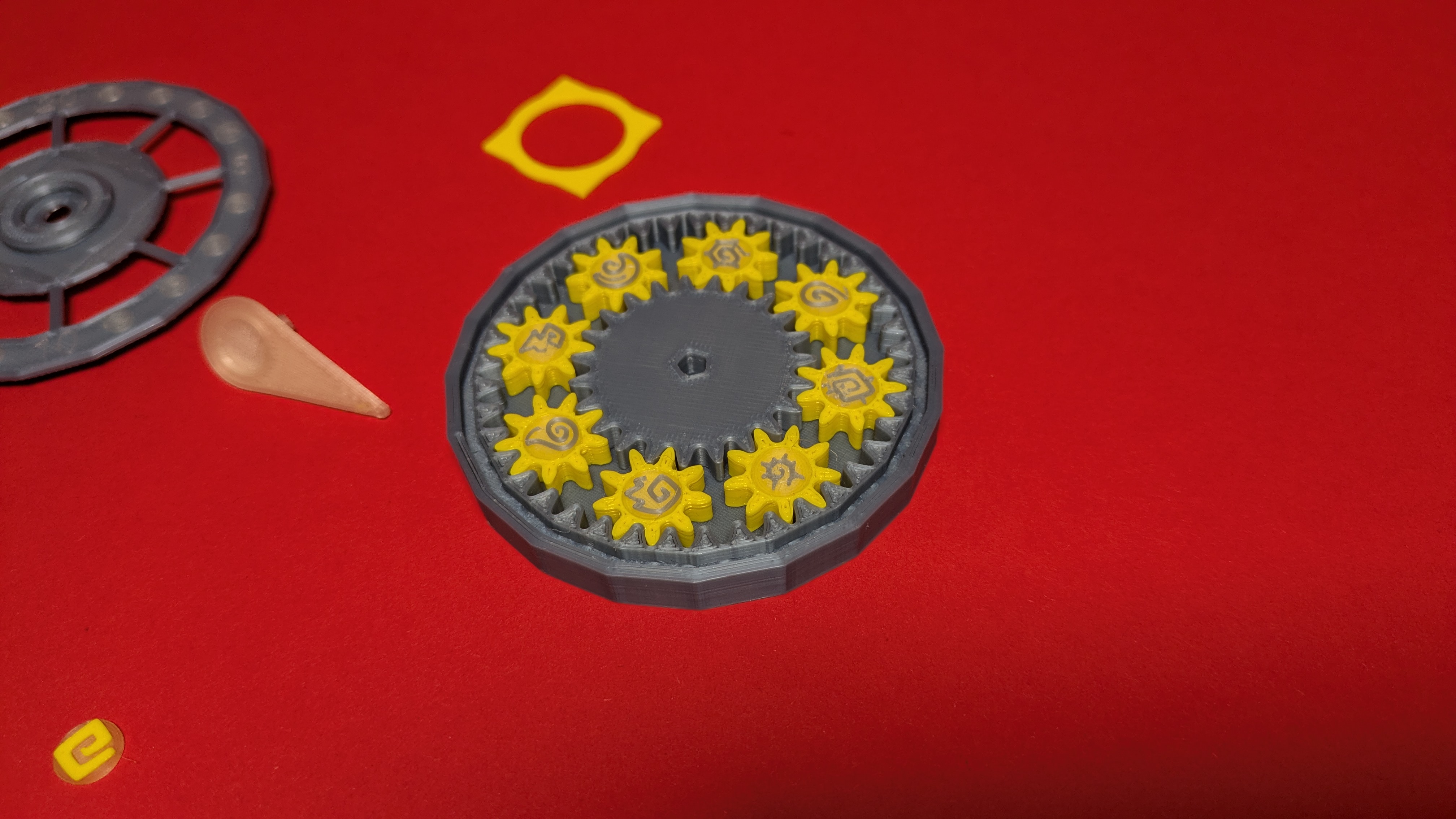
- Placing the Top Plate
Carefully align the top plate with the outer ring, ensuring that the corners are properly positioned before pressing it into place.

- Attaching the Deco Plate
Insert the Deco Plate into the designated column. If the fit is too loose, apply a small drop of superglue for added security.

- Securing the Logo onto the Pointer
Press the logo into the Pointer. If it does not fit snugly, a small drop of superglue may be used to secure it.

- Attaching the Pointer
Insert the Pointer into the central hole. If it does not fit immediately, try gently rotating it to align with the octagonal shape. Some minor adjustments may be necessary. If the fit is too loose, a drop of superglue can be used.

- Final Assembly – Adding the Outer Ring
As an optional final step, you may add an Outer Ring for an additional accent. Simply press the entire Counter into the Outer Ring. If the fit is not secure, use a small drop of superglue.


If you love this design and want to see more fun projects like it, consider joining my club on Printables to help me keep adding free models for everyone to enjoy. If you don't like monthly payments, you can also send a one-time donation via buy me a coffee—every bit helps me continue creating and sharing new designs with the community!
https://buymeacoffee.com/mrhipppo
Thank you for being part of this journey—your support truly means the world!