
NO SPILL SMART BOWL
Obliczymy ostateczną cenę na podstawie wybranego pliku. Sprawdzisz ją i zaakceptujesz przed płatnością.
Zapisane na tym urządzeniu.

Anti-Spill Dog Bowl with Optional Arduino-Powered Low Water Level Indicator
- Ocena
- 0 / 5
- Polubienia
- 37
- Pobrania
- 62
- Wydruki
- 0
- Wyświetlenia
- 1198
- Oceny
- 0
Aktualizacja u źródła:
Informacje o modelu
- Źródło
- Printables
- Kategoria
- Pets
- Licencja
- Creative Commons — Attribution — Noncommercial
This innovative 3D printed dog bowl is designed to keep your furry friend’s feeding area clean and tidy, preventing water or food from spilling over, even when your dog is excited or eating/drinking quickly. The bowl also includes an optional feature: a low water level indicator, which is powered by an Arduino chip and a water level sensor. This component can be easily integrated into the design to notify you when the water is running low, ensuring your pet never goes thirsty.
For pet owners who prefer a more advanced solution, the Arduino-powered indicator offers a tech-savvy way to monitor water levels, while those who prefer a simpler design can use the bowl without it. The sleek and functional design of the bowl is perfect for keeping mealtime mess-free and efficient.
FUNCTIONS
- Prevent water spillage.
- Indicate when the water in the bowl is close to running out.
HARDWARE YOU WILL NEED
- 1x Arduino Nano
- 1x Mini breadboard
- 1x Water level sensor
- 1x Coloured LED light
- 1x 220 ohm resistor
- 1x Male-male jumper wire
- 3x Male-female jumper wires
- PLA
- Hot glue gun and glue
- Silicone for
PRINT SETTINGS
- <25% infill for the cap
- 20% infill for the holder
- 15% infill for the bowl
WHY I MADE THE MODEL
If you are a pet owner and have problems with the spillage of water around the place where your furry friend drinks, this model can cut costs drastically. It can end up saving you 50+$.
Also I am in big need of a better 3D printer, because mine is a cheap chinese ender clone, that breaks often and has an awful print quality. That is why any kind of support would be appreciated.
ADDITIONAL TIPS
- Water proof the bowl before you use it ( I understood it the bad way )
- Be sure that the position you attach the holder is ideal, so that the cap won't get stuck when going up and down.
- When refilling, first remove the cap and then put the water in, because there is a small chance to sink it if you pour the water over it.
ASSEMBLY
- Hot glue your LED light to the holder.
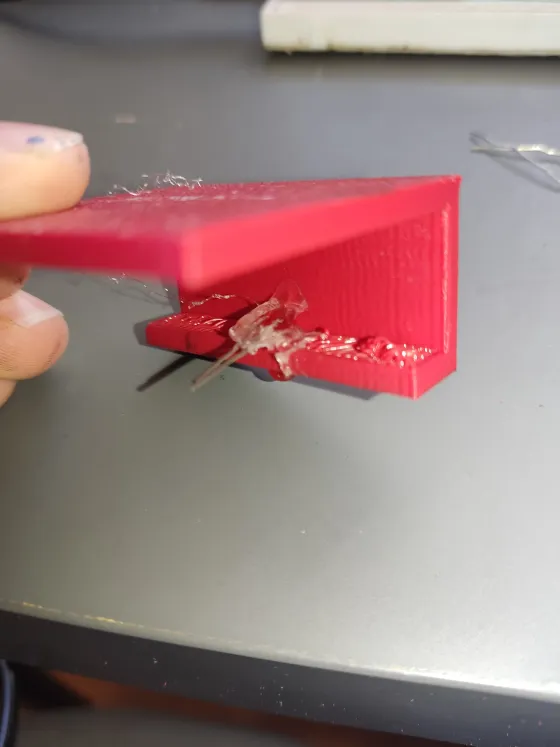
2. Attach the LEDto the mini breadboard and add a 220 ohm resistor, that will be connected to the positive leg of the LED
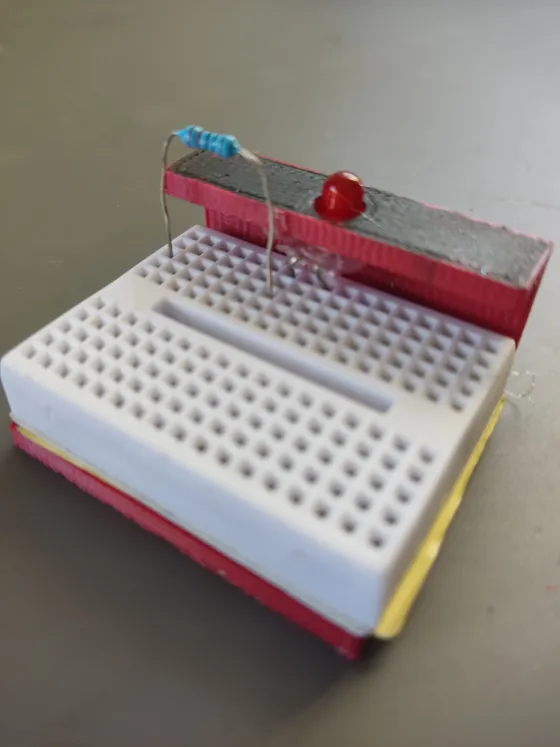
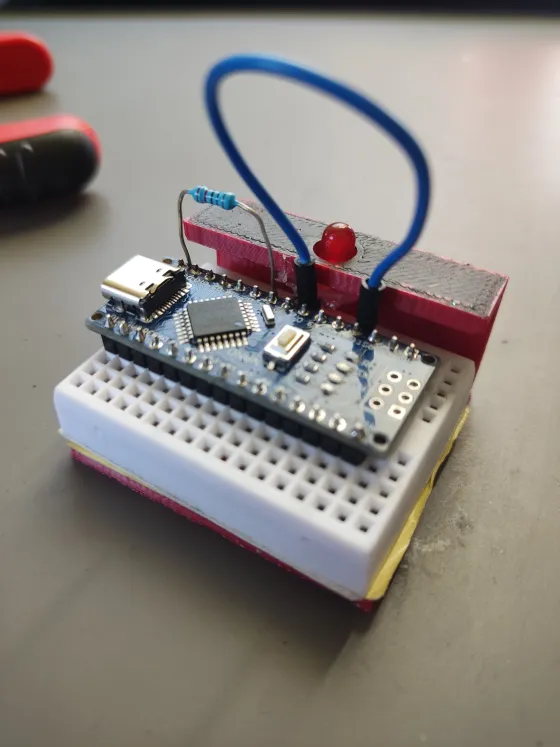
3. Attach the Arduino Nano to the breadboard and add a jumper wire that is connected to the negative leg of the LED and the gnd on the Nano. The LED should have this pin configuration:
| VCC | D12 |
| GND | GND |
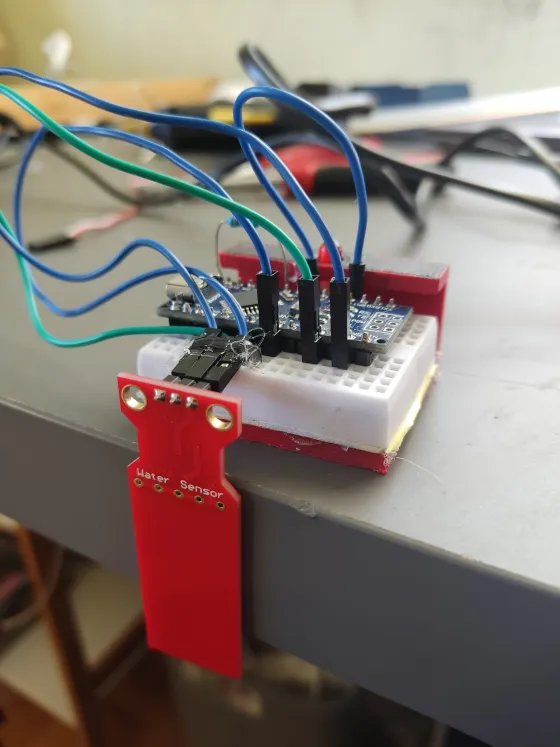
4. Connect the water level sensor in this configuration via female jumper wires and hot glue it to the breadboard:
| SIGNAL ( S ) | A5 |
| VCC ( + ) | 5V |
| GND ( - ) | GND |
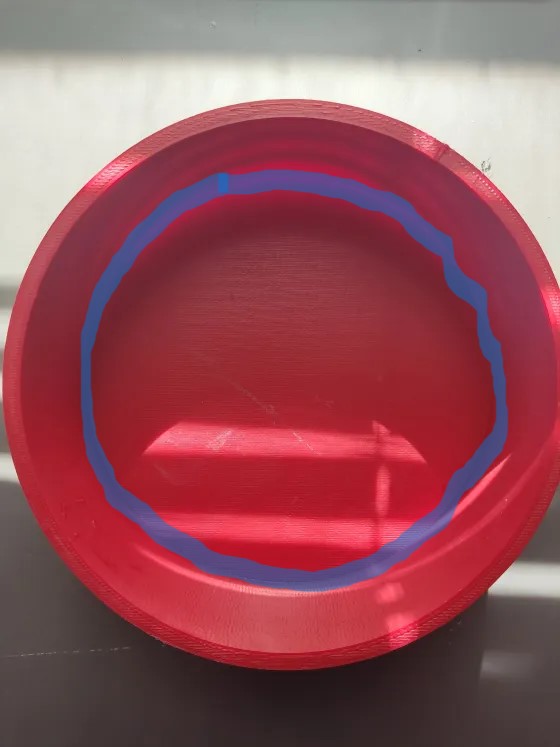
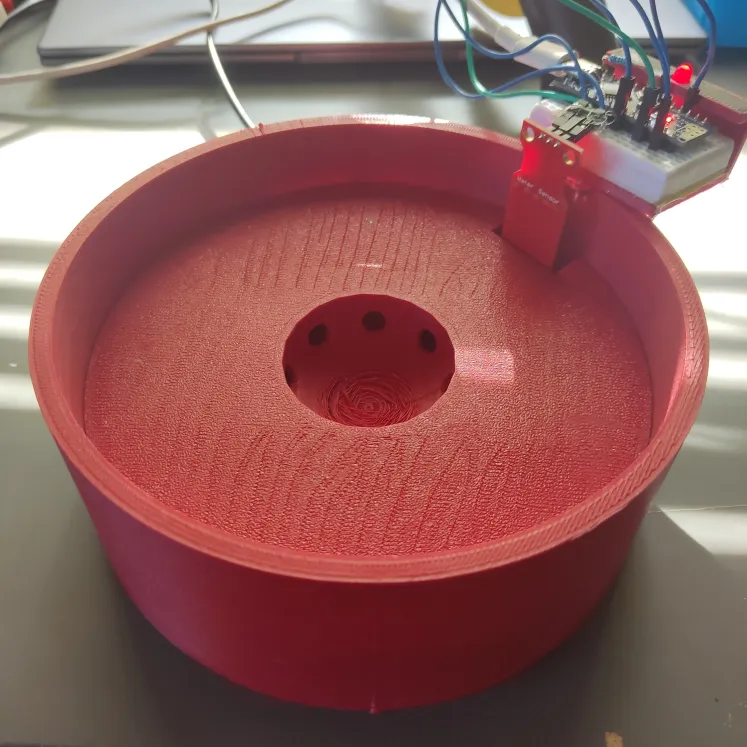
5. After printing the main bowl, if you have printed the file in a material like PLA that leaks, make sure to cover any holes with silicon. They usually appear around the inner edge of the bottom of the bowl ( the marked areas in the photo ). That way you prevent the water going inside the walls of the print and making it nearly impossible to drain, heavy and wasting water.
6. Rotate the cap until you find in what position it glides rather smootly when going up and down the bowl ( remember to put it in the right orientation, the dome should be on the underside ). If you dont find such a position, sand the edge of the cap and repeat the whole process, remember, don't remove too mush material because it can result in the cap filling up and sinking, when its purpose requires it to float.
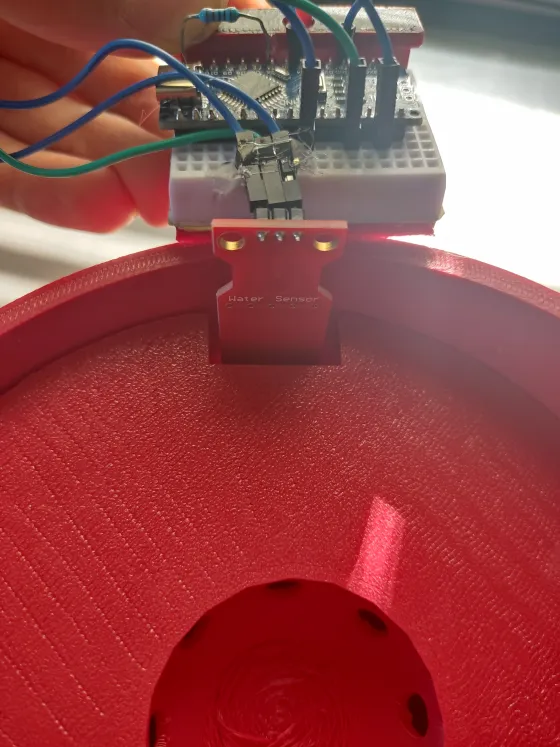
7. Place the holder in a way, that the sensor fits in the hole in the cap that was made for it.
When you do that and are completely sure that you will stay with this orientation of the cap, hot glue the holder to the bowl.
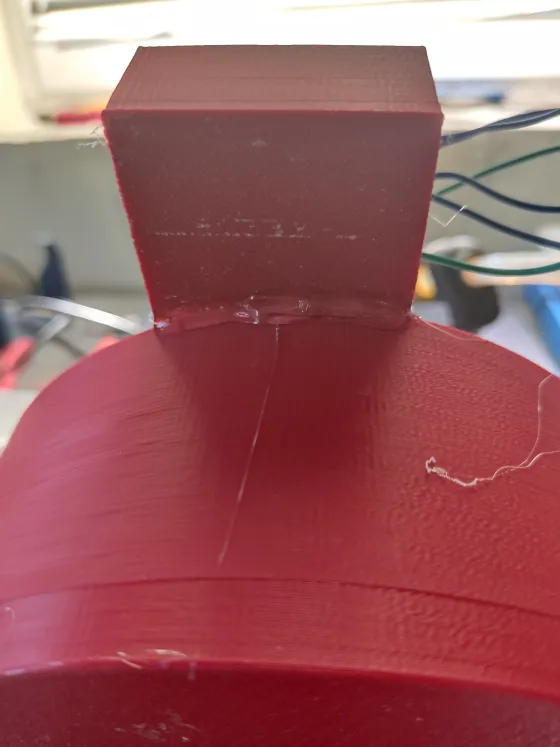
8. Put the cap on and test one final time if it goes up and down smoothly. If it does connect the nano to your device and upload the following code ( make adjustments to the pin configurations if needed ) :
// Define the pin numbers
const int waterLevelSensorPin = A5;  // Water level sensor connected to A5
const int ledPin = 12;               // LED connected to D12// Define the threshold value
const int threshold = 250;           // Threshold value for water level
void setup() {
  // Initialize the LED pin as an output
  pinMode(ledPin, OUTPUT);
  // Initialize serial communication for debugging (optional)
  Serial.begin(9600);
}
void loop() {
  // Read the analog value from the water level sensor
  int sensorValue = analogRead(waterLevelSensorPin);
  // Print the sensor value to the serial monitor (optional)
  Serial.println(sensorValue);
  // Check if the sensor value is lower than the threshold
  if (sensorValue < threshold) {
    // Turn on the LED
    digitalWrite(ledPin, HIGH);
  } else {
    // Turn off the LED
    digitalWrite(ledPin, LOW);
  }
  // Add a small delay to avoid flickering
  delay(100);
}
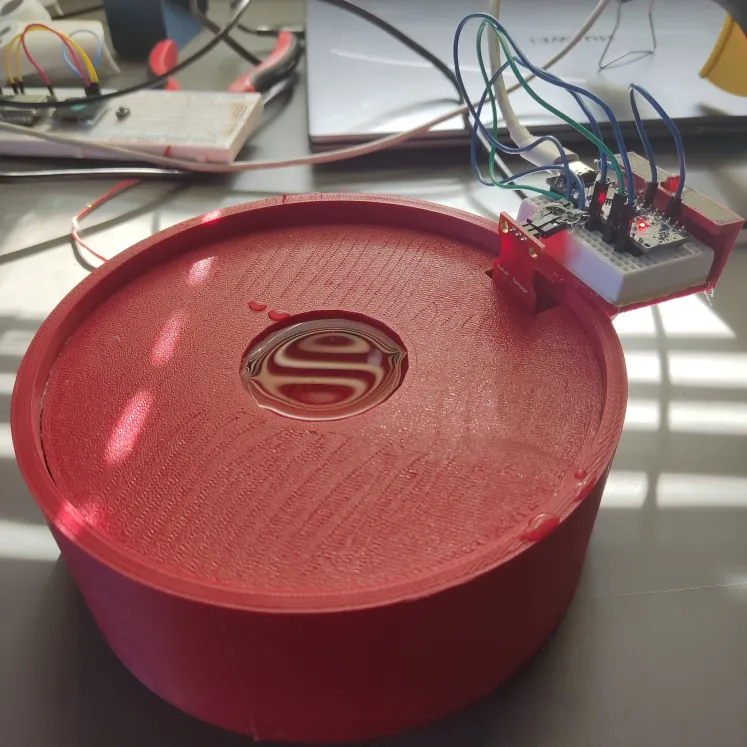
9. Connect the Nano to a power source and test the device. Here is what it looks like when the bowl is full and what it looks like when the bowl is empty ( notice how the LED lights up to indicate that the bowl is near empty ):
I WOULD REALLY APPRECIATE IT, IF YOU LIKE AND FAVOURITE, AS WELL AS POSTING YOUR MAKE AND COMMENTING. THANKS!