
PacMan Fidget
Obliczymy ostateczną cenę na podstawie wybranego pliku. Sprawdzisz ją i zaakceptujesz przed płatnością.
Zapisane na tym urządzeniu.
Informacje o modelu
- Źródło
- Printables
- Kategoria
- Other Toys & Games
- Licencja
- Creative Commons — Attribution — Noncommercial
Summary Continued:
This PacMan fidget is perfect to toy with when you are bored and fits perfectly on an office desk or as a household decoration! The telescoping feature of this fidget offers a satisfying and soothing experience to relieve stress. The fidget fits within an 8cm by 8cm constraint box and is 1.5 cm tall. I worked with Ali on this project and you can access his printables page here: https://www.printables.com/@aoeng_2915687.
Lesson Plan and Constraints:
The goal of this project was to create a telescoping fidget device using sketch offsets and drafted extrusions/cuts. Each partner must hold each other accountable and help each other troubleshoot issues that arise along the way. Each partner’s design should also be identical and they should perform each step together and consecutively.
- The sketch must begin with a constraint box, (center-rectangle created from the origin)
- Your outermost outline must fit within an 8cm x 8cm box or equivalent area (64cm2)
- Dimensions/Relations should be efficient.
- It is not required to fully define your entire sketch, but it will help.
- The sketch must contain zero error messages.
It must demonstrate efficient use of the “Offset Entities” command.
Overview:
Our fidget is a simple pacman outline that we offset 29 times to make 10 separate layers. The offset entities tool plays a major role in this project to create the outline for all the layers to fall in place.
This was our original image we decided to sketch around.

We scaled the pacman to fit in an 8x8 cm constraint box we made.

We then offset the outer sketch 29 times inward to create each layer.

Then we performed a series of extruding and cutting to obtain the horizontal half of our pacman.
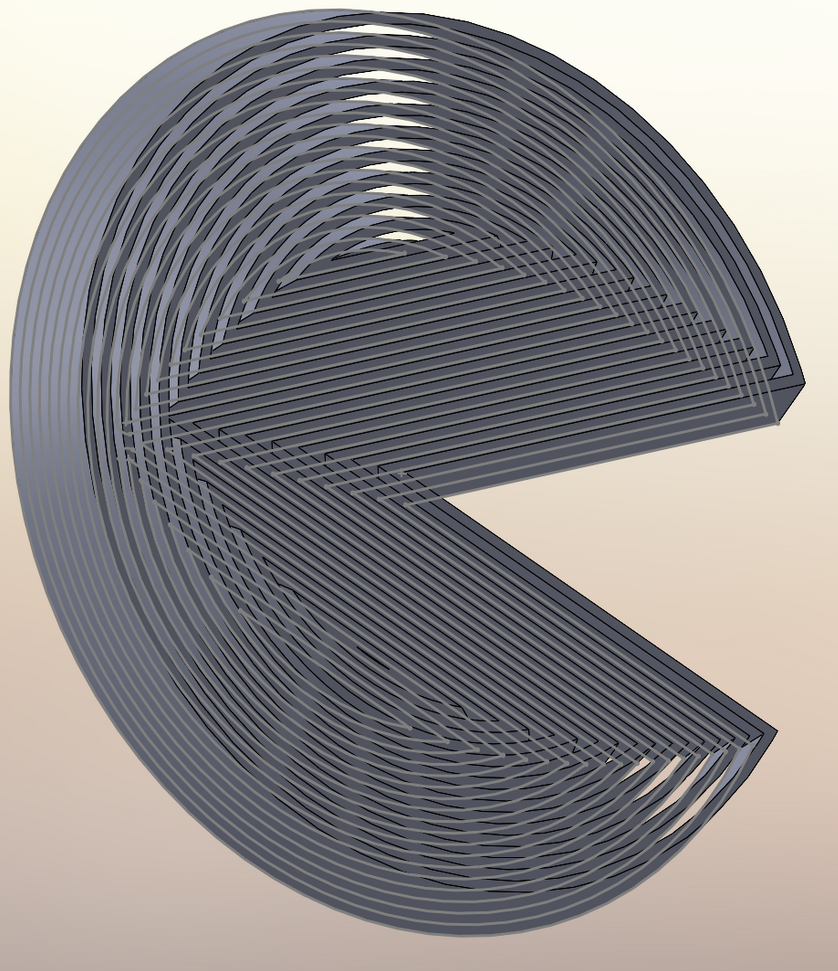
We then used the mirror command to mirror our horizontal half over the front plane, completing our fidget.

Design Choices:
We made a few changes to our original design because of problems that emerged along the way.
Design Change 1:
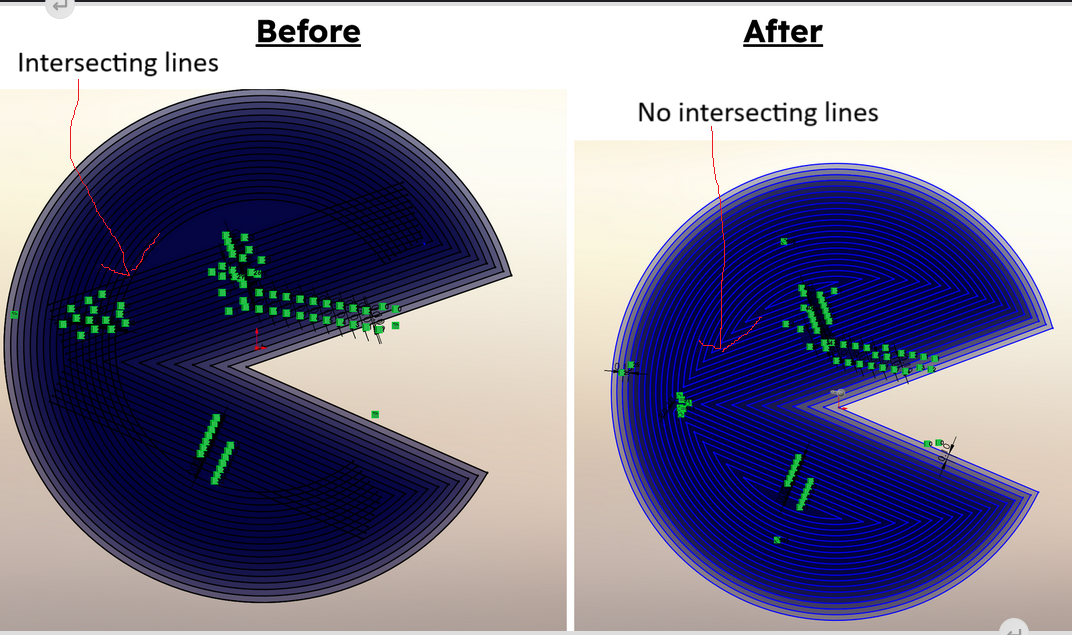
Our previous image is when our sketch had overlapping lines as we kept offsetting our outer shape. This was a problem because we couldn’t extrude and cut over intersecting lines. We solved this problem by using the trim entities tool to cut the line at the first overlapping point, and then continue using offset entities for each of the two smaller sections created.
Design Change 2:
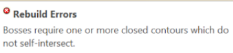
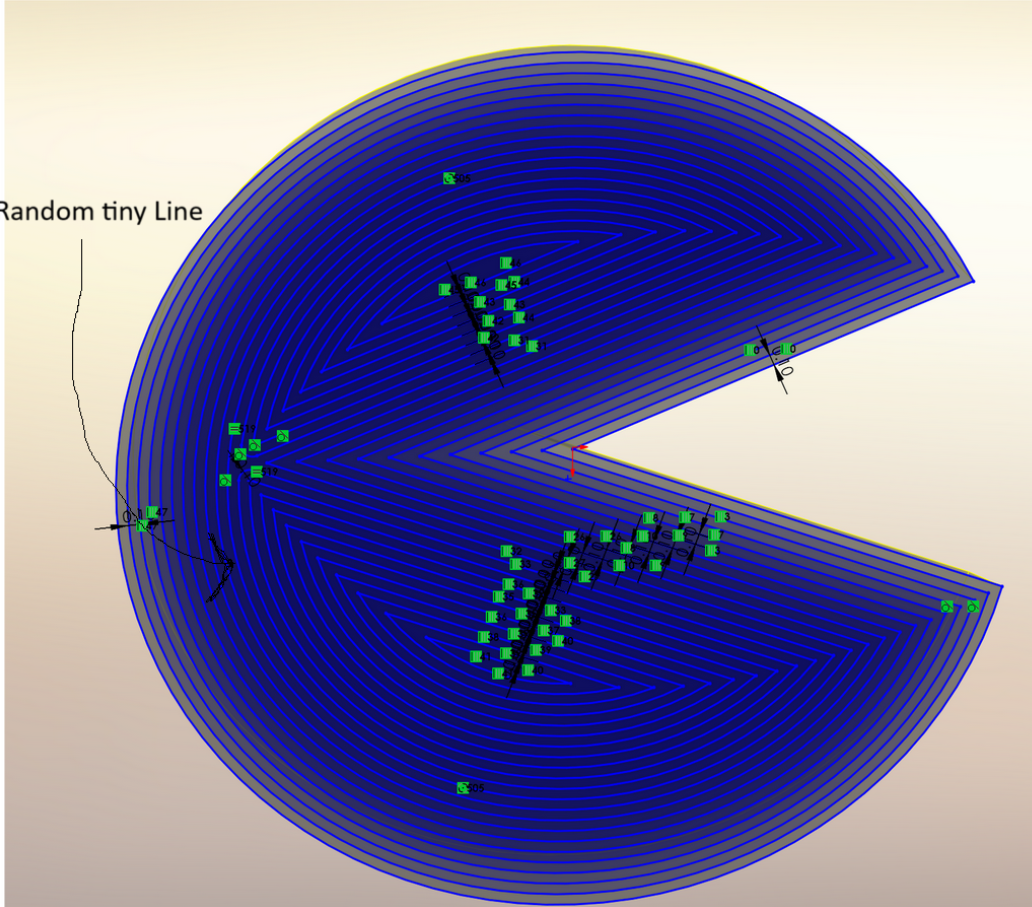
We stumbled upon an intriguing issue during the cutting and extruding process. We received an error message saying that the section we were trying to cut didn’t have closed contours. We discovered that there was a very tiny line intersecting at the contour that we were trying to cut. Because of this, Solidworks wouldn’t let us perform an extruded cut because the shape was not fully closed. We simply fixed this by deleting the line intersecting with the sketch. This line was probably a small error we drew on the sketch by accident. Our after image shows the sketch after we removed this line, which was barely visible at first.