
Second order roulette drawing machine
Obliczymy ostateczną cenę na podstawie wybranego pliku. Sprawdzisz ją i zaakceptujesz przed płatnością.
Zapisane na tym urządzeniu.
Informacje o modelu
- Źródło
- Printables
- Kategoria
- Other Toys & Games
- Licencja
- Creative Commons — Attribution — Noncommercial — Share Alike
Updated 4/16/2025
2025/4/16更新
“Pre-checking the shape of the curve” was added.
「曲線の形を事前に確認する」を追加しました。
----------------------------------------------------------------------------------------------------------
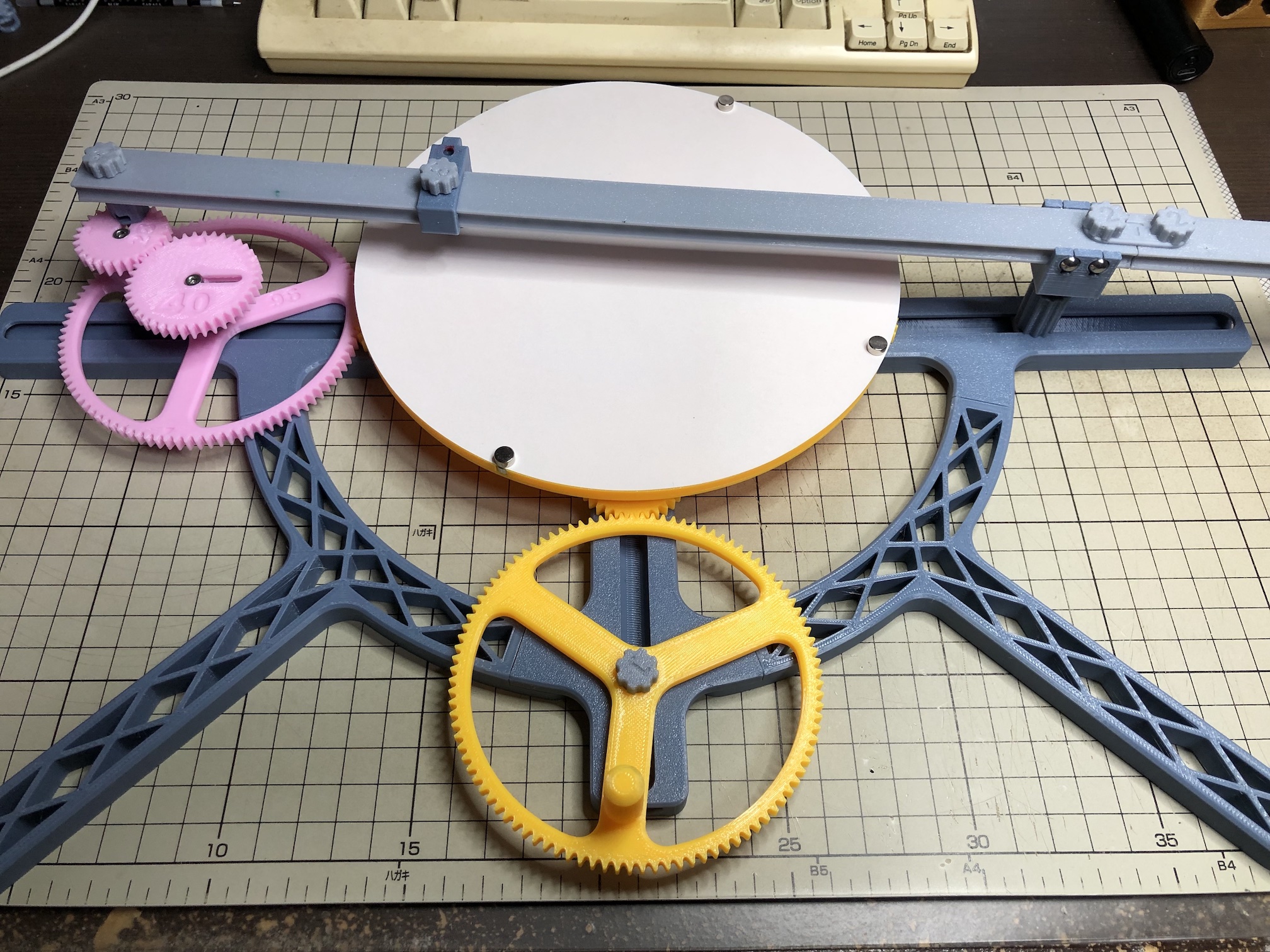
This is a machine that draws Second order roulette. The following video shows what kind of patterns it can draw.
これはSecond order rouletteを描く機械です。以下のビデオを見れば、どのような模様を描けるのかわかります。
Note: This “roulette” is not a tool used in betting, but a mathematical term for a certain curve.
注)この「ルーレット」は賭け事で使われる道具ではなくて、ある曲線を表す数学用語です。
Referenced information
参考にした情報
The following blogs were used as references in creating this model.
このモデルを作成するにあたり、以下のブログを参考にさせていただきました。
You can see how they draw using Wild Gears at the following website.
Wild Gearsを使って描いている様子を、以下のウェブサイトで見ることができます。
Assembly Guide
組み立てガイド
A video explaining the assembly procedure is available.
組み立て手順を説明する動画を用意しました。
非印刷部品
| Part name 部品名 | Qty 個数 |
| Round magnet ( diameter 6mm, thickness 3mm ) 直径6mm、厚さ3mmの円形磁石 | 8 |
| M3x8mm Socket Head Cap Machine Screw | 5 |
| M3x12mm Socket Head Cap Machine Screw | 1 |
| M3 nut | 7 |
| Steel ball ( diameter 6mm ) 直径6mmの鋼球 | 4 |
| R188 bearing | 1 |
| Ballpoint pen refill ボールペンの替え芯 | 1 |
How to change the figure
図形を変化させる方法
Changing the four gears will change the figure, as shown in the video at the beginning of this section.
四つの歯車を変えれば図形が変わることは冒頭の動画で示したとおりです。
Otherwise, the following methods are available
それ以外にも以下の方法があります。
- Change the pen position
ペンの位置を変える - Change the phase of planetary gear
惑星ギアの位相を変える - Change the phase of the side gear
サイドギアの位相を変える - Change the bar fixing position of the planetary gear
惑星ギアのバー固定位置を変える
Change the pen position
ペンの位置を変える
Change the phase of planetary gear
惑星ギアの位相を変える
Change the phase of the side gear
サイドギアの位相を変える
Change the bar fixing position of the planetary gear
惑星ギアのバー固定位置を変える
About ballpoint pen refill
ボールペンの替え芯について
As for ballpoint pen refills, I tried Pilot's Acro Ink, Pentel's ENERGEL, and Zebra's SARASA, but only Sarasa worked well.
ボールペンの替え芯として、パイロットのアクロインキ、ペンテルのエナージェル、ゼブラのサラサを試してみましたが、うまく機能したのはサラサだけでした。
None of the products have any problems with handwriting. I am talking about using it with this model and it doesn't work.
どの製品も手書きでは問題ありません。このモデルで使うとうまくいかないという話です。
Pilot's Acro Ink produced excessive ink, and the ink pooled at the point where I finished drawing the pattern, staining the paper.
パイロットのアクロインキはインクが過剰に出てしまい、模様を描き終わった地点にインクが溜まって、紙を汚してしまいました。
Pentel's ENERGEL had little ink and the lines were broken.
ペンテルのエナージェルはインクが少なく、線が途切れてしまいました。
Maybe the reason SARASA worked so well is because it is a water-based ink.
サラサがうまくいったのは水性インクだからかもしれません。
I also tried a mechanical pencil lead with a diameter of 2 mm, but the results were disappointing, as the pattern faded in both HB and 2B, so I decided not to use it.
直径2mmのシャープペンシル芯も試してみましたが、HBでも2Bでも模様が薄くなってしまい残念な結果となったので、不採用としました。
The refill was initially secured with a screw type, but it was difficult to adjust to the optimum height, so I changed to a spring type. The spring has only been checked with PETG, so it may not work well with another material.
替え芯の固定も、最初はネジ式にしていたのですが、最適な高さに調整するのが難しいので、バネ式に変更しました。バネはPETGでしか確認していないので、別の材質ではうまくいかない可能性があります。
The size of the refill is assumed to be 3 mm in diameter and 98.2 mm in length.
替え芯のサイズは直径3mm、長さ98.2mmを想定しています。
Table sizes
テーブルの大きさ
Three table sizes are available: 180 mm, 150 mm, and 120 mm in diameter.
テーブルは直径180mm, 150mm, 120mmの三種類を用意しました。
The 180mm table is the limit of what Prusa mini can print, the 150mm table can cut out two circles from an A4 sheet of paper, and the 120mm table can cut out three circles.
180mmはPrusa miniで印刷できる限界です。150mmはA4用紙から二枚の円を切り取れるサイズ、120mmは三枚の円を切り取れるサイズということから決めました。
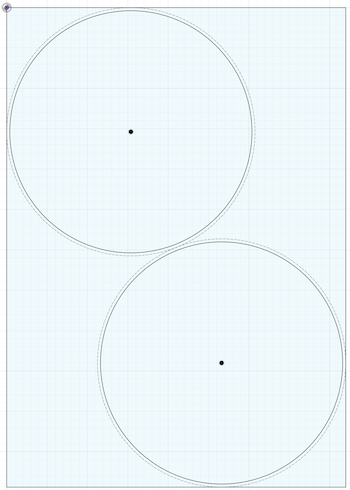
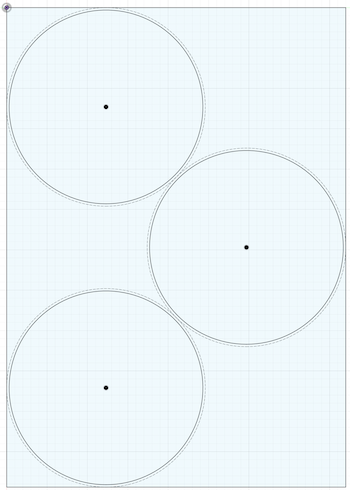
To cut paper in a circle, a circle cutter is useful. I use an Olfa ratchet compass cutter.
紙を丸く切るにはサークルカッターを使うと便利です。私はオルファのラチェットコンパスカッターを使っています。
Information needed to create a gear with an unprepared number of teeth
用意されていない歯数の歯車を作る場合に必要な情報
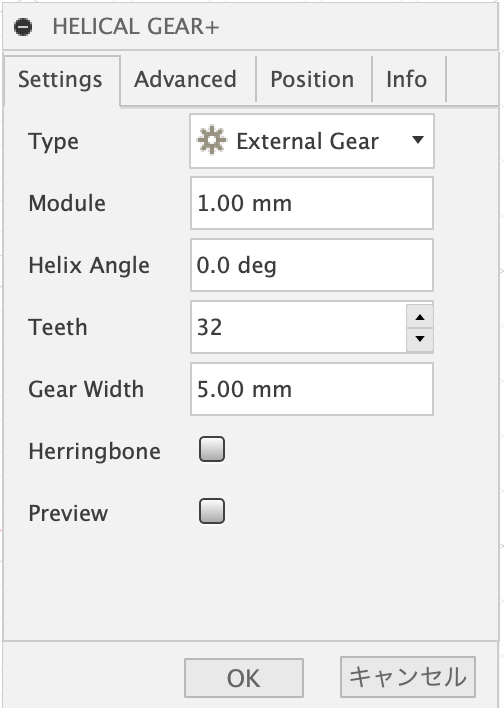
The gears are created using the Helical Gear+ add-in in Autodesk Fusion.
歯車はAutodesk FusionのHelical Gear+というアドインを使って作成しています。
The thickness of the gears is set to 5mm. However, only the center gear is 5.2 mm.
歯車の厚みは5mmにしています。ただしセンターギアのみ5.2mmにしています。
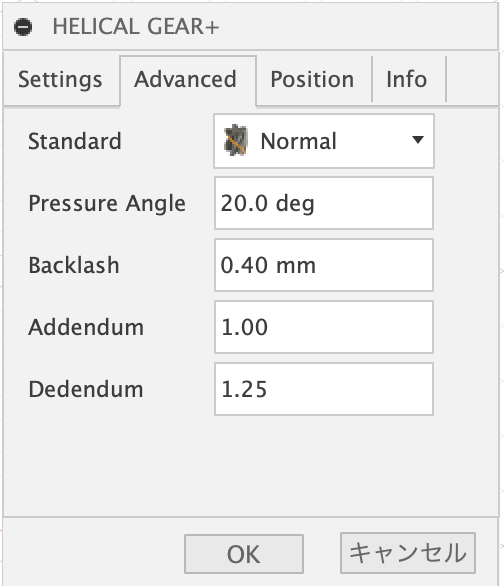
Module is set to 1mm and Helix angle is set to 0 degree to create spur gears. Backlash is set to 0.4mm.
Moduleは1mmで統一し、Helix angleを0 degreeにして平歯車を作成しています。Backlashは0.4mmとしました。
Please look at the f3d file to find out how to process the gears after creating them using the add-ins.
アドインを使って歯車を作成した後の加工方法はf3dファイルを見て調べてください。
Simplification
単純化
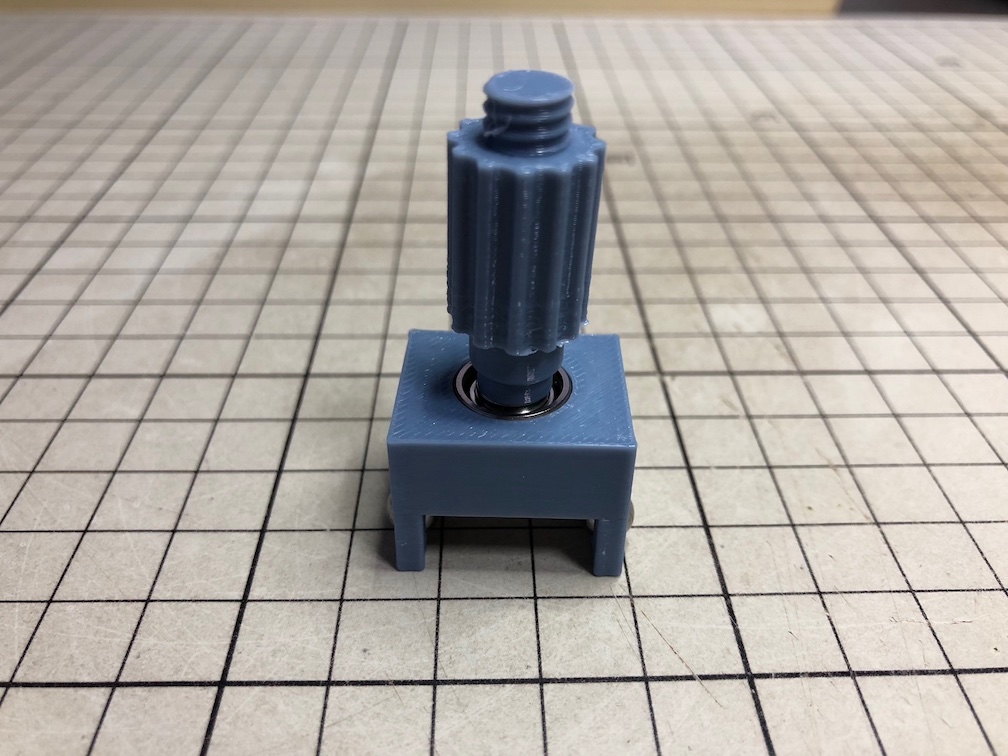
The “no gear shaft” and “no gear shaft base” allow simplification by replacing two sets of gears with one set. Use M3x12mm bolt for connection to the “supporter guide”.
「no gear shaft」と「no gear shaft base」を使えば、歯車を二組から一組に変えて単純化することができます。「supporter guide」との接続にはM3x12mmのボルトを使ってください。
Pre-checking the shape of the curve
曲線の形を事前に確認する
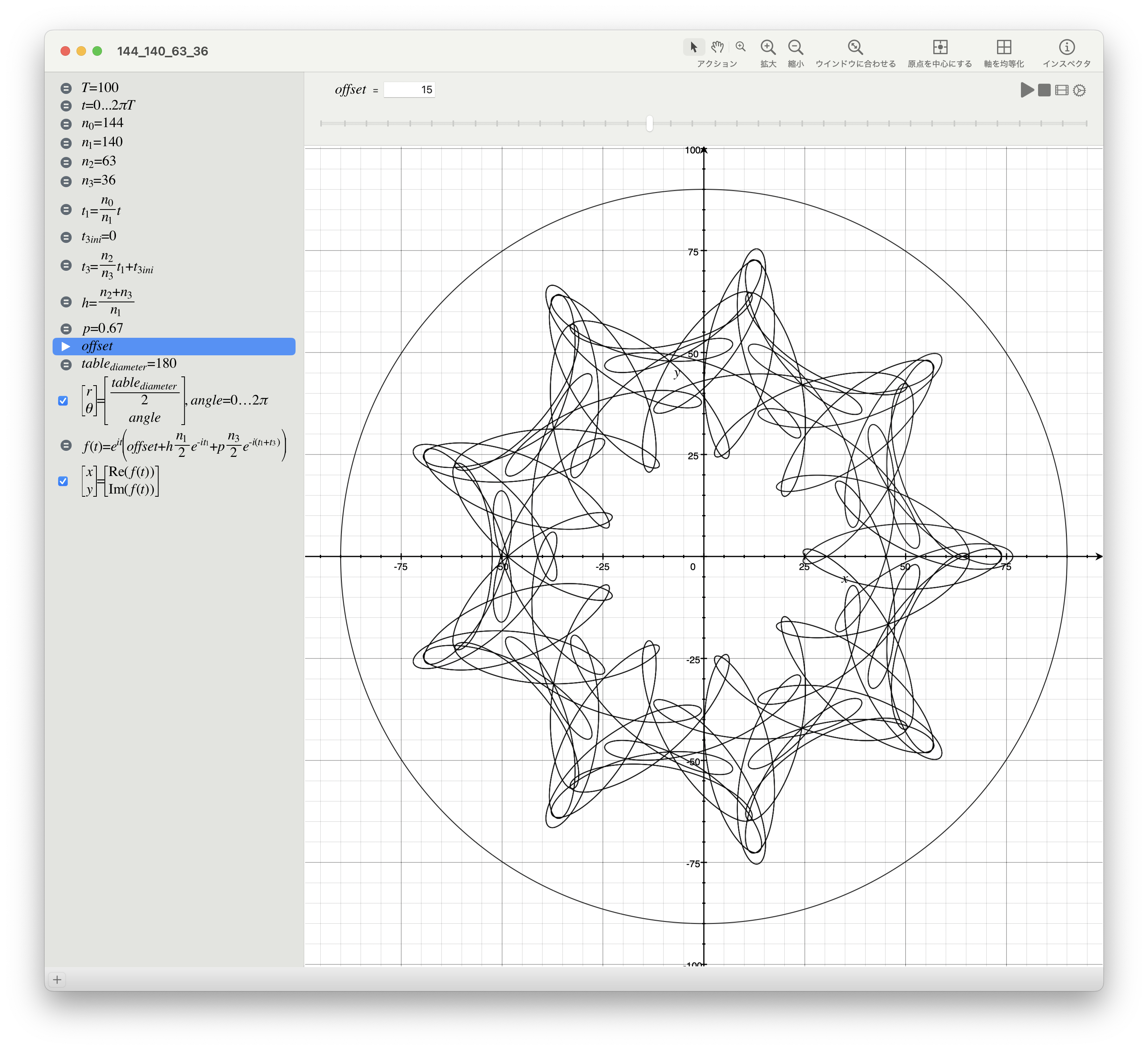
The application Grapher, which comes with macOS, can now reproduce the curves drawn by the second order roulette drawing machine. Please use the attached file “144_140_63_36.gcx”.
However, it is limited to cases where the initial phase of the side gear is zero.
macOSに付属しているGrapherというアプリケーションで、Second order roulette drawing machineで描く曲線を再現できるようになりました。「144_140_63_36.gcx」を添付するので、使ってください。
ただしサイドギアの初期位相がゼロである場合に限定されます。
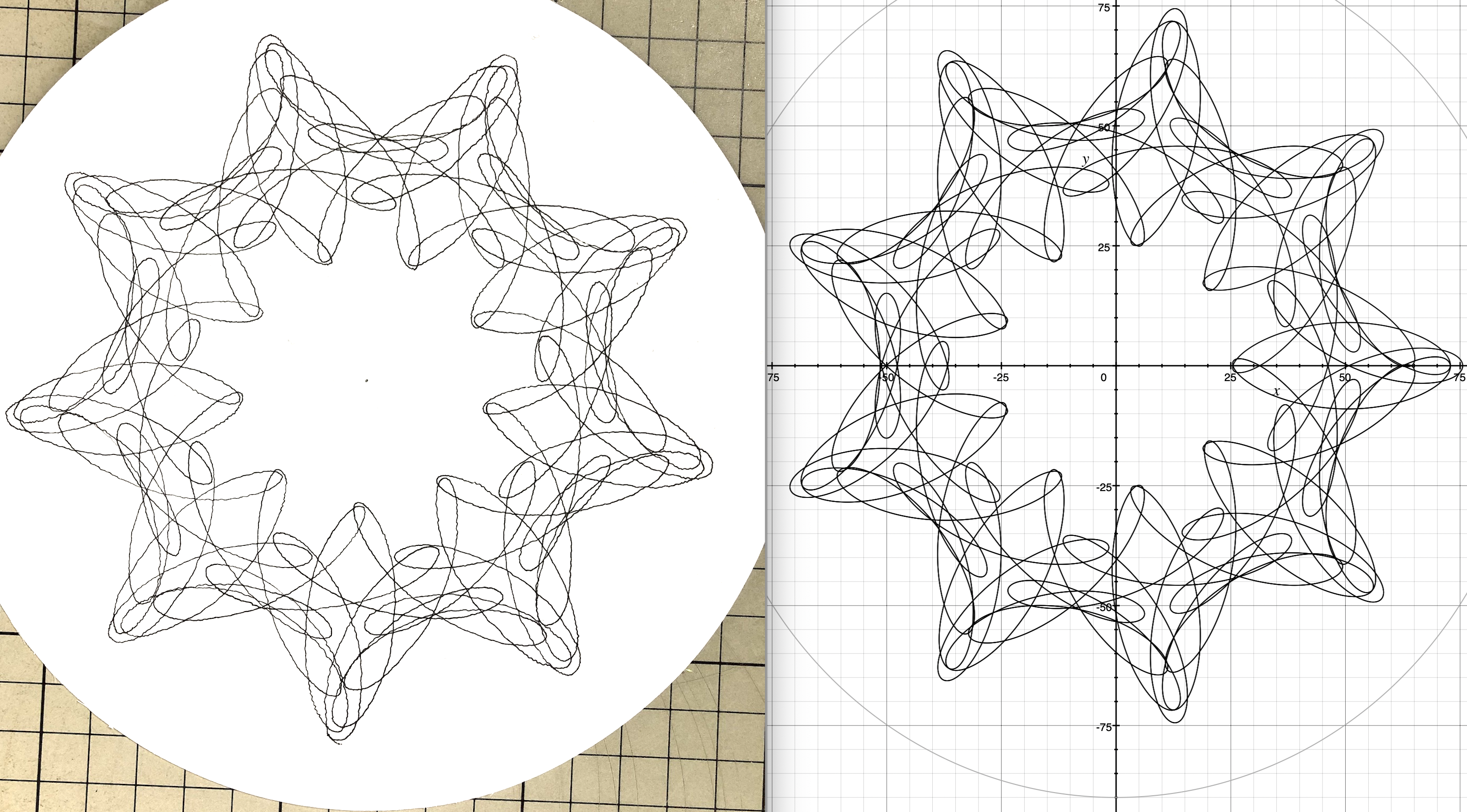
I think the curve is almost reproduced.
曲線がほぼ再現されていると思います。
About Parameters
パラメータについて
- Enter the number of gear teeth for n0 to n3, where n0 is the center gear, n1 is the side gear, n2 is the sun gear, and n3 is the planetary gear.
n0からn3は歯車の歯数を入力してください。n0がセンターギア、n1がサイドギア、n2が太陽ギア、n3が惑星ギアです。 - Enter the initial phase of the planetary gear in t3ini. The unit is radians.
t3iniには惑星ギアの初期位相を入力してください。単位はラジアンです。 - p is a value representing the position of the M3x12mm screw to be attached to the planetary gear. Enter the distance from the center of the planetary gear to the screw divided by the radius of the planetary gear.
pは惑星ギアに取り付けるM3x12mmのネジの位置を表す値です。惑星ギアの中心からネジまでの距離を、惑星ギアの半径で割った値を入力してください。- The following table lists the maximum value of p for each planetary gear. The outermost mounting of the screw will result in this value.
各惑星ギアのpの最大値の一覧を以下の表に示します。ネジを最も外側に取り付けると、この値になります。
- The following table lists the maximum value of p for each planetary gear. The outermost mounting of the screw will result in this value.
- Changing the value of offset is equivalent to changing the position of the pen. Try to change it as long as the size of the curve does not exceed the size of the table.
offsetの値を変更することは、ペンの位置を変更することに相当します。曲線の大きさがテーブルの大きさを超えない範囲で変更してみてください。 - T represents the number of revolutions of the center gear. A formula exists to calculate how many revolutions are needed to complete the curve. However, the function to find the greatest common divisor in Grapher was not available, so the required value of T could not be calculated. Since I had no choice, I have included a larger value. If it is not enough, please increase it.
Tはセンターギアの回転数を表します。何回転させれば曲線が完成するのかを計算する式は存在します。しかしGrapherで最大公約数を求める関数が使えなかったので、必要なTの値を計算できませんでした。仕方がないので、大きめの数値を入れてあります。足りなければ増やしてください。
| teeth | pmax | teeth | pmax | teeth | pmax |
|---|---|---|---|---|---|
| 22 | 0.54 | 30 | 0.66 | 42 | 0.72 |
| 24 | 0.58 | 32 | 0.63 | 45 | 0.74 |
| 25 | 0.60 | 35 | 0.66 | 48 | 0.75 |
| 26 | 0.61 | 36 | 0.67 | 56 | 0.79 |
| 28 | 0.64 | 40 | 0.70 | 63 | 0.81 |