
Custom Stamp Maker
Obliczymy ostateczną cenę na podstawie wybranego pliku. Sprawdzisz ją i zaakceptujesz przed płatnością.
Zapisane na tym urządzeniu.
Informacje o modelu
- Źródło
- Printables
- Kategoria
- Other Ideas
- Licencja
- Creative Commons — Attribution — Noncommercial — Share Alike
Text2Stamp is a little open source project that includes a parametrized OpenSCAD model and a few supporting bash scripts to facilitate batch model creation.
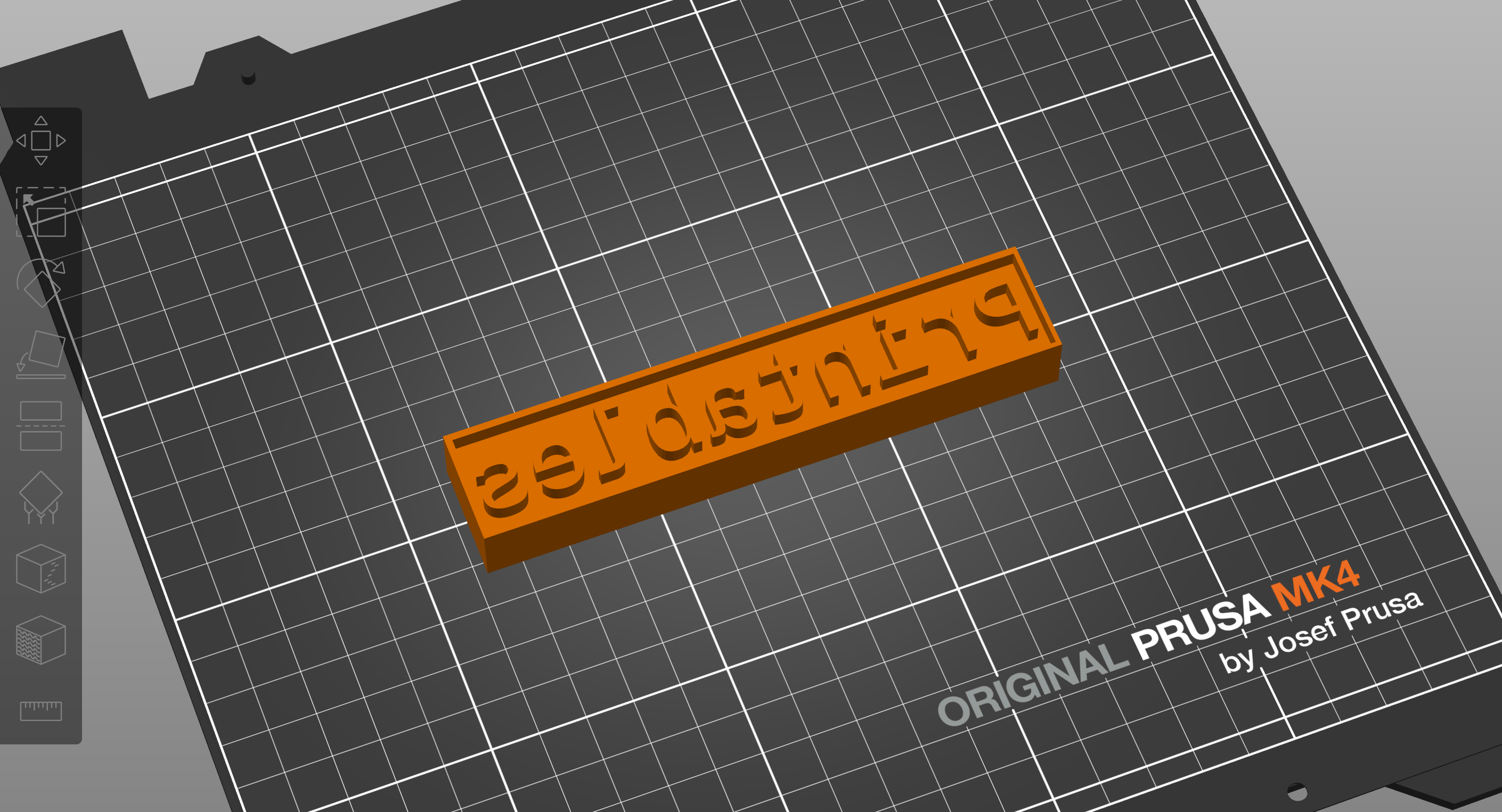
You can use Text2Stamp to create your custom stamps in any of these ways:
If you have OpenSCAD installed:
Open the
base-stamp.scadmodel directly in OpenSCAD and change its attributes in the GUIRun OpenSCAD in the command line
Use the
t2sbash scripts from the erikaheidi/stlfactory repository
If you don't have OpenSCAD installed:
Use the Docker setup included in erikaheidi/stlfactory to run the included bash scripts or OpenSCAD directly (requires only
docker)
For batch model generation, you'll need to use OpenSCAD in the command line.
Included STLs
This entry contains a few example models that you'll find in the text2stamp/examples folder of the erikaheidi/stlfactory repository:
alphabet: this folder contains a full lowercase alphabet generated with
Liberation Monofont, using thescripts/alpha-gen.shbash script.words: this folder contains a set of trendy words generated from a
words.txtlist, using thescripts/words-gen.shbash script.
Printing Advice
This is a fairly simple print that doesn't require much infill. I used 5% to make it very light. Just keep an eye for thin fonts, as they might not be thick enough to print depending on how much you resize the stamp. One thing that seems to make all the difference for using the stamp is setting ironing only for the topmost surface. This way you'll get a smoother surface that stamps better.
0.20mm Speed
PLA
No supports or brim necessary
5% Infill
Ironing - topmost surface only
Creating Custom Stamps with the OpenSCAD GUI (easier)
Open the base-stamp.scad file on OpenSCAD. On the right side panel, you'll notice a collapsed menu Parameters. Click there and youll be able to use a form to change the model parameters and create your custom models. To save the STL file, first press F6 to render the project and then click the STL button on the left menu, or go File → Export → Export as STL.
Using the Text2Stamp Scripts
The t2s script receives a few different arguments that make it easier to generate the stamps than calling OpenSCAD directly. This will require you to download the project from GitHub to run it locally on your own machine.
Downloading the Project
Start by cloning the erikaheidi/stlfactory repository to your local system and then accessing the project directory with:
git clone https://github.com/erikaheidi/stlfactory.git
cd stlfactory
You can also download the project contents in a zip file. Check the releases page to get the latest version available.
Docker Setup
If you don't want to install OpenSCAD on your system, you can use the Docker setup that is part of my STL Factory repository on GitHub.
The following command will build and run an OpenSCAD Docker image where you can generate the models in the CLI environment:
make openscadWhichever method you use, make sure you're in the text2stamp subfolder of the project.
Generating Custom Stamps
To generate a stamp with the text “alice” and default options, run:
./t2s --stamp aliceThe script accepts the following parameters:
--stamp: The text to be used for the stamp. Default is "printables".--size: The approximate font size for the stamp. Default is 30.--font: The font used for the stamp. Default is "Liberation Mono".--withborder: A boolean value to add a border around the stamp. Default is false for no border.--output_dir: Directory where to output the STL file. Default is "text2stamp/out".
Batch Stamp Creation
Some example scripts for batch stamp generation were included in the examples folder:
alpha-gen.sh: Generates a stamp for each letter of the alphabet.words-gen.sh: Generates a stamp for each word listed in the words.txt file. You can modify the file words.txt to use your own list of words.
Method 3: Use OpenSCAD in the CLI (harder)
To generate a stamp using the base-stamp.scad file in the command-line, you can a command similar to:
openscad -o "out/printables.stl" -D "stamp=\"printables\"" -D "size=20" -D "font=\"Liberation Sans\"" base-stamp.scadCommercial Usage
Members of the Heidi Makes Club in the "Partner" tier are allowed to use this model commercially for physical prints.