
Morse code transmiter/reciever
Obliczymy ostateczną cenę na podstawie wybranego pliku. Sprawdzisz ją i zaakceptujesz przed płatnością.
Zapisane na tym urządzeniu.
Informacje o modelu
- Źródło
- Printables
- Kategoria
- Other Ideas
- Licencja
- Creative Commons — Public Domain
Introduction
I made this for my friend because she likes morse code (no facking way) in the last week summer holidays and i almost went crazy because there was so many problems that i just didnt expect and it facked me up little bit but its ok im fine. At the we had fun with it .
What does it do
This piece of art has two modes and one inbetween:
Creating message
- Mode switches by switch
- You write the message using digital touch sensor on 4x4 neopixel matrix.
- You make dot by short/no pause between touching sensor and dash by making pause that is longer then 1 second, basically you arent making diffrence(dot x dash) by touching the sensor for certain amount of time but you just touch it quickly and then wait.
- You make gap by turning potentiometer to other side for second and then turning it back.
- You delete message by turning potentiometer to other side and then touch digital sensor (if you wont touch it, it will create a gap)
- Message can be more then one page long(4*4+)
Sending messages
- Message wil be sent after sliding switch to other side( from creating to recieving) and then will reset
Recieving messages
- Upside down mushroom will appear when the device is recieving message (idk dont ask why myshroom)
- if message is longer more then one page then each page except last one will be didplayed for couple of seconds
- Screen resets after optaining next message
Hardware
Soldering is needes,(breadboard wouldnt fit). Please put a lot off effort to it because i strugled with this and i had to resolder everthing
| 2x 433 Mhz radio modul | Basically buy this model two times SI4438 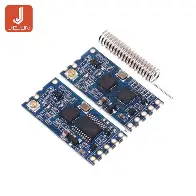 |
| matrix 4x4 neopixel | 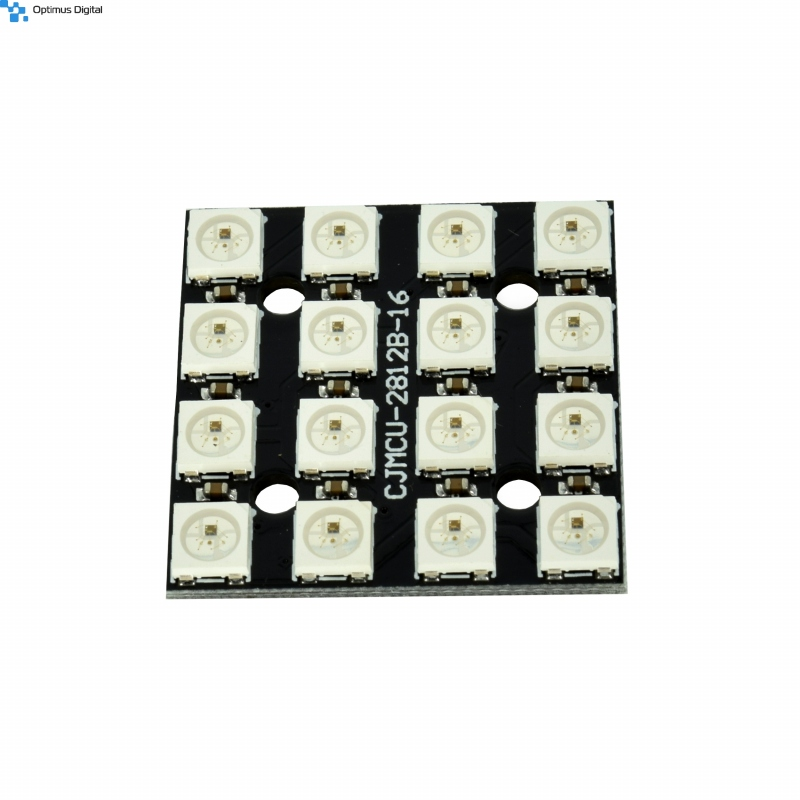 |
| 2x switch | 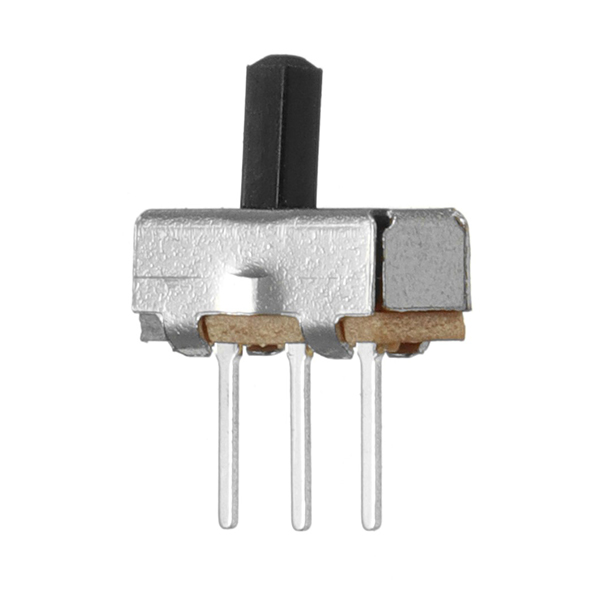 |
| potentiometer | 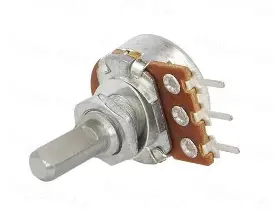 |
| touch sensor | 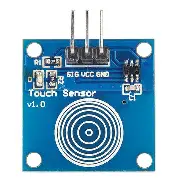 |
| arduino nano | 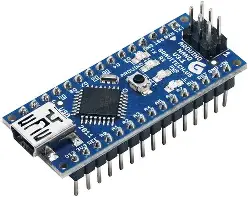 |
| battery holder for 3x AA batteries( but i recommend using this option because current is much higher)/ 9v battery | 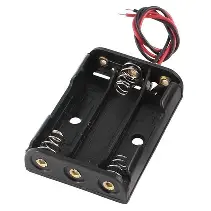 |
| 3x AA batteries/9v battery |  |
Software
I used 2.idk Arduino ide. Also dont ask me why is the array named mother(mommy issues) or other variables
#include <Adafruit_NeoPixel.h>
#ifdef __AVR__
#include <avr/power.h>
#endif
#include <SoftwareSerial.h>
SoftwareSerial morseSerial(2,8);int currentState;
int lastState;
int currentStateB;
int lastStateB;
unsigned long Time;
int timer;
int check;
int downTime;
int downCheck;
int gnd =3;
int vcc =4;
int gndb =5;
int vccb =6;
int gnds= 12;
int vccs= 11;
int spin=A2;
int gndr=13;
int vccr =A1;
int gndin=A3;
int sw = 0;
int mode;
int lastmode;
int mush;
int valueIndex=0;
int rowIndex=0;
int stupidIndex=3;
String finalData;
String character;
String message;
#define touchpin 7
#define buttonpin A0
#define matrixpin 10
#define num 16
Adafruit_NeoPixel pixels(num,matrixpin,NEO_GRB + NEO_KHZ800);
int mother[4][4][3]={
{{0,0,0},{0,0,0},{0,0,0},{0,0,0}},
{{0,0,0},{0,0,0},{0,0,0},{0,0,0}},
{{0,0,0},{0,0,0},{0,0,0},{0,0,0}},
{{0,0,0},{0,0,0},{0,0,0},{0,0,0}}
};
int recieving[4][4][3]={
{{0,0,0},{50,50,50},{50,50,50},{0,0,0}},
{{0,0,0},{50,50,50},{50,50,50},{0,0,0}},
{{100,0,0},{100,0,0},{100,0,0},{100,0,0}},
{{0,0,0},{100,0,0},{100,0,0},{0,0,0}}
};
void setup() {
Serial.begin(9600);
morseSerial.begin(9600);
Serial.println('restart');
#if defined(AVR_ATtiny85) && (F_CPU == 16000000)
clock_prescale_set(clock_div_1);
#endif
pixels.begin();
pinMode(gnd,OUTPUT);
pinMode(vcc,OUTPUT);
pinMode(gndb,OUTPUT);
pinMode(vccb,OUTPUT);
pinMode(vccs,OUTPUT);
pinMode(gnds,OUTPUT);
pinMode(vccb,OUTPUT);
pinMode(spin,INPUT);
pinMode(vccr,OUTPUT);
pinMode(gndr,OUTPUT);
pinMode(gndin,OUTPUT);
}
void loop() {
setPins();
mode=analogRead(spin);
if (mode<255){
mode=1;
}
else{
mode=0;
}
Serial.println(mode);
if (mode==0){
prepare();
}
else if(lastmode==0 and mode==1){
send();
}
else if(lastmode==1 and mode ==1){
message="";
recieve();
}
lastmode=mode;
}
void prepare(){
//morseSerial.end();
mush=0;
Time= millis();
currentState = digitalRead(touchpin);
currentStateB = analogRead(buttonpin);
if(currentStateB > 400 and currentState==HIGH and lastState == LOW){
Serial.println("--");
if(message.length()>0){
message.remove(message.length()-1);
}
if(rowIndex > 0 and valueIndex == 0){ // b
ChangeMothertoZero();
valueIndex = 3;
rowIndex--;
} else {
ChangeMothertoZero();
valueIndex--;
}
readValue(mother);
}
else if (currentState == HIGH and lastState == LOW){
timer= Time;
if (sw==0){
//message.remove(message.length()-1);
resetMother();
check=timer;
sw= 1;
}
else if(timer - check < 1000){
point();
}
else{
otherThing();
}
Serial.println("The sensor is touched");
}
else if(currentStateB > 400){
Serial.println("add");
downTime=Time;
if(downTime - downCheck > 2000){
downCheck=downTime;
addSymbol();
}
}
lastState = currentState;
lastStateB = currentStateB;
}
void recievedChar(){
int loopIndex;
char s='_';
char l='.';
char a='-';
char y='>';
for (int o=0; o<finalData.length(); o++){
if(finalData.charAt(o) == s and valueIndex < 3){
addSymbol();
//
Serial.println(1234);
}
else if(finalData.charAt(o) == l){
point();
}
else if(finalData.charAt(o) == a){
otherThing();
}
else if(finalData.charAt(o) == y){
mush=1;
delay(5000);
finalData="";
}
}
}
void recieve(){
morseSerial.listen();
if(morseSerial.available() >0){
int rawData =morseSerial.read();
char finalint = char(rawData);
String stringData = String(finalint);
finalData.concat(stringData);
Serial.println(finalData);
if (rawData==13){
resetMother();
Serial.println("end");
valueIndex=0;
rowIndex=0;
morseSerial.flush();
recievedChar();
}
}
else if (mush ==0){
readValue(recieving);
}
}
void addSymbol(){
if(message.charAt(message.length()-1) != '' and message.length() > 0){
message.concat('');
valueIndex=0;
slideRow();
}
}
void send(){
addSymbol();
Serial.println(message);
String package= message + ">";
Serial.println(package);
morseSerial.println(package);
morseSerial.flush();
delay(50);
message="";
valueIndex=0;
rowIndex=0;
resetMother();
}
void resetMother(){
Serial.println('restart Mother');
for (int h =0; h<4;h++){
for(int e =0; e<4; e++){
for (int l=0; l<3;l++){
mother[h][e][l]=0;
}
}
}
readValue(mother);
}
void readValue(int father[4][4][3]){
pixels.clear();
for(int i =0;i < 4; i++){
for(int a=0;a<4; a++){
int pixelCol[3]= { father[i][a][0], father[i][a][1], father[i][a][2]};
int r= pixelCol[0];
int g= pixelCol[1];
int b = pixelCol[2];
pixels.setPixelColor(stupidIndex,pixels.Color(r,g,b));
setStupidIndex();
}
}
pixels.show();
stupidIndex=3;
}
void setStupidIndex(){
if (stupidIndex <=3){
if(stupidIndex == 0){
stupidIndex=4;
}
else{
stupidIndex--;
}
}
else if(stupidIndex >=4 and stupidIndex <=7){
if(stupidIndex == 7){
stupidIndex=11;
}
else{
stupidIndex++;
}
}
else if(stupidIndex >=8 and stupidIndex <=11){
if(stupidIndex == 8){
stupidIndex=12;
}
else{
stupidIndex--;
}
}
else if(stupidIndex >=12 and stupidIndex <15){
stupidIndex++;
}
}
void setPins(){
digitalWrite(gnd,LOW);
digitalWrite(vcc,HIGH);
digitalWrite(gndb,LOW);
digitalWrite(vccb,HIGH);
digitalWrite(vccs,HIGH);
digitalWrite(gnds,LOW);
digitalWrite(vccr,HIGH);
digitalWrite(gndr,LOW);
digitalWrite(gndin,LOW);
}
void ChangeMothertoZero(){
for (int i =0; i<3;i++){
mother[rowIndex][valueIndex][i]=0;
}
}
void addvalueIndex(){
if(valueIndex<3){
valueIndex++;
}
else {
addSymbol();
valueIndex=0;
}
}
void slideRow(){
if(rowIndex < 3){
rowIndex++;
}
else if(rowIndex == 3){
if(mode==1 and lastmode==1){
delay(5000);
rowIndex=0;
}
for(int i =0; i<3;i++){
int y= i +1;
for(int a=0;a<=3;a++){
int e= a;
// Serial.println(y);
mother[i][a][0]=mother[y][e][0];
mother[i][a][1]=mother[y][e][1];
mother[i][a][2]=mother[y][e][2];
}
}
for (int z = 0;z<=3;z++){
mother[3][z][0]=0;
mother[3][z][1]=0;
mother[3][z][2]=0;
}
readValue(mother);
}
}
void point(){
Serial.println("point");
message.concat('.');
check= timer;
mother[rowIndex][valueIndex][0]=0;
mother[rowIndex][valueIndex][1]=100;
mother[rowIndex][valueIndex][2]=20;
readValue(mother);
addvalueIndex();
}
void otherThing(){
Serial.println("the other thing");
check=timer;
message.concat('-');
mother[rowIndex][valueIndex][0]=100;
mother[rowIndex][valueIndex][1]=10;
mother[rowIndex][valueIndex][2]=10;
readValue(mother);
addvalueIndex();
}
Printing
No support are needed, I used woodfill (it smells like wood) but can you use use any pla or petg of any color.
For top layer you must use color change on x layer (for letters and numbers). But i will put here the file.
Final initicialization
0. Buy high quality components because if you wont, it may cause you a lot of problems especially in the radio communication (one of my cheaper modules low-key started on smoke but i also recommend looking at the datasheets to check the current and voltage and if arduino cant produce the right levels just power by another battery or smt )
- Wire the hardware (besides on/off switch and batteries), i recommend trying it on breadboard first ( do at least two devices to test the communication). Some of the parts use digital pins as gnd or vcc (its ok but arduino will last little bit shorter) but for radio modules use actual gnd and vcc on arduino. Also dont forget that RXD is d8 pin and TXD is d2, if you have set pin(you dont have to) dont wire to anything. I will put the test codes for matrix and radio modules
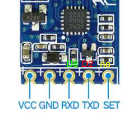
- Then send code to arduino and if it works solder on/off switch like this (black wire from battery holder directly to arduino gnd, red to first one and vin pin to middle one ) and then power it from battery
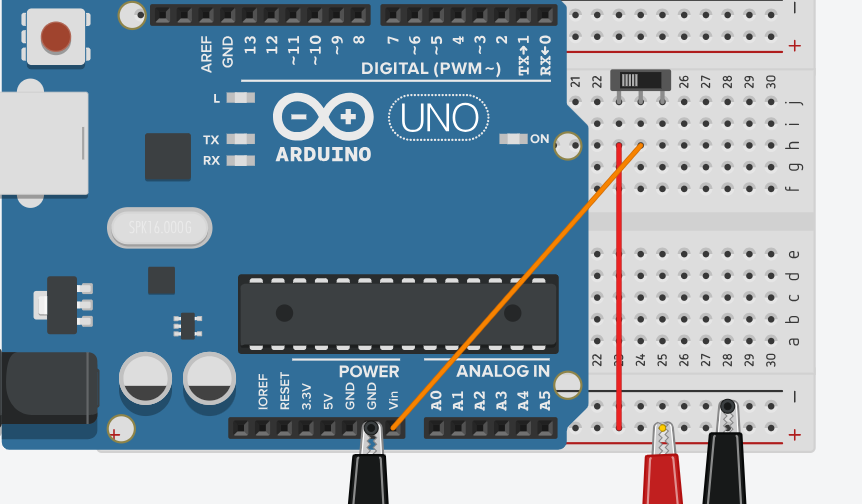
- if it doesnt work (and its very probable that it doesnt) a) measure the voltage, if doesnt work resolde it and b) if it still doesnt work then use different components (they may be damaged, or also some of my radio modules didnt work together) c) if there are still some problems then try to power it from different battery ( one my arduino nano works from by 9V battery and the second from three AAA batteries and they are the SAME model)
- Well congratulations, now you can print everything
- Put matrix into matrix holder and glue it to a front main box then do the same with touch sensor, its really important for sensor to do not touch the side of the holder . Test it each time you attach new part to box.
- Set switches into their place and also glue them, then the potentiometer place through hole and fix it to the potentiometer head/decorative cap/ i dont honestly know how to call it.
- Glue battery holder to the second back part of main box.
- And now finally comes the hard part: Insert back of the main to the front of it and try to fit all of the components inside of it (sorry I was too lazy for making actually good user-friendly practical box locking/ opening mechanism desinght I would be actually glad if someone would redeihh btw but i like the old radio vibes of it) well, anyways then try if it works and glue it.
- Finally you can put the top layer on front side of box and fix it by glue. After that you can set the decorative stripe around the plain sides of the box.
- And hurray now you are probably finished and you can start enjoying life again