
HP Otto: Construction Otto
Obliczymy ostateczną cenę na podstawie wybranego pliku. Sprawdzisz ją i zaakceptujesz przed płatnością.
Zapisane na tym urządzeniu.
Informacje o modelu
- Źródło
- Printables
- Kategoria
- RC & Robotics
- Licencja
- Creative Commons — Attribution — Noncommercial — Share Alike
Constuction Otto 👷
Construction Otto has a lifting mechanism terminating in a universal tool mount.
A variety of different tools can be used with this mount
Included here are a scoop, a bulldozer attachment, a snow plough, a roller and a gripper.
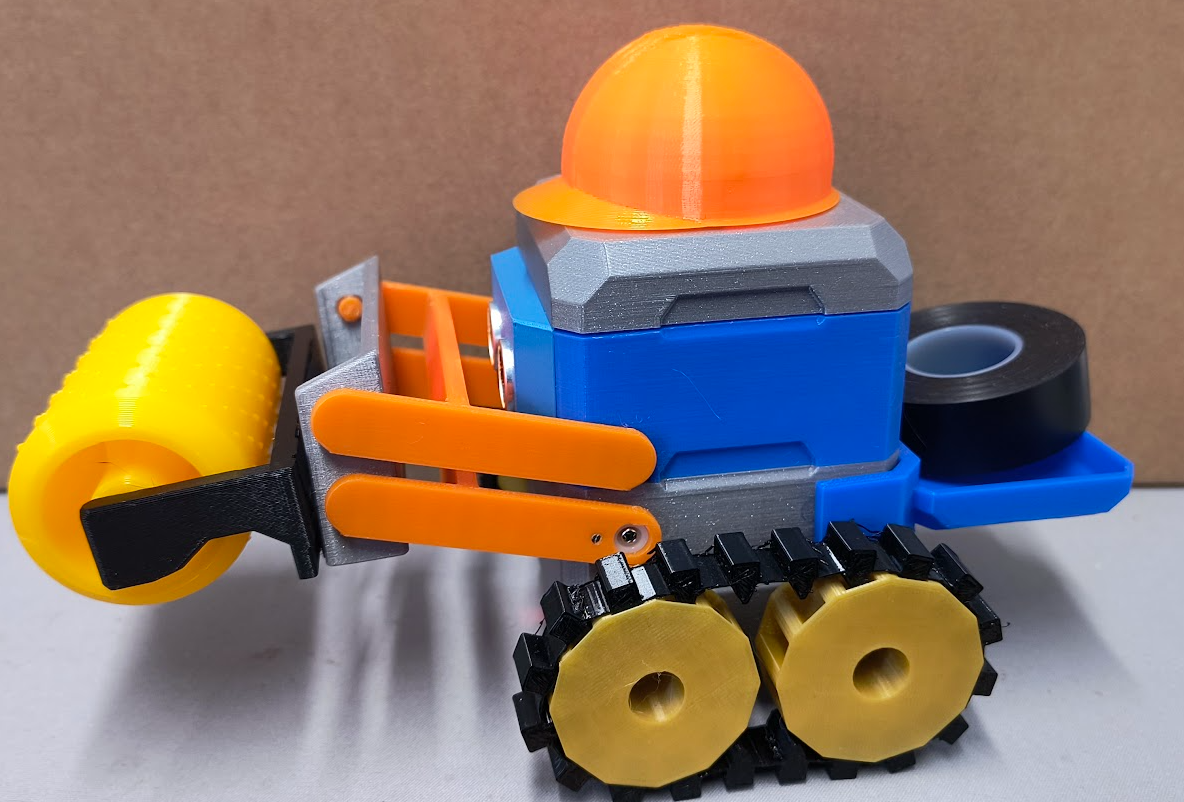
Construction Otto is also equipped with wide spaced TPU tracks, enabling him to tackle rougher terrain.
Construction Otto wears a stylish, illuminated safety helmet – just in case of falling objects!
Additional parts
1 HP Otto angle servo for the lifting mechanism
1 HP Otto angle servo for the gripper
These servos can be found in the ‘HP Otto invent kit’ or other brands of servo could be adapted with JST ph2.0mm connectors.
The use of four wheels in the standard Otto base means that there is nowhere to mount the servo that operates the lower servo arm.
An extra body piece allows mounting of up to 4 extra raised servos, this design only requires 1
The upper tool arm can be mounted using either a modified body or an extra body insert piece that allows retention of the original body, files for both types are included.
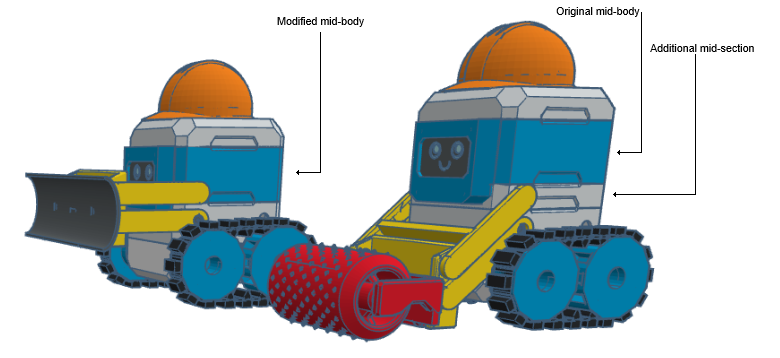
The body top piece has cutaways to allow full illumination of the construction helmet.
Printing
PLA, 15% infill, no supports. All STL files are in the correct orientation for printing.
Assembly
Sprockets are fitted in the same way as standard HP Otto wheels. The servo horns can be trimmed where they protrude.
For the idler, pass the hub through the HP Otto body, slip on the washer and then push fit the idler wheel on to the hub. Secure this with a small self tapping screw such as the ones supplied with servo horns.
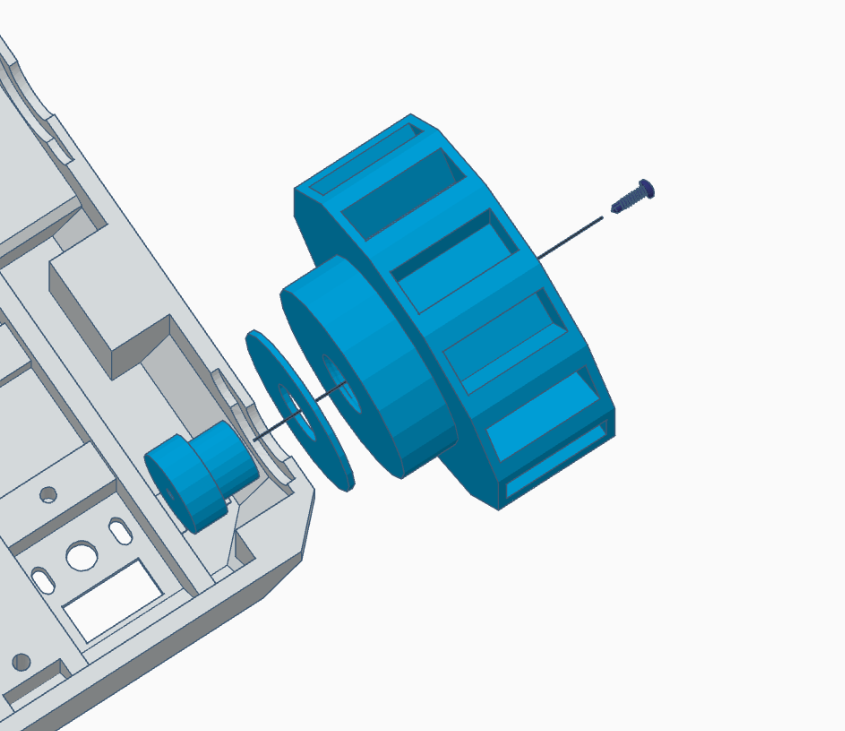
Once all sprockets and idlers are in place, the tracks can be eased on.
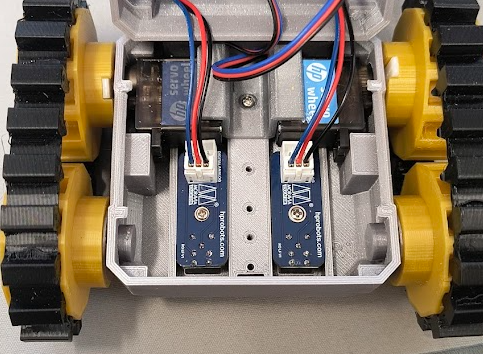
Next is the servo mid body section, which can be clipped to the base.
We then move on to the lifting arm assembly. Take the lower mount arm and attach a servo horn, securing with a small self tapping screw. The servo attachment should be facing outward.
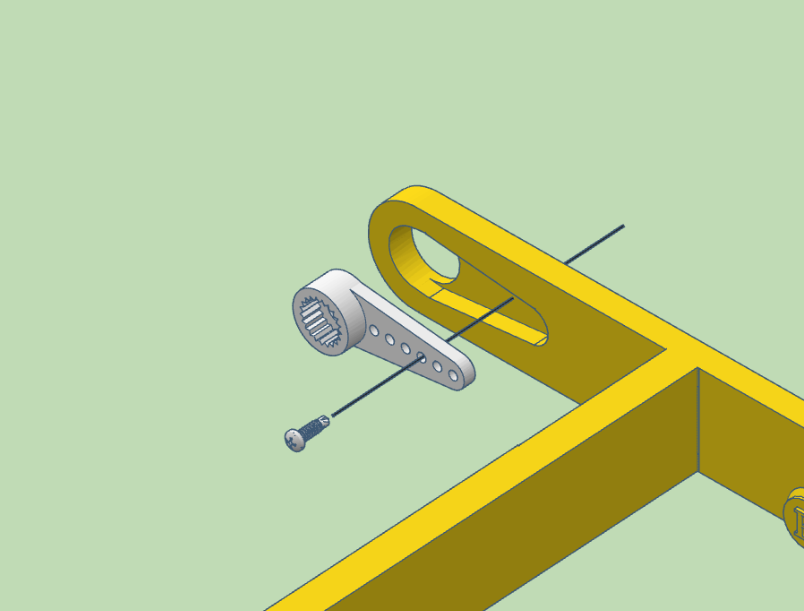
Now put the mount assembly together
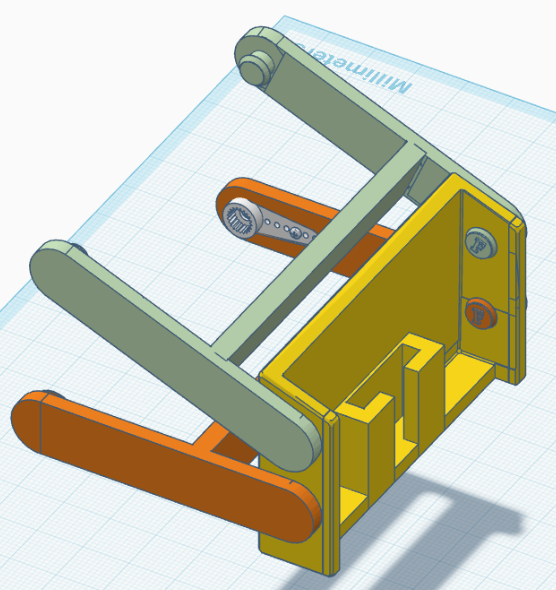
I found it a little nervewracking pushing the ends apart to locate the studs but I've done it a few times and so far so good!
Clip the lower arm to the previously attached mid body section.
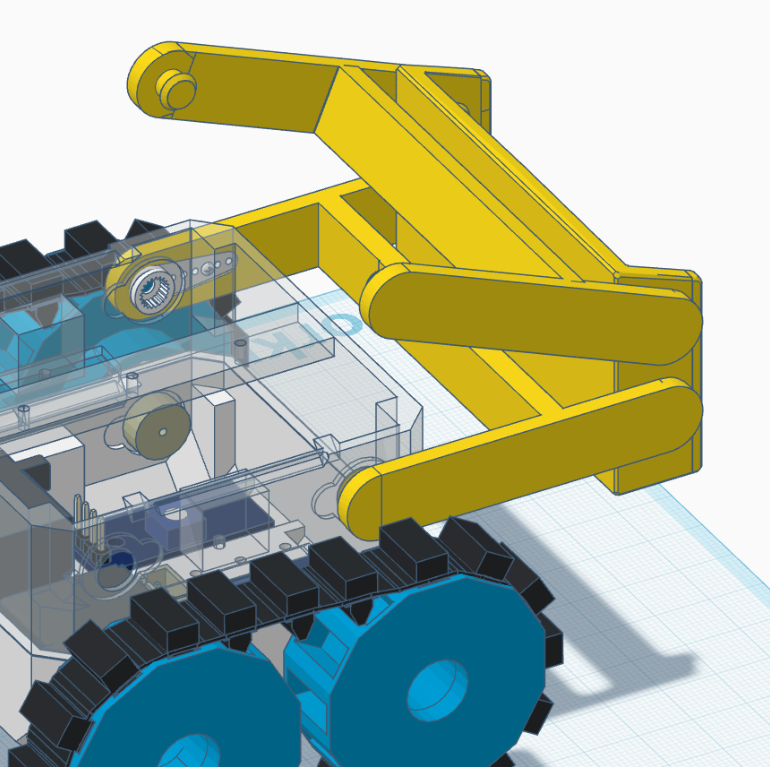
When it is in place, you can push the servo into the horn and screw the horn to the servo. It might be worth setting the servo to 90 degrees first and then adding the lower arm angled where you would like the midpoint of it's operation to be.
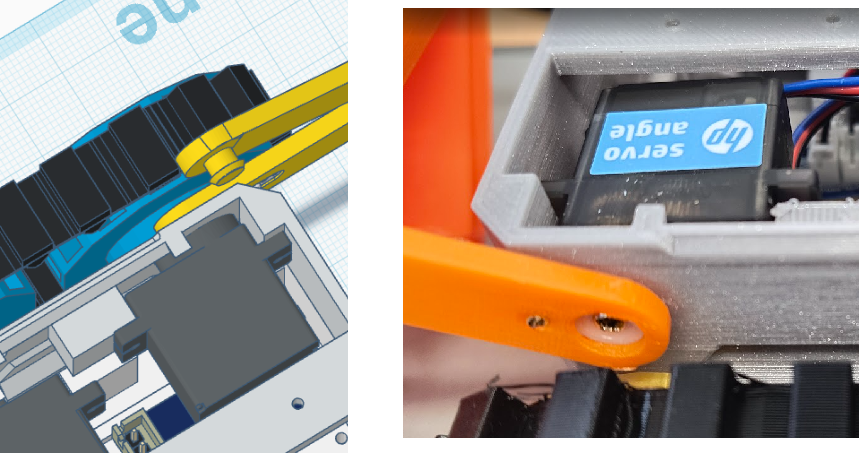
Now it's time to decide whether to print a new body with mounting holes for the upper mount arm, or whether to print the extra insert.
If you are going with the extra mid-body insert, add that now. If you are using the modified body, put that together as normal and then clip it to the mid body section, dont forget to feed your wires through!
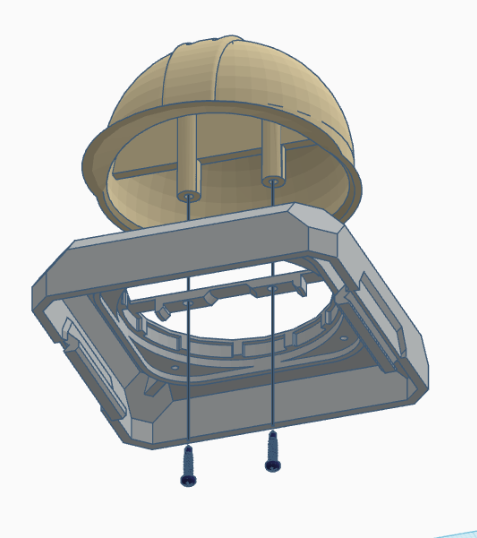
Now clip the upper arm in place. And finish assembly of Otto as normal, excepting the top piece and hat. For this, the hat must be attached with two small screws and then the led ring can be put in place.
Now you can add your tool of choice to the mount.
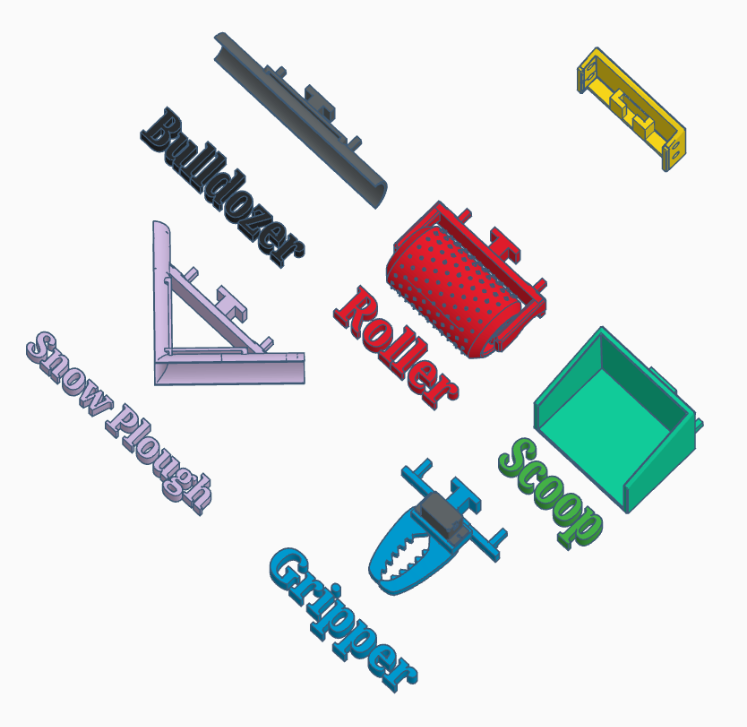
The roller is part of the HP Robots Ottom Bottom Modules collection here on printables.
When using the roller, or carrying heavy loads in the scoop, Construction Otto needs a counterweight at the back to prevent tipping forward. The counterweight tray simply clips in place
If you are building the gripper assembly there's a little bit more to do. (The gripper was inspired by Micro-Servo Claw on thingiverse.)
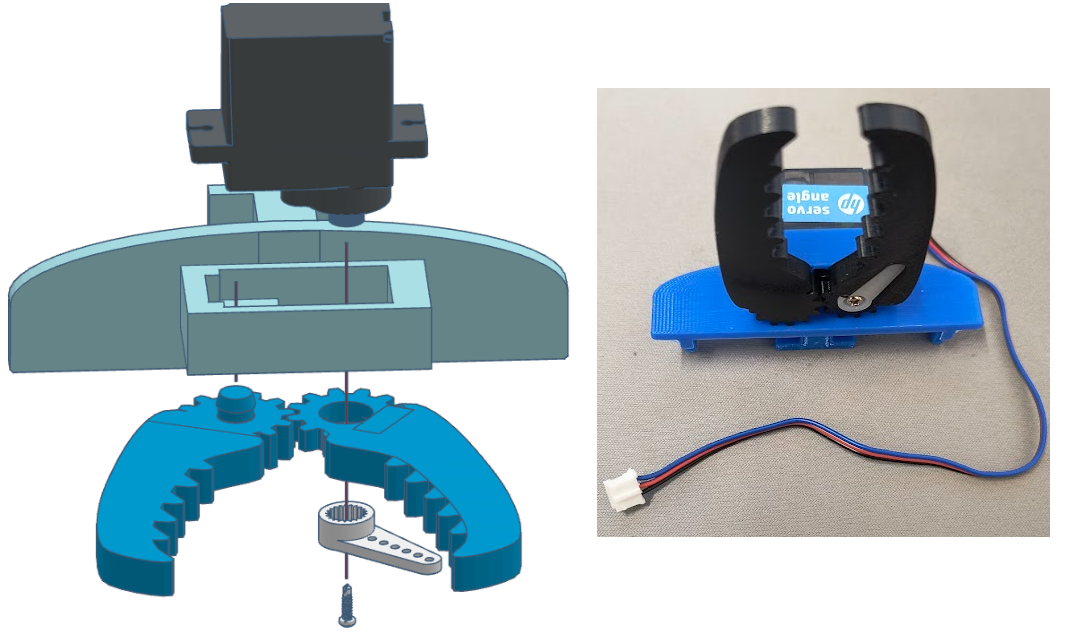
Set the servo to 90 degrees and assemble as above.
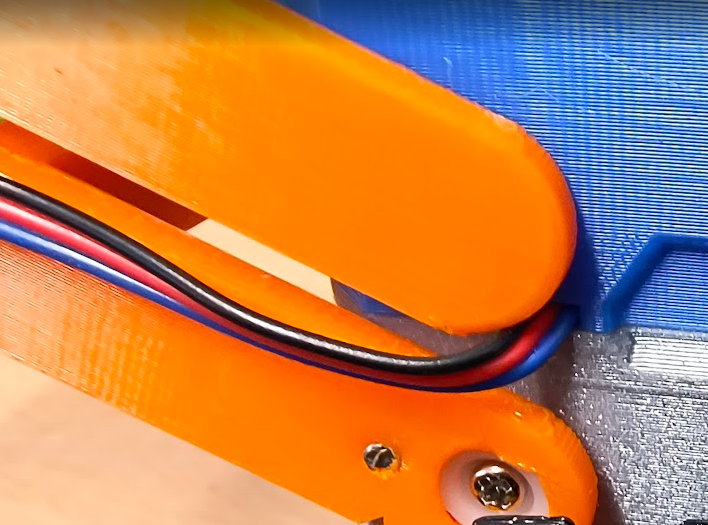
There is a cut away, just below the left upper arm mounting point to allow the server wire through
Electrical Connections
The motor servos are connected to connectors 10 and 11 as usual
I have used connector 4 (pin 26) for the lifting arm and connector 8 (pin 27) for the gripper (when fitted)
Code
micropython code to control Construction Otto from the new HP Otto phone app can be found here: https://github.com/UEA-envsoft/HP-Otto-Construction-Otto
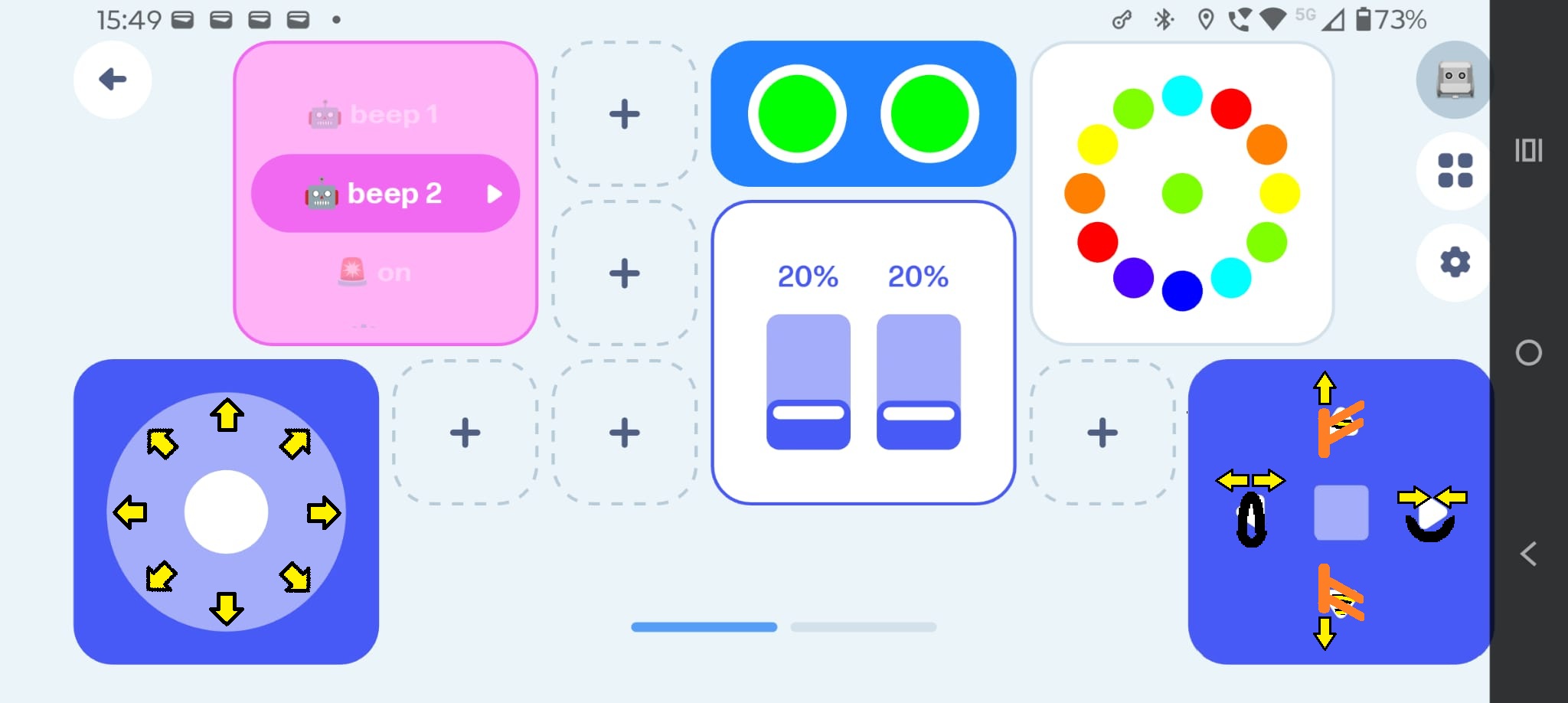
The joystick control controls movement in any given direction, the D-pad control controls the lifting arm and the gripper.