
Gridficiency (GRIDfinity + EfFICIENCY) — An efficient adaptation of Gridfinity
Obliczymy ostateczną cenę na podstawie wybranego pliku. Sprawdzisz ją i zaakceptujesz przed płatnością.
Zapisane na tym urządzeniu.
Informacje o modelu
- Źródło
- Printables
- Kategoria
- Organizers
- Licencja
- Creative Commons — Attribution — Noncommercial — Share Alike
Disclaimer
This template will maintain full compatibility with Gridfinity ONLY IF you leave a few of the parameters at their default values (see the Customization and this section below for a full explanation). If you start to change any of those parameters, you are now exploring alternative and more efficient designs which are likely to break with the full Gridfinity standard - that is the point of Gridficiency! It is not just another standard, it is an alternative approach to accepting what some might say are the good parts of Gridfinity and taking an alternative path for the rest. Some will welcome this. Others will not 🤣🤷. Please note...I am not trying to convince anyone to use this template or even change their approach to designing a modular bin system at all, just stating the differences as I see them so you can decide what works for you. 👍
Motivation
Recently, I researched Gridfinity intending to use it extensively throughout my house. But, the more I looked into the published specification (spec) and various generators, the less confident I became in how standardized the Gridfinity spec was actually implemented in practice.
Additionally, the 42.0 mm grid square dimension was way too large of a grid unit to scale efficiently. It was also just a strange number to choose. He should have used a smaller grid unit to provide for more flexible and efficient designs, thus saving space and filament. I was not the only one with similar opinions (although I do not think Gridfinity is a “scam”…just flawed in one key dimension).
I needed a template that would allow me to generate Gridfinity-based profile geometry at a user-specified grid square size. I also wanted the ability to easily iterate on the design and parameters to find the most efficient use of space, filament, and print time.
Solution
Design a custom Gridfinity-based template that achieves the following objectives:
Fully parametric providing customization of all dimensions
Fusion based (my primary design environment)
Baseplate size and grid layout calculated using available space and an optional factor of the grid square size
Bin size calculated from minimum bin dimensions with the option to suppress some grid geometry
Clear delineation between the Gridfinity spec, common practice, and custom (i.e., non-standard design dimensions)
Visualization of printer bed size
Full-sized baseplate generation with configurable splits for printing
Border spacer(s) with tolerance and configurable factors for distributing the extra space in both directions to enable positioning with the available space (e.g., lateral centering) and/or to account for protrusions (e.g., pull handle screws on the front of drawers)
Design
I found this version of the Gridfinity spec which helped me understand Gridfinity spec vs common practice. Thanks to @grizzie17!
The template implements the following from the Gridfinity spec by default:
All profile geometry except as noted in the two sections below
Fillets scale according to the spec fillets based on GridSquareSize
GridSquareSize – 42.0 mm
BinUnitHeight – 7.0 mm
(optional) Bin Stacking Lip – Suppress the final sweep if not needed
The template implements the following common practice by default:
0.25 mm bin height base extension – Discussed more at the end of this section
The template deviates from the Gridfinity spec and common practice by default as follows (along with my reasoning):
Hollowed baseplate profile – Unnecessary waste of filament and print time (~45% savings)
The spec and a flattened (common practice) profile are also provided. Just change the profile used in the sweep.
Baseplate grid corners are not squared off (common practice) – Unnecessary waste of filament and print time
I have included a suppressed feature for this. See how to enable that geometry below.
No magnets, etc., but of course you can add those features and save as your own template or use on of the alternative Gridficiency generators mentioned below.
Customization
You can customize the parameters (DESIGN | SOLID | MODIFY | Change Parameters) as necessary. When you open the Parameters dialog, first sort by name. The parameters most optimized for customization are favorited. After changing parameters, you might need to Compute All (Ctrl-B) and/or edit some of the features to capture any new geometry. Double-check all combine features before exporting to ensure all intended geometry is included in a single body.
Template
The template can be customized before configuring your project designs.
Specify a larger baseplate grid square size
This will take the GridSquareSize and multiply it by the BaseplateGridFactor for the baseplate only as discussed here.
Change the BaseplateGridFactor parameter to an integer value (e.g., 2, 3, etc.). DO NOT change fillet parameters.
Set the GridSquareSize parameter to the grid square size you intend to use for your bins (e.g., 10.0 mm)
Consider the size of the bins to be used with this baseplate and not leaving grid gaps larger than the smallest bin’s footprint
Edit any features with Warnings to capture updated geometry
Save this modified version as your own customized template
Enable squared baseplate corners
Unsuppress the SquareCorners extrusion
Change the sweep profile to the ProfileSpec sketch
Unhide the four corner bodies
Edit the rectangular pattern feature to include the main baseplate body and the four corner bodies
Edit the combine feature to include all bodies
If you do not want squared corners at the baseplate corners, exclude those (4) bodies from the combine
Save this modified version as your own customized template
If you left the BaseplateGridFactor at 1, GridSquareSize at 42.0 mm, and BinUnitHeight at 7.0 mm you would have a hollowed Gridfinity-spec baseplate with a spacer that will index the baseplate to the front left/right of your space (e.g., drawer) and a bin template that would stack evenly with other Gridfinity‑spec bins.
If you only changed the BaseplateGridFactor, your baseplate would be compatible with Gridfinity bins with footprints large enough to match that baseplate.
If you changed the GridSquareSize, your baseplate and bins would no longer be compatible with standard Gridfinity spec bins and baseplates. If you changed the BinUnitHeight from 7.0 mm, your bins would no longer stack evenly with other Gridfinity spec bins. But these deviations from the spec were the primary objective from the beginning! 👍
There is one final optional customization you can make to your template
Customize the printing parameters to match your intended slicer settings
Change the following parameters
LineThickness (default 0.45 mm)
LayerHeight (default 0.20 mm)
Project Designs
Once you have finalized your custom template, you can Copy it and start your first project design.
Customize the baseplate for your available space
Change the following parameters
DrawerWidth (left-right)
DrawerDepth (front-back)
BorderSpacerFactorX/Y - Shifts the center of the baseplate grid in the X/Y direction by allocating a ratio of the full space in that direction (e.g., 0.25 = 25% of the space not used by the baseplate in that direction). If not used, set to 1.0. If used, either use a value of 0.5 (print two) or 0.0<Value<1.0 (print one) and 1.0-Value (print one).
X will affect centering in the lateral (left-right) direction
Y will affect it in the longitudinal (front-back) direction (e.g., for pull screws, etc.).
Customize a bin for your contents
Layout the object(s) you intend to fit in the bin
Measure their footprint in all three dimensions and/or
Take picture(s) straight on with a long focal length camera (i.e., max zoom)
Change the following parameters based on your largest measurements
BinLengthMin
BinWidthMin
BinHeightContentMin
Edit the Content sketch
If you took an image, import it as a Canvas and calibrate it
Outline your content using any combination of the following:
Measurements
Photo canvas references
Reference sketch and/or profile geometry from an existing Gridfinity bin model
A stacking lip offset, midpoint guides, and some sample geometry with dimensions are included. Use or delete as needed.
Consider adding recesses for grabbing items
Consider adding offsets to your outlines to create wall geometry and empty space that does not need to be modeled and printed
Deselect the content and empty space(s) from the subsequent extrusion feature
Add any other features (e.g. magnet slots, etc.)
Consider the following
Suppress or enable the stacking lip feature
Edit the combine feature to include all desired geometry
Enable visibility for all geometry
Edit the combine feature
Click ‘x’ for the Tool Bodies
Select all geometry
Click OK
Confirm the Bin component has a single body
If you do not intend to stack other bins on top of this bin and do not care for the bin height to be increments of the BinUnitHeight (e.g., 7.0, 5.0 mm, etc.), consider extruding the top face down to further reduce unnecessary geometry.
Consider the following
Add fillets and chamfers
Add labels
Export (Save As Mesh)
Suppress bin grid geometry
Edit the bin rectangular pattern feature
Enable Suppression
Deselect the grids you would like to suppress (recommend a checkerboard pattern that also keeps the corner grids)
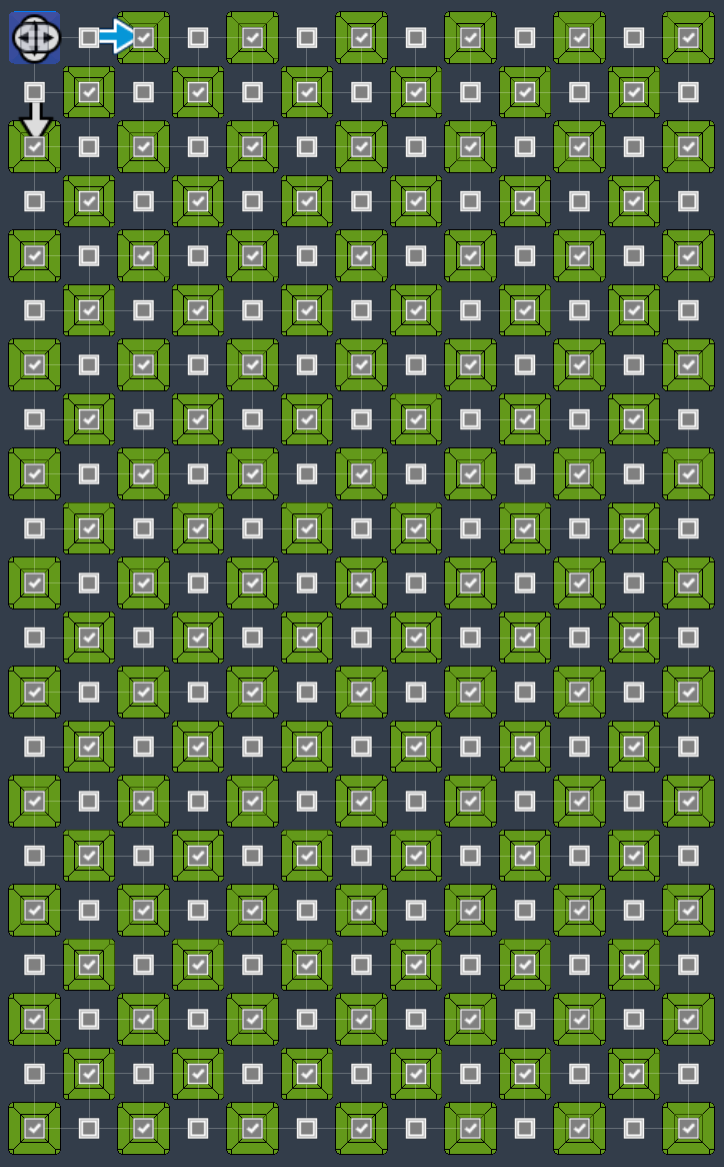
Edit the first bin extrude feature and select OK to recalculate the join without the suppressed geometry
Gridficiency (GRIDfinity + EfFICIENCY)
After creating this template and playing with a few GridSquareSize values, 10.0 mm made the most sense to me because I can accept up to 10.0 mm of “wasted space” in each dimension for the bins. Also, 10.0 mm is the smallest dimension divisible by 5 that is compatible with the Gridfinity profile with enough material of the model still touching the build plate without requiring brims or supports. I'm also using a BaseplateGridFactor of 2, so my bin's grids are 10.0 mm and my baseplate's grids are 20.0 mm. But my baseplate's grid can also be any multiple of 10.0 (smaller or larger than 20.0)!
I am also using a custom BinUnitHeight of 5.0 mm since the spec 7.0 mm unit height seems equally arbitrary, wasteful, and similarly provides fewer fine adjustment options for the height of stacking bins. 5.0 mm is also the smallest bin height possible (4.75 + 0.25 bin height extension).
For me, those parameters (Gridficiency_10_5) define my own version of the Gridficiency template. But, since efficient might mean something different for you, you can likewise play with the parameters until settling on your own template.
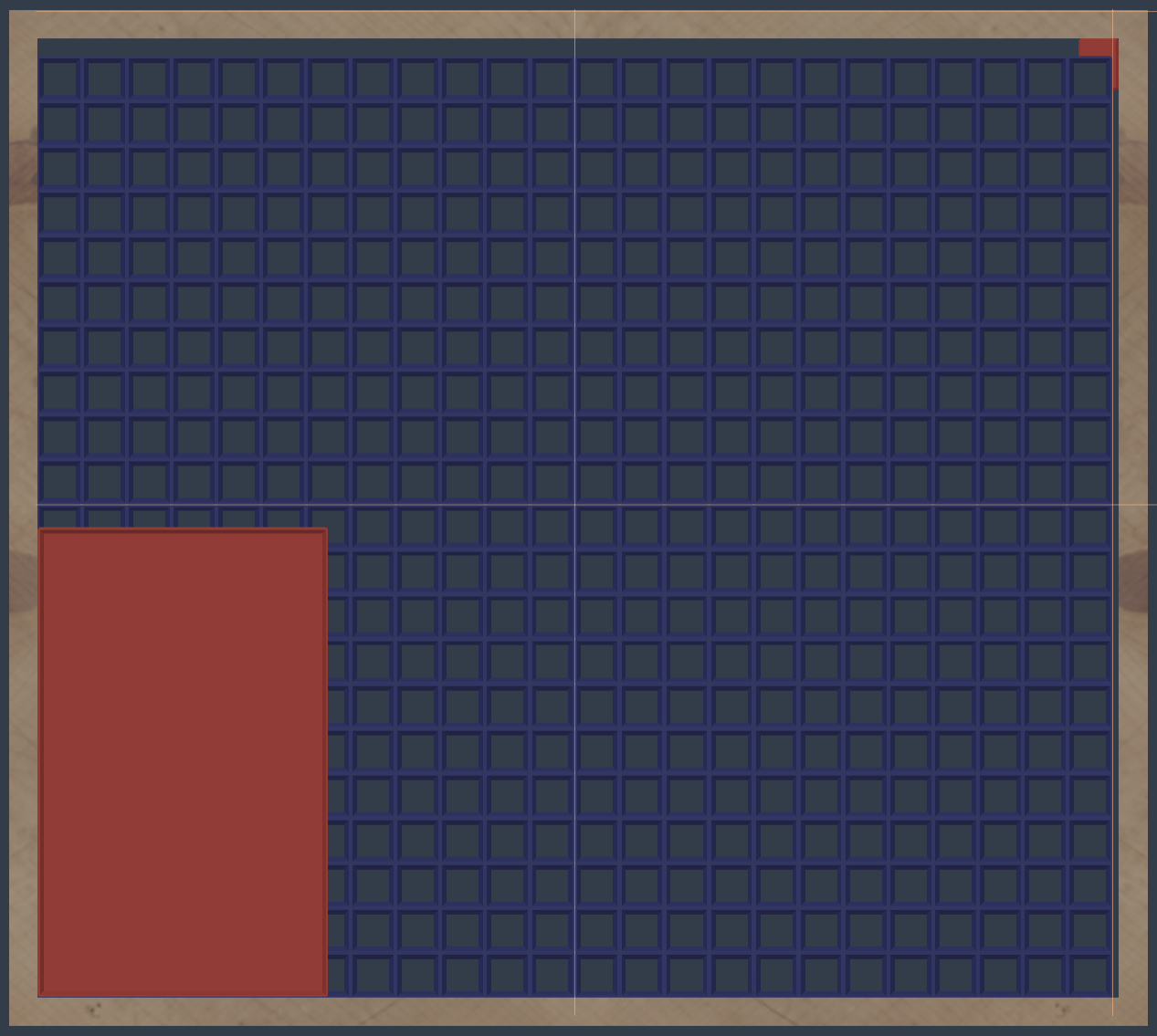
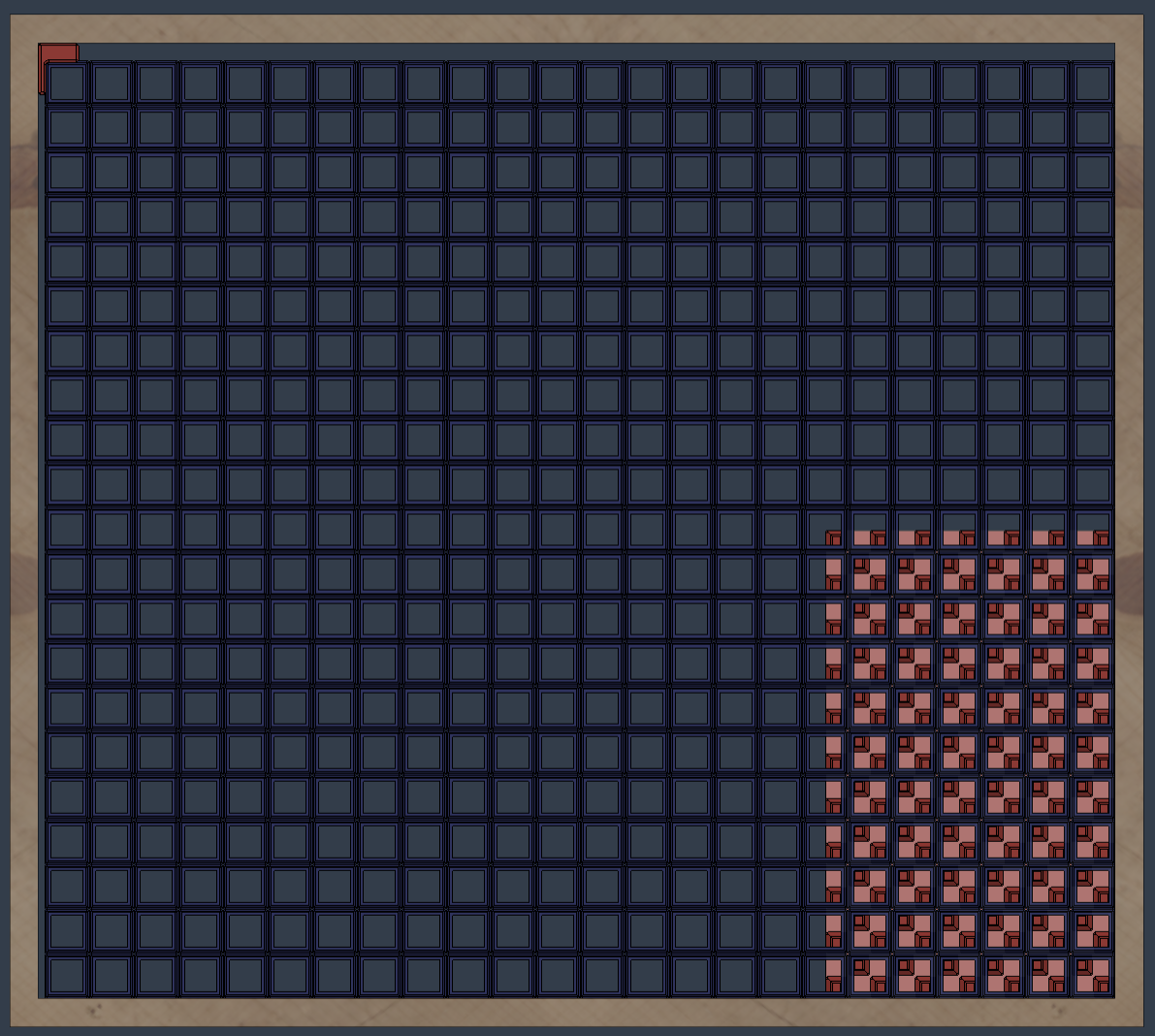
Gridficiency using these parameters addresses my original issues with the Gridfinity spec. See here for a practical comparison of the footprint and material savings using a smaller grid square size.
Here is a consolidated list of the benefits and considerations:
Benefits
Less wasted space in the non-content areas of bins resulting in a much smaller footprint
More of the available space can be filled with the baseplate grid maximizing organizational slots and minimizing unfilled border space
A smaller grid size that scales up (rather than down) means:
Baseplates can use a multiple of the grid square size throughout the entire baseplate and/or sections with smaller grids or even rectangular (non-square) grids (this will be in version 2 of the template)
Bins can have intentional gaps in their grid geometry:
For bins printed upright with the grid geometry facing down (touching the build plate), the gaps will require bridging, but a smaller grid size also means that bridging is more likely to print well
(unique to my Gridficiency_10 approach?) Since many print beds are multiples of 10.0 mm, baseplate segments can be printed using the entire bed
Considerations
Any grid square size other than the 42.0 mm spec means that all the bins other people have already designed will not be compatible with your baseplate(s). This should have been obvious from the start but worth mentioning here. Of course, if you know how to use a parametric design program like Fusion, this is not a problem since you probably would prefer to design your own bins anyways…at least that is my preference. More on this in the Breaking Gridfinity compatibility section below.
Baseplates with a grid square size smaller than 42.0 mm will require more time and filament to print as compared to the Gridfinity spec. Compared to using the 42.0 mm spec, a 10.0 mm grid square size results in ~3x the amount of filament for that geometry (both using hollowed profiles and 100% perimeters). However, the following more than offset this for most configurations
Corresponding reduction in time and material required to print bin grid geometry due to the increased negative space and the ability to suppress much of the bin grid geometry. This offset is N/A for bins with shelled grid geometry since that is negative space in Gridfinity.
Ability to use multiples of the grid square size for the baseplate
Savings in the overall footprint required for most oversized bins designed according to Gridfinity spec
Depending on how small you go with your bins, you may not be able to fit other features people seem to like to do with their baseplates (e.g., add an excessive amount of magnets, etc.) – to each their own!
So far, I have designed and printed a single bin using a grid square size of 10.0 mm and it printed great! I chose to leave all the Gridficiency_10 geometry for added weight on that bin.
Alternative Gridficiency Generators
There are other generators which can configure baseplates and bins with different grid sizes also making them compatible with this Gridficient approach - even if they didn't know they were! This is great because it reduces yet another barrier to someone considering a Gridficient approach!
Here is a non-comprehensive list along with how to achieve similar results as the Fusion template and my thoughts on the pros and cons.
Baseplates
Starting from the defaults, set the grid base size to your desired grid (or multiple of the grid size), rows and columns as needed, and change the style to Thin. This will roughly give you the same result as the Fusion template if you chose the Gridfinity spec profile for the sweep and enabled square baseplate corners.
If you want all the magnets, weights, etc. this would be a better tool for you
If you want flattened and/or hollowed baseplates, you may want to use the Fusion template
Bins
Starting from the defaults, set the grid base size to your desired grid; grid rows and columns, height, and stacking lip as needed; and magnet style to Solid. This will roughly give you the same result as the Fusion template with an optional stacking lip. The bottom chamfers will look a little different (squared vs rounded) but function the same.
You are probably better off using this template if you want to simply make bins with label tabs (the Bin style they call "Standard"). I probably will never edit the Fusion template to the extent they have gone for that...although it would be pretty straightforward. The Cylinders bin style simply lets you configure extruded holes in the top face. I would rather have the flexibility of Fusion as mentioned below.
If you want to be able to suppress grid geometry or choose a unit height other than 7.0 mm, you may want to use the Fusion template as well.
Both - I did not see a way to save layouts for later editing, but that may be ok for some and certainly for simple bin designs. I prefer the parametric timeline capabilities along with the ability to save different configurations as enabled by Fusion.
Breaking Gridfinity compatibility
There are some common reproaches to the alternative approach I have proposed with Gridficiency. Just read through the comments of all the people who have already printed their Gridfinity bins using the full standard and think this is just an attempt to make another standard. But I think they all boil down to one refrain.
“So, why not just use 10.5 for the grids?...
...It divides into 42.0 and I would maintain compatibility with all the Gridfinity bins already modeled, right?”
First, if that’s your preference, you can do that...with this template or the alternative(s) posted above. It is not my preference. But I also think it deserves a little more thought.
Gridfinity bin to Gridficiency_10.5 baseplate compatibility - An existing 42-base bin will obviously not nest in a baseplate with grids any smaller than that. So, why would I stick with an equally arbitrary and now decimal number (10.5) just because it’s a quotient of 42.0? This is the problem with 42.0 to begin with. It was not meant to be scaled down because it was established as the base grid unit for baseplates and bins instead of just the bin base unit. Had Zach done something similar from the beginning, I think Gridfinity would have been easier to scale and optimize.
Gridficiency_10.5 bin to Gridfinity baseplate compatibility - Yes, this would work except for areas of baseplates with grids that are scaled up. In those areas, smaller bins would not nest properly. Also, it's not only about having a bin grid that is a quotient of the base grid size, but choosing a better number that scales up in integer multiples rather than in either direction in decimals without matching the same scale of the baseplate grid. I would prefer 10, 20, 30, 40, 50, 60, 70, 80, 90 which would match the same baseplate grid at every increment than 10.5, 21,0, 42.0, 32.5, 63.0, 84.0 that only matches the baseplate grid in two places. Also, they won't admit it, but any of those bin dimensions other than 42.0 also "break from the standard." 🤫😥😅
Instead, Gridficiency proposes to establish a much smaller grid unit (of your choosing), and then scale it up. That’s all.
In my case, while doing this, I chose a grid size that was also a whole number (10.0) for the reasons I explained above and because I did not need to arbitrarily choose a decimal number when establishing this grid size.
Again, this probably seems like I'm trying to convince people. I'm really just trying to lay out the differences as I see them so you can decide. If you want to maintain compatibility with all the Gridfinity (I think at this point I should be saying Gridfinity_42 since some of the existing generators already had this ability to use a smaller grid size) bins out there, then this approach is probably not for you. Just know that for custom bins sized to your content, you may be choosing a standard that is less efficient than an alternative approach.
Printing
If the bins are printed with suppressed grid geometry, ensure your bridging parameters are optimally configured
Questions
Please let me know if you have any questions (Messenger | Printables.com).
Shameless Plug
If this model helped you solve a problem, save some time, or in any way made your life a little easier then please consider clicking the Like button and posting your Makes! If it fell short after clicking on the title (unless you just really don't like that it breaks with Gridfinity! 🤣😂), please let me know (Messenger | Printables.com). Either way, Thank you!