
Samsung Washing Machine Drain Spout
Obliczymy ostateczną cenę na podstawie wybranego pliku. Sprawdzisz ją i zaakceptujesz przed płatnością.
Zapisane na tym urządzeniu.

Adjustable drain spout that fits a Samsung washing machine (my model number: WW70K44205W/EG)
- Ocena
- 5 / 5
- Polubienia
- 471
- Pobrania
- 1614
- Wydruki
- 12
- Wyświetlenia
- 7099
- Oceny
- 10
Aktualizacja u źródła:
Informacje o modelu
- Źródło
- Printables
- Kategoria
- Other House Equipment
- Licencja
- Creative Commons — Attribution — Share Alike
Summary
Drain spout sized to 65 mm that fits a Samsung washing machine (my model number: WW70K44205W/EG).
The Reason to Publish
I searched across all major platforms and found various models that could work for my washing machine, but all the options were sized for a specific diameter and I was hoping for more flexibility in case I measured wrong and didn't want to have to wait for another print 😅.
Once I ran across the “grain-mill” chute, that seemed to be the perfect start. The issue with using this model as-is was that the base is completely flat (90°), and I wanted the drain spout to be tilted downward once fitted to the Samsung washer. I imported the model to Bambu Studio and cut the based at an ~11° tilt so it would point downward. I kept both parts that were cut so I could use the piece not printed to help me scale up or down for adjustments (see Spout Scaler section below).
Thinking about the end result, this might be able to be scaled to any washing machine, not just Samsung.
Make It Your Own!
If you want to try adjusting it for your machine, you can try these steps:
Measure your washing machine's drain spout diameter
Use the included “Spout Scaler” on plate 03.
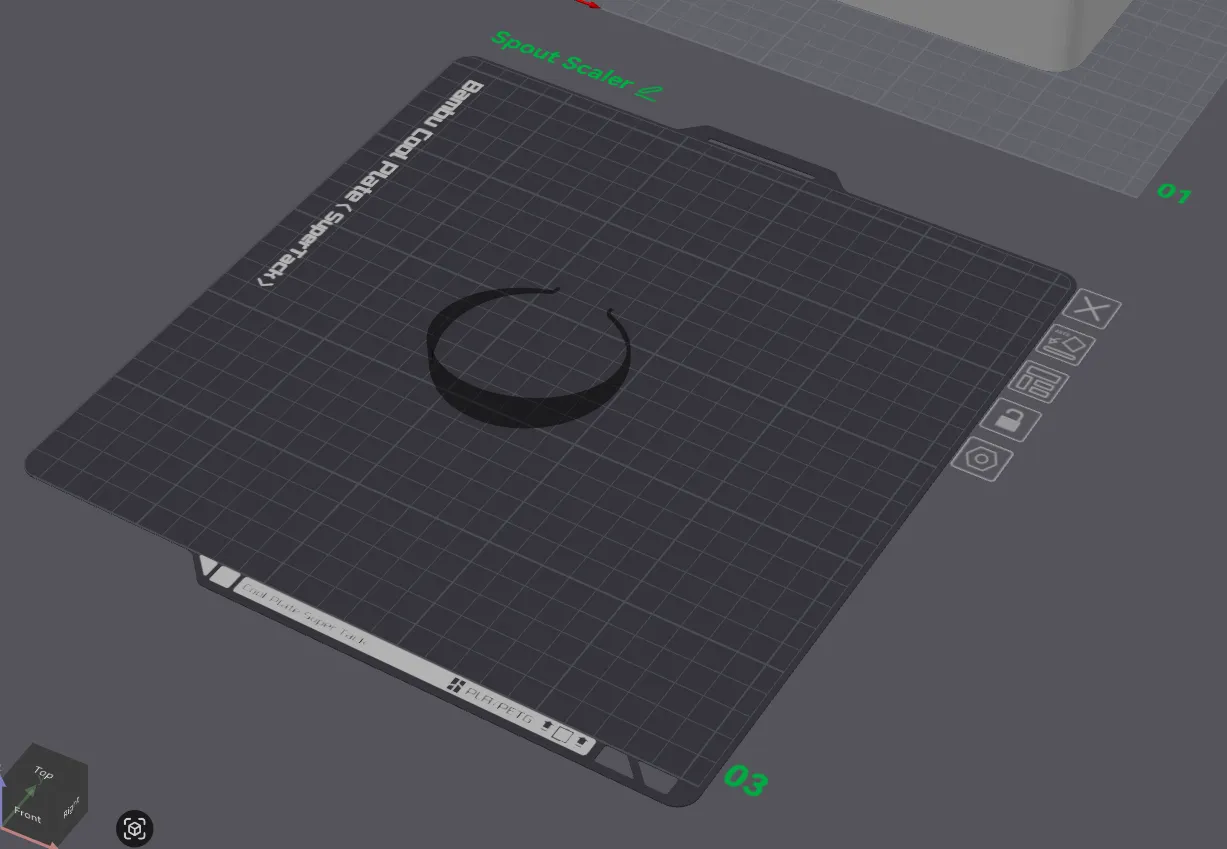
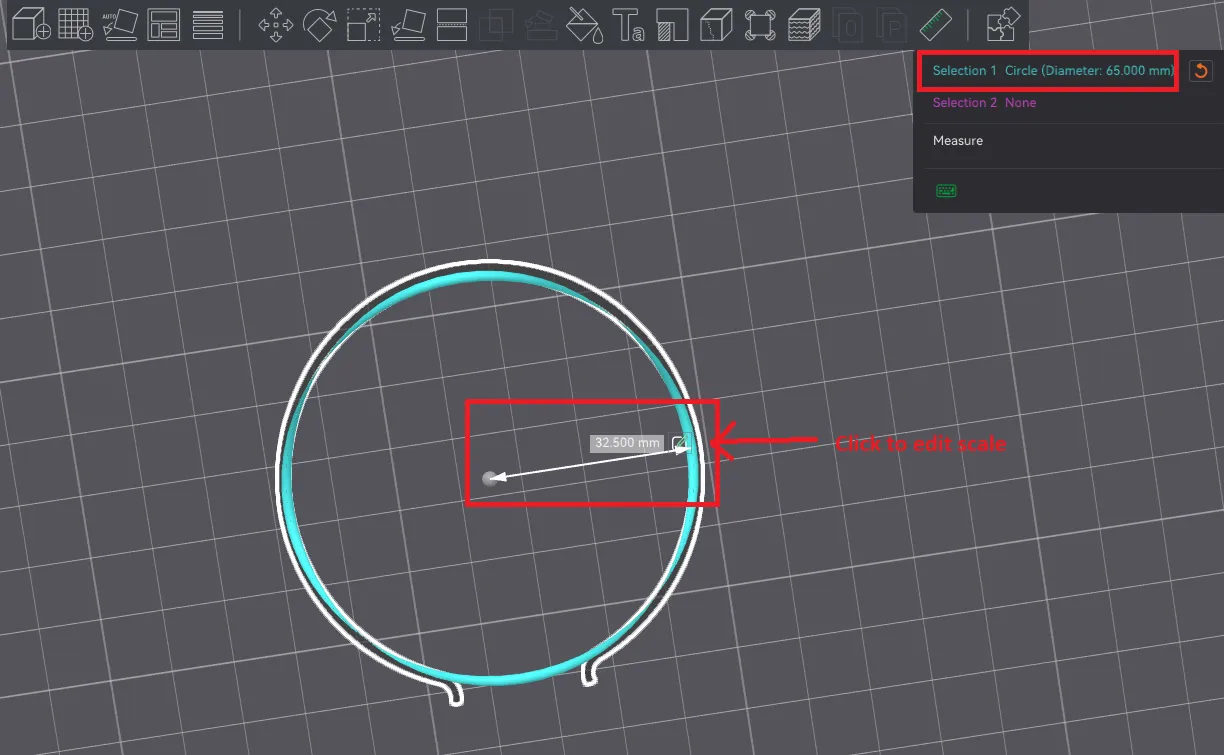
Rotate plate 03 to see underneath, select the object, pick the measuring tool, and hover your mouse until you see the blue circle with the center dot appear and then click it. You should see the radius size in the object and the diameter in the upper right. Click to edit the radius scale.
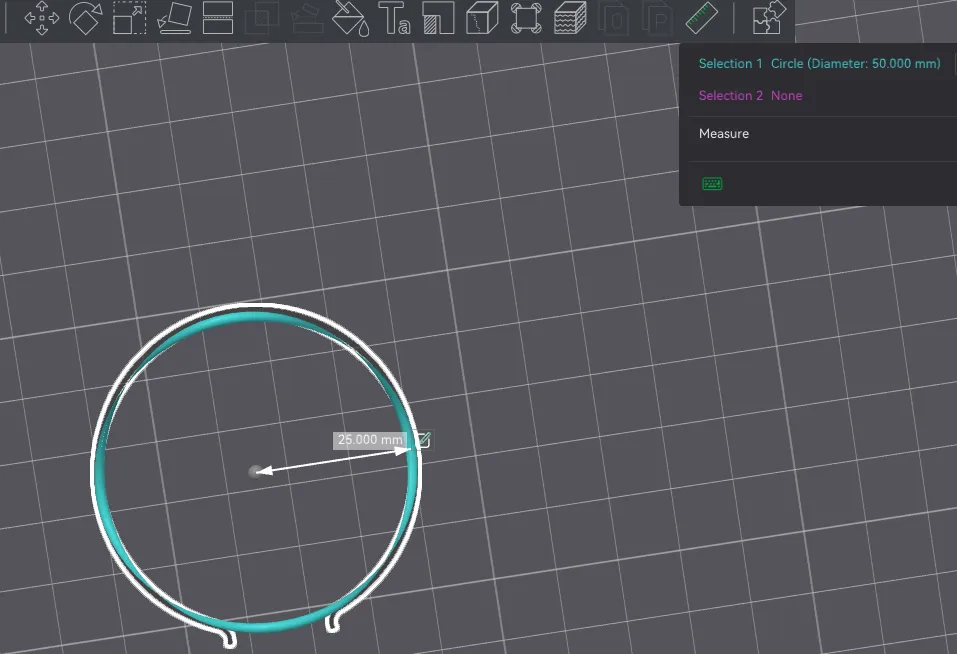
Once you adjust the scale, pick the scale button to see what percentage size it was changed to. Here I changed the radius to 25mm (diameter 50mm).
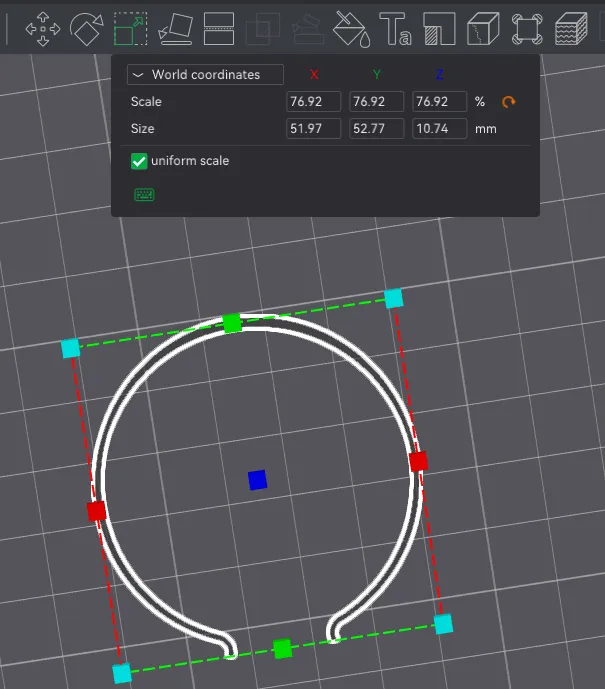
Copy the scaled percentage (in this example it's 76.92%), pick the drain spout on plate 02, and paste in the percentage you copied and hit enter (make sure the uniform scale option is selected).
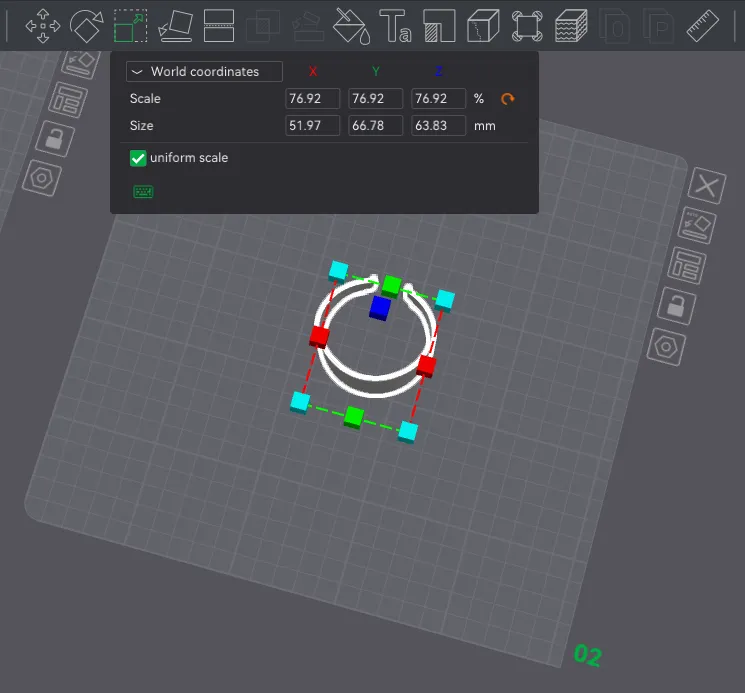
And done! Print it!
Hope this works for you, and good luck!
Updates
26-Jan-2026 - Added STL files, one each for the drain spout and the spout scaler