
Electronics enclosure / case - PARAMETRIC
Obliczymy ostateczną cenę na podstawie wybranego pliku. Sprawdzisz ją i zaakceptujesz przed płatnością.
Zapisane na tym urządzeniu.
Informacje o modelu
- Źródło
- Printables
- Kategoria
- Electronics
- Licencja
- Creative Commons — Attribution
End of Support Notice
This project has evolved!
I am no longer updating this specific version. I’ve incorporated many improvements and fixes into a new model, which you can find here:
Overview
Simple parametrizable electronics enclosure. Parameters can be set inside FreeCAD via Spreadsheet. It is intended for usage without any knowledge about Freecad.
Parametrization of:
dimensions
mounting screw - thread, head diameter
mounting pads - amount, pitches, holes dimensions
honeycomb pattern - enable/disable, diameter, pitch
Designed in FreeCAD, source files included.
Model parametrization
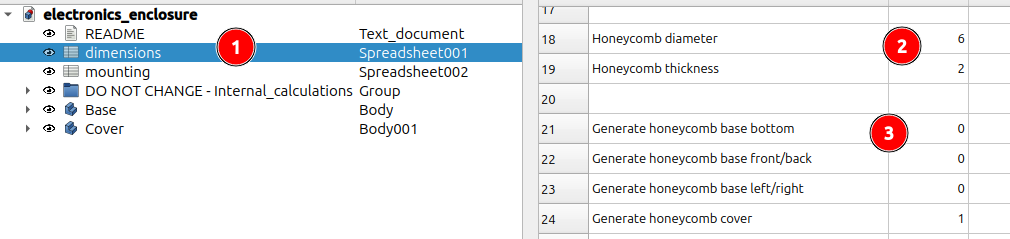
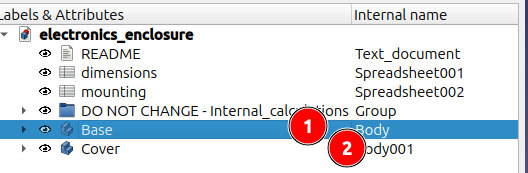
Tip: When you enter any parameter into the spreadsheet, FreeCAD automatically recompute whole model. It can take a time. During setting the parameters, turn off automatic recompute by right click on the model (see 1 below) and check SKIP RECOMPUTE checkbox.
Click REFRESH button (2) when you are finished with parametrization to recompute the model.
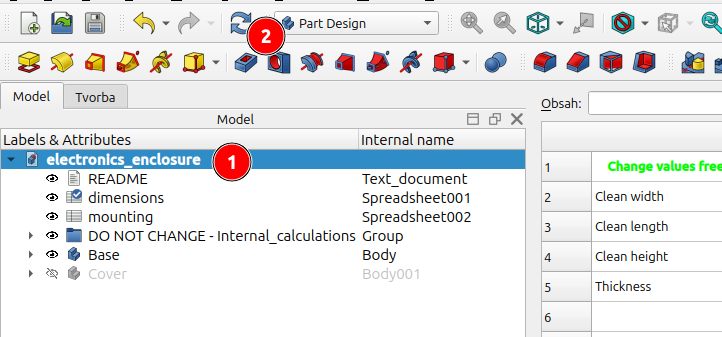
Dimensions parametrization
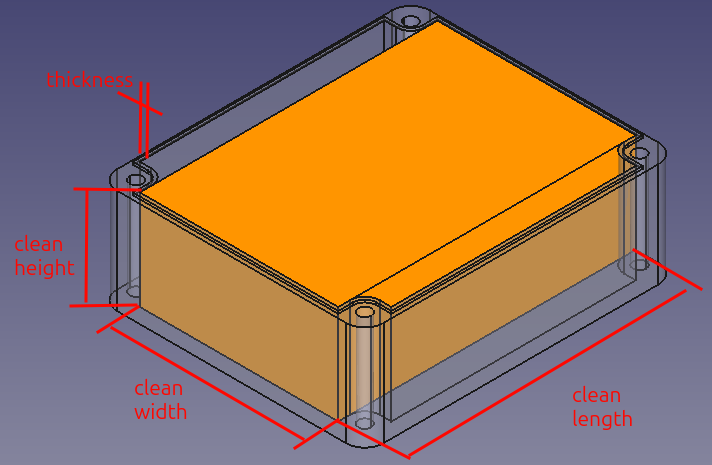
Open spreadsheet dimensions in Freecad
Change "clean" dimensions according to your needs. Clean dimensions are defined as dimensions of maximal box (orange cuboid below) which can be placed inside the enclosure (see below).

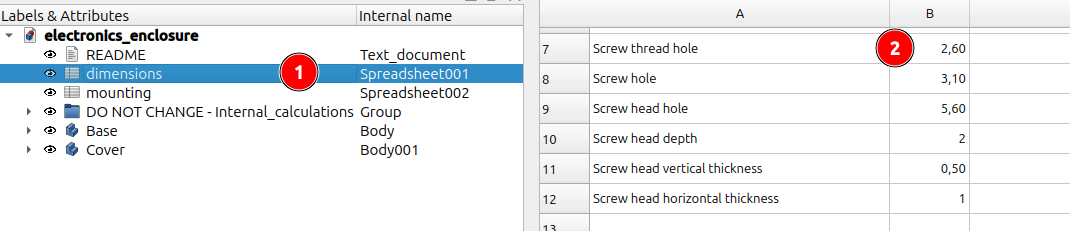
Cover screws parametrization
Open spreadsheet dimensions in Freecad
Change the cover crews thread / hole dimensions.
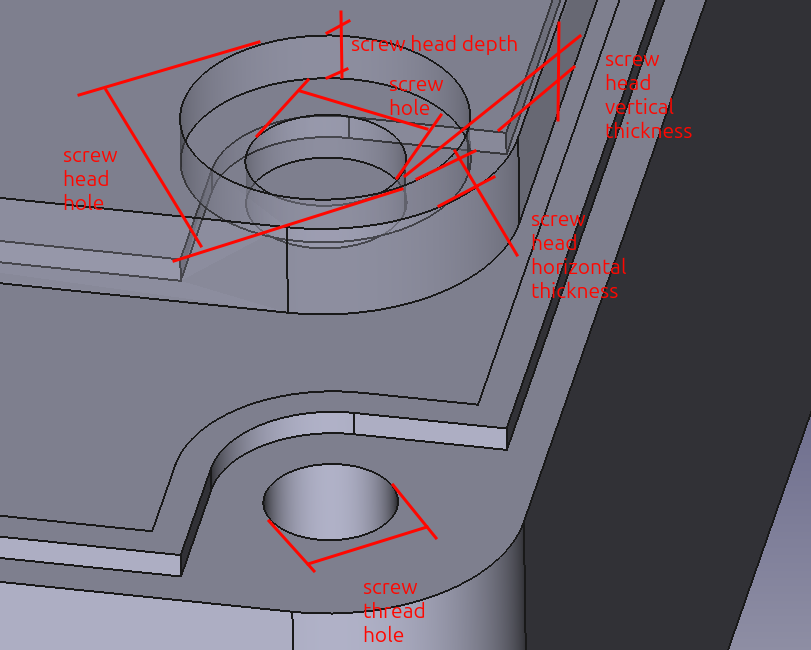
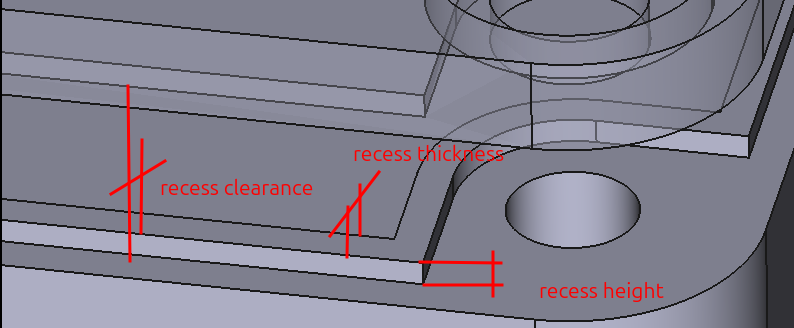
Recess parametrization
Open spreadsheet dimensions in Freecad
Change recess dimensions.

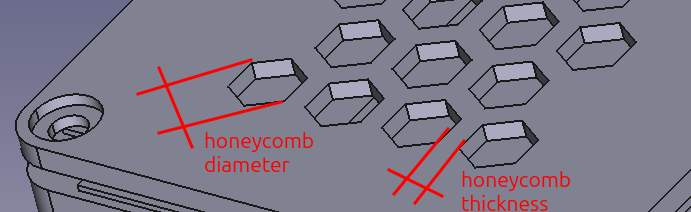
Honeycomb pattern parametrization
Open spreadsheet dimensions in Freecad
Change honeycomb element diameter or wall thickness between elements
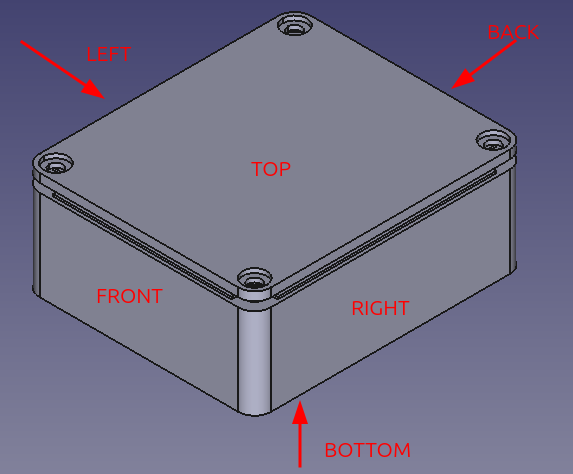
Switch-on (1) or switch-off (0) pattern for concrete faces
Mounting pads parametrization
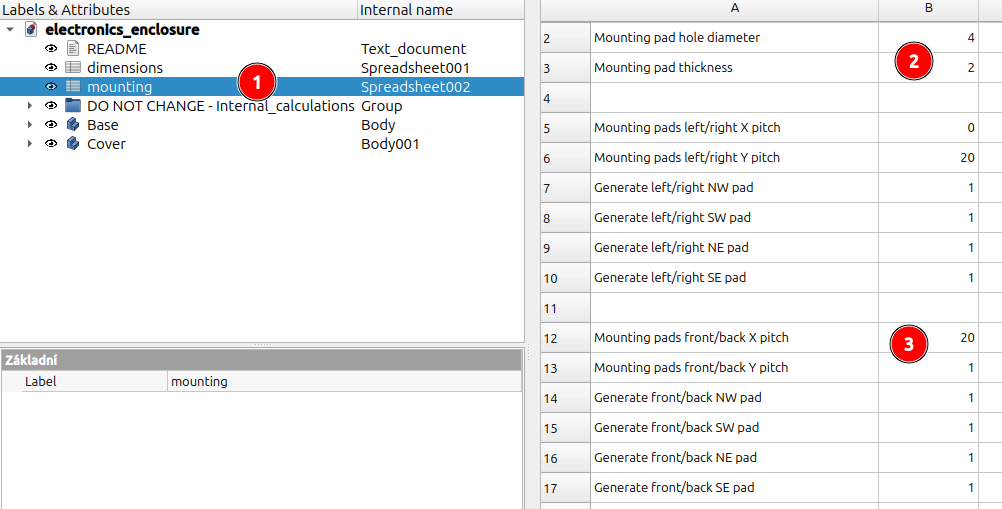
Open spreadsheet mounting in Freecad
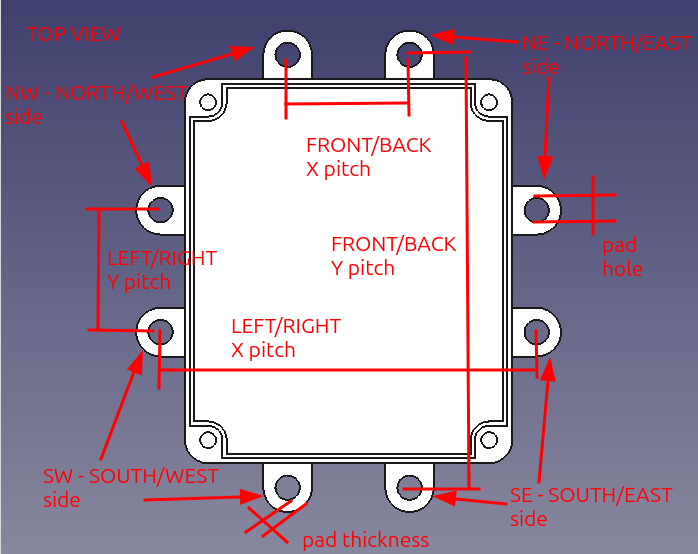
Change mounting pad hole diameter and thickness
Set pitches for mounting pads, switch-on (1) or switch-off (0) mounting pads if needed. Note: If pitch is set to 0, the mounting pad will be generated as close to enclosure as possible.
Export to STL/STEP etc.
Refresh the model if needed, see also TIP in this chapter.
Select Base / Cover part one by one and click File->Export for export to requested format (STL/STEP/...)
Print Settings
The 3MF for clean dimension 50x50x20mm created in OrcaSlicer is included as an example.
Material: PLA
Layer Height: 0.2 mm
Perimeters: 2
Top/Bottom Layers: 2
Infill: Grid 10%
Supports: No
Bill of Materials (BOM)
Screw for plastic 2.6x6mm for example configuration
Updates
2026-02-09
Inner corner radius calculation changes due to the thin wall arround crew on the cover
Configuration split to dimensions / internal spreadsheet
Clean length dimension changed - no it is whole area between front and back
Mounting pads added
2026-01-12
First release
Disclaimer
The creator is not liable for any damage to your hardware or any unintended results caused by the use of this project, its code, or its documentation. Use at your own risk.