
Snapmaker U1 - Driver Heatsink Mod
Obliczymy ostateczną cenę na podstawie wybranego pliku. Sprawdzisz ją i zaakceptujesz przed płatnością.
Zapisane na tym urządzeniu.
Informacje o modelu
- Źródło
- Printables
- Kategoria
- Other Printer Parts & Upgrades
- Licencja
- Creative Commons — Attribution — Noncommercial
I decided to create this mod after noticing how sharply the driver temps changed up and down, this led to me tearing my U1 down to investigate. What I found, was that the stock heatsink was placed on the topside of the driver chips.
Logically this sounds correct, but TMC chips conduct heat via the bottom of the chip (like how step sticks have the chip on the bottom of the pcb, and allow you to place a heatsink to the top of the pcb. same principal here)
What the stock configuration means, is the the mainboard is coping with absorbing a significant portion of the driver heat as plastic is a poor conductor.
Playing around with the machine, my drivers would hit almost 70c just homing, and 80-82c while printing. With this mod, the drivers are maintaining around 56-59c while running.
***Disclaimer***
Fiddling around inside your machine opens you up to warranty issues, broken connectors if not careful, or in this case, if you aren't careful, you can cause an accidental short which may damage your mainboard. So be careful and ymmv.
****Added 2nd model with smaller screw holes, use that file if your machine's dialed in****
Needed Items:
4x M3 x 5/6mm screws (to secure the mainboard)
4x M3 screws of appropriate length for your fan (length is subjective depending on the fan)
40mm Fan of your favorite flavor
At least PETG for printing the bracket for heat tolerance.
Optional (but recommended HIGHLY)
Small heatsinks to place on the top of the drivers. see photo bank for example, also heres a random amazon kit https://a.co/d/ch9V2g8
Kapton tape to protect the board electrically (amazon link https://a.co/d/cDzZw2f )
Isopropyl Alcohol
Process notes
This does not require removal of the board from the machine, and removing connectors. however it will be very fiddly.
If you elect to remove the board and connectors to place the kapton tape and secure the heatsink, be VERY careful with the connectors, some of them are wildly fragile.
The bracket standoff holes where the board mounts to, is sized to 3.1mm, this is to accomodate the average machine printing holes small. If your printer is precisely dialed in, use the "Hole XY size" feature in the slicer to shrink the holes by 0.05-0.15 mm so the screw thread in.
The method of how you power/control the fan is up to you, it is a point of contention among people, so power the fan however you like, I'm not going to tell you what to do.
Install
Gain access to the main board area. Snapmaker has an official video for this, just follow the steps for the right side panel
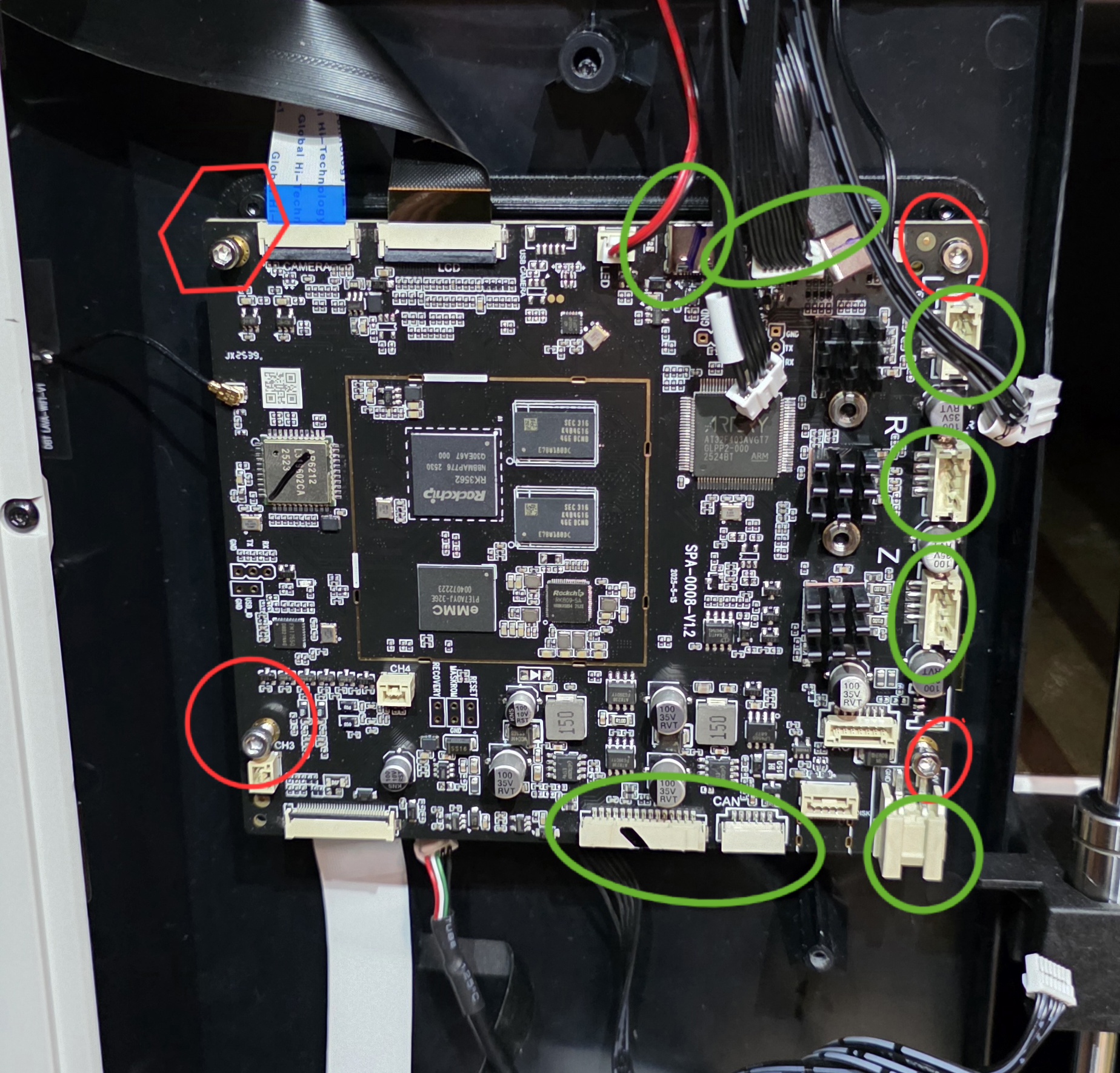
Remove the 4 2mm screws that hold the mainboard to the machine (Shown in red)
this method is to remove minimal amount of connectors to swing the board out for access
Remove the connectors shown in green. From here forward be very careful not to pull on the ribbon cables. (if comfortable, remove the ribbon cables and wifi antenna cable which will allow you to remove the board completely. )
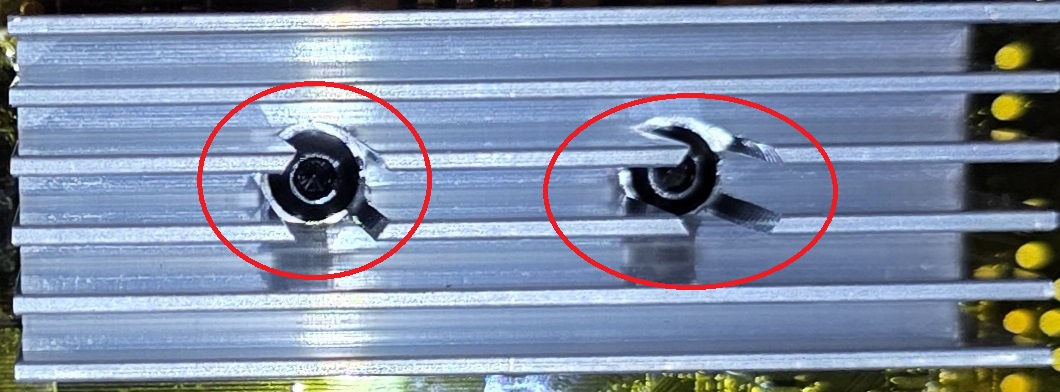
With the board removed, remove the 2 2mm screws holding the heatsink, and remove the heatsink. if the thermal pads come off the heatsink, just peel it off and stick back on the heatsink.
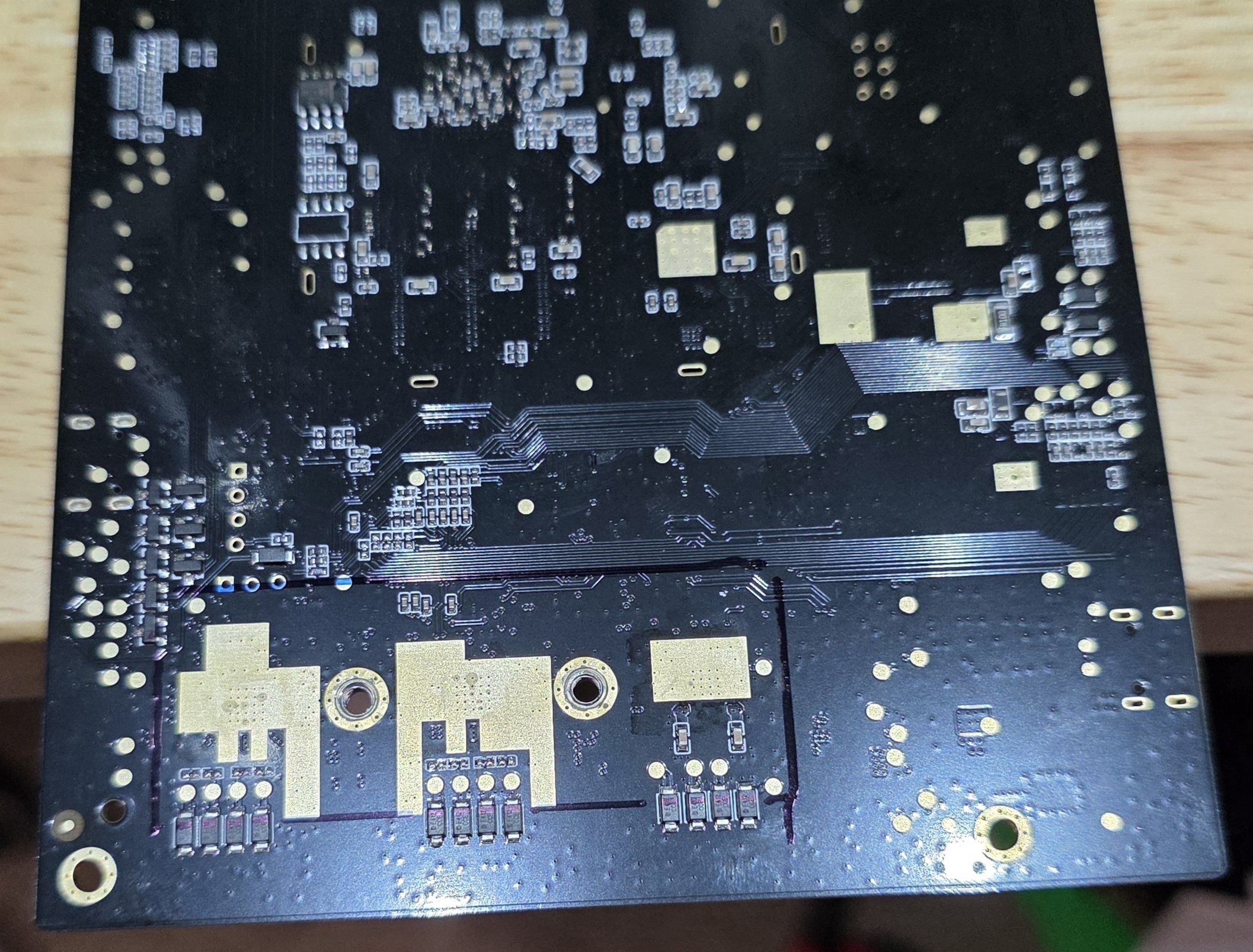
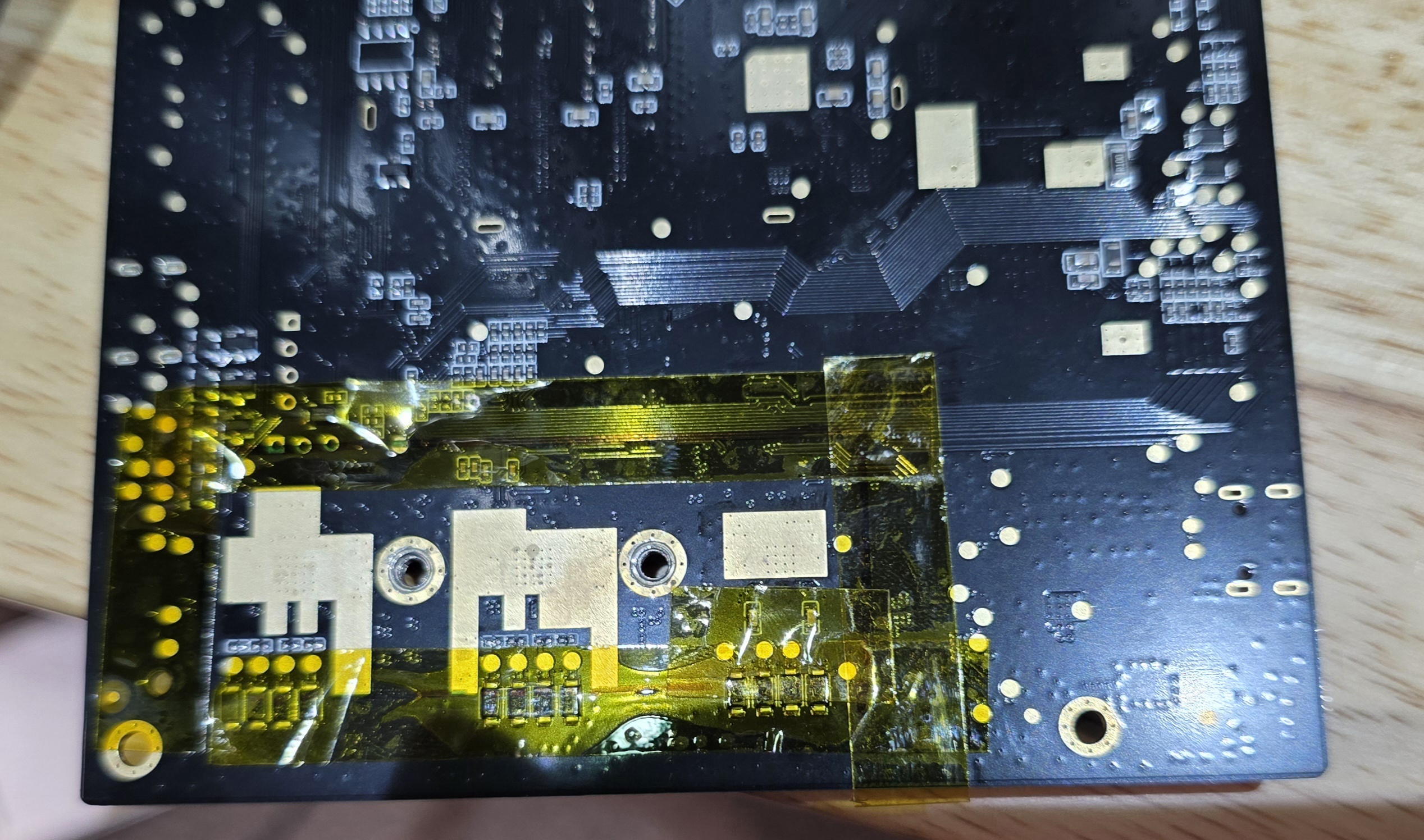
Before remounting the heatsink, I would recommend placing kapton tape around the perimeter of the heatsink, so that if the pads compress for any reason, the metal doesn't touch the board.
In my case, i used the screws to align the heatsink, then traced the heatsink in marker, and placed the kapton on center of the marker shown in the photos below.
When tightening the 2mm screws on the heat sink, it does NOT need much torque, just snug, too much torque may damage the board, or overcompress the thermal pads.
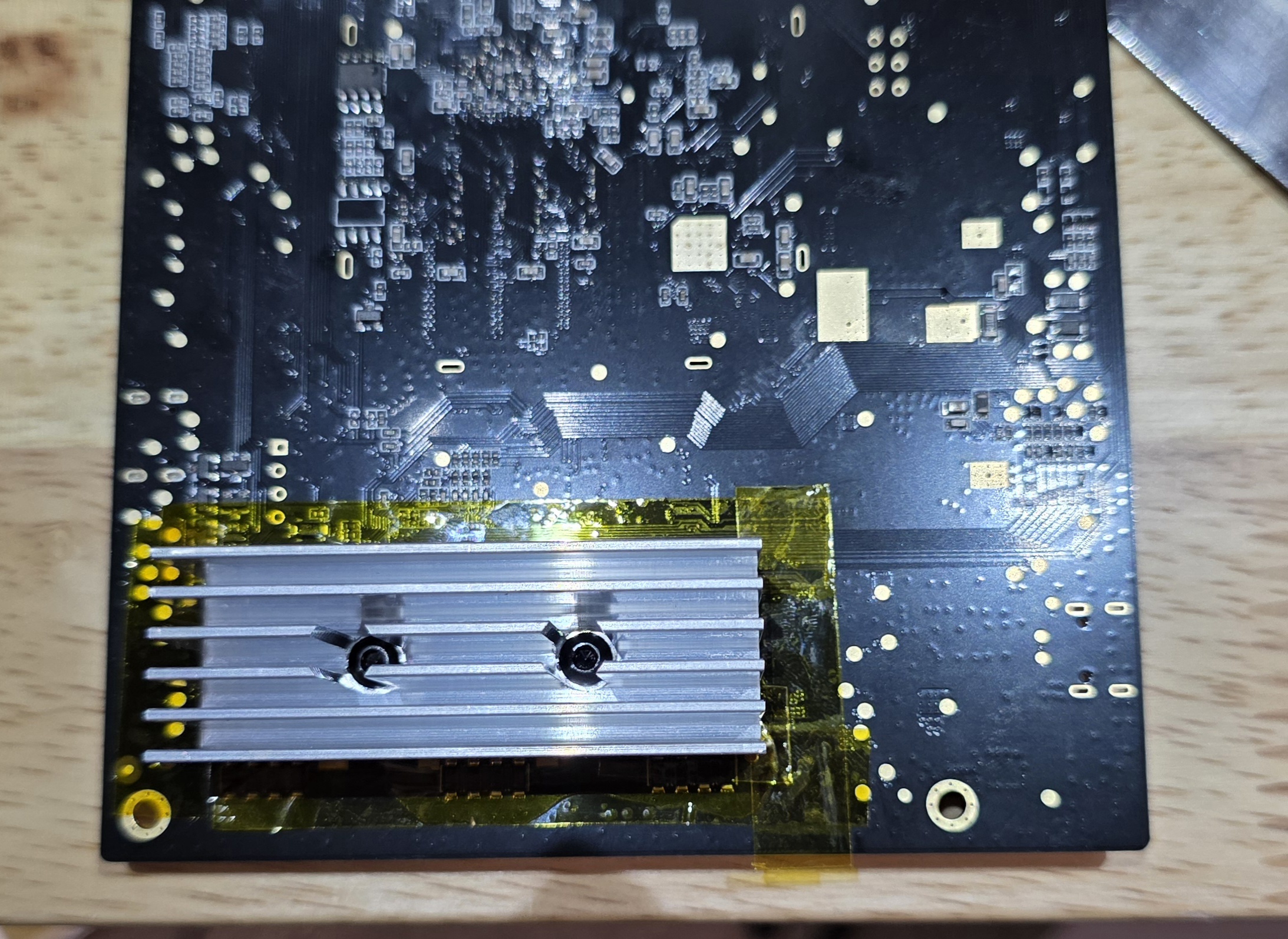
Now with the heatsink moved, I would recommend placing small generic heatinks back on the tops of the drivers, just for the extra portion of heat removal.
Be sure to clean the drivers with alcohol and a q-tip to remove oils left behind from the thermal pads, as it will cause the small heatsinks to fall off
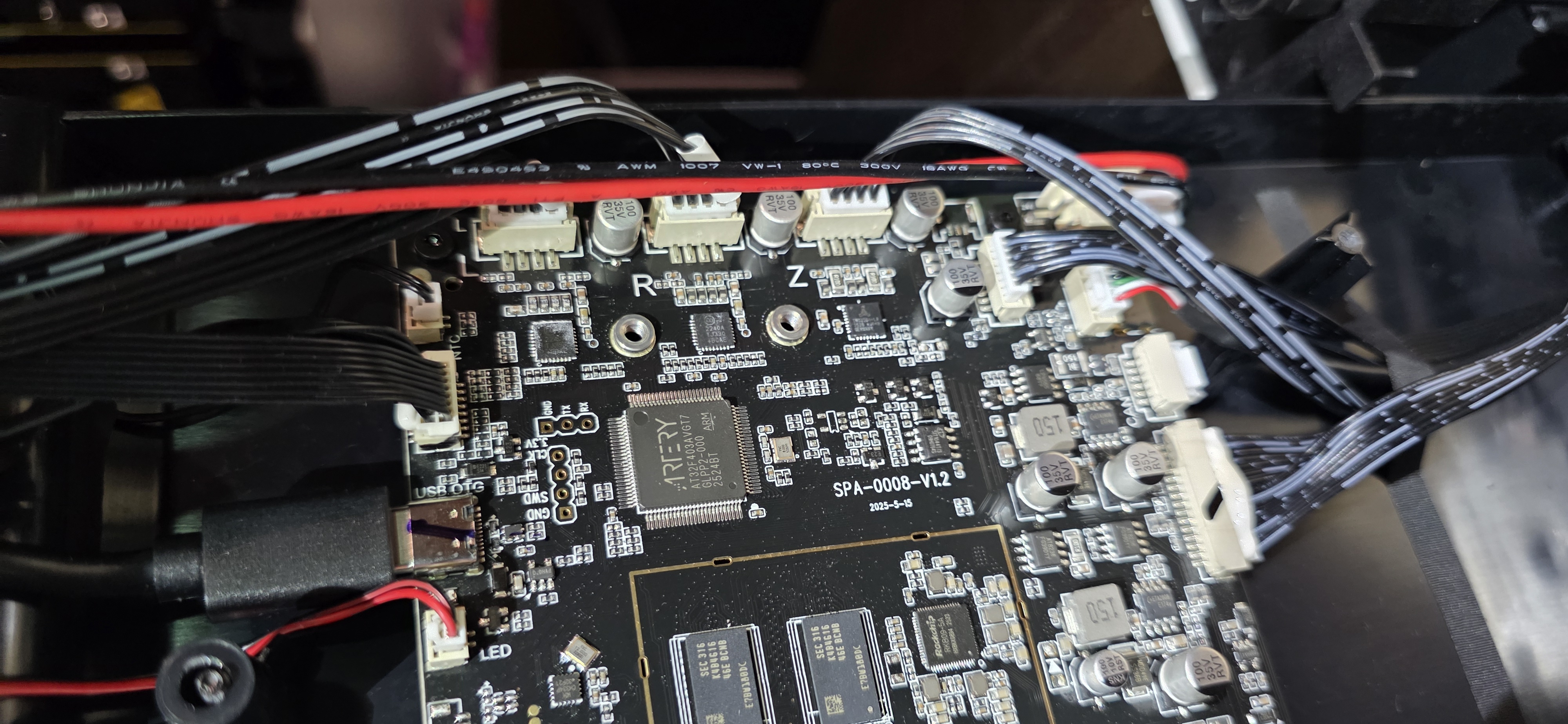
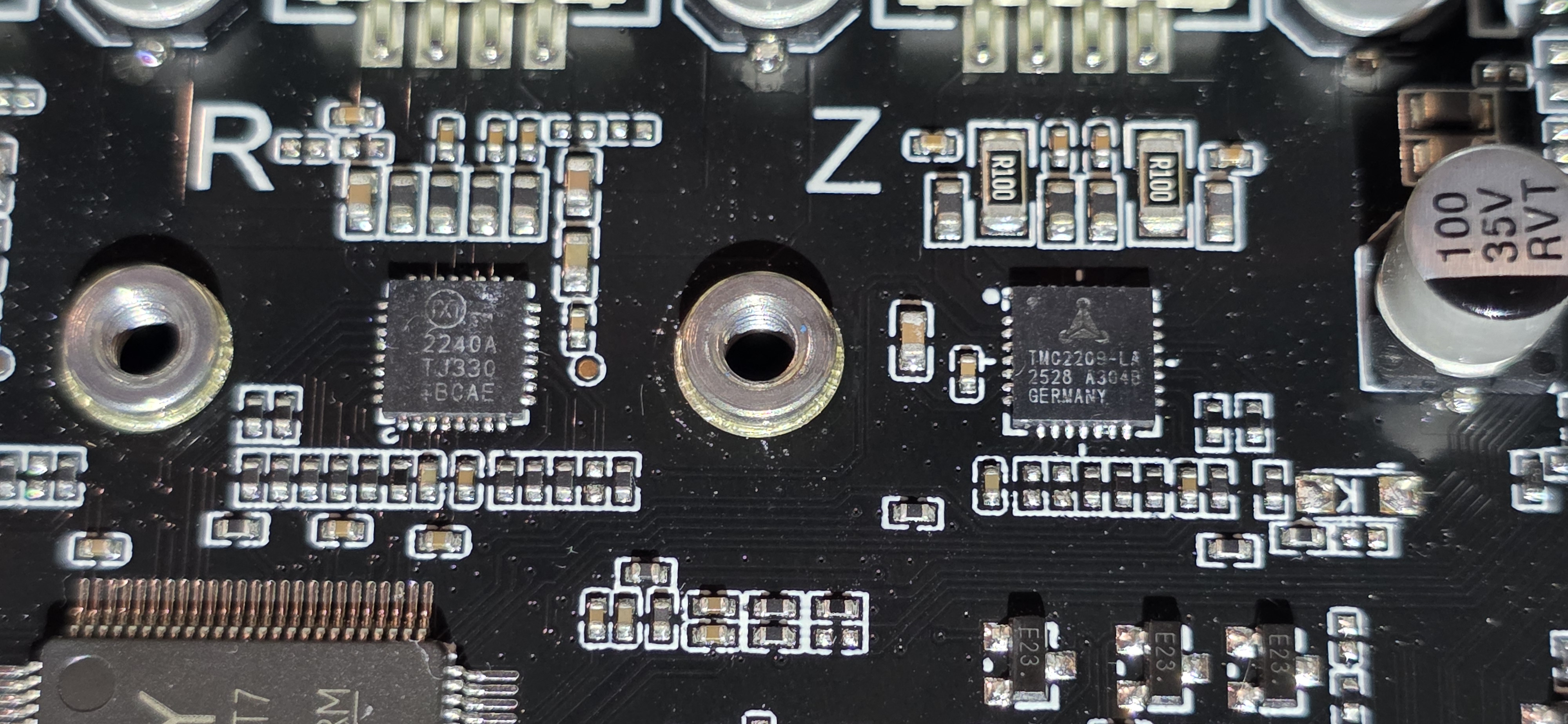
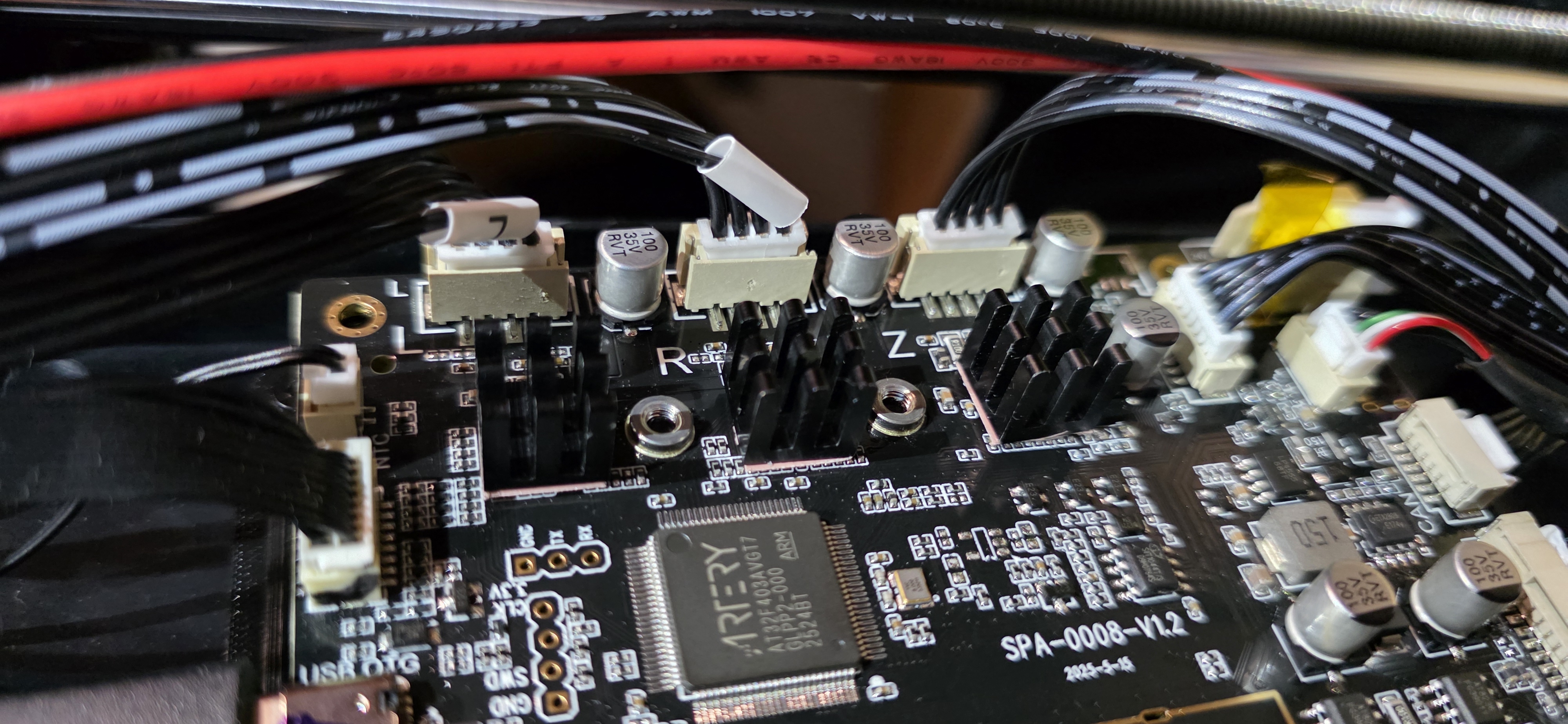
With the board prepared, we can now mount the fan to the bracket, I would recommend facing the wires outwards for ease of access. I dont have pictures for this exact step, kinda self explanatory though.
With the fan mounted, we can mount the board bracket
Correct orientation of the bracket, is the fan towards the top of the machine.
You will reuse the original board screws, to secure the bracket in the factory location.
The mount holes will be the lower set of 4 holes located next to the posts,
See pic below (outdated version, but same mounting)
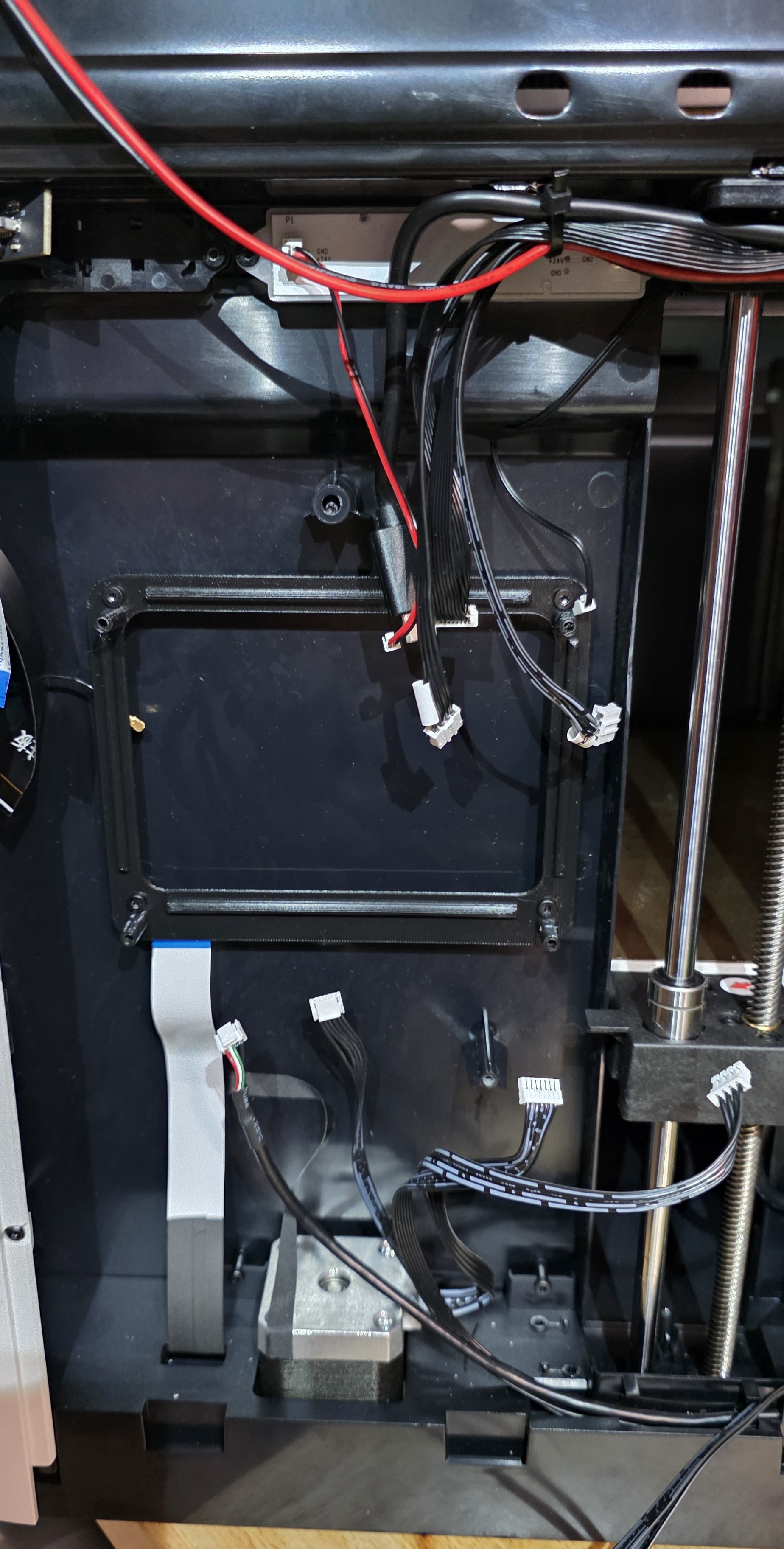
Now we can place the main board back in the machine, this is where you will use the M3x5/6mm screws.
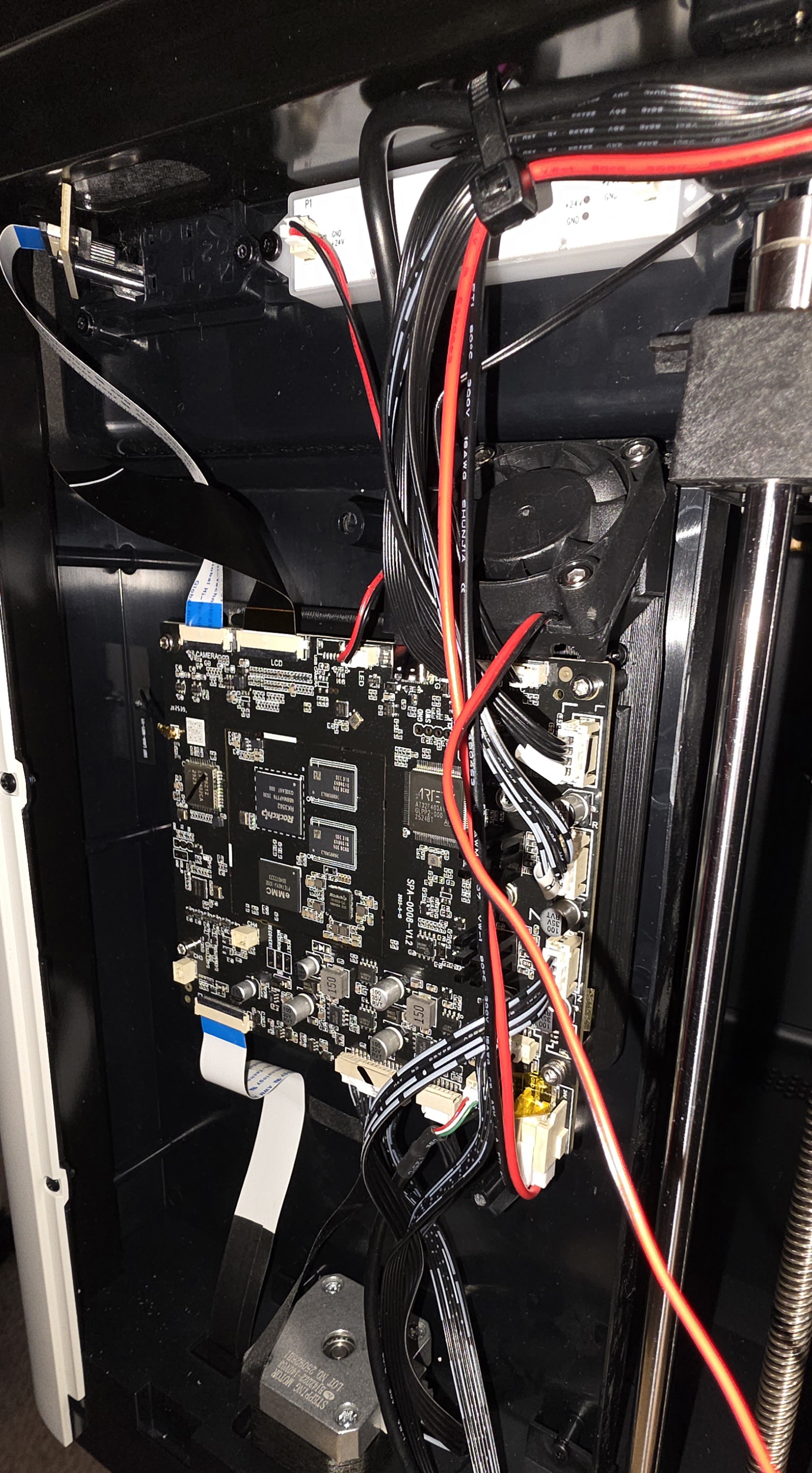
With the board mounted, carefully place the connectors back in their respective places, once again, be careful, they are fragile.
This is where you would wire in your fan to its respective power source. however, that portion is open to you.