
Gridfinity Compatible Splitting Germination Pots
Obliczymy ostateczną cenę na podstawie wybranego pliku. Sprawdzisz ją i zaakceptujesz przed płatnością.
Zapisane na tym urządzeniu.
Informacje o modelu
- Źródło
- Printables
- Kategoria
- Outdoor & Garden
- Licencja
- Creative Commons — Attribution — Noncommercial
Split-Bin Germination Pots
When growing plants, it is helpful to start off new seeds in smaller pots.
This allows you to:
Start seeds indoors earlier in the year
Plant more seeds at once to pick the best plants to put in their final place
Monitor their progress at the start of their lives
These easy to print germination pots allow for easier and safer access to the seedlings, and slot into a gridfinity-compatible base, for simple organisation.
Changelog:
v1.1
Complete redesign in FreeCAD, 100% backwards compatible with v1.0
Pots:
Uses ~14% less filament (1.23m vs 1.06m w/ 1.75mm filament)
Subjective, but I find the snap to be more satisfying
Base:
Parameterises better
Now has grab-holes for forceps (TBD)
What do I need to print?
For the pots themselves print two Grow Pot Half files per pot.
These halves are identical, and will click together with a satisfying snap.
You can then print a base of your chosen size. These bases allow you to keep alike seedlings together, and will retain the pot halves so they don't get accidentally split apart.
How do I use these?
In simple terms, these are just overengineered tiny plantpots, so use them how you see fit!
Though this is the process I use:
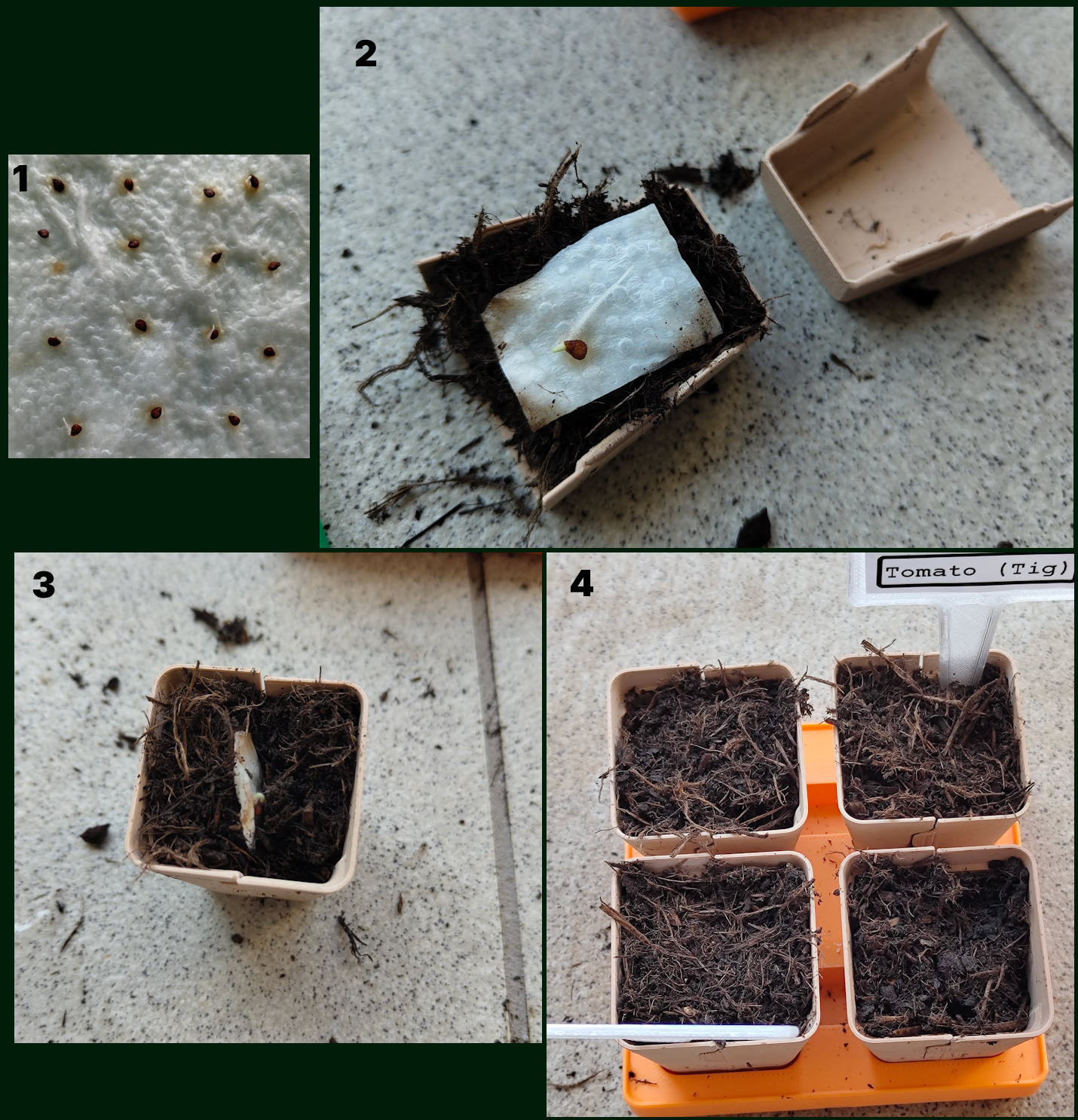
First, start the seedlings on kitchen towel within a container.
Once the seeds begin to root, cut them from the towel and "plant" them lengthwise in the pots.
Then, close the pot against the seed.
Once the seeds are ready to transplant, simply split the pot in half and bury them where they need to go!
This image should give you an idea of the process:
What if I want different base sizes?
All size ranges from 1x1 to 5x5 are available as stl files, though if you want to go bigger: Download the FreeCAD file and change the variables n_pots_x and n_pots_y.
The legacy fusion model file is similarly configurable: Again change n_pots_x and n_pots_y to create your custom sizes.