
Aqara Temperature Sensor AA Battery Case
Obliczymy ostateczną cenę na podstawie wybranego pliku. Sprawdzisz ją i zaakceptujesz przed płatnością.
Zapisane na tym urządzeniu.
Informacje o modelu
- Źródło
- Printables
- Kategoria
- Electronics
- Licencja
- Creative Commons — Attribution — Noncommercial
This is a case for the Aqara Temperature and Humidity Sensor with an integrated holder for 2 AA batteries.
The size of the case is 42x38x70 mm.
I use several Aqara Temperature and Humidity Sensors around my home, but replacing the CR2032 batteries too often became quite annoying. So I designed this case to power the sensor with two AA batteries, which should last much longer than the original coin cell.
Although I didn’t have strict space limitations, I still wanted to keep the design as compact and clean as possible so it can be placed in a visible location and still look good.
The case does not include an opening for the button, since it is only used during pairing.
Bill of material:
Aqara Temperature and Humidity Sensor
1x 2×AA battery holder (for example, this type BH-321-2A)
4x M3x10 mm or M3x8 mm countersunk screws
4x M3xD5xL4.5 mm threaded inserts
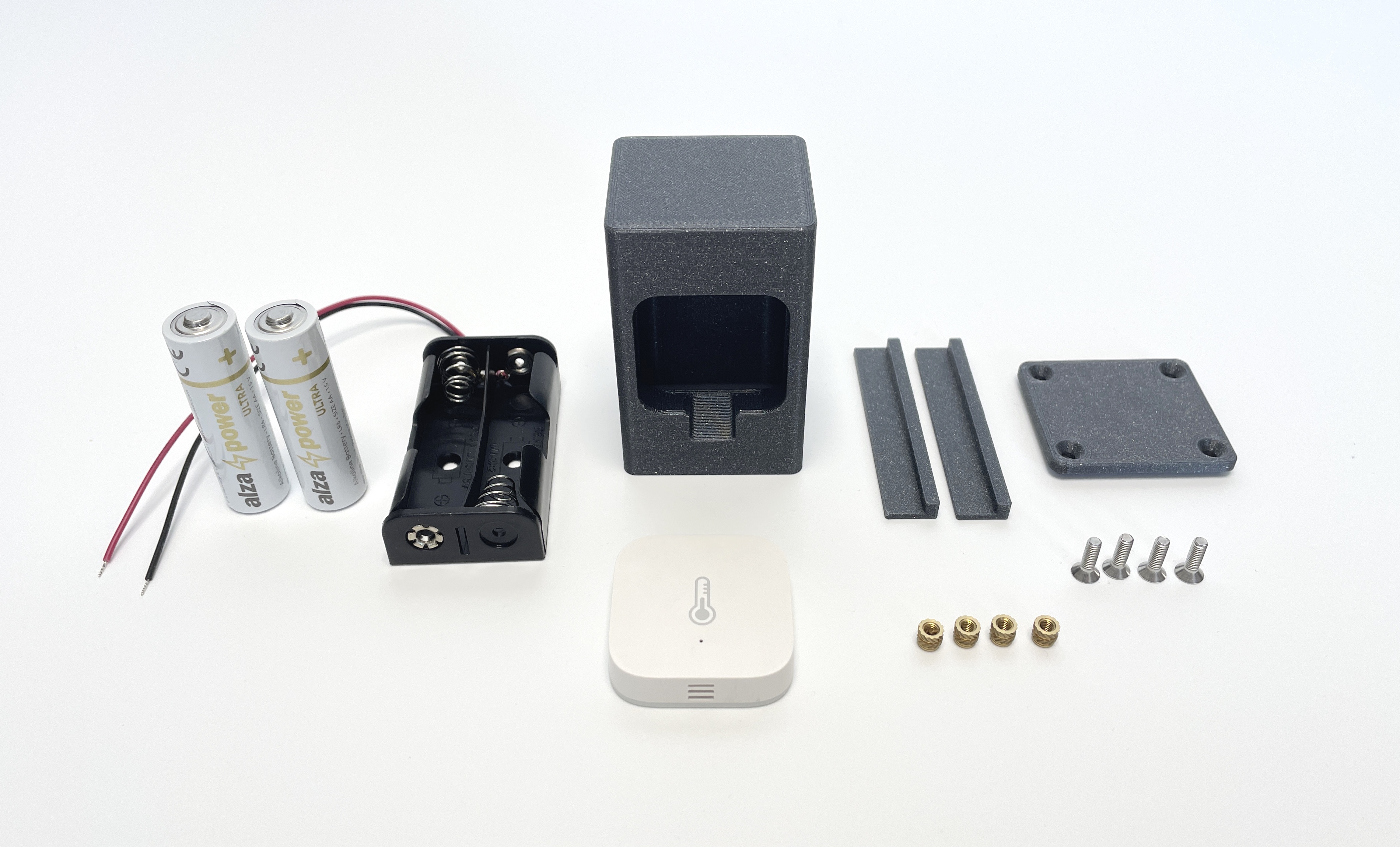
Assembly instructions:
Print all parts.
Install the threaded inserts with a soldering iron.
Trim the battery holder wires to approximately 12 cm.
Solder the wires to the CR2032 holder terminals (see attached image for reference).
Insert the AA batteries into the battery holder.
Verify that the sensor is already paired with your gateway before putting it in the case.
Place the sensor into the main body.
Carefully fit the battery holder into the body, making sure the wires are not bent too sharply or pinched.
Close the case by securing the bottom part with screws.