
Corsage - Interlocking puzzle by Christoph Lohe
Obliczymy ostateczną cenę na podstawie wybranego pliku. Sprawdzisz ją i zaakceptujesz przed płatnością.
Zapisane na tym urządzeniu.
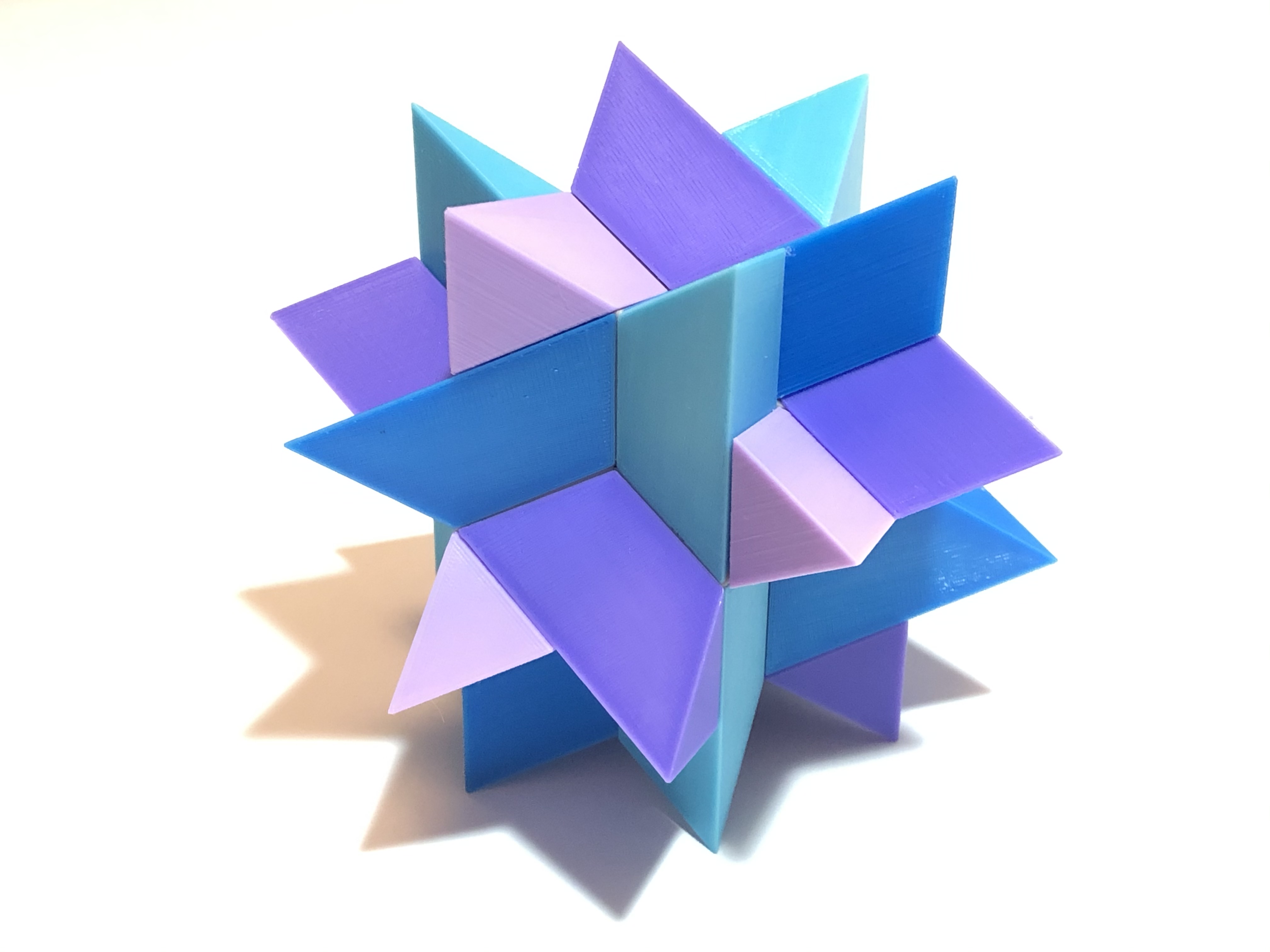
Assemble six interlocking pieces into an unusual frame.
- Ocena
- 5 / 5
- Polubienia
- 16
- Pobrania
- 59
- Wydruki
- 2
- Wyświetlenia
- 449
- Oceny
- 2
Aktualizacja u źródła:
Informacje o modelu
- Źródło
- Printables
- Kategoria
- Puzzles & Brain-teasers
- Licencja
- Creative Commons — Attribution — Noncommercial — NoDerivatives
Corsage
Interlocking puzzle by Christoph Lohe
Assemble six interlocking pieces into an unusual frame.
Corsage is a lovely and unusual interlocking design by Christoph Lohe. With a Level 19 solution, it is a challenging, but still feasible, assembly puzzle.
Thanks to Yu Chih Chang for contributing the model for this design.
Printing Instructions
Print one copy each of lohe.corsage.frame_components_1.stl, lohe.corsage.frame_components_2.stl, lohe.corsage.pieces_color_1.stl, and lohe.corsage.pieces_color_2.stl. You may choose between two different color schemes:
- The two-color version shown in the photos has a striking mixed-color frame. Print
lohe.corsage.frame_components_1.stlandlohe.corsage.pieces_color_1.stlin one color, andlohe.corsage.frame_components_2.stlandlohe.corsage.pieces_color_2.stlin a different color. - A more traditional three-color version has a solid-color frame and two different piece colors. Print
lohe.corsage.frame_components_1.stlandlohe.corsage.frame_components_2.stlin the same color,lohe.corsage.pieces_color_1.stlin a second color, andlohe.corsage.pieces_color_2.stlin the third color.
The frame uses "snap joints" so that it can be printed without supports. After you print it, first connect all the joints before attempting to solve the puzzle. Snap each male connector into a corresponding female connector (for example, the male connector labeled "A" should connect to the female connector with a matching "A" label on the interior). For easiest assembly, first assemble the frame components into two chains of three pieces each, then mate the two chains together.
The joints are designed to be tight, and depending on the printer and filament used, you may need to hammer them into place. If they come out too loose, a drop of superglue will make them more solid (in most cases this shouldn't be necessary, but unfortunately tolerances vary across printers and filaments). The snap joint concept is discussed further in this tutorial: Getting Started with Puzzle Printing.
The Printable Puzzle Project
The Printable Puzzle Project aims to make available high-quality open-source models of many puzzle designs. All of our models are posted with the generous permission of their designers and are licensed for non-commercial use only. Anyone may print copies for their own personal use, but selling or otherwise monetizing them is not permitted, and puzzle designers retain all rights as copyright holders of their work.
Our puzzles are modeled using the open-source puzzlecad library. The .scad file is included with this model in case you want to modify any of its design parameters; more information on how to do this can be found in the PPP Puzzle Modeling tutorial.
About the Designer
Christoph Lohe's innovative output spans an impressive variety of puzzle forms. Lohe's designs have attracted increasing attention from puzzle makers and collectors and have been realized by some of the world's top puzzle craftspeople. His designs are both challenging and beautiful, with several incorporating creative figurative elements, such as a popular series of burr puzzles in the shape of locks.
Happy puzzling!