
Luffy Gear 5, One Piece, Framed Bookmark
Obliczymy ostateczną cenę na podstawie wybranego pliku. Sprawdzisz ją i zaakceptujesz przed płatnością.
Zapisane na tym urządzeniu.

A cutout bookmark of Luffy in Gear 5 Mode
- Ocena
- 0 / 5
- Polubienia
- 3
- Pobrania
- 19
- Wydruki
- 0
- Wyświetlenia
- 102
- Oceny
- 0
Aktualizacja u źródła:
Informacje o modelu
- Źródło
- Printables
- Kategoria
- Other Art & Designs
- Licencja
- Standard Digital File License
Thank you for downloading my works. If you would like to sell my designs, past and future, a commercial license can be obtained from my MakerWorld or Patreon page.

Note: 5 Color version uses a Matte(lower TD) white and the 4 Colors uses Basic(Higher TD) White to get the gradient colorization. They are the same file except that the 4 colors have 1 more layer of white in place of the 1 layer of turquoise(light blue). Matte white in the 4 color version gets white washed.
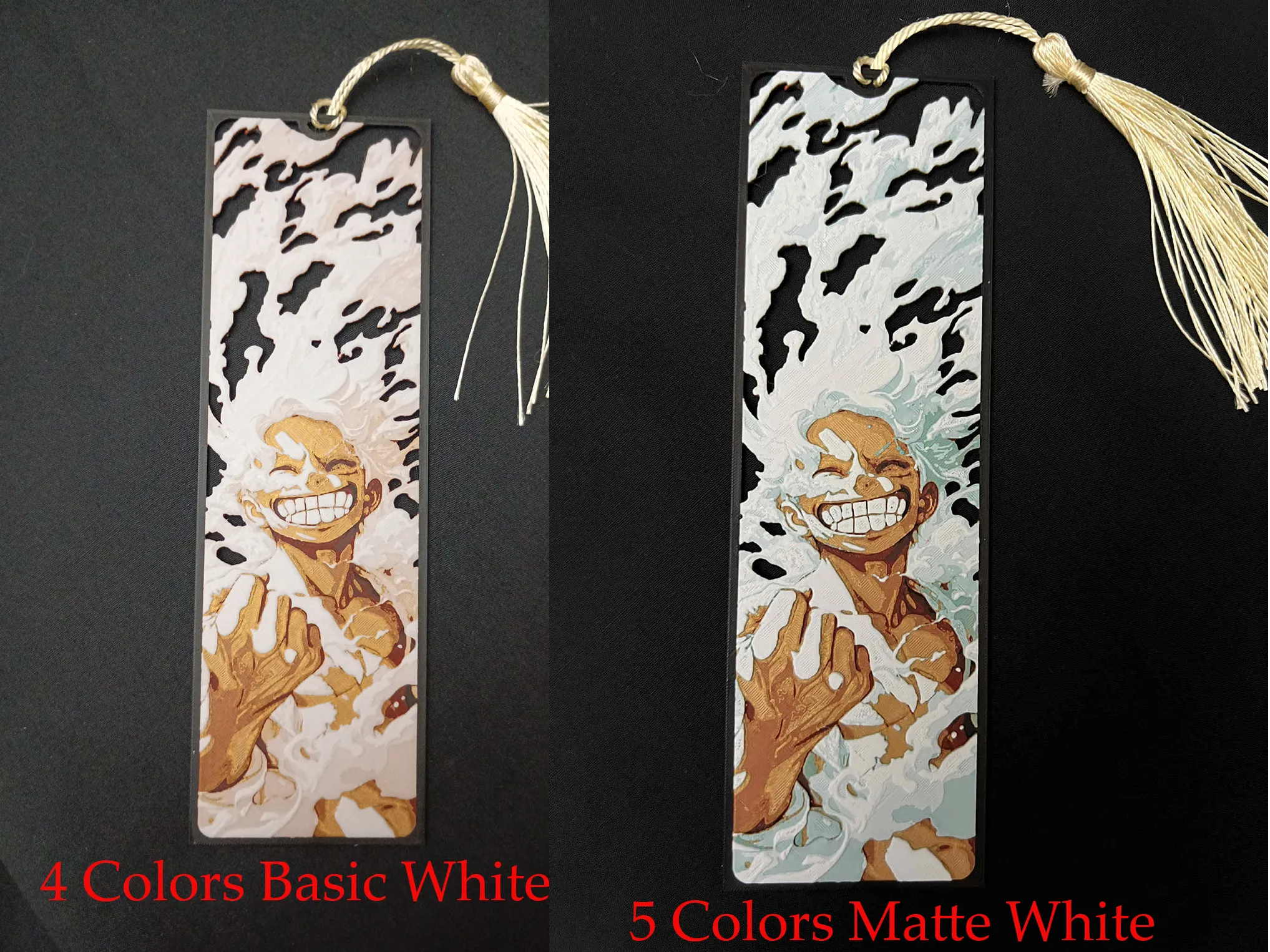
Luffy Gear 5 Bookmarks
Pictures shown are printed in an 0.2mm Nozzle
Print at 100% infill with a layer height of 0.08mm with a base layer of 0.16mm
5 Color Version
PLA BambuLab Basic Black Transmission Distance: 0.6
PLA BambuLab Basic Red Transmission Distance: 4
PLA BambuLab Basic Gold Transmission Distance: 5
PLA BambuLab Basic Turquoise Transmission Distance: 2.3 (any Light Blue)
PLA BambuLab Matte Ivory White Transmission Distance: 3.5
This print uses 5 unique filaments
Swap Instructions:
Start with Black
At layer #10 (0.88mm) swap to Red
At layer #13 (1.12mm) swap to Gold
At layer #16 (1.36mm) swap to Turquoise (Any Light Blue)
At layer #17 (1.44mm) swap to Ivory White for the rest.
4 Color Version
PLA BambuLab Basic Black Transmission Distance: 0.6
PLA BambuLab Basic Red Transmission Distance: 4
PLA BambuLab Basic Gold Transmission Distance: 5
PLA BambuLab Matte Ivory White Transmission Distance: 3.5
This print uses 4 unique filaments
Swap Instructions:
Start with Black
At layer (0.88mm) swap to Red
At layer (1.12mm) swap to Gold
At layer (1.44mm) swap to Ivory White for the rest.
Can be resized to accommodate your printer or preference by adjusting the X and Y axis the same percentage while leaving the Z axis at 100%. The best way to achieve this: With Uniform Scale checked, adjust the Y axis to the desired size (this will ensure the X axis is the same proportion as the Y axis), uncheck the Uniform scale, adjust the Z axis back to 100%, slice plate, and print. Stringing may occur with Hueforge, just use a lighter to whisk them away.
This is a five color print. Use this tutorial by Cloudy Nostalgia to print more than 4 colors on 1 AMS.
More prints: Bookmarks -- Portraits -- Coasters -- Clocks -- Puzzles -- Display Stands -- Display Frames
They are sorted and can be found in my Collections - https://makerworld.com/en/@3djd/collections
