
Revolution: The Overengineered Battle Top (4:00 MINUTE RECORDED SPIN!)
Obliczymy ostateczną cenę na podstawie wybranego pliku. Sprawdzisz ją i zaakceptujesz przed płatnością.
Zapisane na tym urządzeniu.
Informacje o modelu
- Źródło
- Printables
- Kategoria
- Other Toys & Games
- Licencja
- Creative Commons — Attribution — Noncommercial
Description
I present to you: The MOST overengineered battle top and launcher combo. But it's not overengineered just for the sake of being complicated. This system is strategically engineered for the sake of durability, maximum spin time, and battle effectiveness.
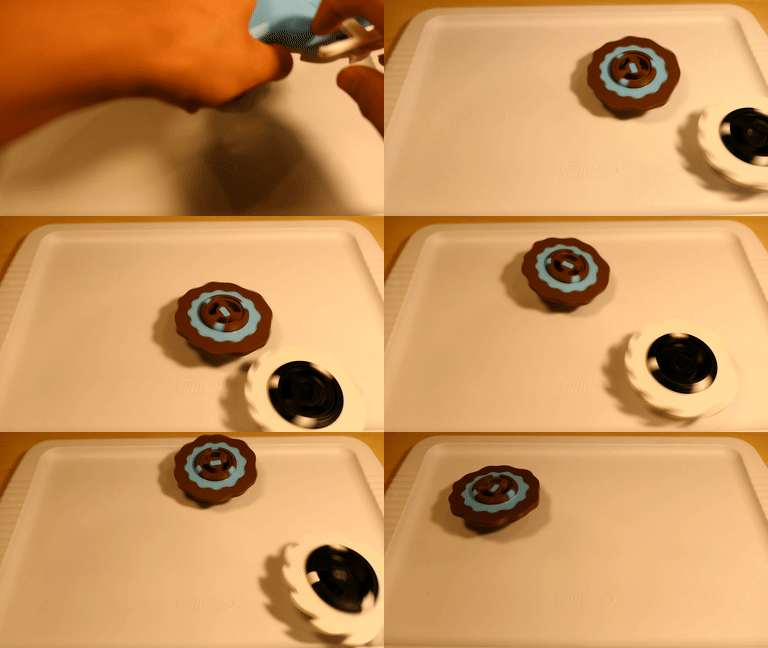
Is it legal for the Open Sauce contest?
Yes! Of course. This system is in full compliance with the rules for StlDenise's in-person contest:
Tops must be FULLY 3D PRINTED using PLASTIC (no metal)
Launch Cord may be no longer than 273mm end to end.
Blade must be 25 mm from ground
Blade must be no larger than 91 mm in diameter
All parts are 3d printed, the ripcord is the full length of 273mm, and all blades are 91mm in diameter and sit 25mm off the ground. Tops spin clockwise and their screws are left handed.
4:00+ Minute Spin Video (As Promised!)
Note: 4 minute spins are not guaranteed. Usually using the longevity version, I consistently get around 3:45-4:15. Your mileage may vary.
Printing Instructions
For ease of printing, every piece is in the optimal print orientation by default, no supports are needed on any pieces, and print counts are included in all filenames. All parts can be printed in PLA or PETG.
Launcher:
Print every part from the Launcher folder. Only 1 of each part is required, except for the "Launcher - Clutch Claw (3x)," and "Launcher - Fastener (3x)," where you will need to print 3 of each.
Launcher Print Settings:
Infill ≥ 15%
Layer Height ≤ 0.2mm
No supports needed :)
PLA works fine, PETG will be stronger
If you want a clean version without the text or symbols on top of the launcher, it is included under the Extras folder.
If you only have access to a mini size printer, no worries! A ripcord sized for the Prusa MINI is also included in the Extras folder -- "Launcher - Ripcord (MINI)".
Tops:
The tops have a few different parts, so I split them up for convenience. All top parts have the same print settings -
Top Print Settings:
Infill: 100%
Layer Height ≤ 0.2mm
No supports needed :)
PLA works fine, PETG will be stronger
General Top Parts:
For all tops, print every part from the Top (General Parts) folder. Only one of each part is required.
Blades:
Blade options are in the Blades folder. I have created 3 blade designs - UFO, Blob, and Saw. Pick a blade to print, or try multiple!
Each blade has a multicolor version, no MMU required. Multicolor designs are not interchangeable - they only work with their partner blade.
For longevity runs, the UFO blade works best.
Top Weights/Tips:
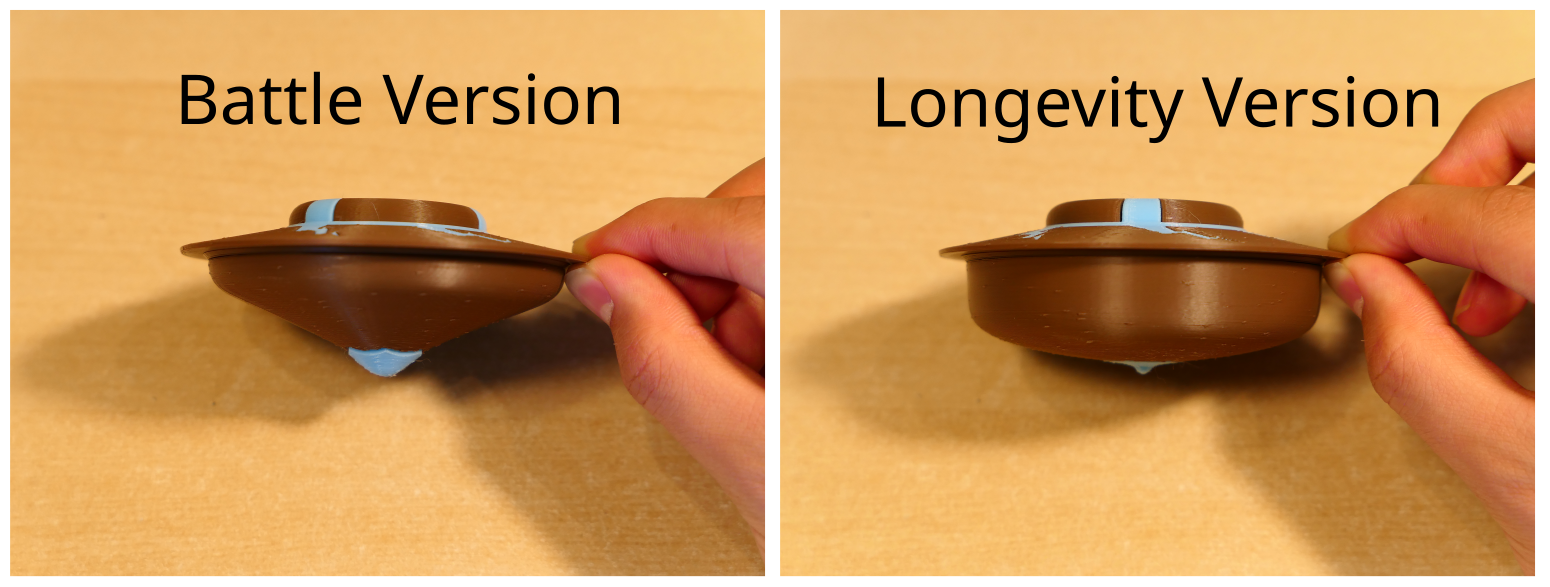
Since the (in person) contest has two parts, battles and longevity runs, I created a version of the base of the top specifically for each.
If you want to print the battle version, print both files in the Battle Top (Specific Parts) folder.
If instead you want the longevity version, print both files in the Longevity Top (Specific Parts) folder.
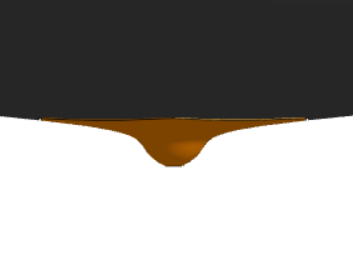
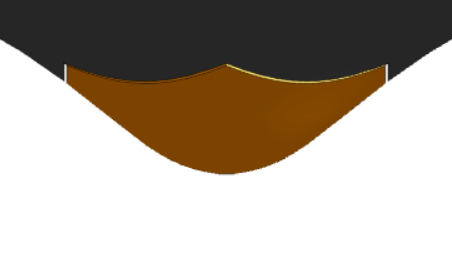
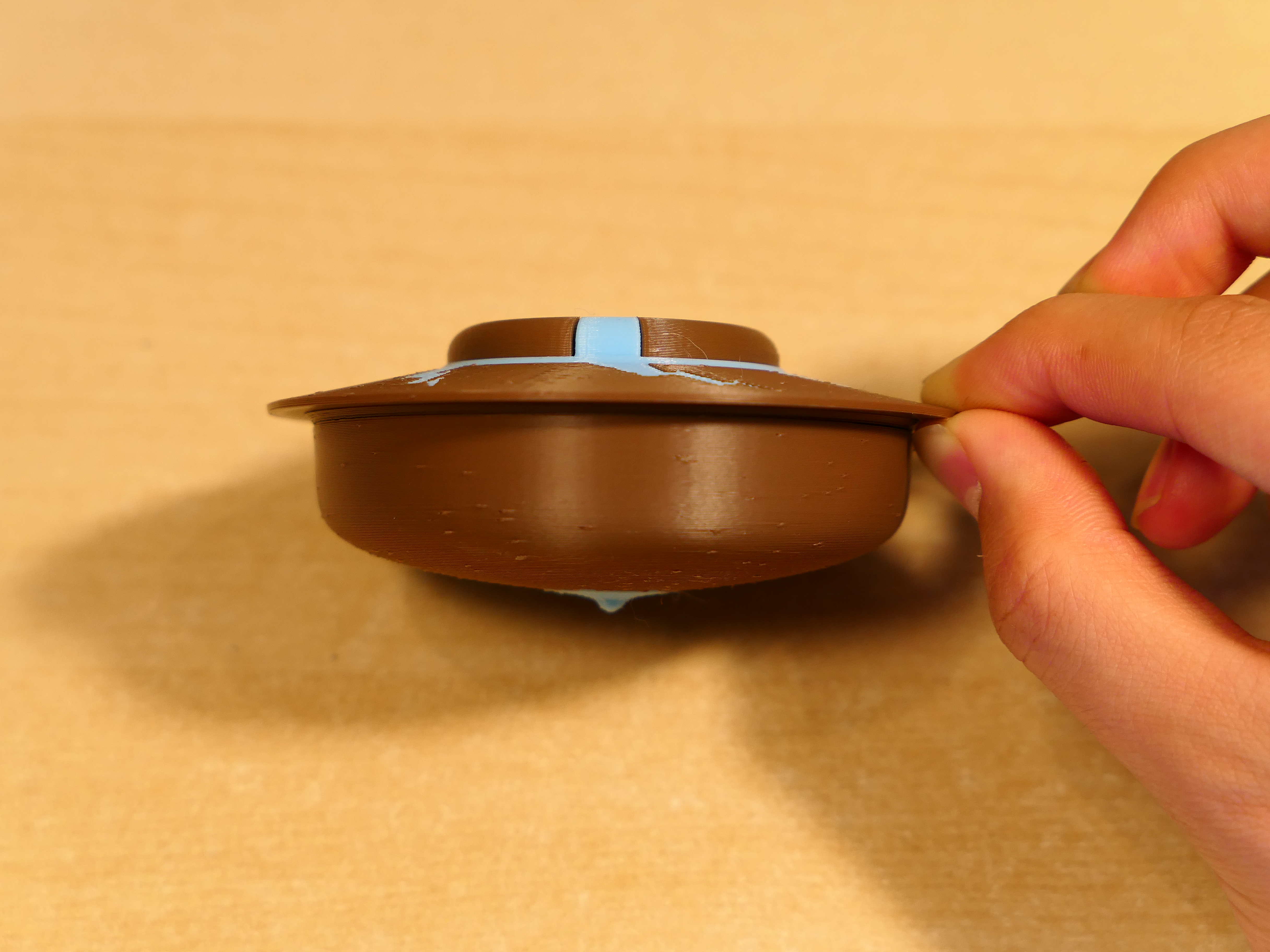
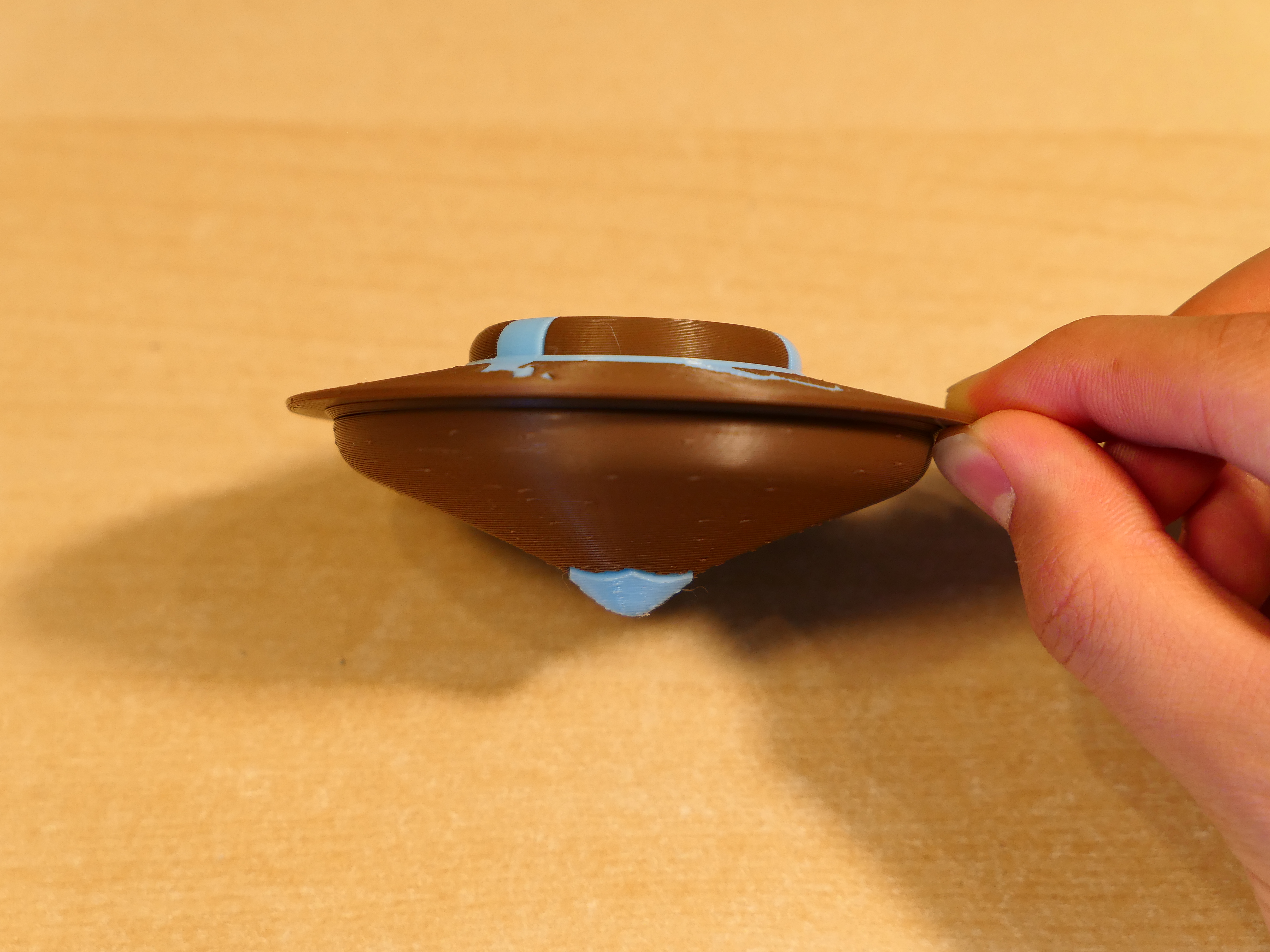
The battle version has a more rounded tip for better balance and aggressiveness, and the weight has higher ground clearance. The longevity version has a more pointed tip for less movement and friction, and the weight is heavier and has lower ground clearance. (More info on this in the Methodology -> "Top Tips" section at the bottom.)
Assembly Instructions
Now here is the fun part!
Assembly Video:
Written Instructions:
Launcher Assembly:
Insert the 3 Clutch Claw pieces into the Clutch Body. The hook part of the claw should go through the hole in the Clutch Body, and the half-moon cutout on the Clutch Body should align with the base of the claw.
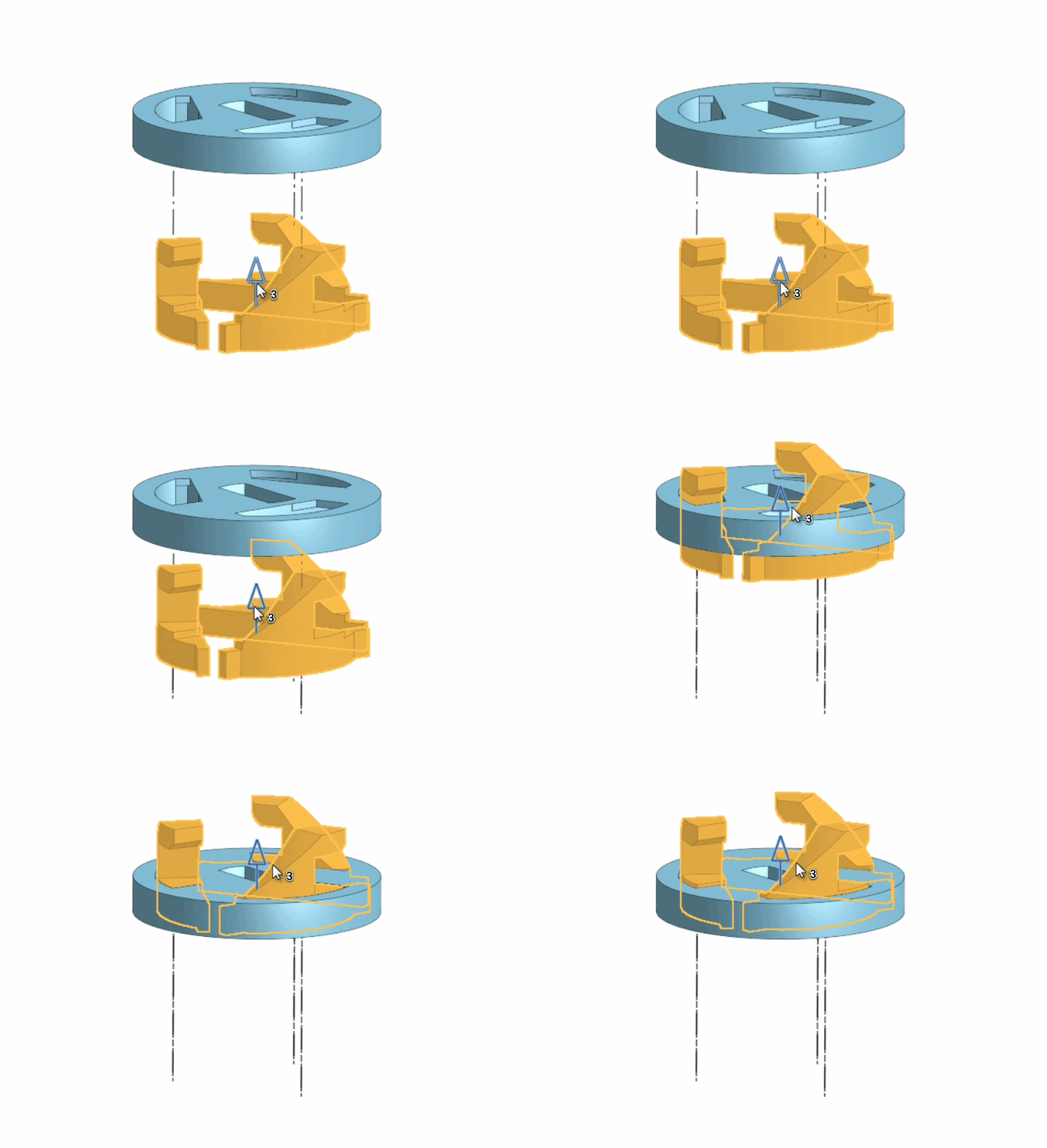
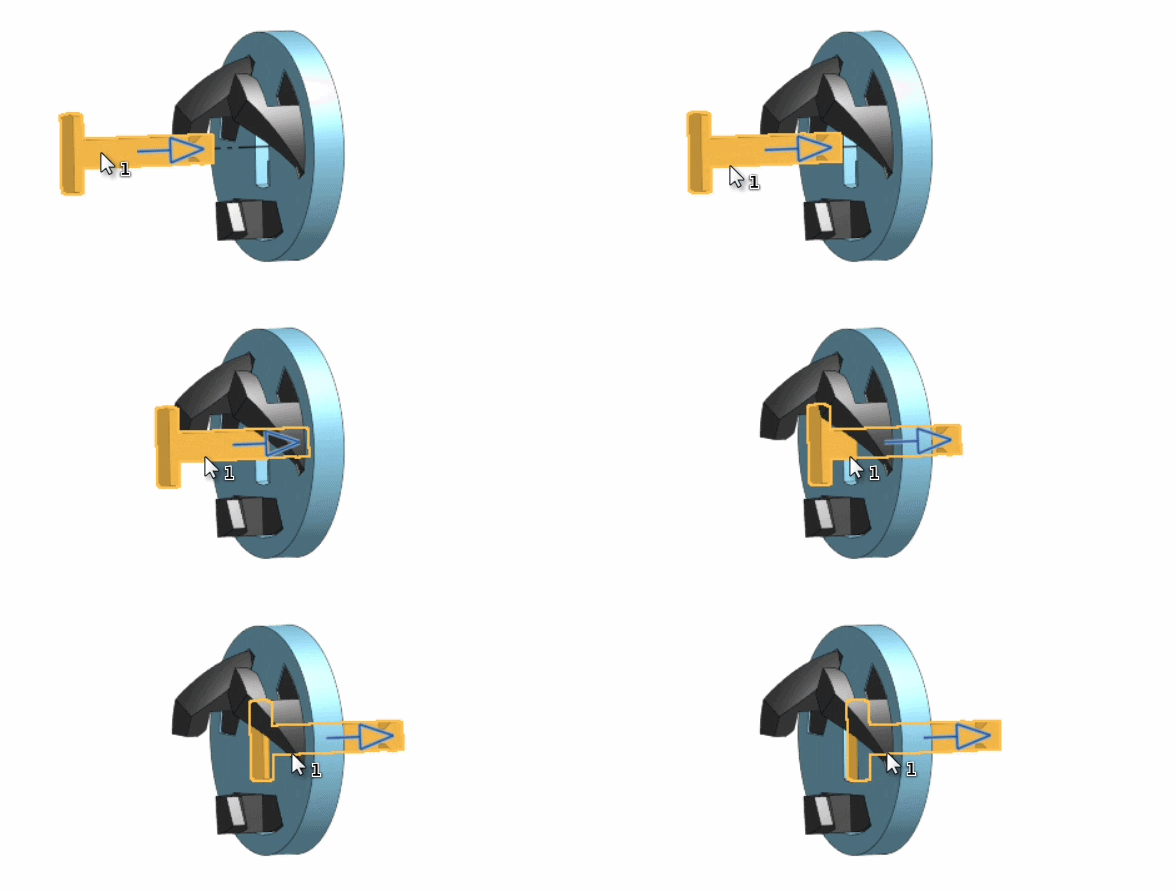
Insert the Clutch Axle into the Clutch Body from the side with the claw hooks.
Finish the clutch by sliding the Clutch Cover onto the back of the Clutch Body.
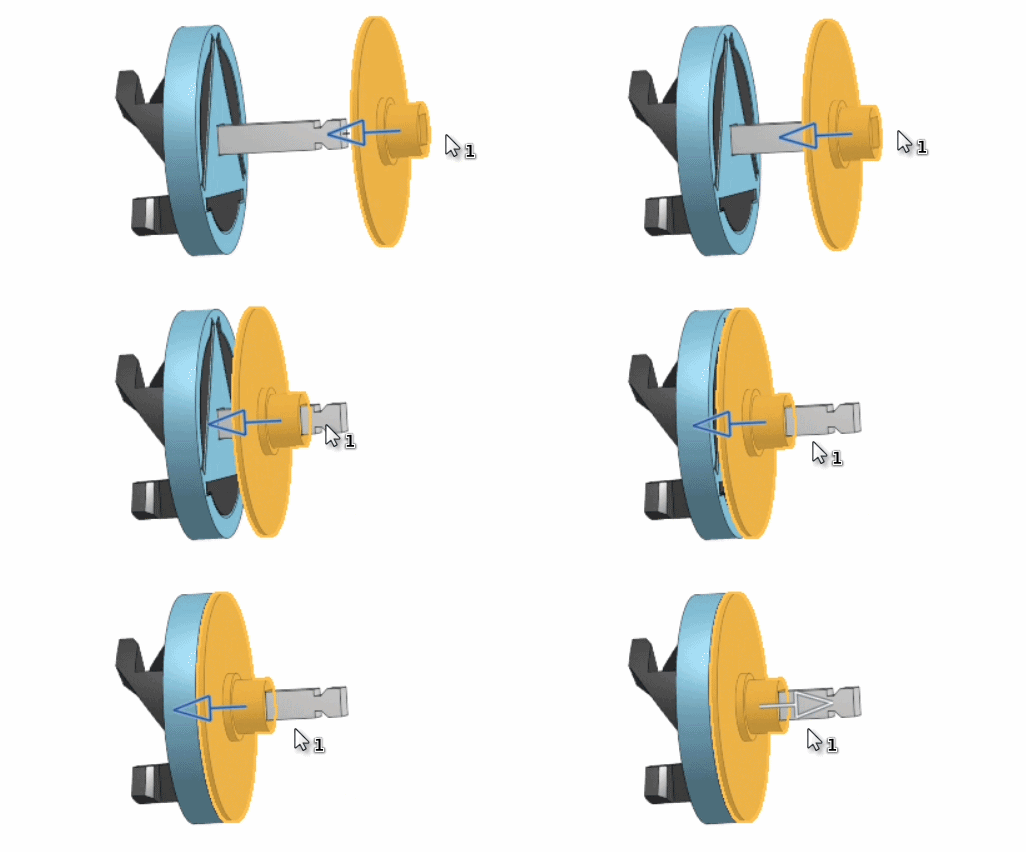
Insert the Clutch into the Lower Body launcher piece.
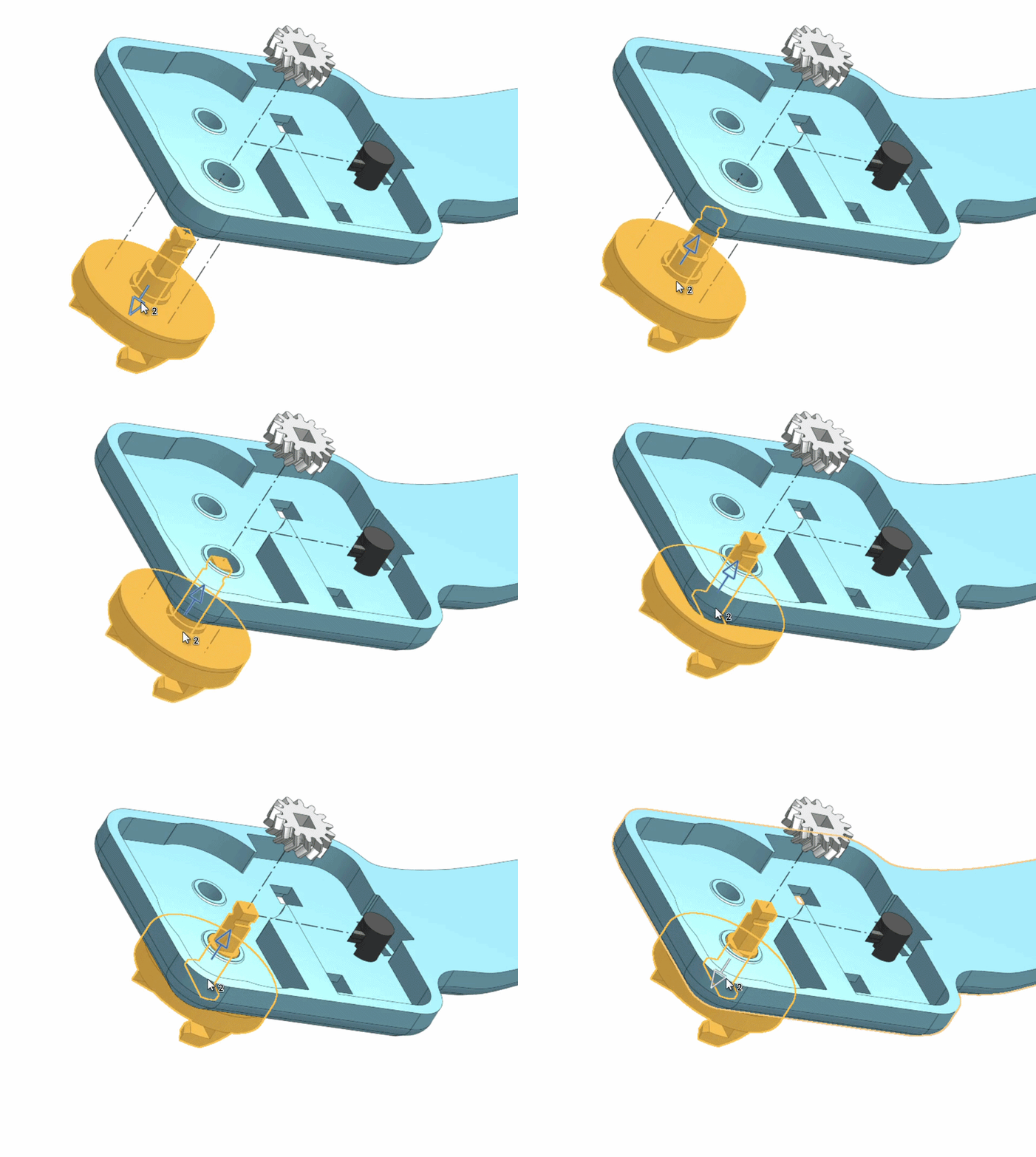
Push the Output Gear down onto the Clutch Axle. Make sure that the Output Gear is facing upward (The top face as it is printed should be facing upward).
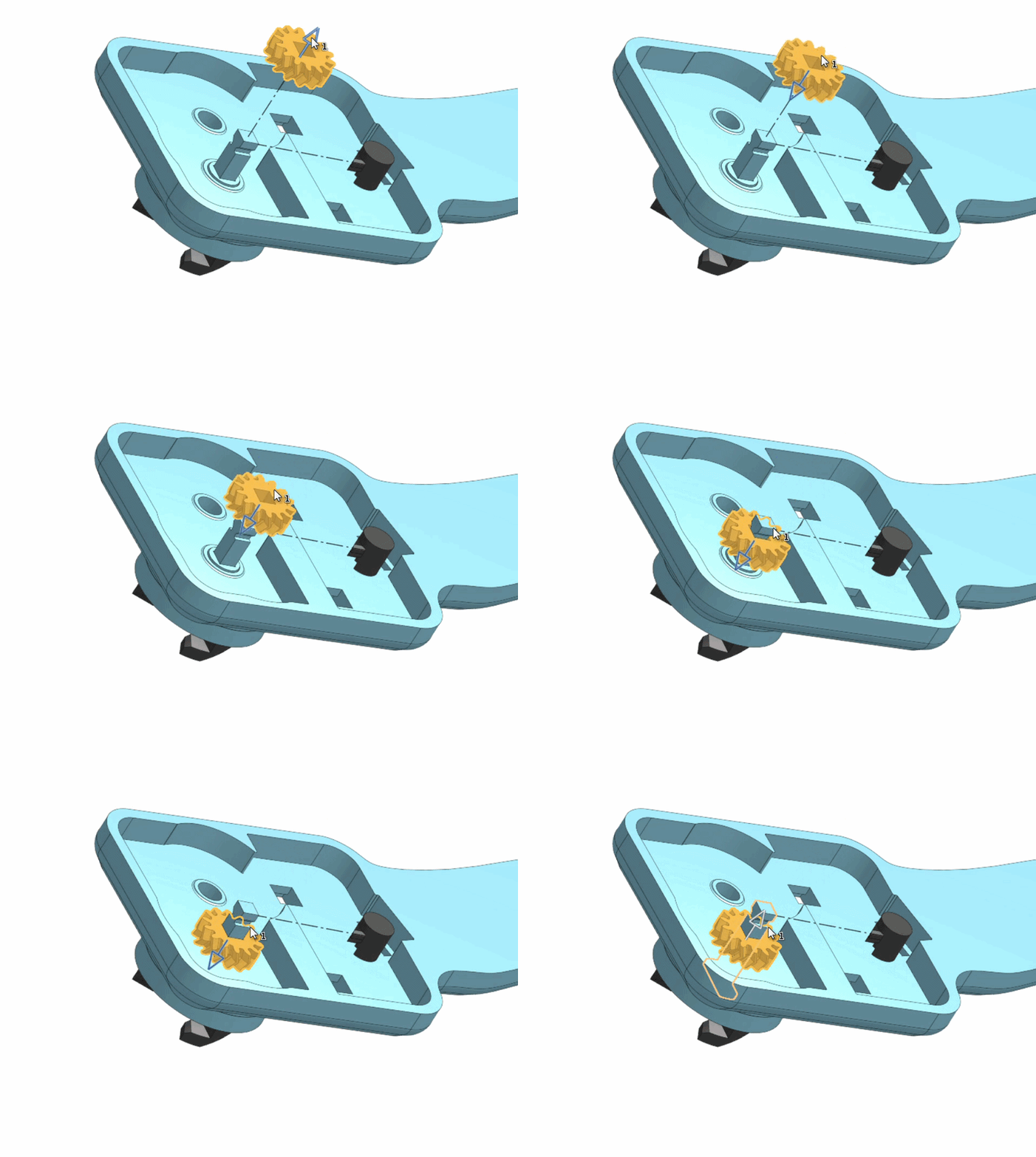
Slide the Clutch Axle Collar horizontally onto the Clutch Axle. Make sure the notches on both line up.
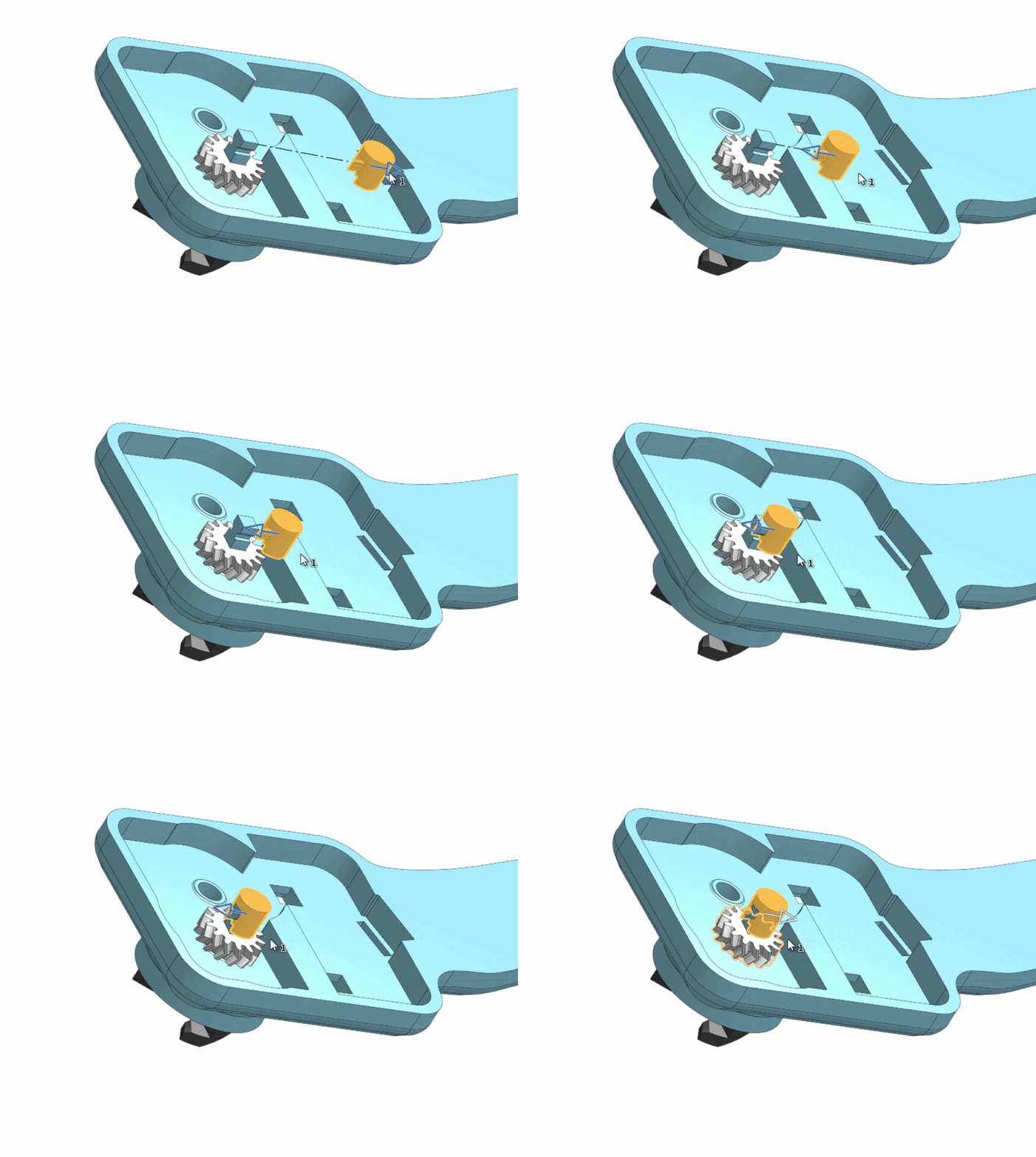
Place the Drive Gear on top of the hole. The teeth between the two gears should mesh. If they don't, check and see if you need to flip the Output Gear. (Refer back to Step 5.)
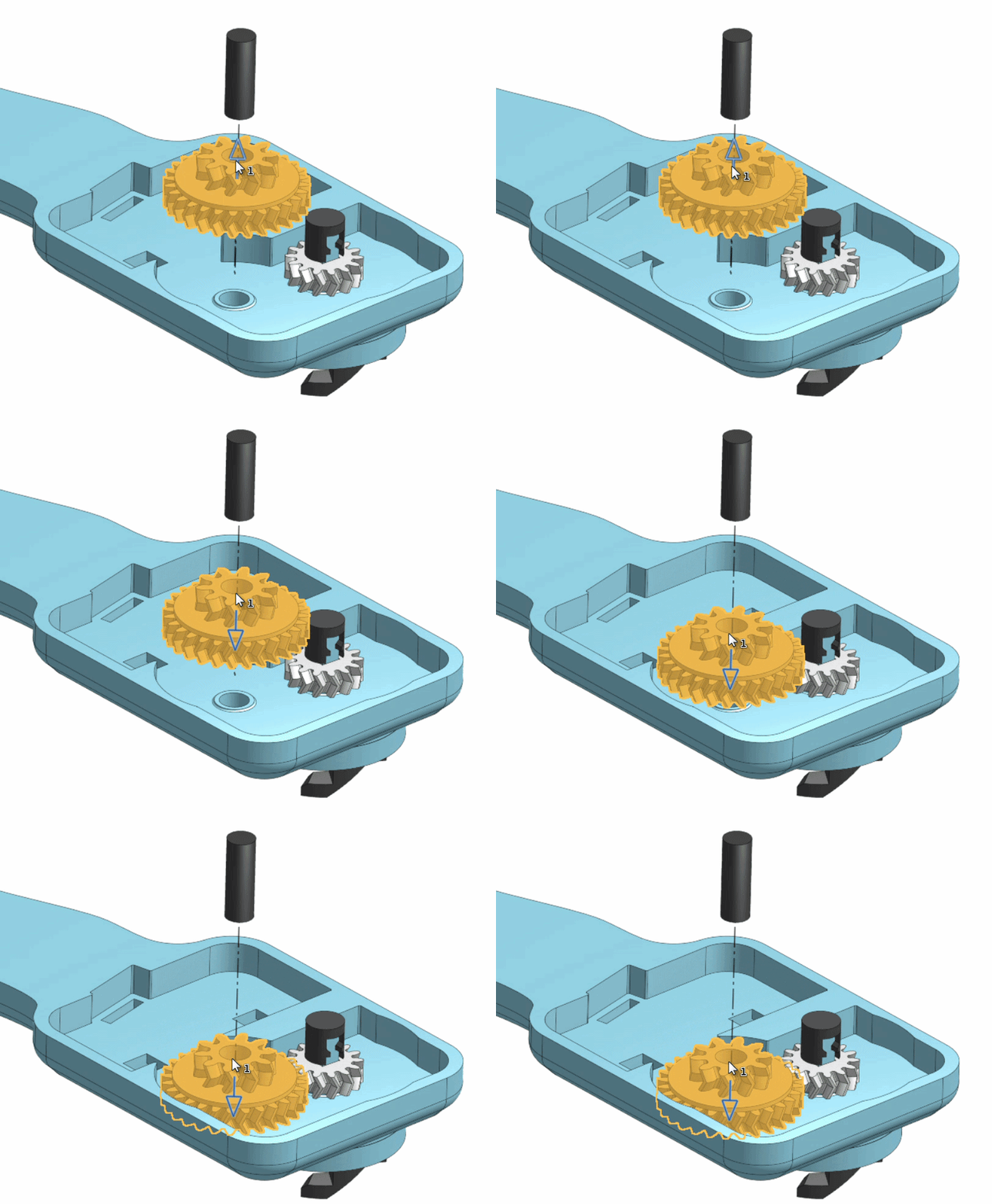
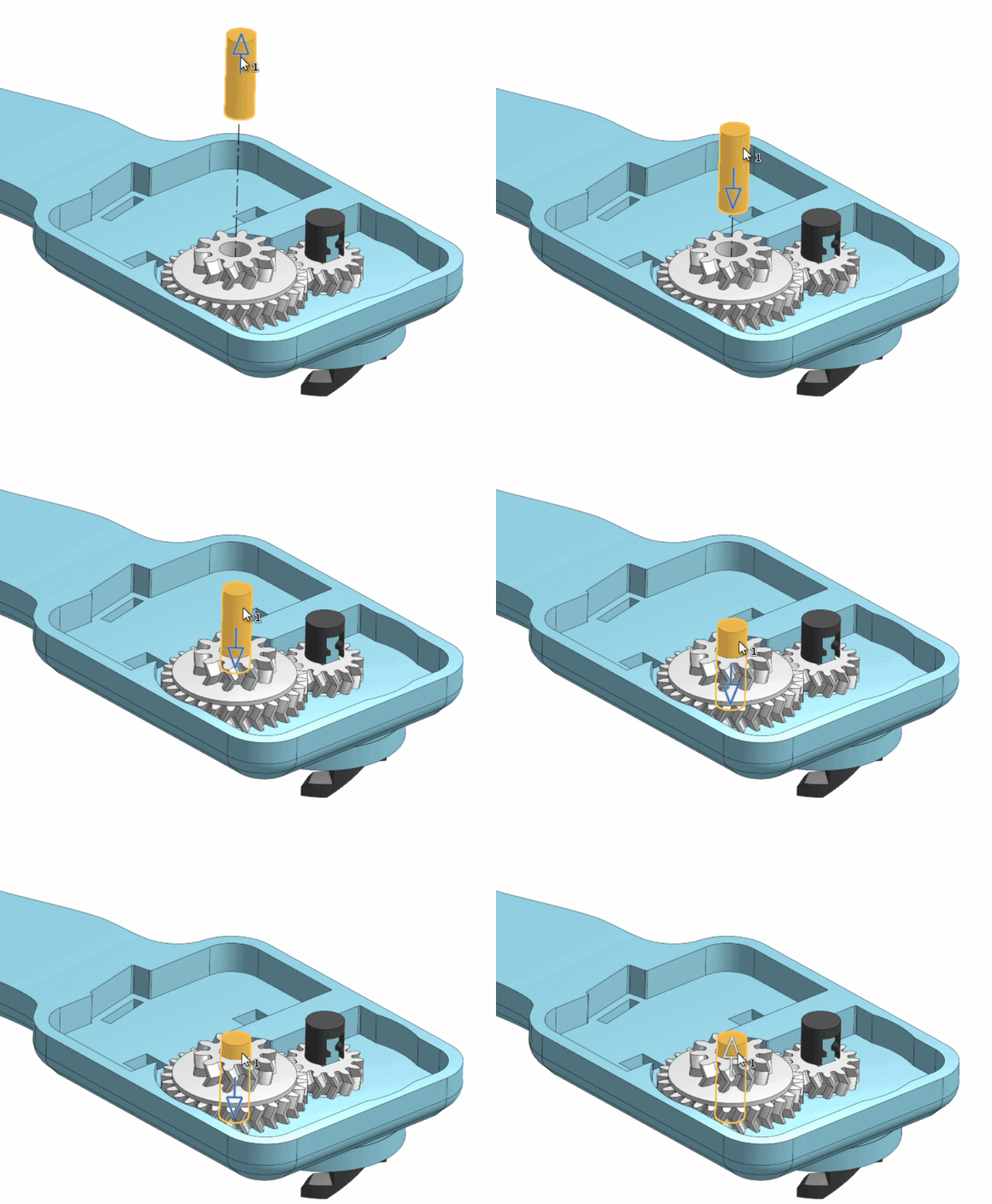
Drop the Peg through the Drive Gear into its hole.
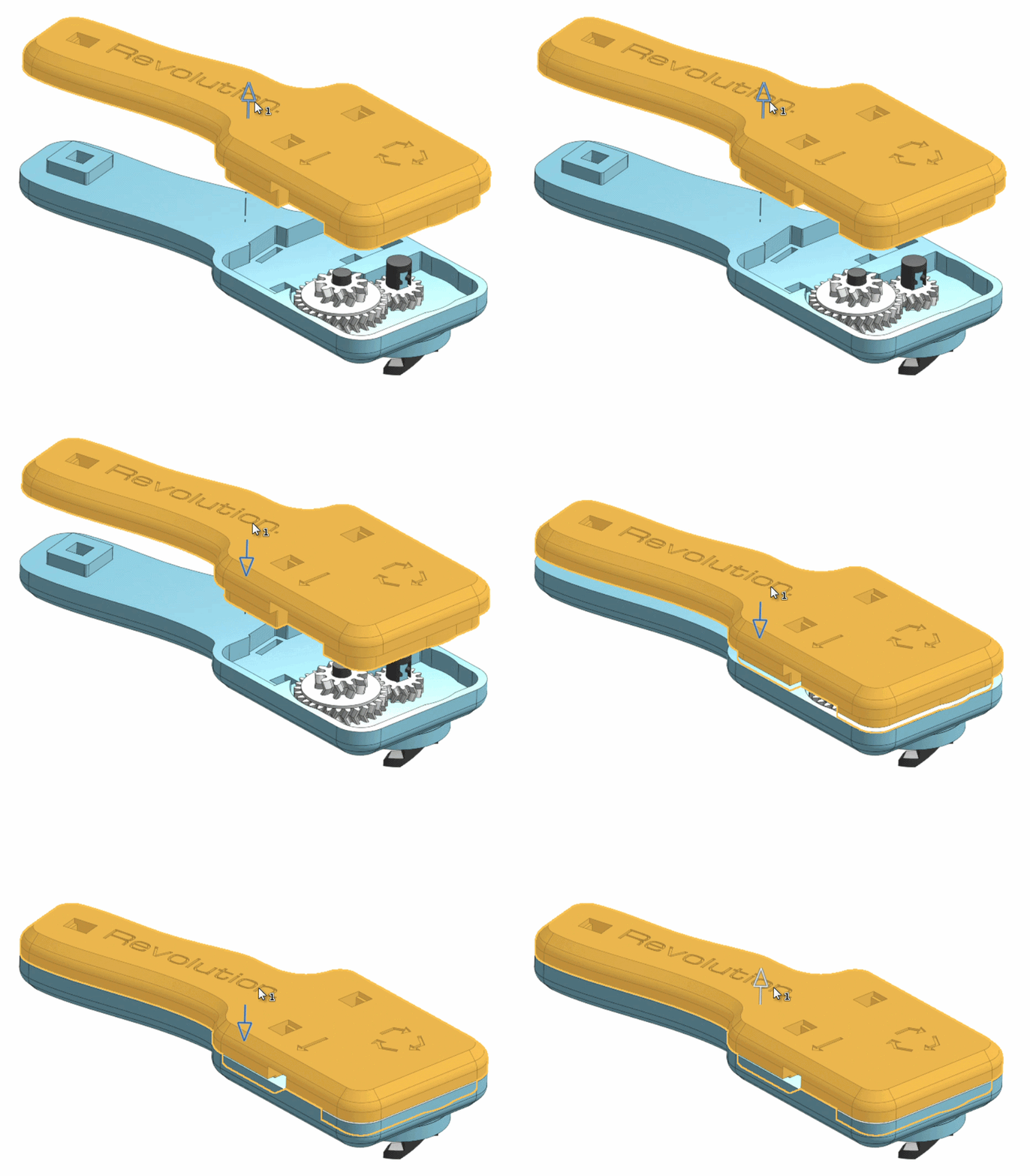
Clamp the Upper Body on top.
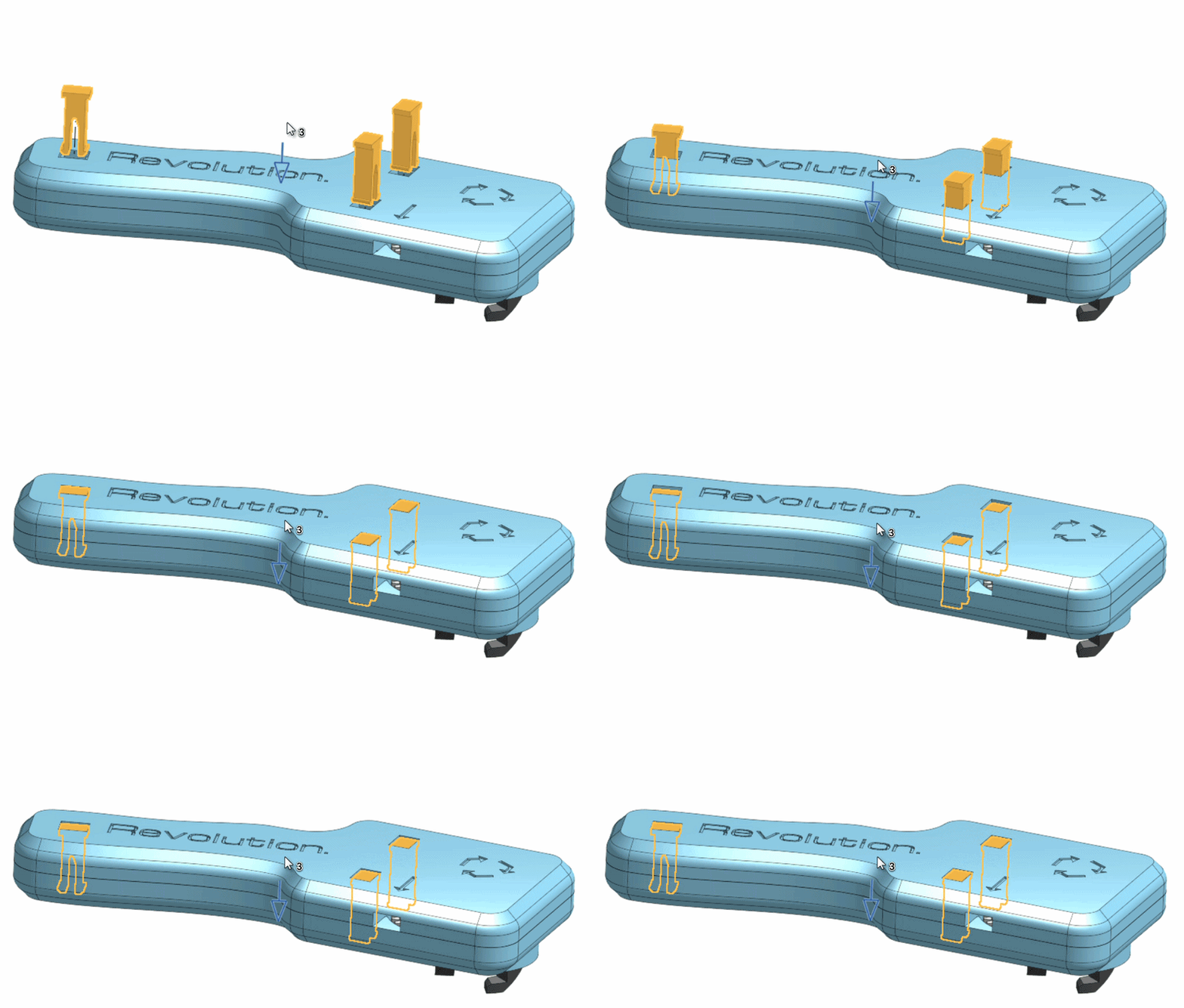
Push the Fasteners straight down from the top. You should hear a quiet click as they snap into place.
I highly recommend using the Finger Guard. Simply snap it into place on the underside of the launcher.
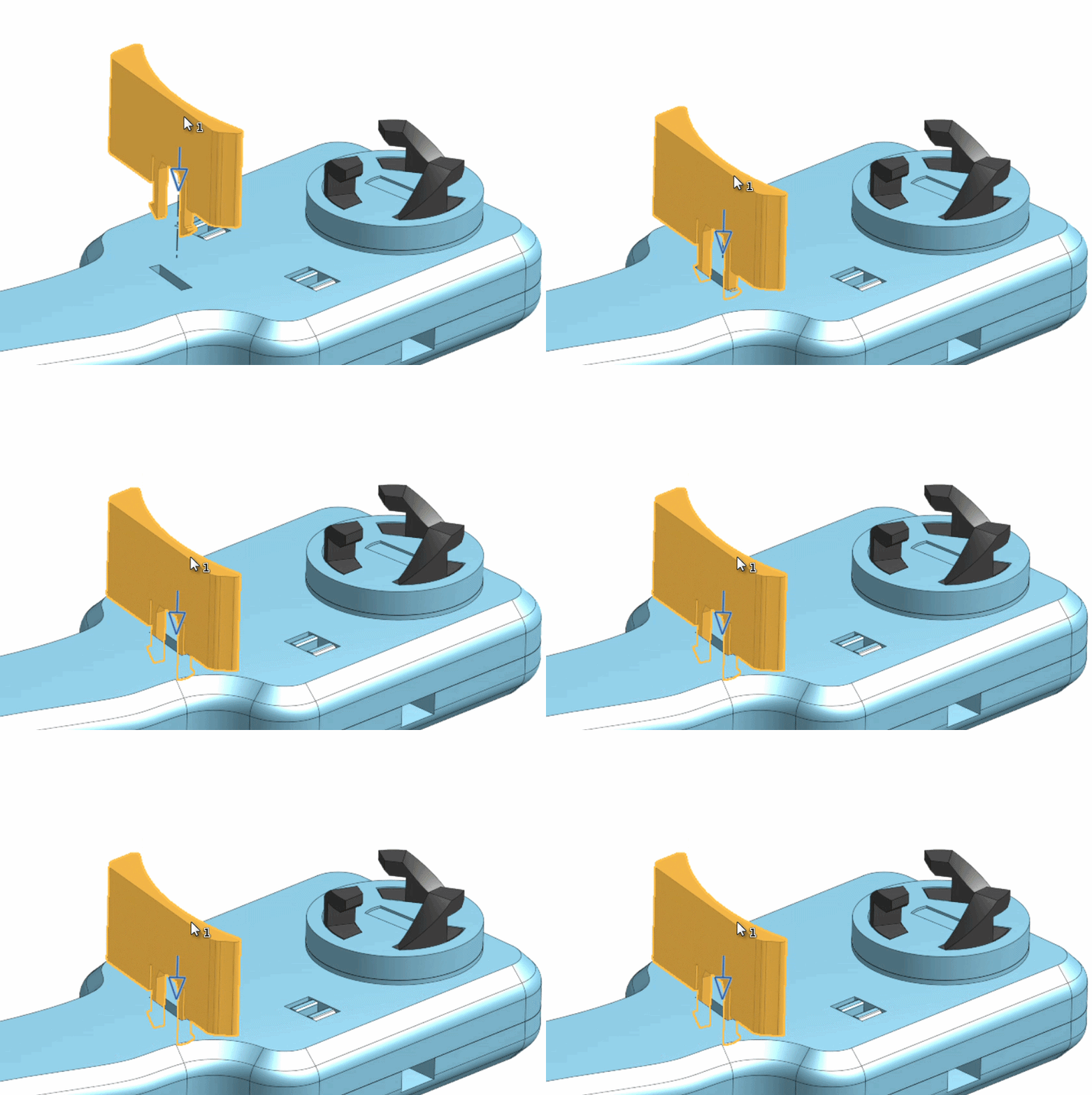
For disassembly, use a screwdriver or the tip of the ripcord to pop the Fasteners out.
Top Assembly:
Don't worry, this one is easier than the launcher.
Place your chosen Blade onto the Center piece.
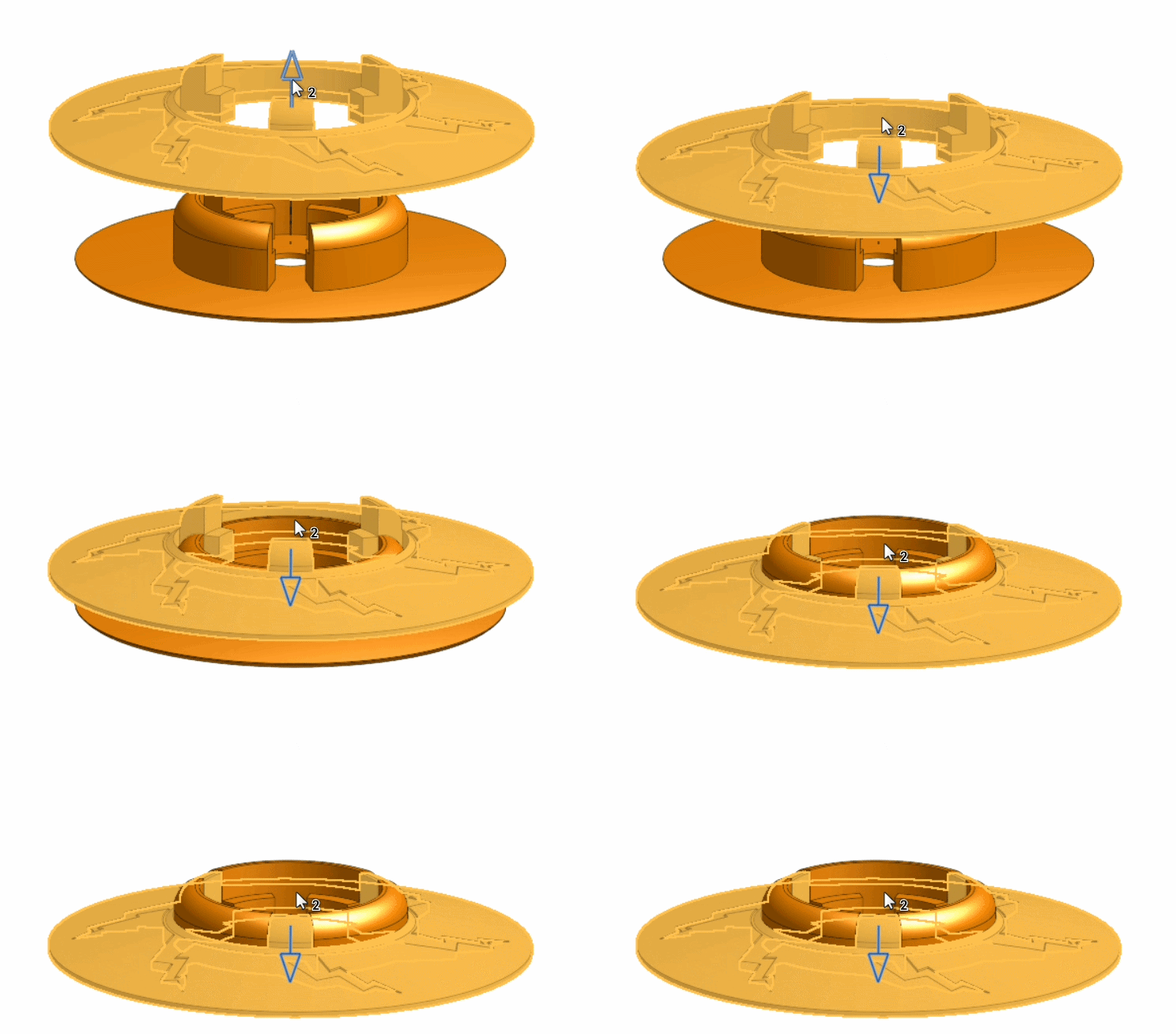
Place the Clutch piece into the Center. Make sure the cutouts in the Center match the ridges on the underside of the Clutch.
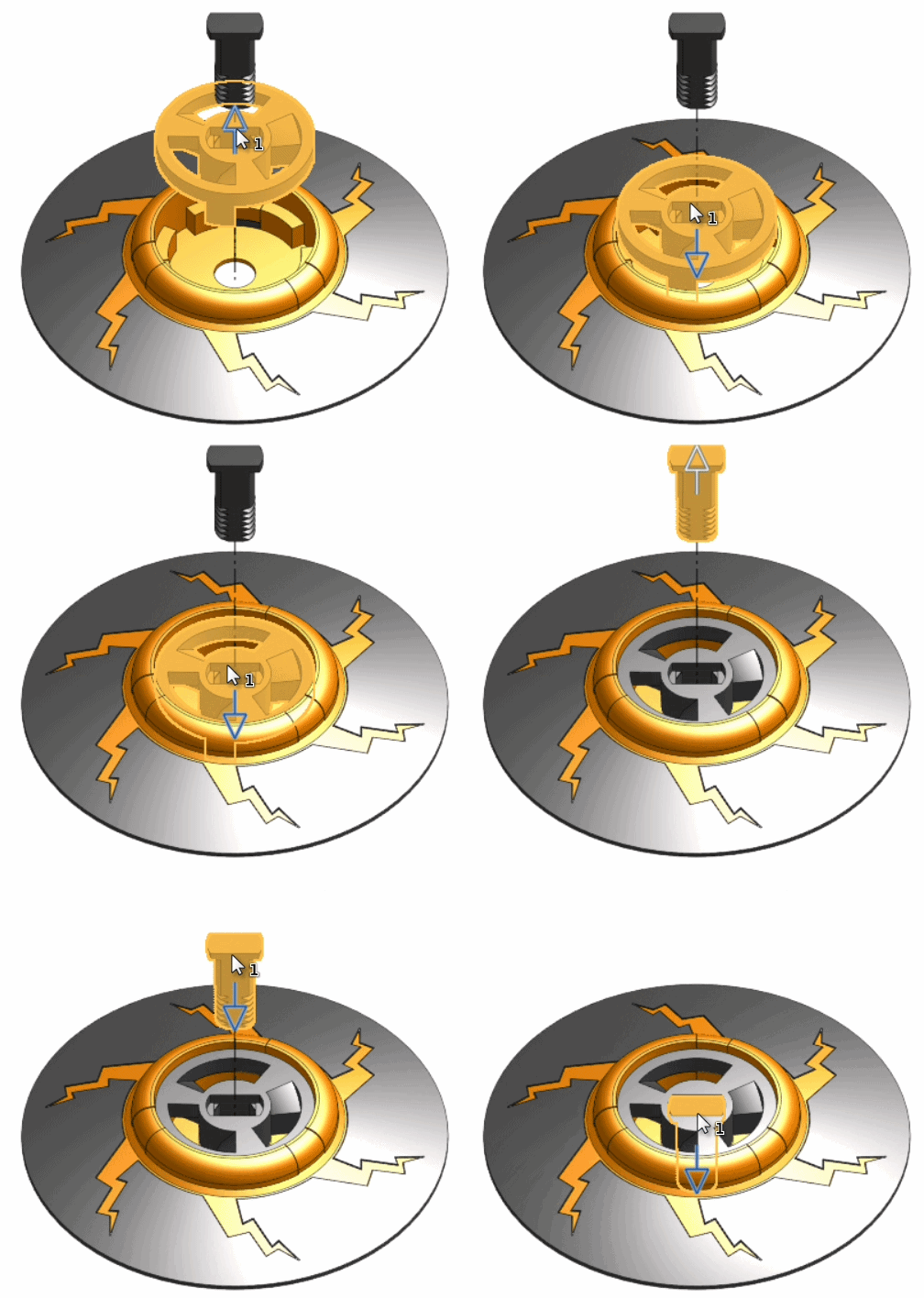
Slide the Screw down the middle.
Place your chosen Tip into the Weight.
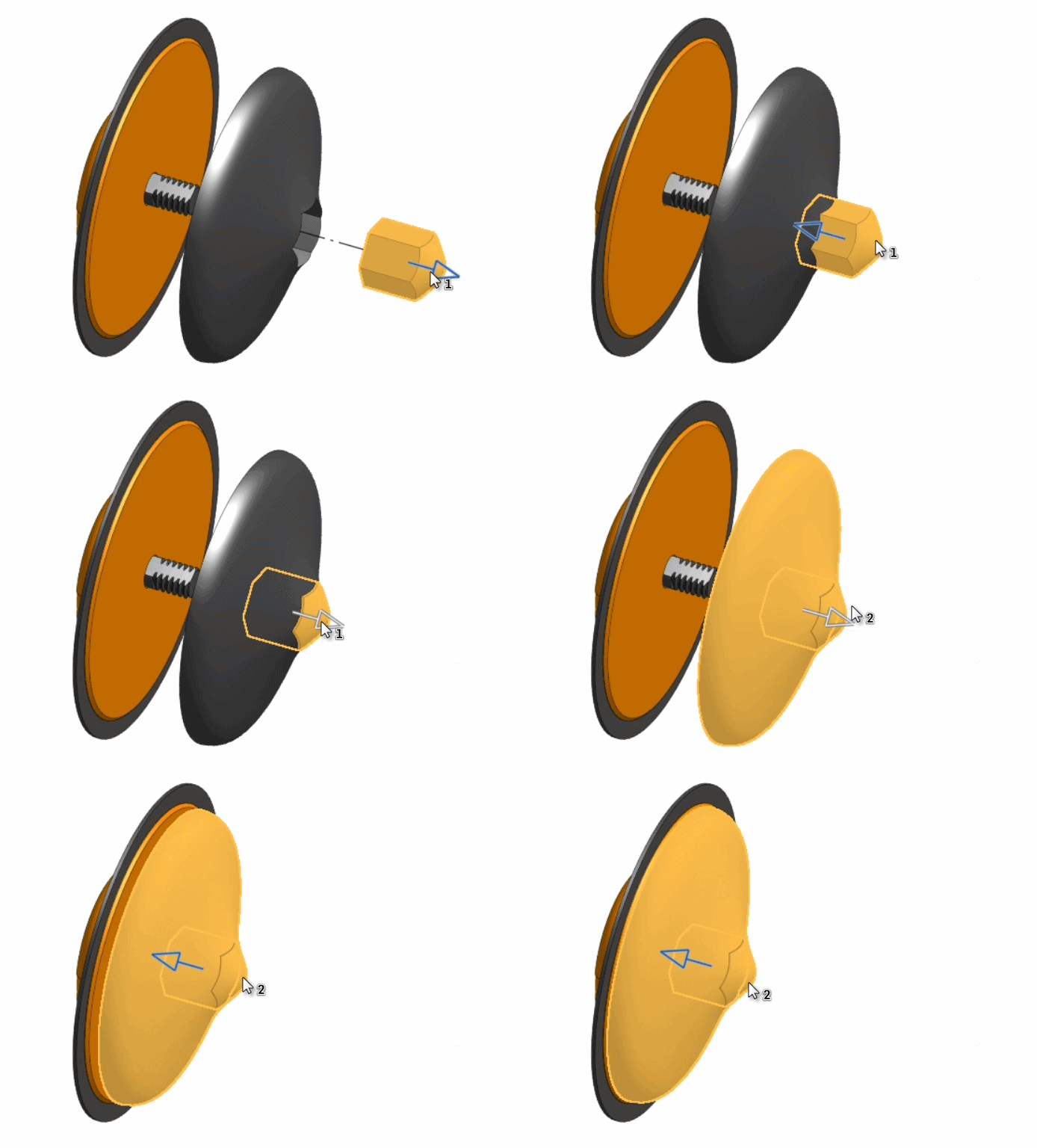
Screw the Tip and Weight onto the screw on the bottom of the top. Note: Screw is left hand threaded.
That's it! Insert the ripcord and get launching!
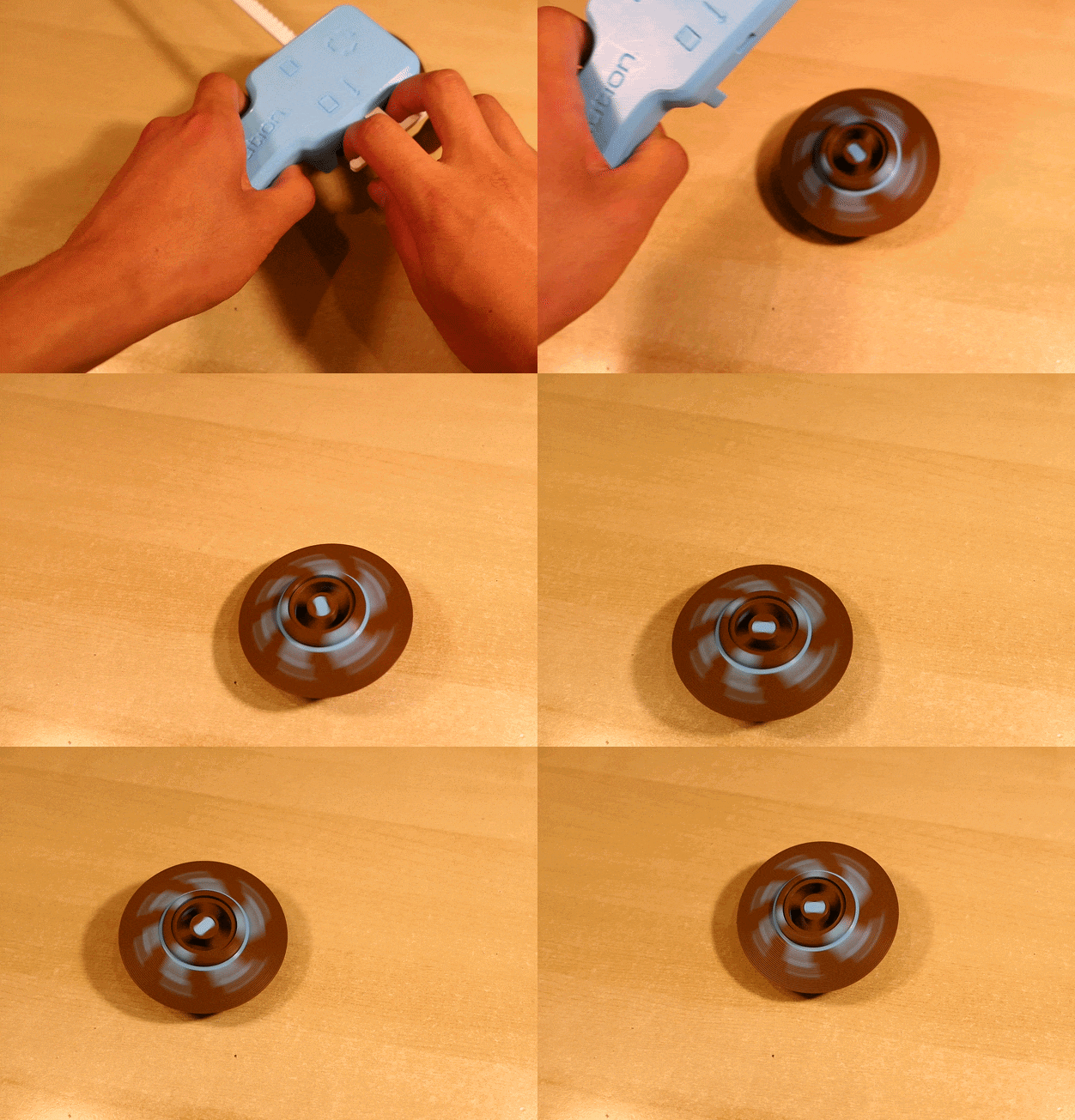
To swap blades, simply perform the steps backward -- Unscrew the tip and weight, pop the remaining pieces apart, switch blades, then reassemble!
Note: If you're going for longevity and the top isn't performing as well as it should, try gently filing or sanding the tip down to smooth out the point. (More details on this under Methodology -> "Top Tips".)
Again, 4 minute spins are not guaranteed; your mileage may vary.
Make Your Own Blade!
If you want to make your own blade, I included a .step file for a base 91mm circular blade in the Extras folder. (If you're curious why I designed the blades as I did, check under Methodology -> "Blade Design".)
Methodology
This section is for the nerds -- info in case anyone is curious about the strategic decisions I made in this design and my design process. If you just want to print the top, you can stop reading here.
Clutch:
You may have noticed that I chose to design a claw-type clutch, similar to the Beyblade style. Normally this style of launcher has a fatal flaw - strength.
The obvious way to design and print such a clutch is like this:
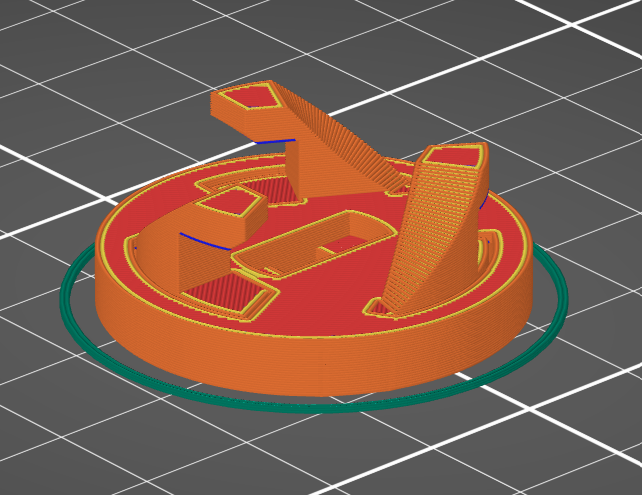
However, this orientation leads to two problems -- one being that it requires supports, but more importantly, weakness of the claw parts.
This printing orientation creates layer lines up the claw parts, making them extremely weak and fragile. Force from launching goes between layers, relying on (weak) layer adhesion to accelerate the top. This system just doesn't survive long-term in battle -- we already saw this in stlDenise's filament testing video where the claws on their launcher broke off:
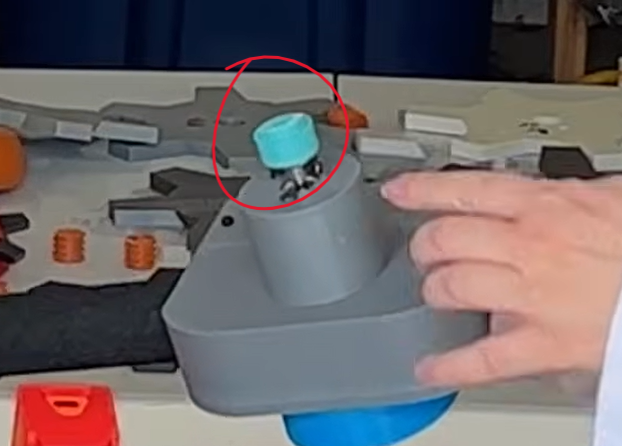
It appears as though they broke off (mostly) cleanly along layer lines, which makes sense, since layer adhesion is the weak spot because of the print orientation.
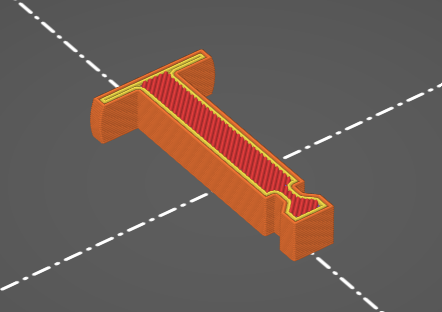
I took a unique approach to this problem by separating the clutch into 5 separate parts, allowing each claw to be printed flat on the bed in the optimal orientation for structural integrity. Force from the launch is transferred directly within layers instead of between layers. As a bonus, it also removes the need for supports.
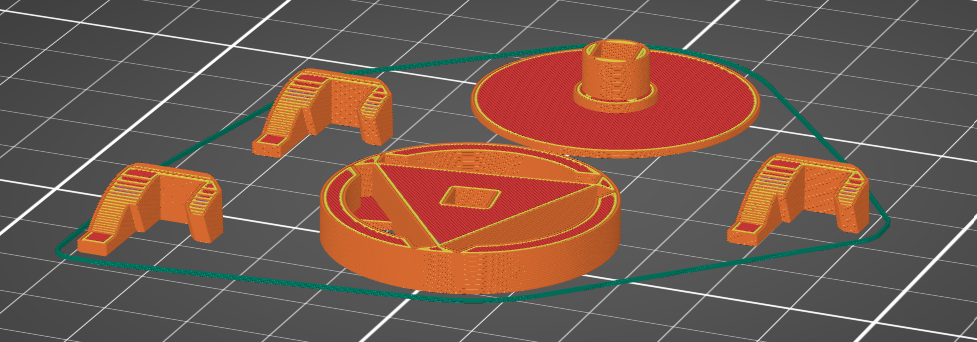
Assembled, this clutch functions as one piece, and has not broken or shown any signs of wear even after hundreds of launches.
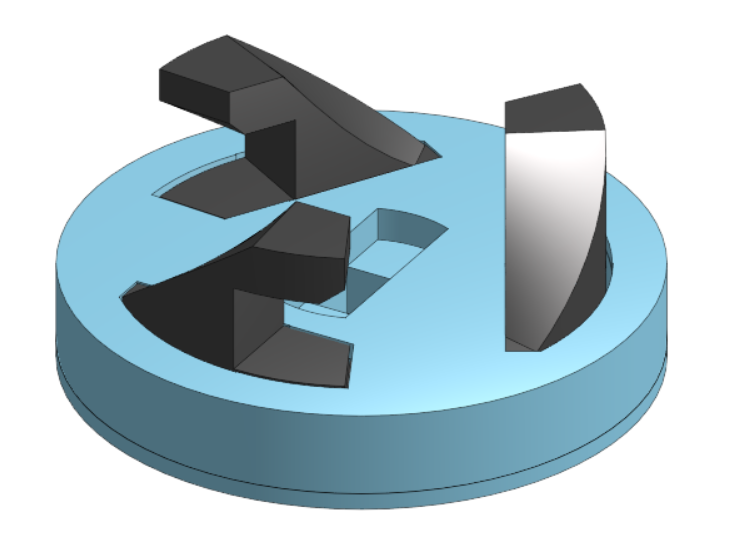
Additionally, the axle powering the clutch is also a separate part, allowing it to be printed in a strength-optimized orientation as well.
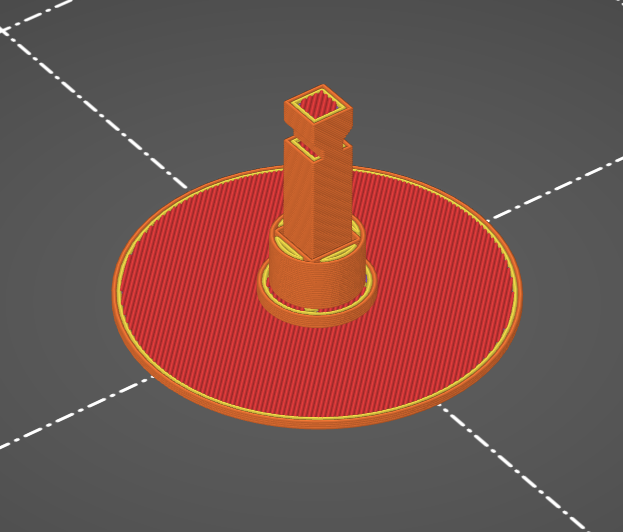
If printed vertically with the clutch cover, it would similarly rely on weak layer adhesion to and almost certainly break very quickly.
Top Tips:
As I was testing different tip designs, I noticed that different prints of the same tip design would have drastically different spin times. I would print the file twice, and on one of them it would spin for 3 minutes but on the other only for 2.
On a whim I decided to file the ball of the tip slightly using a regular straight file, and BAM, the tip previously yielding 2 minute spins was now consistently reaching 3 minutes as well.
I am guessing that slight print variation on the final layers of the tip causes significant differences in how the top spins. Filing the tip down seems to normalize performance if done correctly.
You probably only need to file the tip if you are going for longevity. For battling, raw spin time is less important than other traits, which I will talk about later.
How to file the tips:
Do not file the tip flat across the tip.
Always file at an angle, even if slight.
If the top is wandering, or moving around a lot, aim to file the tip to be slightly sharper.
If the top is not wandering, and it just seems to fall over when it's still spinning, aim to file the tip to be shallower (less sharp).
Go slowly, and test often. A little goes a long way.
You can probably also use sandpaper, although I have not personally tried it on the tips.
Tips in the context of battle are slightly different. Raw spin time is less important, and battles will probably be more determined by how the tops interact with each other.
To make a top more "aggressive," instead of trying to reduce wandering behavior, you want to increase movement. In testing, I noted that tops with shallower, more rounded tips would react to being tipped and start rapidly moving around, allowing them to hit the opposing top with significantly more force. Tops with thin tips instead tend to fall over and struggle with stability.
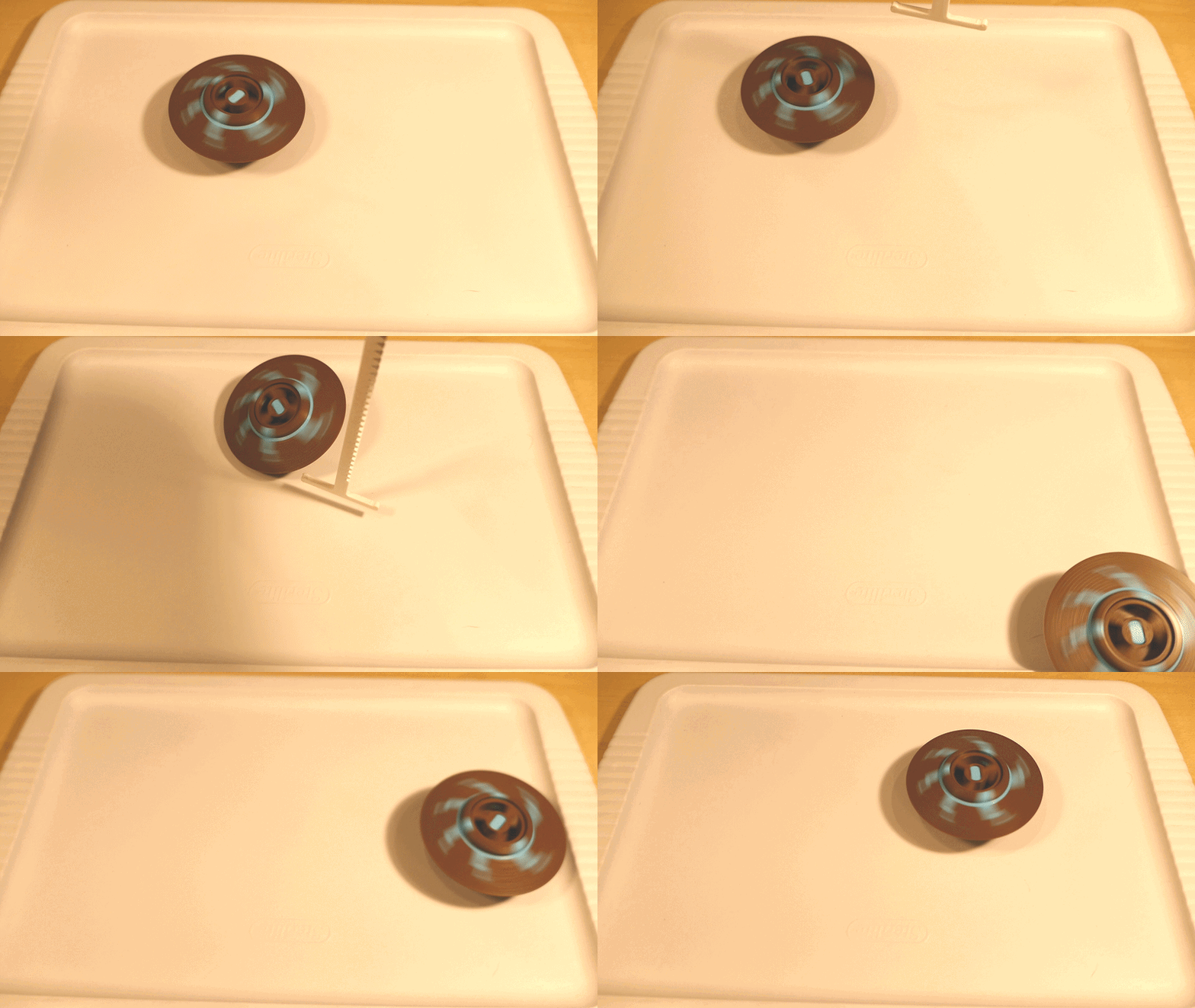
Because of this behavior, I made the battle version of the tip more rounded and less sharp so the tops would perform more aggressively.
Furthermore, more rounded tips are more stable. Their larger radius creates a higher uplifting force when tipped. Enhanced stability is absolutely critical in battles. I talk a little bit more about this a few sections down under "Too pointy!".
Here are the two shapes to compare, at the same zoom scale:
Longevity Version Tip:
Battle Version Tip:
Blade Design:
I designed three blades:
Saw: This one is the most offensive, with teeth to catch opposing blades and deliver powerful blows.
Blob: Medium offensiveness, with no sharp teeth and instead using smooth bumps to contact the opponent. Works great to bounce the opposing top away without slowing itself down too much.
UFO: This blade I created to be the least offensive, and more of a blade to be used in longevity. It is completely smooth to reduce air friction as much as possible and maximize spin time.
All of my blades were designed with shallow protrusions on purpose to make the blades as strong as possible and have high impact resistance. In full speed testing, I have not had a blade break or crack, even when printed out of PLA.
Inertia:
For the top to hold the maximum amount of energy per unit of rotational velocity, it needs to have high inertia. Basically what this means is a top with more mass, further from the center of rotation will be able to store more energy.
I initially thought that a human pulling the ripcord would be able to put roughly the same amount of total energy into a top regardless of the speed at which they are able to pull the ripcord. That is, if the top had low inertia and I was able to rip the cord extremely quickly, it would put roughly the same amount of total energy into the top as a a top that had high inertia and I could only rip the cord at a slower rate.
Then as I went through many iterations trying to increase spin time, I began to think that the slower we pull on the ripcord, the more force with which we are able to pull, and subsequently the more energy we are able to put into the top overall.
This makes mathematical sense -- Work = Force x Distance, and since the ripcord length is constant, the stronger we can pull, the more work we do on the top.
So for the longevity version of the top, I simply maximized the inertia (as much as, reasonably and aesthetically, possible). (Yes, I could have made the UFO blade more like a simple disk and remove the large chamfer, but I thought the UFO style looked cool. Yeah, silly reason, I know.)
For the battle version, I had to make some compromises on the inertia. When doing battle testing, tops frequently tip each other. The longevity version of the weight has VERY low ground clearance (for weight distribution), so any tipping made the top skid to a stop. This is why the battle weight has a steep angle, even though it reduces inertia.
Longevity Version:
Battle Version:
Gearing:
Given my conclusions about inertia, you might be wondering why I didn't increase the gear ratio further to make the top even harder to spin and the ripcord speed even lower. Here's why: I tested slightly higher (and lower) gear ratios and found that the spin times were roughly equivalent. I am guessing that the speed I am able to pull with this setup is already low enough to effectively maximize the force I can put in.
However, your physical abilities may be different enough from mine such that it does make a difference for you. If you want to try out other gear ratios for yourself, there are two pair options under the Extras folder.
The default gear ratio from the ripcord to the output is about x1.86 relative to direct driving the output axle with the ripcord. The other gear ratio options are x2.33 and x1.50 .
Weight / Weight Distribution:
A battle top that has more mass will be more resistant to being pushed by other tops. This is very important in an competition, since a light top could easily be flung into the walls of the arena or out of the arena entirely. In maximizing inertia, I also maximized the weight of the top itself, making it the ultimate tank for battle.
When designing a top, you want to keep the weight of the top lower along its vertical axis. This is because gravity will exert less force on the mass, since when the weight is concentrated lower down, its effective radius to the tip of the top is lesser. Torque = Force x Radius, so this decreases the force trying to tip the tip when it wobbles.
This is why I put the weight as low as possible, and kept the weight above the blade to a minimum.
Things I tried... that didn't quite work:
Unexpected Issues with... Friction?!
Every part in my design is optimized for strength in print orientation. Except for one -- this peg:
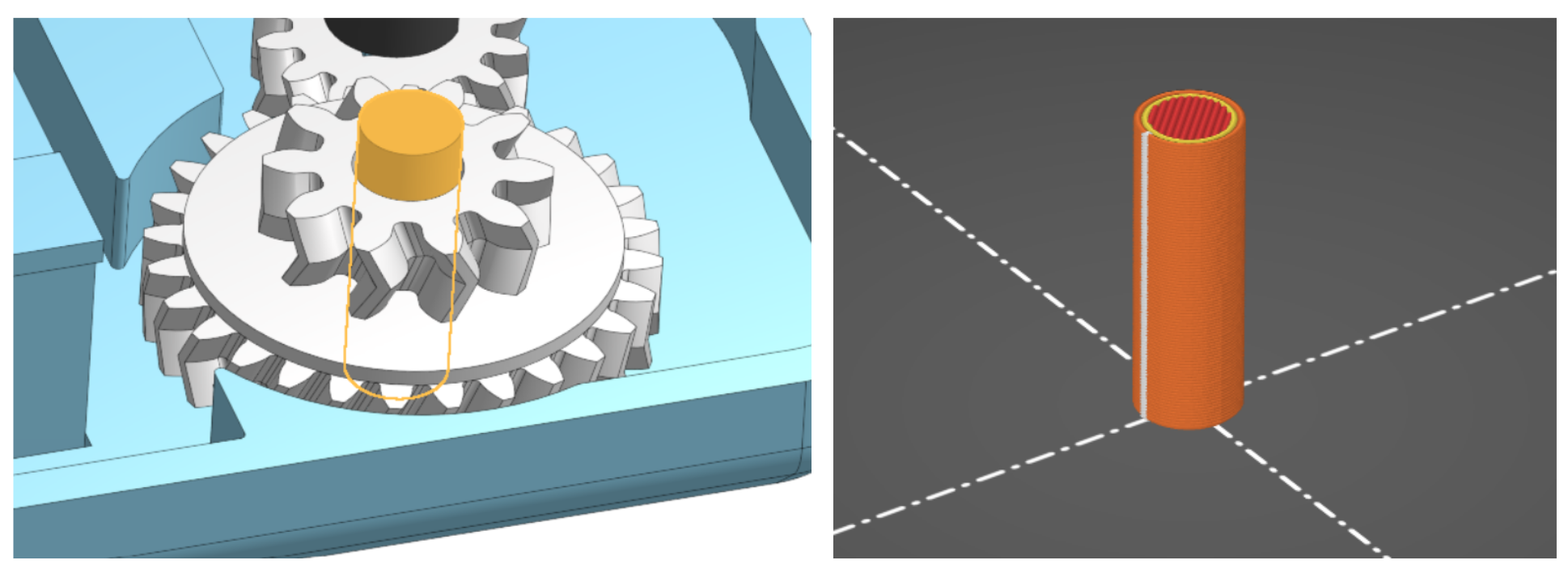
Don't worry, this is intentional.
In a previous version of the launcher, I had this axle supported using a beam running through the center that was printed in optimal orientation, similar to how I did the Clutch Axle. Because of this beam the axle itself had to have a larger diameter.
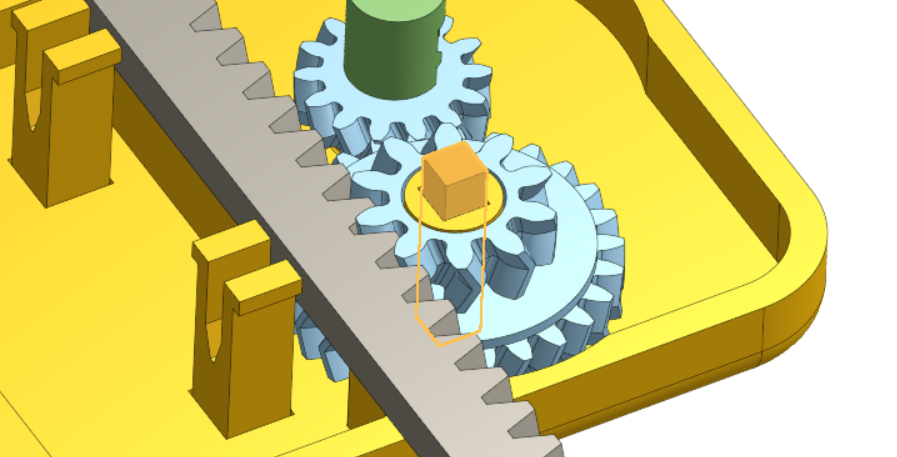
The beam is highlighted. (Apologies for the change in color scheme.)
However...
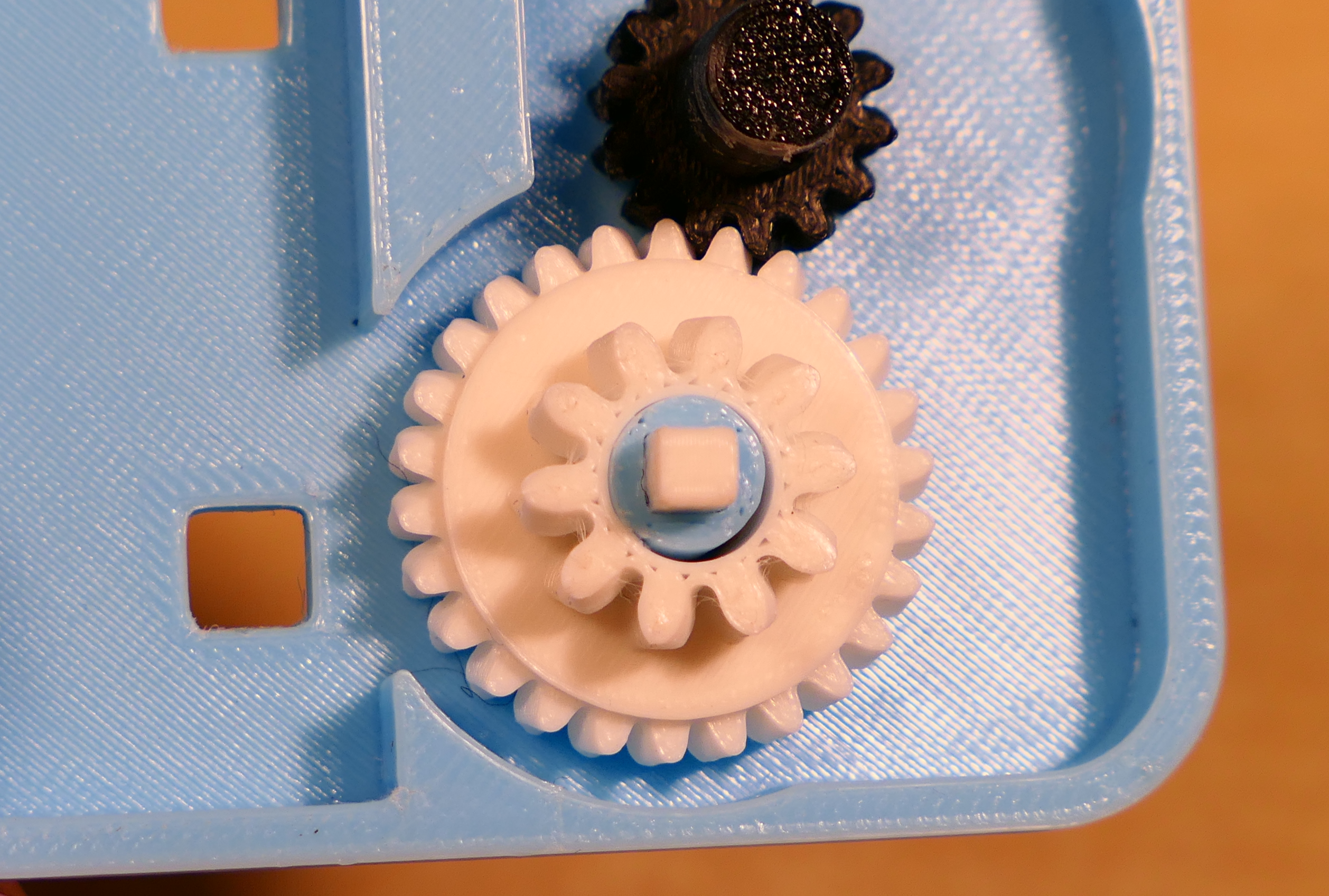
That version quickly melted. The inside of the white drive gear semi-fused with the blue axle, and I had to pop the two apart:
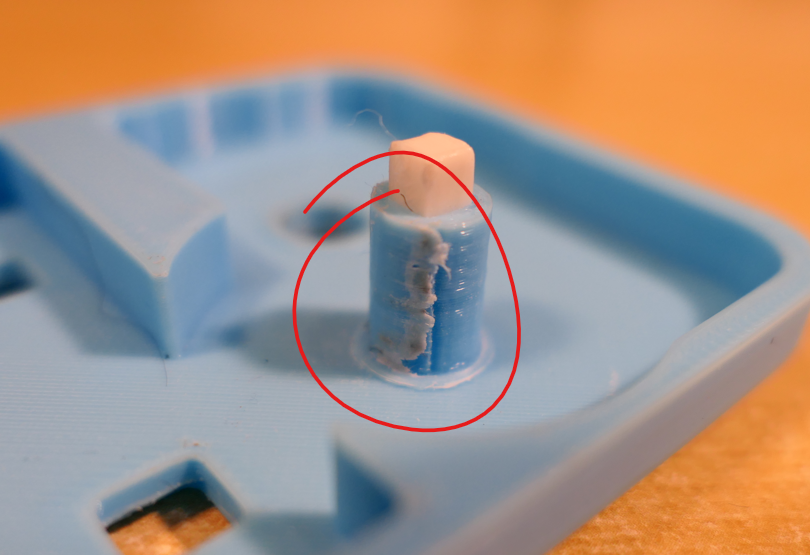
My running theory is that the increased surface to surface speed because of the larger radius created more heat from friction. Or it could also be that the separate peg part in the current version rotates in its socket, better spreading out where heat is generated.
The current peg version has not had any melting issues even with repeated launches in quick succession. Plus, with the separate peg part, it can be easily replaced instead of needing to reprint the entire launcher if it does break or melt.
Too pointy!
I mentioned previously how for long spinning tops, it is better to make the tip more pointy. However, there is such a thing as too pointy.
One wacky idea I tried was using a piece of raw filament sanded down to a point as a top tip.
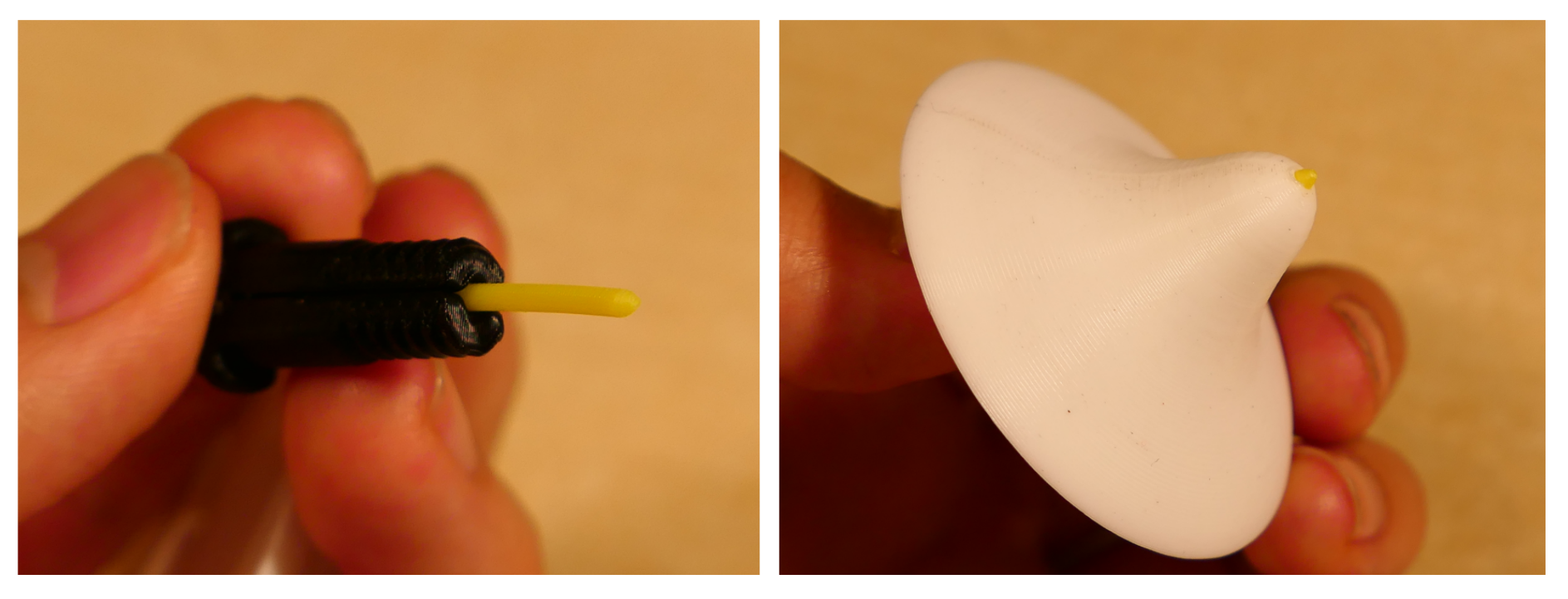
While this would technically bend the rules of the in person contest a bit -- "Tops must be FULLY 3D PRINTED" -- I thought I would try it out anyway.
Unfortunately, although the friction losses seemed better, the top's stability was lacking. This is because the rising effect of tops is actually generated because of friction on the sides of the tip. To be honest, I don't quite understand the physics of this effect, but I encourage you to research this if you're interested.
The net effect of this is that a sharper point has less stability, hence why I kept a slight curve on the tip of the longevity version, and an even larger curve on the battle version.
Ow!
Wonder why I said that "I highly recommend using the Finger Guard" back up in the instructions?
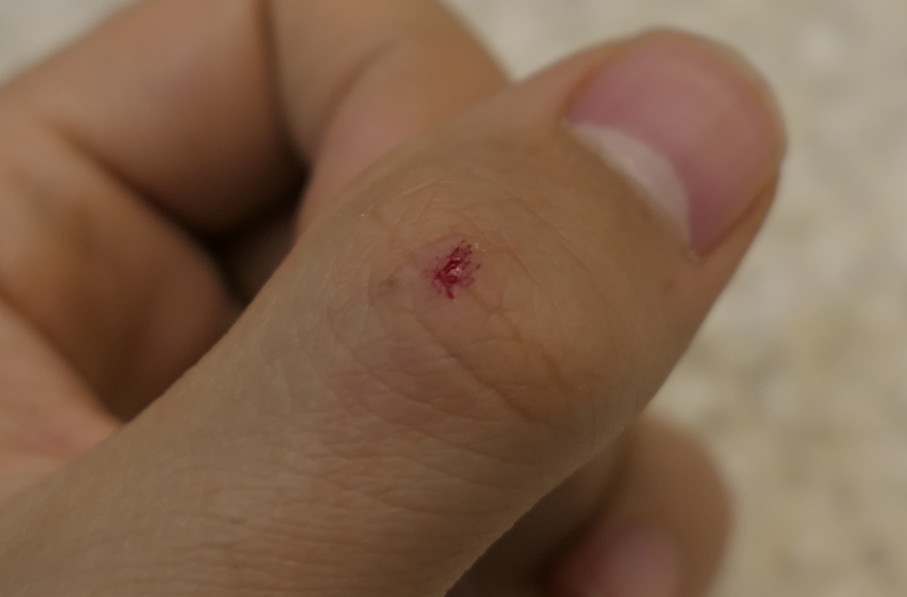
As I was launching late at night, I moved my thumb too close to the blade. This wasn't even with a saw shaped blade, either. RPM is no joke. Please be careful when working with high speed objects.
If at first you don't succeed...
I collected all of the parts I printed while designing this project. The whole thing took me over two weeks, and I'm really happy with how it turned out :D
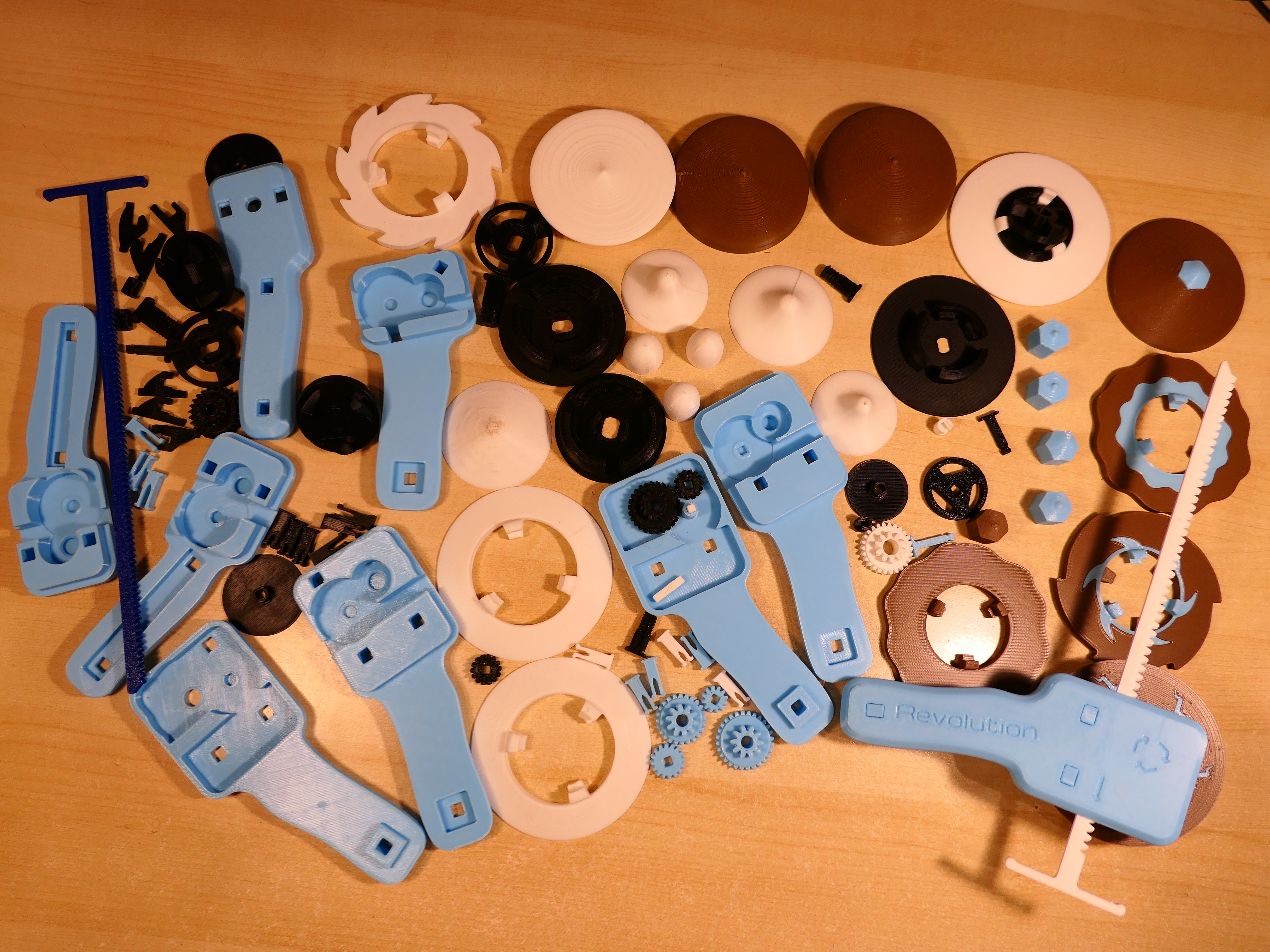
Anyway, that's all! I had a lot of fun with this project, and also a lot of fun documenting everything I learned along the way. I hope someone finds this as interesting as I did :)
Enjoy! :D