
Magnetic Dartboard Number Ring – Individual Replaceable Numbers
Obliczymy ostateczną cenę na podstawie wybranego pliku. Sprawdzisz ją i zaakceptujesz przed płatnością.
Zapisane na tym urządzeniu.
Informacje o modelu
- Źródło
- Printables
- Kategoria
- Indoor Sports
- Licencja
- Creative Commons — Public Domain
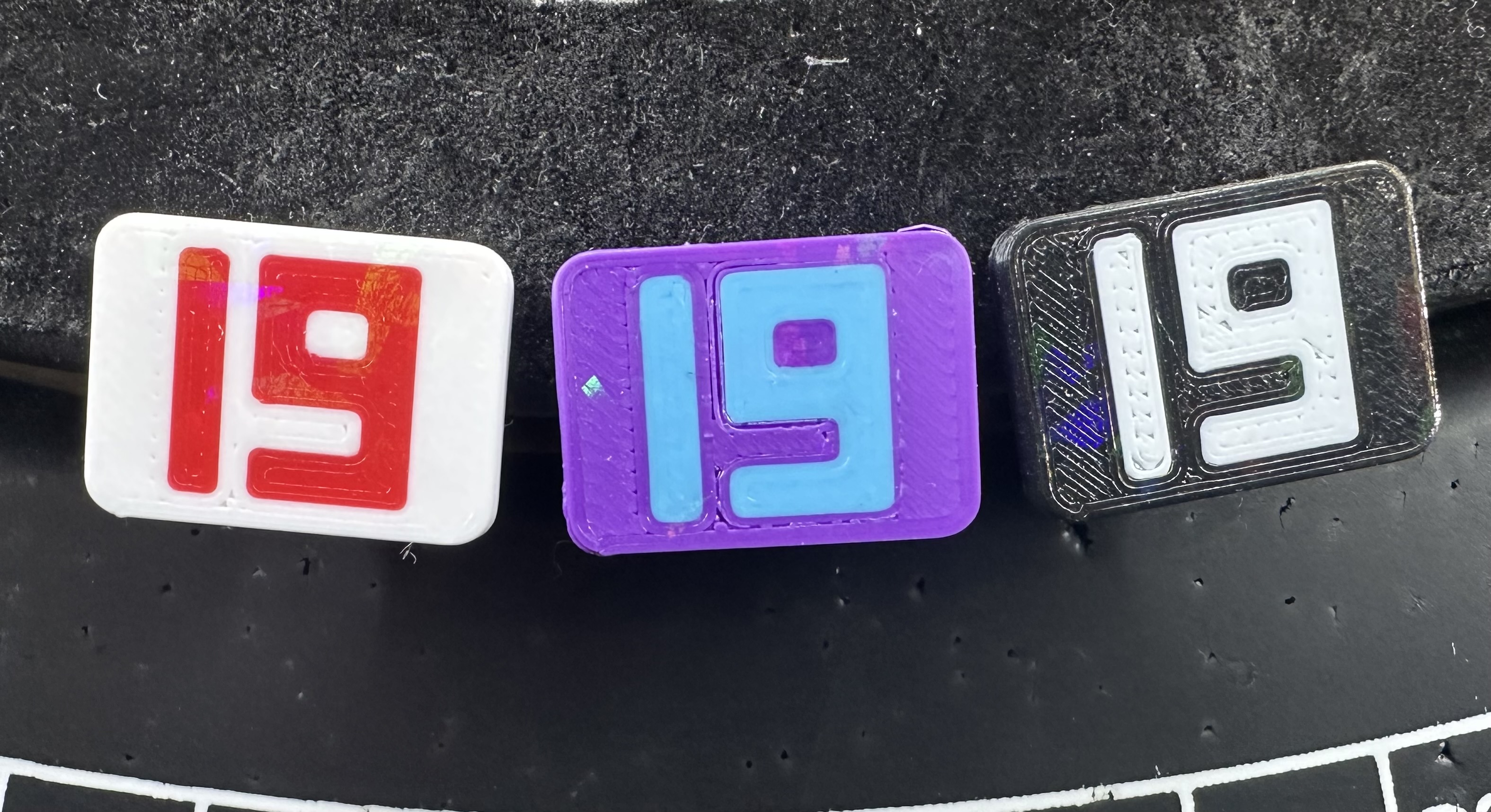
This is a modular magnetic dartboard number ring with individually printed and replaceable numbers.
Each number is printed separately in two colors and attached to the side of the dartboard using a rectangular magnet. The design allows every number to be replaced independently if it gets damaged. The numbers can also be printed in any color combination or swapped around for training and fun alternative dart games.
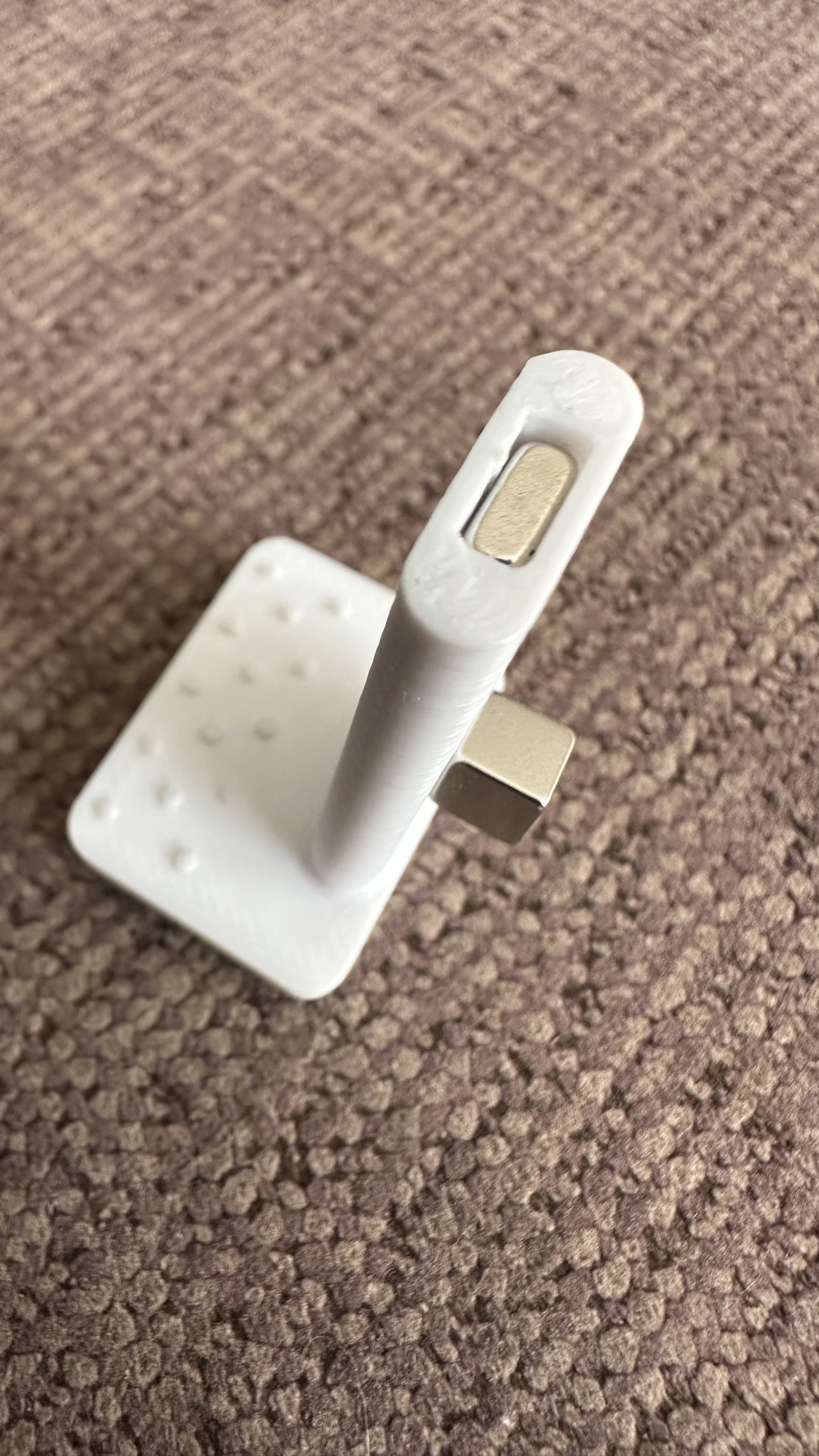
The magnet does not need to be glued in place. It can simply be inserted into the holder, so when a number is replaced, the same magnet can be reused.
When inserting or removing a number from the dartboard, I use an additional magnet placed against the outside of the number. This keeps the internal magnet from sliding out of its holder.
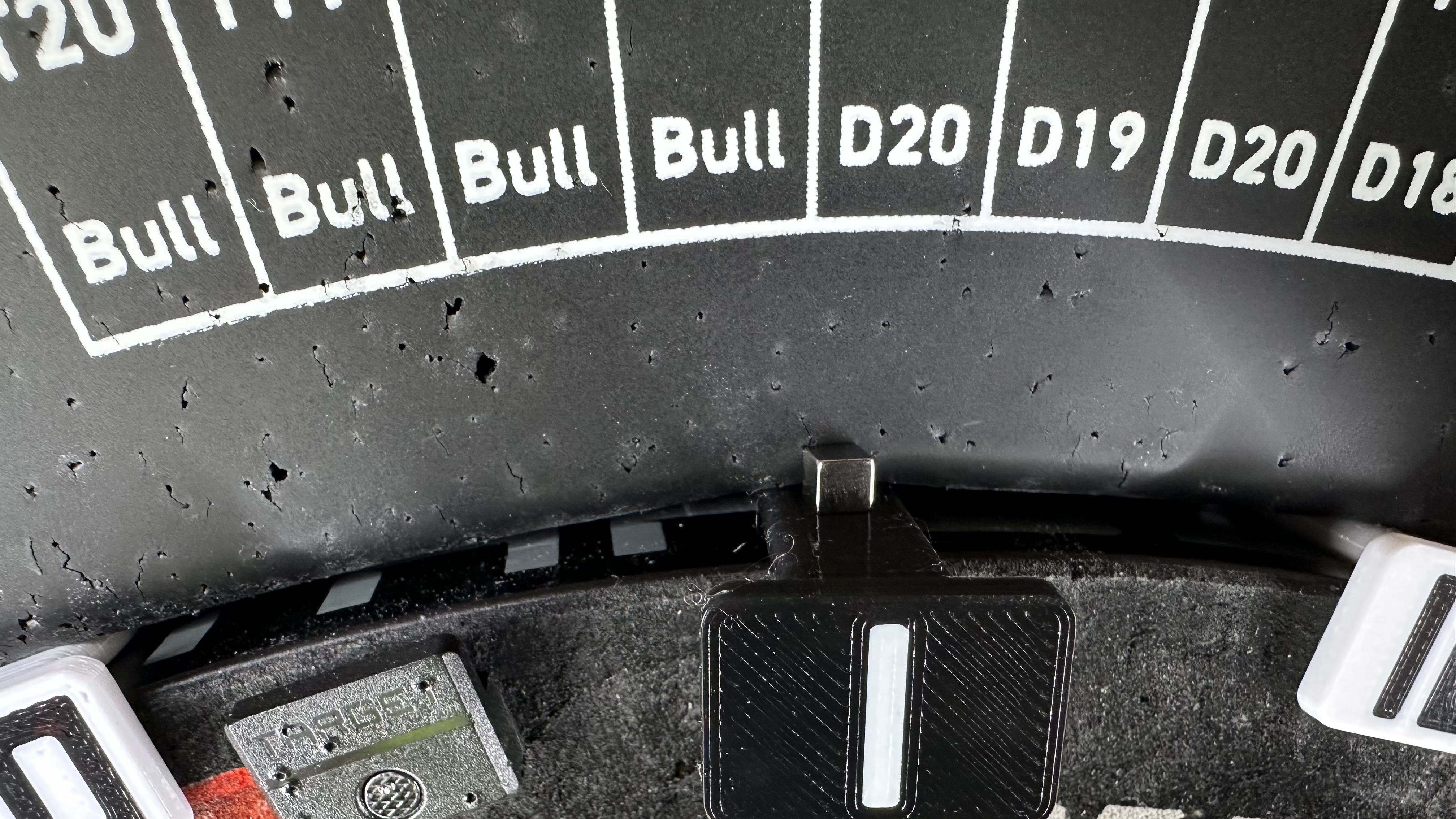
For best results, the numbers can also be held from the back side by a rubber ring around the dartboard. The number slides under the rubber ring while the magnet holds it against the metal edge of the dartboard.
Magnets
Recommended magnet size:
25 × 6 × 2.4 mm rectangular magnet
Also tested and working:
20 × 5 × 2 mm rectangular magnet
Print Settings
The model is prepared for:
0.4 mm nozzle
0.2 mm layer height
Recommended material:
PETG
PLA also works, but PETG is recommended because it is tougher and more suitable for parts that may be hit by darts.
Files
The download includes 20 STL files, one for each dartboard number.
Each number consists of separate parts:
visible number
holder / magnet body
This makes it possible to print the number and the holder in different colors.
I have also included 3MF project files with two extruders already configured for the two colors.
Two-Color Printing
Each number has two colored layers. During printing, the filament needs to be changed 3 times.
When importing individual STL files into your slicer, use:
Split to Parts
Then assign separate colors / extruders to the number and the holder.
In the included 3MF files, this color setup is already prepared.