
ColorMix Memes: This is Fine & Homer in Bushes
Obliczymy ostateczną cenę na podstawie wybranego pliku. Sprawdzisz ją i zaakceptujesz przed płatnością.
Zapisane na tym urządzeniu.

Two of my favorite memes in 3D printable form, plus a tool to generate your own ColorMix images.
- Ocena
- 0 / 5
- Polubienia
- 13
- Pobrania
- 53
- Wydruki
- 0
- Wyświetlenia
- 421
- Oceny
- 0
Aktualizacja u źródła:
Informacje o modelu
- Źródło
- Printables
- Kategoria
- Other Art & Designs
- Licencja
- Creative Commons — Attribution — Share Alike
These are two 3D prints generated using my free web app: ColorMix Image Mapper (More info below)
Both models are intended to be printed in CMYKW (Cyan, Magenta, Yellow, Black, White) filaments, which are blended using ColorMix virtual extruders to generate dozens of other color shades.
My print was made using the dedicated Prusament PLA ColorMix bundle, which has good mixing properties. However, you can use any kind of filaments with reasonably CMYKW-like colors (from the standard Prusament set, these would be Azure Blue, Mrs. Pink, Pineapple Yellow, Jet Black, and Pristine White).
Both models were designed primarily for the Prusa CORE One+ INDX 8T. I printed them at 0.15mm layer height with a brim. You can print at 0.10mm layer height for even finer details.

Make sure to open the 3MF as a project in PrusaSlicer 2.9.6. (or newer) for the file to work correctly. You should see an accurate representation of the source image, which is composed of dozens of virtual extruders. If the colors are random, make sure that you opened the file as a project, and not only added the model to an existing project (this doesn't work properly). Due to this, you can't usually combine two or more generated ColorMix models in one project, either.

You can change the printer to Prusa XL+ 5T (or another printer with at least 5 extruders), just make sure to select "Transfer" on the first pop-up screen with extruder colors, so that the color scheme is preserved (the virtual extruders are transferred automatically).
ColorMix Image Mapper (free web app)
The models were created in my free web app, which you can try out here. Its source code is freely available under the MIT license on Github, in case you want to build up on it.
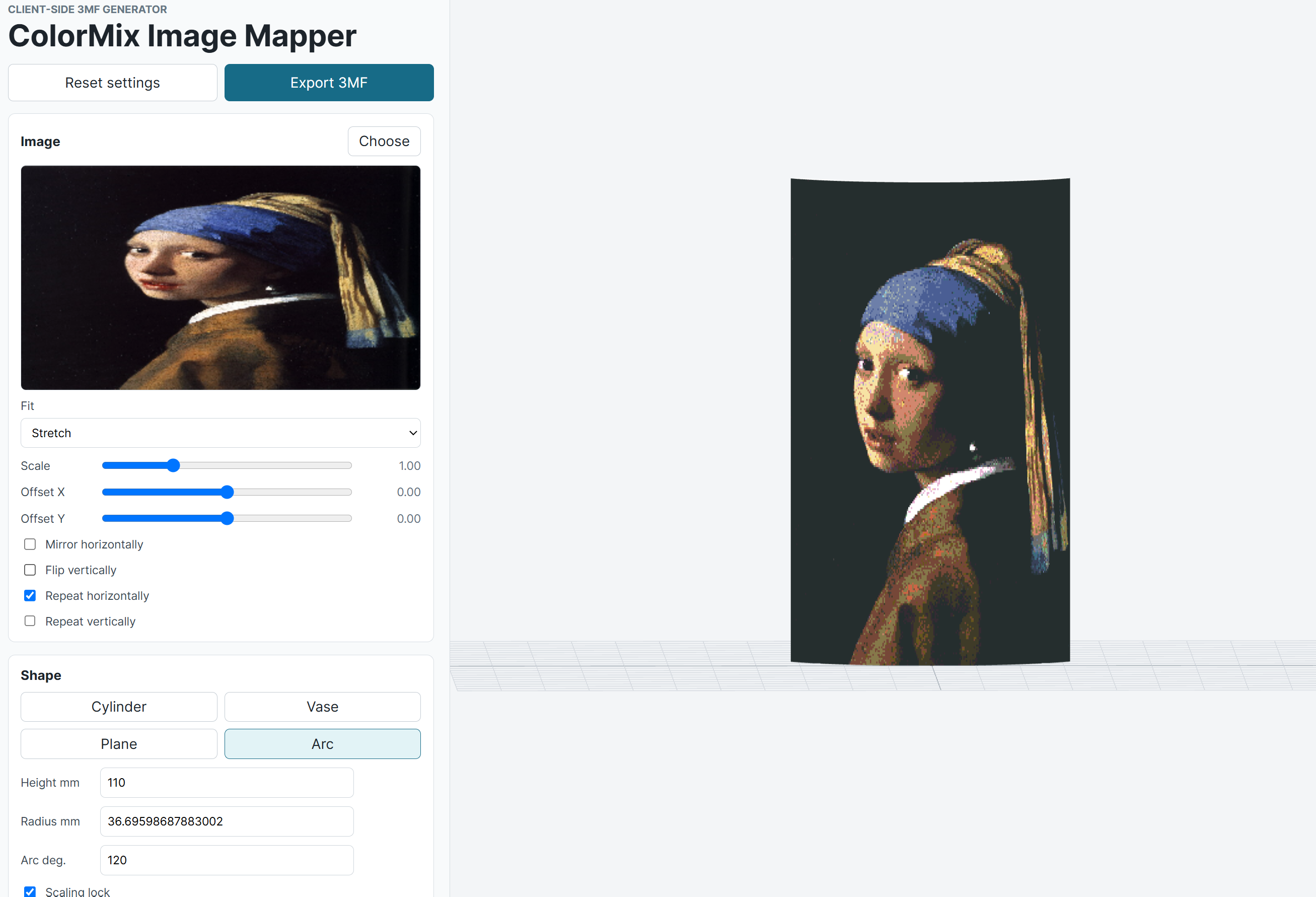
The app is (hopefully) fairly easy to navigate - you first upload an image, and choose a shape to project it on (recommended: Arc and Cylinder). You can adjust the dimensions of the model, and the mapping of the image etc.

Next, adjust the Resolution (High for the best quality - however, it can really slow down the export and web preview). Then, you can choose the filaments. The default setting is ColorMix with CMYWK filaments. You can freely add or remove filaments (for example, to accommodate a 4-tool printer).
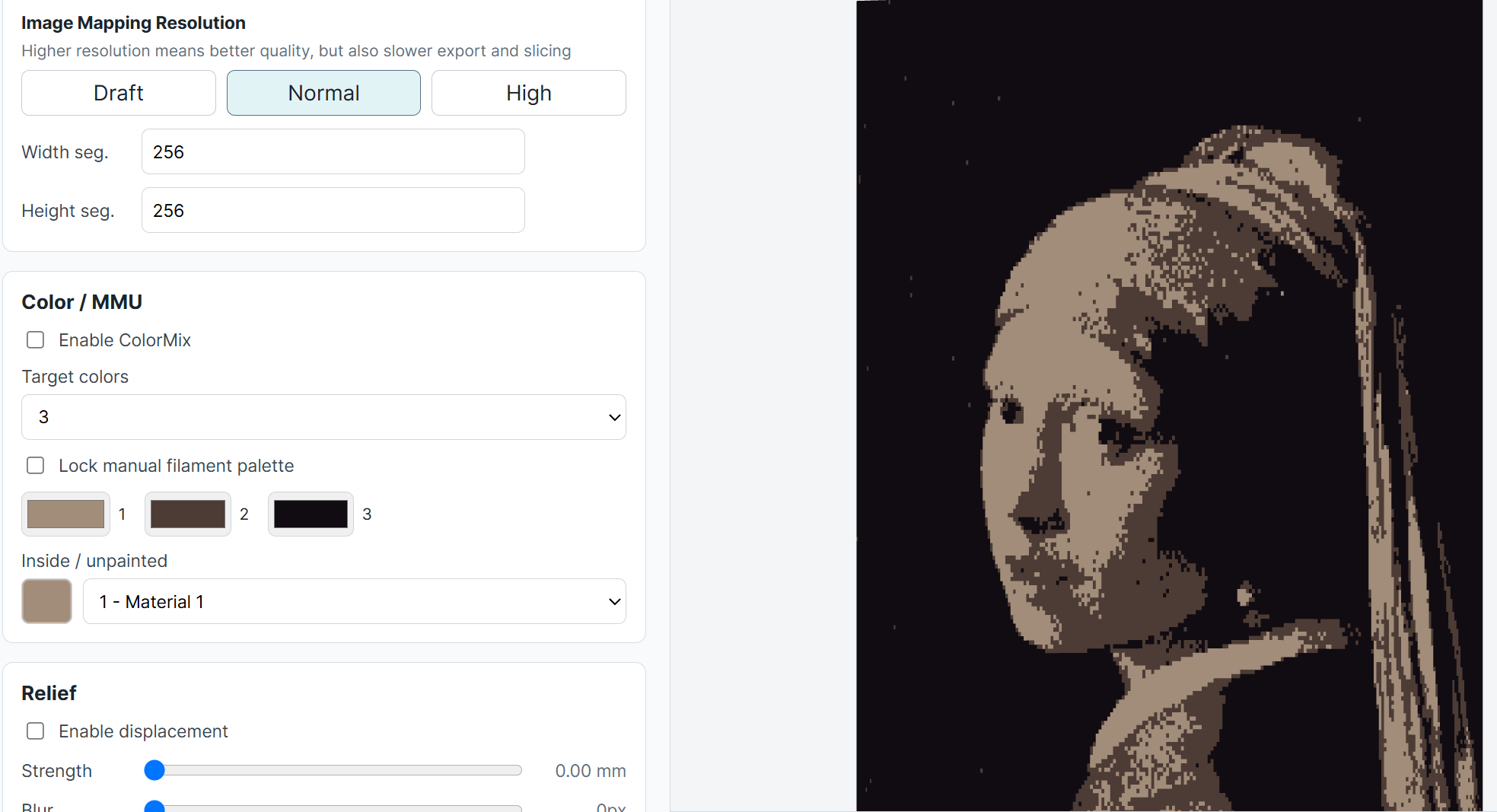
You can also disable ColorMix, which then limits the color scheme to just solid colors (an interesting retro-effect).
Once you're happy with the result, export the 3MF (this can take quite some time for a very complex image with high resolution). In PrusaSlicer 2.9.6, select a multi-tool printer (e.g., Prusa INDX or XL+), and then use File → Open Project to open the 3MF. You can then adjust the settings etc. Once you save the project again in PrusaSlicer, it should be easier to share (the printer is already set)