
Completely parametric circuit board housing
Obliczymy ostateczną cenę na podstawie wybranego pliku. Sprawdzisz ją i zaakceptujesz przed płatnością.
Orientacyjna cena wydruku pliku
2,82 € – 3,45 € netto (bez VAT)
Dla pliku: BoxNormal_0.2mm_PLA_MK3SMMU2S_3h11m.gcode
To wstępna wycena jednego pliku. Dokładną cenę poznasz przed zamówieniem.
Plik i założenia wyceny
Plik użyty do wyceny
Średnia wycena orientacyjna: 3,13 € netto (środek widełek).
- Masa podana przez autora
- 38 g
- Czas druku podany przez autora
- 3,19 godz.
- Materiał u źródła
- PLA
- Materiał wyceny
- PLA
- Drukarka wyceny
- Bambu Lab P1S - 0.4 nozzle
- Proces wyceny
- 0.20mm Standard
Orientacyjna wycena wyłącznie wybranego pliku, oparta na masie i czasie druku podanych przez autora. Warianty plików nie są sumowane. Ostateczna cena zostanie obliczona po analizie pliku.
Zapisane na tym urządzeniu.

A completely parametric housing for PCBs.
- Ocena
- 0 / 5
- Polubienia
- 24
- Pobrania
- 95
- Wydruki
- 0
- Wyświetlenia
- 560
- Oceny
- 0
Aktualizacja u źródła:
Informacje o modelu
- Źródło
- Printables
- Kategoria
- Electronics
- Licencja
- Creative Commons — Attribution
Inspiration
The model is based on a design by HD_Creator: https://www.printables.com/de/model/135532-generic-snap-housing-eg-for-electronics
Use case
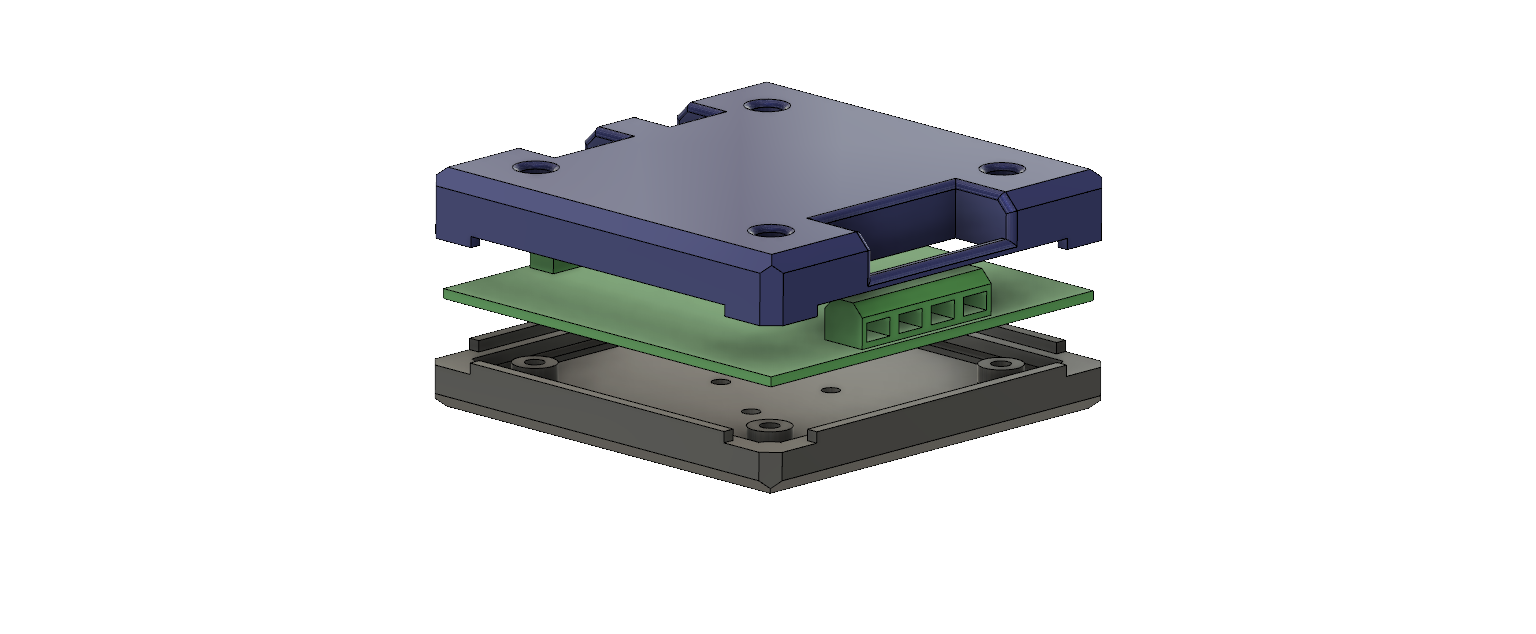
The model is an enclosure for circuit boards. The enclosure is completely parametric, so it can be perfectly adapted to any project (over 30 parameters):

The housing can be screwed down anywhere through 3 holes on the underside.
It also comes in three variants:
- a housing with three openings for power, data input and data output (positions and sizes can be adjusted by the parameters).
- a completely closed housing
- an enclosure with three openings (like the first one) and ventilation openings.
The prefabricated files are designed for boards of size 70mm*70mm and M3 screws.
Assembly
- Place the board in the recess provided in the lower part.
- Place the upper part on the lower part (Orientates itself).
- Insert nuts into the openings provided on the underside and tighten from above with appropriate screws
Customisations
All properties of the model can be edited via the parameters in the .f3d file. The only modifications that have to be made in other ways are possible openings for displays, buttons, etc. These can be added either in Fusion 360 or in Prusa Slicer using the "Add negative volume" function.