Ryobi 18V Battery Mount
Obliczymy ostateczną cenę na podstawie wybranego pliku. Sprawdzisz ją i zaakceptujesz przed płatnością.
Zapisane na tym urządzeniu.
Mounts for various Ryobi 18V batteries
- Ocena
- 4,871 / 5
- Polubienia
- 1287
- Pobrania
- 5115
- Wydruki
- 38
- Wyświetlenia
- 28 161
- Oceny
- 31
Aktualizacja u źródła:
Informacje o modelu
- Źródło
- Printables
- Kategoria
- Organizers
- Licencja
- Creative Commons — Attribution — Noncommercial — NoDerivatives
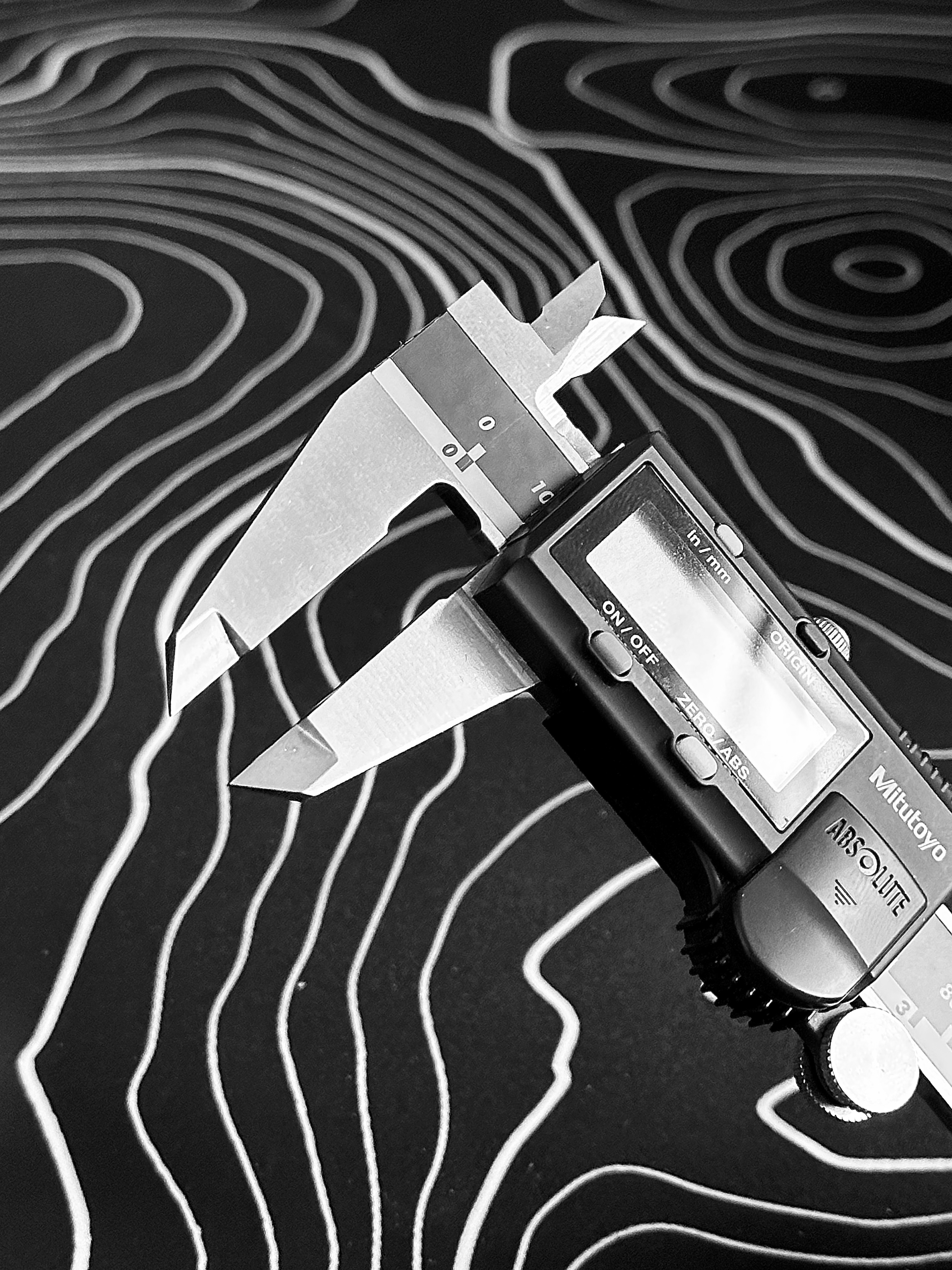
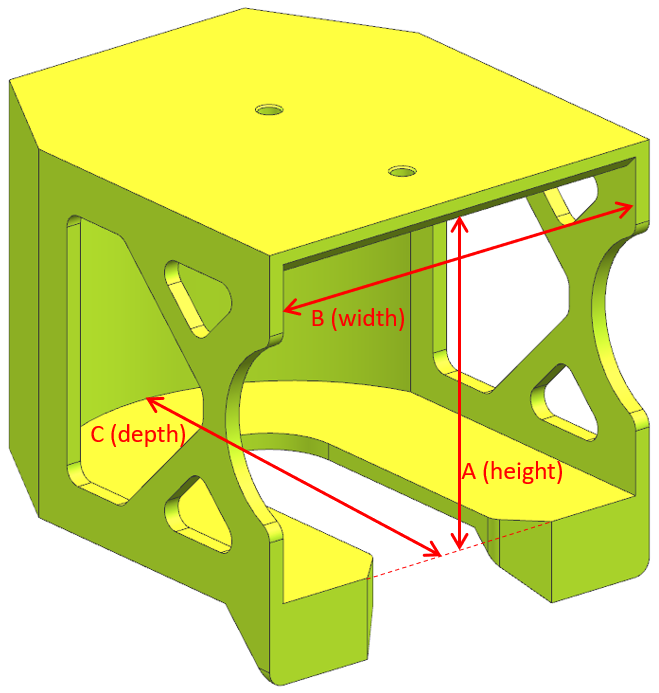
Fitment Note: I only have the Ryobi batteries shown in my photos. Using calipers, I was able to precisely design for those versions, which you'll find have excellent fitment. I'm actively adding new version, however I'm basing them on other peoples measurements - I have no way to test them. If you find something doesn't fit, or would like a new version added, please describe exactly how wide/tall/deep they should be based on the diagram below. Thank you!
Files are provided for various Ryobi 18v battery mounts. There's two main categories: large and small:
- The large mounts include custom text for 6AH HP, 6AH HP (old version), 5AH, 4AH HP, 4AH, 3AH, 3AH HP, and blank (no text)
- The small mounts include custom text for 2AH HP, 1.5AH, and blank (no text)
- I highly recommend adding a color change for the text, as seen in my photos, to help readability. You can also do no color change, and then use a black marker to color the text (this doesn't look quite as good).
- The filament used is PLA from Overture, Matte Grass Green (matches Ryobi green pretty close!).
- 4 can be printed at a time as shown in one of my photos (for a Prusa Mini).
- No support required
- Mounting holes are designed for #6 screws
- These fit most Ryobi batteries perfectly, but some older batteries may be tight. Sanding the interior faces will fix that.
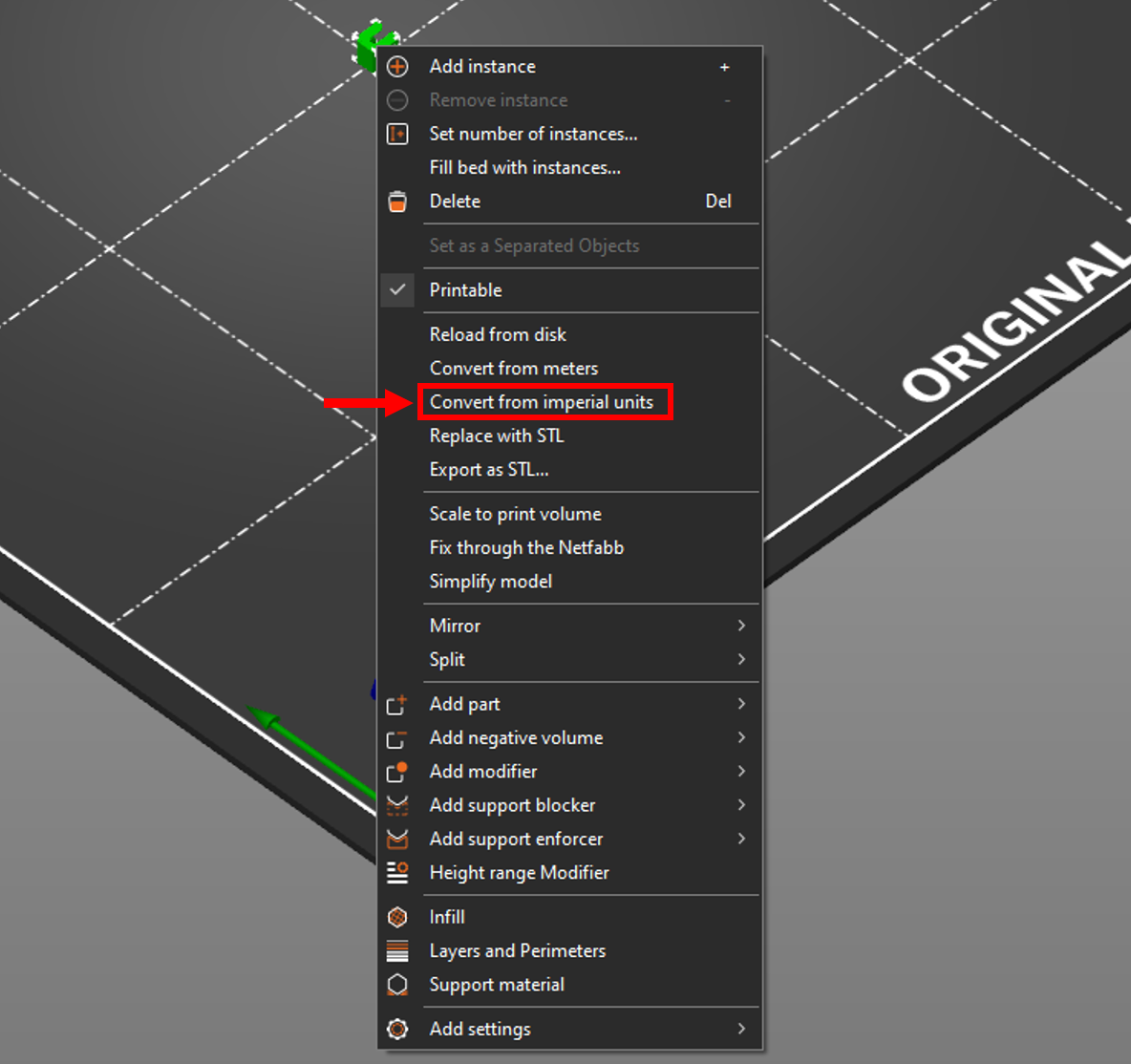
- I regrettably designed these in imperial units, so they will need to be converted in your slicer to metric. In PrusaSlicer this is a very easy task of right clicking on the model and selecting “Convert from imperial units”: