
Backpack Strap Clip
Obliczymy ostateczną cenę na podstawie wybranego pliku. Sprawdzisz ją i zaakceptujesz przed płatnością.
Wstępna wycena dla PETG
0,17 € – 0,20 € netto (bez VAT)
Dla pliku: Backpack 18x1 mm Strap Clip 8 mm_0.1mm_PETG_MINI_15m.gcode
To wstępna wycena jednego pliku. Dokładną cenę poznasz przed zamówieniem.
Plik i założenia wyceny
Plik użyty do wyceny
Średnia wycena orientacyjna: 0,18 € netto (środek widełek).
- Masa podana przez autora
- 1 g
- Czas druku podany przez autora
- 15 min
- Materiał u źródła
- PET
- Materiał wyceny
- PETG
- Drukarka wyceny
- Bambu Lab P1S - 0.4 nozzle
- Proces wyceny
- 0.20mm Standard
Orientacyjna wycena wyłącznie wybranego pliku, oparta na masie i czasie druku podanych przez autora. Warianty plików nie są sumowane. Ostateczna cena zostanie obliczona po analizie pliku.
Zapisane na tym urządzeniu.
This is a simple fold design intended to hold two backpack straps together to avoid dangling straps.
- Ocena
- 5 / 5
- Polubienia
- 236
- Pobrania
- 1150
- Wydruki
- 20
- Wyświetlenia
- 4793
- Oceny
- 18
Aktualizacja u źródła:
Informacje o modelu
- Źródło
- Printables
- Kategoria
- Other Fashion Accessories
- Licencja
- Creative Commons — Attribution — Noncommercial — Share Alike
I am providing all required information and probably way too much for a simple clip . I recommend to read at least the installation and removal recommendations if you only intend to use the ready to print GCodes. Otherwise you should probably go through the other chapters.
Design
The clip is made mostly for a clean and minimal design with thin wall. It is working fine for thin and not too large strap. This is tested successfully up to 25 mm strap but not sure how it will work with larger or heavier straps.
Please read the Installation & Removal chapter below if you are not too sure how to proceed to use this clip.
If you need a stronger strap you should probably look into this other design.
Printing
The clip is designed to be printed using the spiral vase mode feature. The .88 mm wall will give a perfect 2 juxtaposed lines perimeter with a .4 mm nozzle and .1 mm layer height. The spiral vase mode and .1 mm height will give a perfect print rendering with no seam. You can use ready to print files (3MF and Gcode for Prusa Mini) and I am also providing the parametric design to customize the clip.
Ready to print files
The following ready to print design are provided. Refer to Parametric design chapter for custom design. 3MF files are provided and Gcode are also provided for both Prusament PETG PLA.
| Strap Width | Strap Thickness | Clip Lenght |
|---|---|---|
| 18 mm | 1 mm | 8 mm |
| 20 mm | 1 mm | 10 mm |
| 22 mm | 1 mm | 10 mm |
| 24 mm | 1 mm | 10 mm |
| 26 mm | 1 mm | 12 mm |
Parametric design
I am providing the parametric design in Autodesk 360 Fusion format in case you want to print a customized clip. You can easily customize the clip by editing the design parameters. The parameters you can modify are as follow.
Main Parameters
| Parameter Name | Default | Description |
|---|---|---|
| StrapWidth | 20 mm | This is the strap widht the clip is designed to fit. An addition tolerance gap will be automatically applied (refer to ToleranceGap value). |
| StrapThickness | 1 mm | This is the strap widht the clip is designed to fit. An addition tolerance gap will be automatically applied (refer to ToleranceGap value). |
| ClipLenght | 10 mm | This is simply the clip size. Adjust as desired. |
Additional parameters
| Parameter Name | Default | Description |
|---|---|---|
| WallThickness | 0.88 mm | .88 is designed for a perfect 2 juxtaposed perimeter lines with a .4 mm nozzle with a .1 mm layer height using PrusaSlicer |
| ToleranceGap | 0.2 mm | This is the gap between each fold, 0.2 is providing a very thin gap. The value can be adjusted depending on the printer tolarance |
Material
This is recommended to print with PETG but PLA will work too. This was tested successfully with Prusament PETG and PLA.
Recommended print settings for PrusaSlicer
- Use the default
0.10mm DETAILsetting. - Enable Spiral Vase mode.
This will modify the following settings automatically.- Perimeters = 1
- Solid layers
- Top = 0
- Fill density = 0%
- Solid layers
- Bottom = 1
- Skirt height = 1
Installation & Removal
The removal and installation is not easy but this guaranty a perfect holding and no risk of loosing the clip.
Installation
It is recommended to start with the fixed strap and continue with the dangling strap with the same procedure.
- Insert the fixed strap half way into the first fold of the clip. The clip should be placed in the opposite direction.
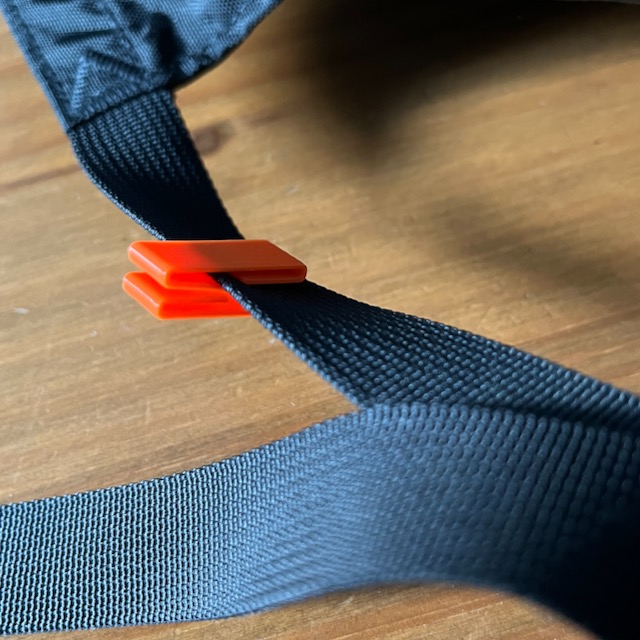
- Rotate the fixed strap into the second fold of the clip. The clip should now be placed in to intended orientation and the opposite folds should be facing the dangling strap.
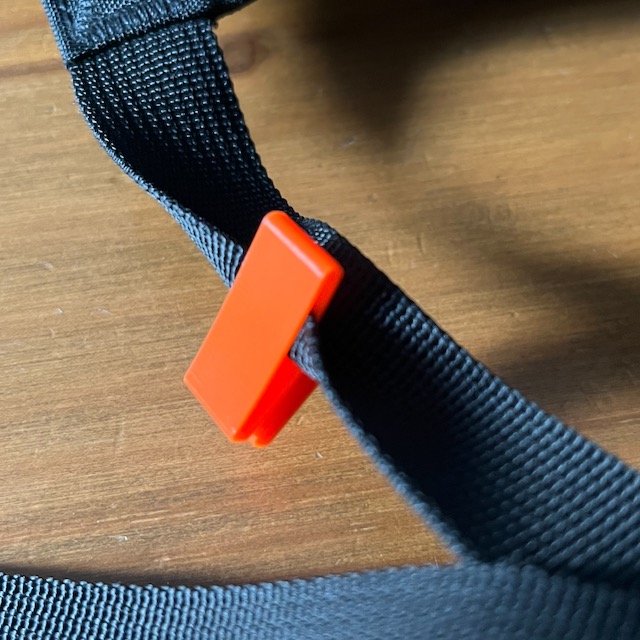
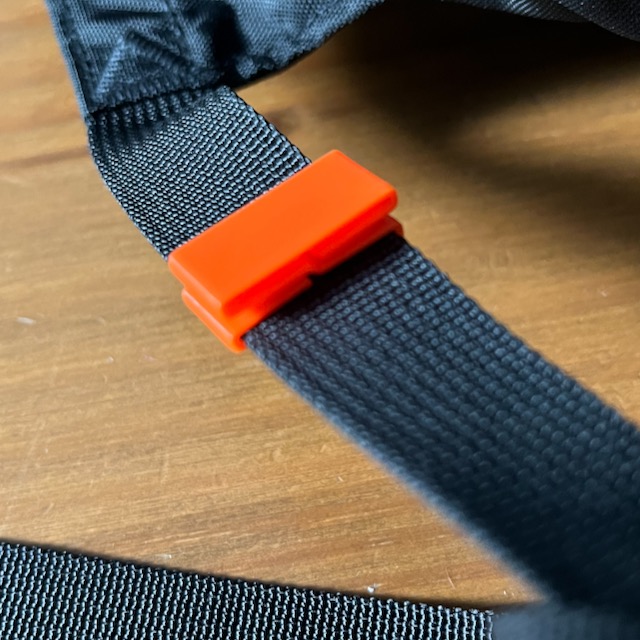
You can optionally use a thin tool to help completing the rotation fully between the first and the second fold. - Insert the dangling strap half way into the first fold. The strap should be placed in the opposite direction.
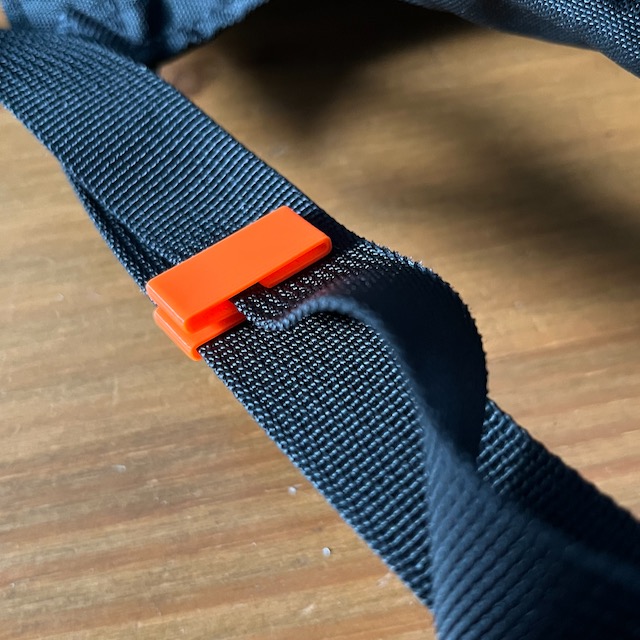
- Rotate the dangling strap into the second fold of the clip. The clip and both straps should now be placed into the final orientation.


Again, you can optionally use a thin tool to help completing the rotation fully between the first and the second fold.
Removal
You can follow the installation instructions in reversed order to remove the clip. Again the removal is not super convenient but it is made so to avoid unintended removal and loosing the clip.
Start by folding the dangling strap from the second to the first fold and out and then do the same with the fixed strap.