
AI Prime HD Diffuser Shade
Obliczymy ostateczną cenę na podstawie wybranego pliku. Sprawdzisz ją i zaakceptujesz przed płatnością.
Zapisane na tym urządzeniu.

A shade hood for the AI Prime HD Aquarium Light that allows you to add a diffuser panel
- Ocena
- 5 / 5
- Polubienia
- 26
- Pobrania
- 402
- Wydruki
- 1
- Wyświetlenia
- 3055
- Oceny
- 1
Aktualizacja u źródła:
Informacje o modelu
- Źródło
- Printables
- Kategoria
- Pets
- Licencja
- Creative Commons — Attribution — Noncommercial
Jealous of the diffused-looking light from the new Apex Neptune Sky? I am. Want to get that T5/halide look from your AI Prime? I do.
I made this light hood for AI Prime HD to get rid of most of the “disco ball” effect that is common in many of the current LED aquarium lighting products. The diffuser uh… diffuses all of the individual LED lights so they look a lot more homogenous. The difference to me is drastic and creates a much more pleasing light.
If you don't want to bother with the diffuser portion, you can also use it as a plain light hood.
Requirements:
- AI Prime HD LED Light
- Some type of diffuser material.
I used an Acrylic Prismatic diffuser like the ones used in flourescent light fixtures. You can find them at hardware stores like Home Depot. I got mine from TAP Plastics. I'm sure there are other materials that are perfectly suitable as well. - Something to cut your diffuser material with
- The diffuser cutout template
- The diffuser
- (optional) a couple dabs of glue
Instructions:
- Print the diffuser shade
Print with the lip-side down, which it will be by default.
Settings:
- Use PETG. I used PLA--it's not as UV-resistant but works fine, too.
- 3 perimeters. no infill needed if using 3 perimeters
- No brims or supports needed
- Print the cutout template
note: the cutout template is already 99.6% smaller than the inside of the hood. If you want a more snug fit, you could increase the size by 0.5% and see how that works. The fit is also dependent upon your cutting and sanding skills :)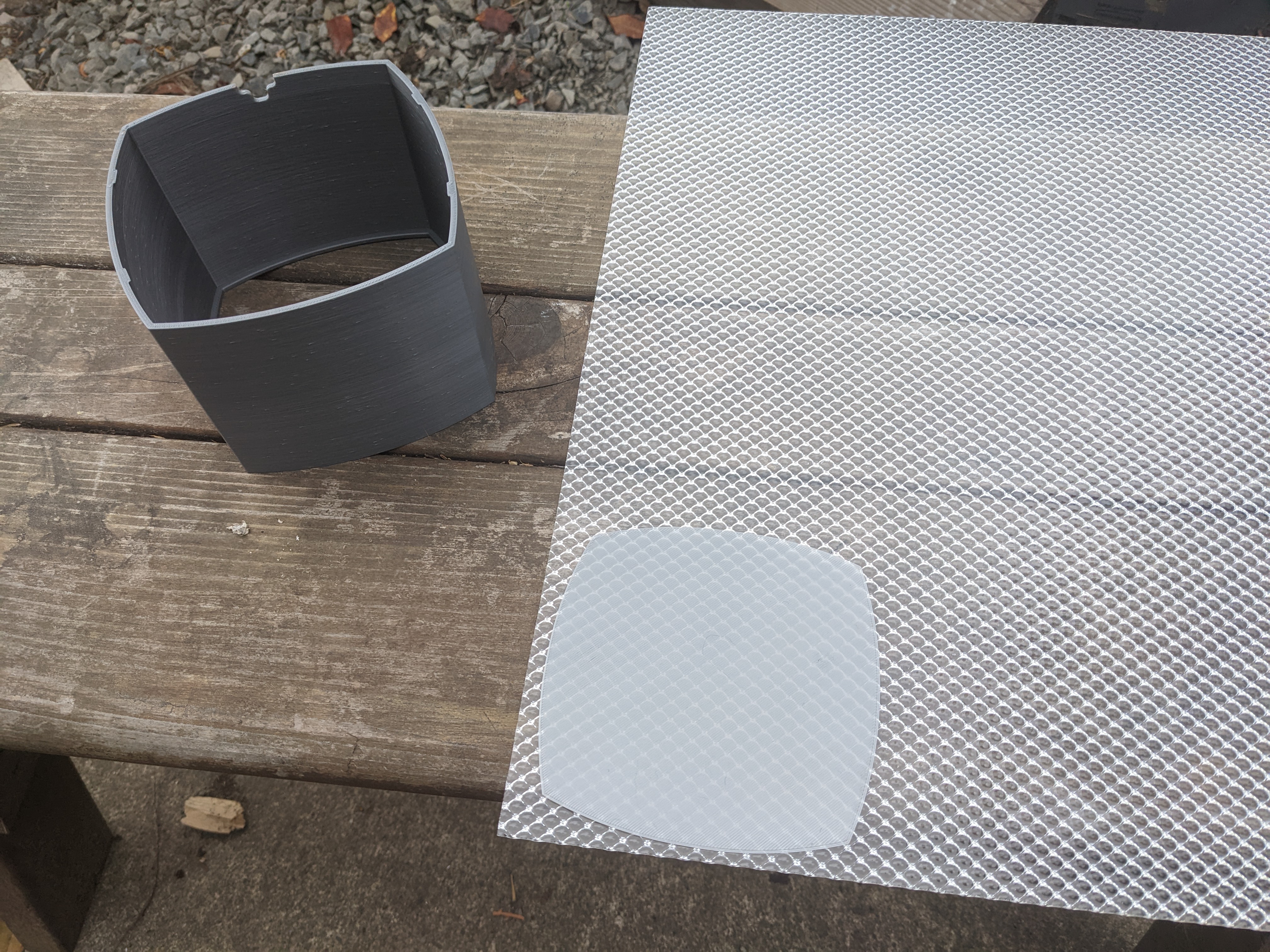
- Trace the template onto your diffuser of choice
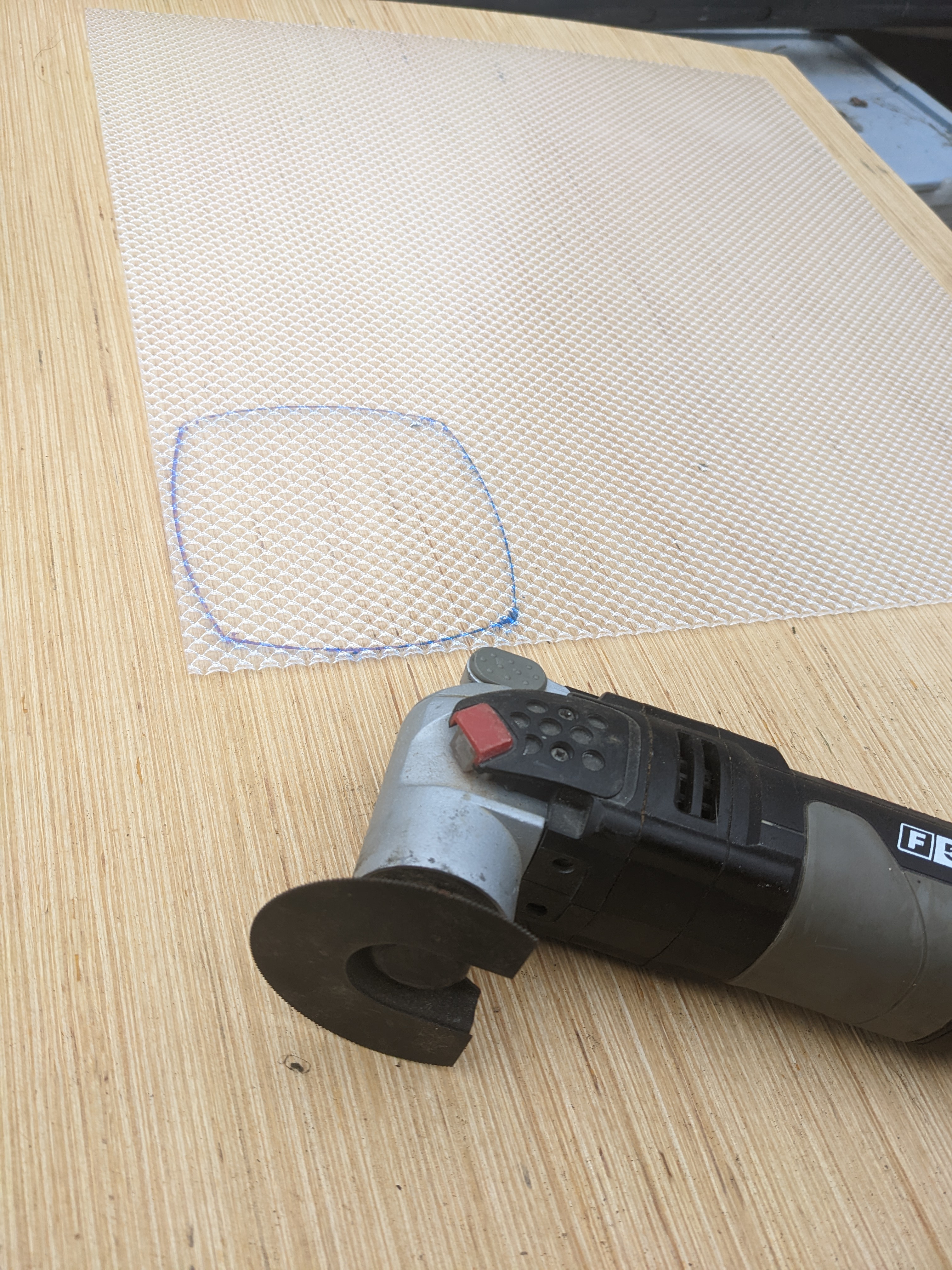
- Cut out the diffuser using an appropriate tool and clean up using sand paper
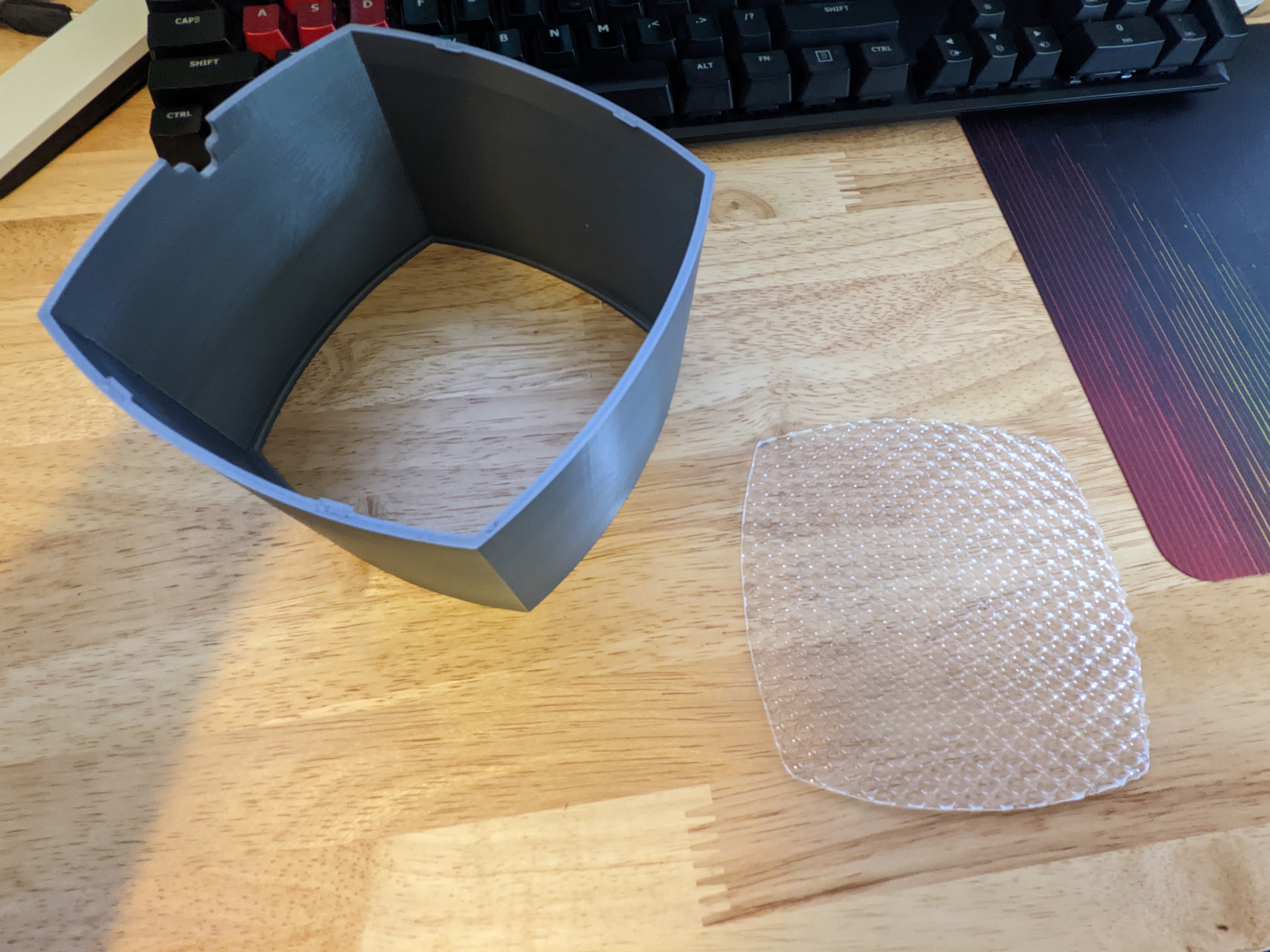
- Place diffuser into the shade hood
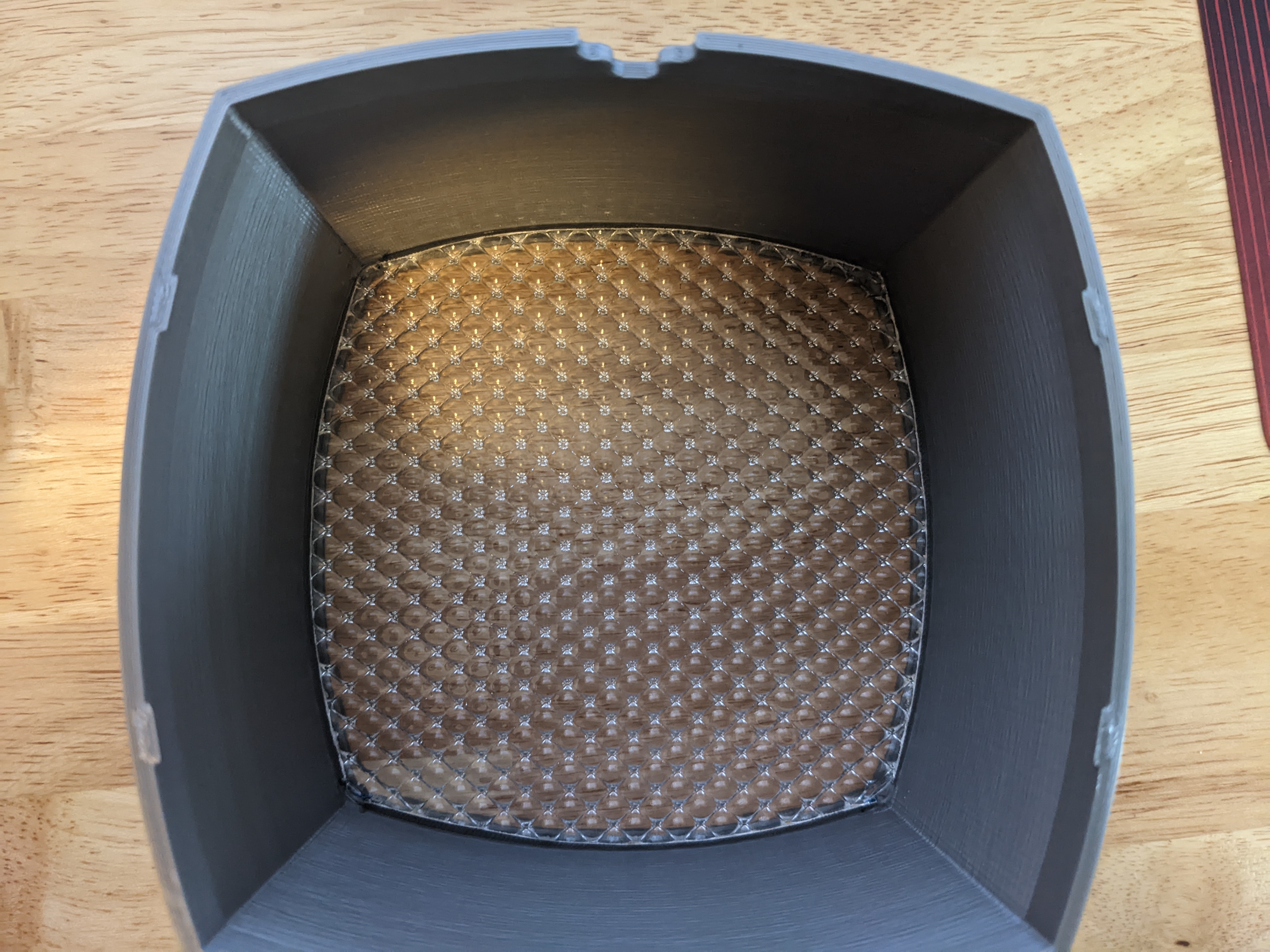
- Use a few dabs of glue if desired to ensure the diffuser doesn't move around
- Hook the shade hood + diffuser onto the HD prime
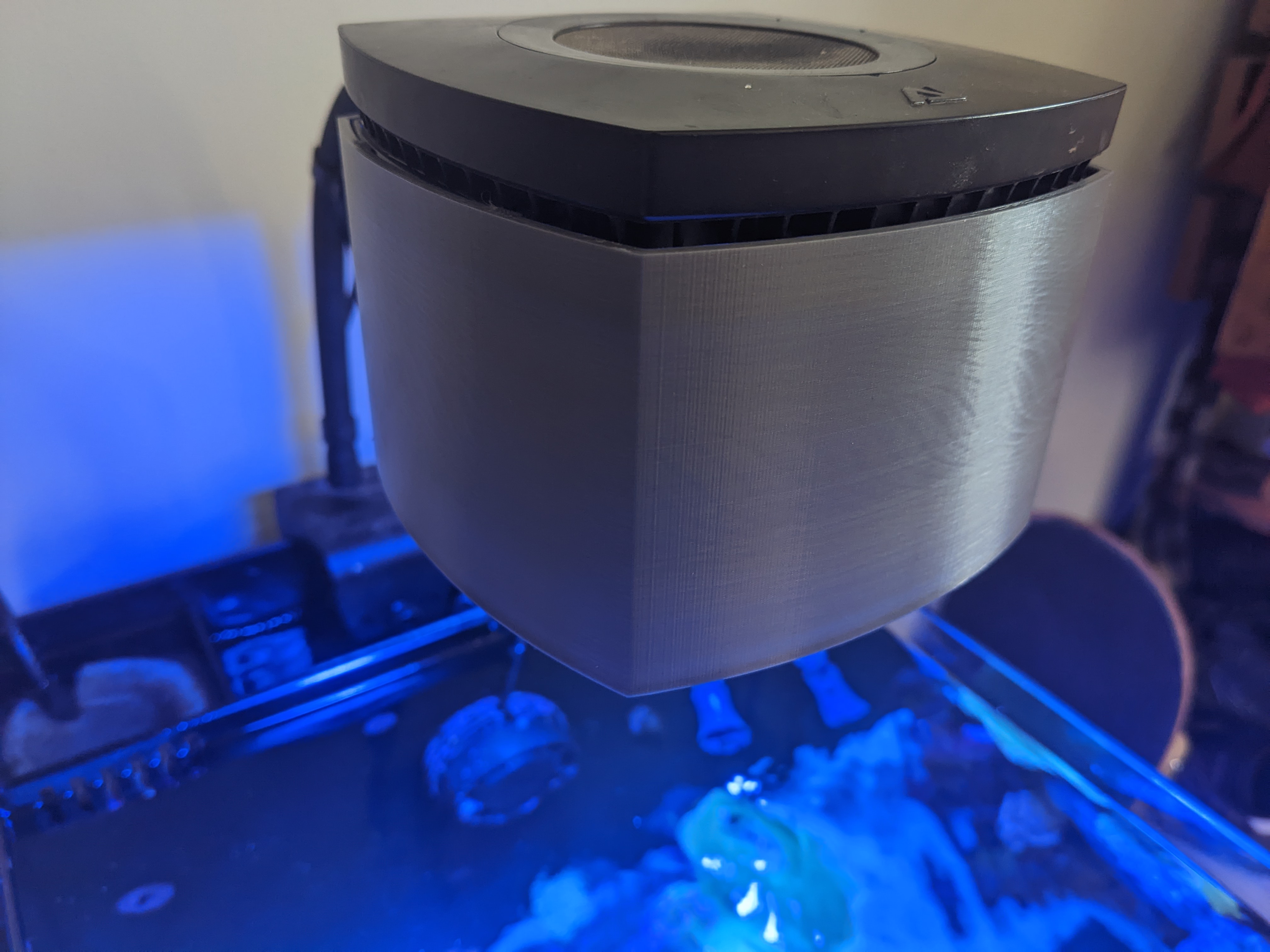
- Increase your Prime HD's light intensity by 5-10% to make up for any loss caused by adding the diffuser
- Enjoy!