1 / 2
Balancing Toy on the Pin-Bobblehead
Zamów wydruk tego modelu
Obliczymy ostateczną cenę na podstawie wybranego pliku. Sprawdzisz ją i zaakceptujesz przed płatnością.
Zapisane na tym urządzeniu.

A bobblehead moves around during printing.
- Ocena
- 0 / 5
- Polubienia
- 17
- Pobrania
- 36
- Wydruki
- 0
- Wyświetlenia
- 828
- Oceny
- 0
Aktualizacja u źródła:
Informacje o modelu
- Źródło
- Printables
- Kategoria
- Accessories
- Licencja
- Creative Commons — Attribution
SzczegółyPliki (7)Wydruki i komentarze (Wydruki: 0) (Komentarze: 0)Remiksy (0)Kolekcje (17)Powiązane
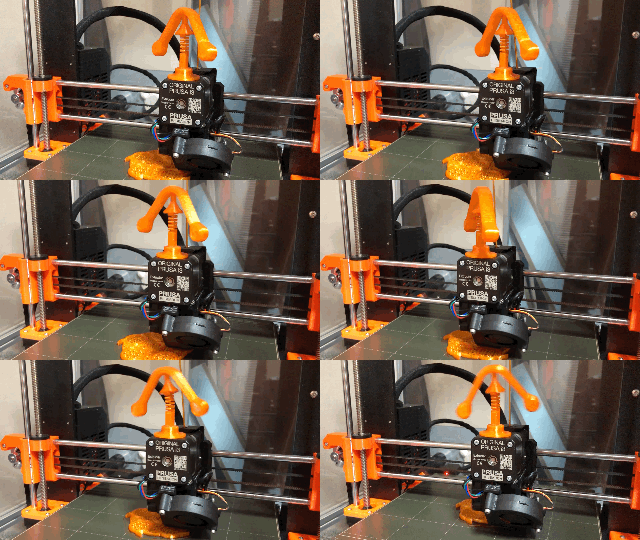
This bobblehead moves as shown below. Enjoy the thrill of not seeming to fall.
以下のような動きをするボブルヘッドです。落下しそうでしないスリルをお楽しみください。
Parts to be used
使う部品
- Base: Use a standard one that matches the size of the magnet. Since the magnets I had on hand did not match the ones provided, I made mine using the OpenSCAD script available at
土台:磁石のサイズに合わせた標準のものを使ってください。手持ちの磁石が用意されているものと合わなかったので、私は以下の場所で公開されているOpenSCADのスクリプトを使って作りました。 - Spring: use the "Spring - Half Coils Same Height.stl" published at the following URL. I tried many things to prevent the balancer from falling, but the most effective was to change the spring from the standard one to this one.
以下の場所で公開されている「Spring - Half Coils Same Height.stl」を使ってください。バランサーが落下することを防ぐために色々と試しましたが、最も効果が高かったのはバネを標準のものからこれに変更することでした。 - Tip: Print it out and glue it to the spring above. It would be better to glue the spring and base as well.
先端:印刷して上記のバネと接着してください。バネと土台も接着した方が良いと思います。 - Balancer: Please print and place it on top of the tip.
バランサー:印刷して先端の上に乗せてください。
Doesn't the balancer fall off during printing?
印刷中にバランサーが落下しないのか
It did not fall when I checked with the following model, which takes about four and a half hours to print. If you are unfortunate enough to have it fall, try using the parametric spring generation script above to make a stiffer spring.
印刷に約四時間半かかる以下のモデルで確認した時は落下しませんでした。不幸にも落下してしまった場合は、上記のパラメトリックなバネ生成スクリプトを使って、硬めのバネを作ってみてください。
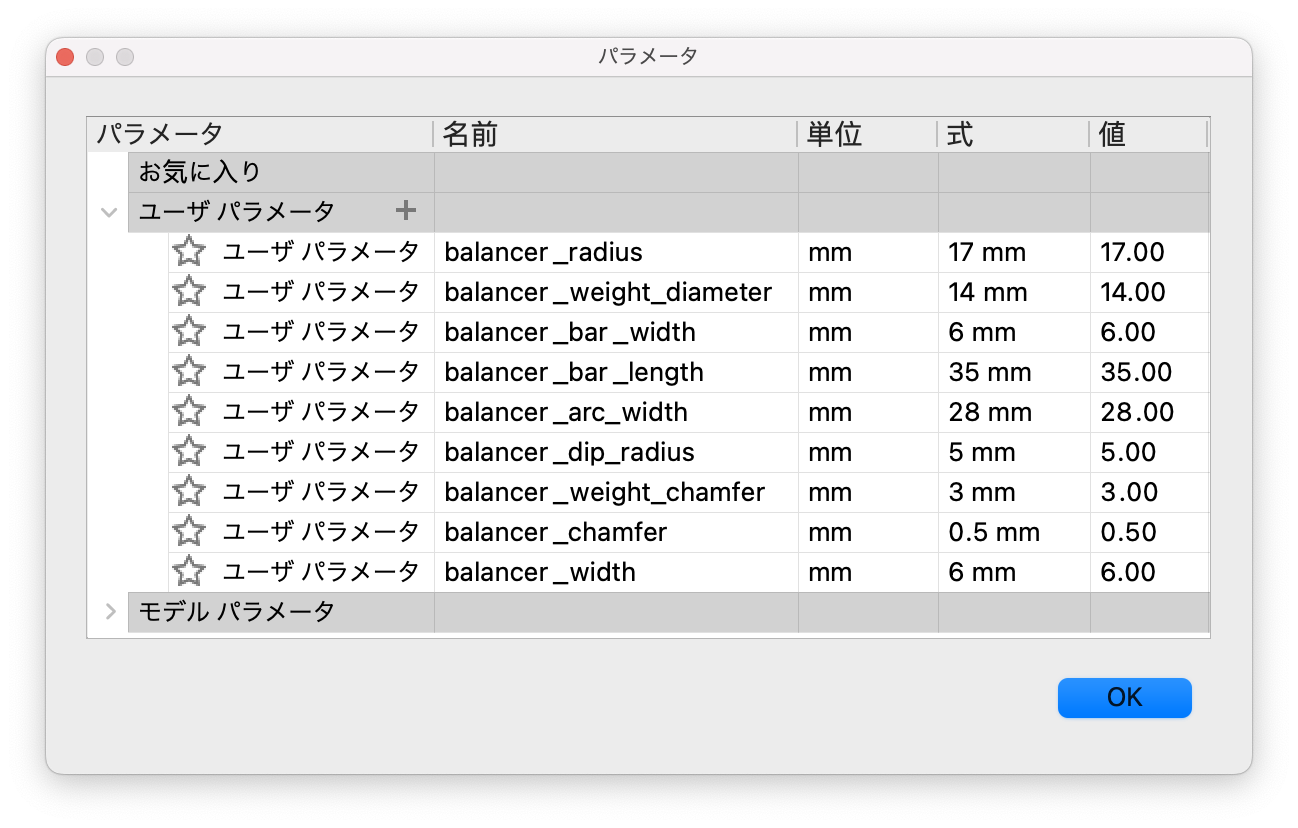
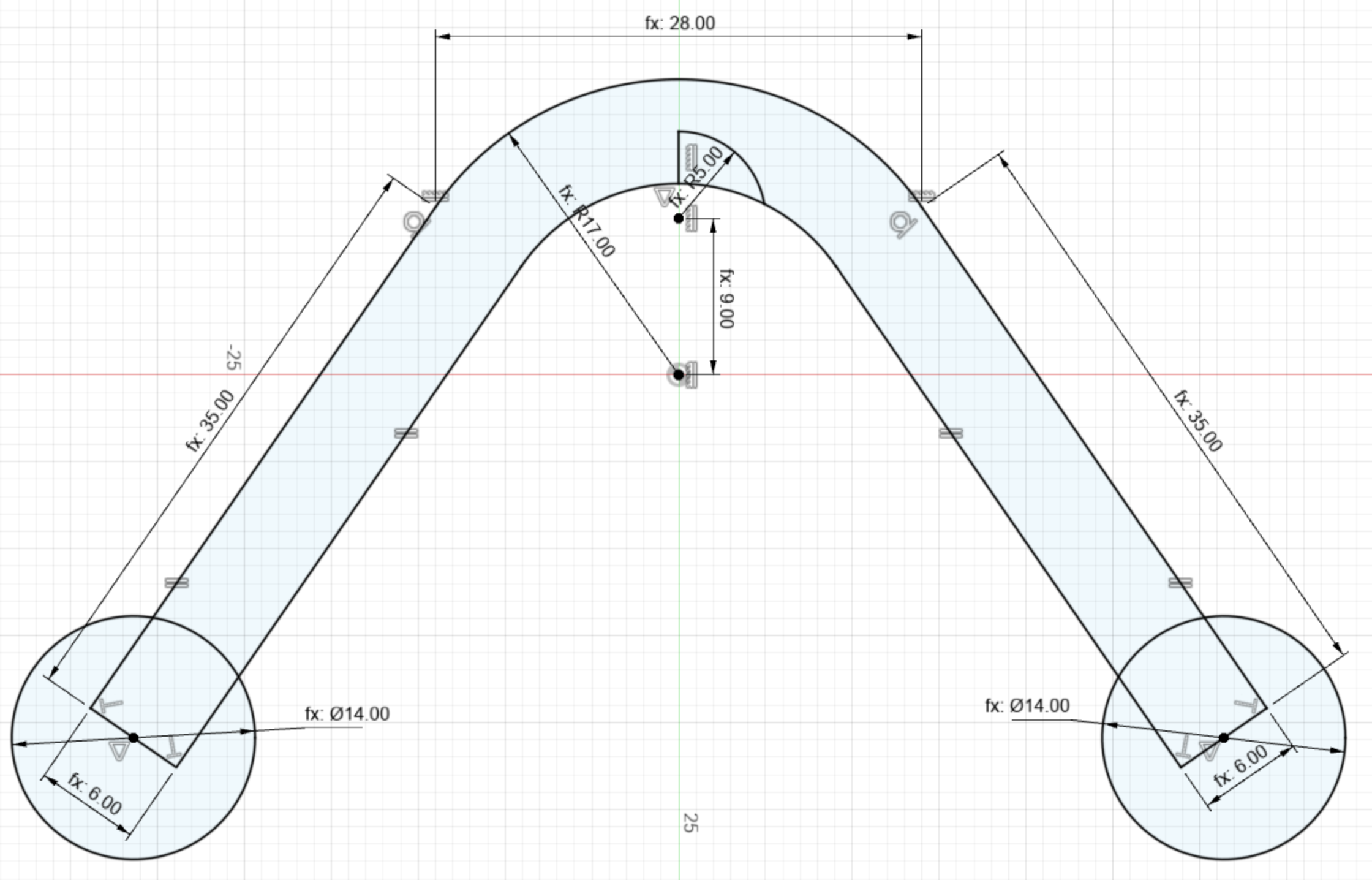
Parameters and sketch