
Desktop Volume Mixer - DeeJ
Obliczymy ostateczną cenę na podstawie wybranego pliku. Sprawdzisz ją i zaakceptujesz przed płatnością.
Zapisane na tym urządzeniu.

Desktop Deej volume mixer
- Ocena
- 5 / 5
- Polubienia
- 110
- Pobrania
- 362
- Wydruki
- 4
- Wyświetlenia
- 2848
- Oceny
- 4
Aktualizacja u źródła:
Informacje o modelu
- Źródło
- Printables
- Kategoria
- Audio
- Licencja
- Creative Commons — Attribution — Noncommercial — Share Alike
Here is my version of a DeeJ volume mixer.
I changed the Arduino code to be able to use some mute buttons.
I also added an option to put RGB adressable LEDs thanks to FastLED library in order to indicate the state of the audio tracks (my 3D design DOES NOT support LEDs I just wanted to make it for a future upgrade or for someone who wants to make its own design with the use these LEDs.)
________________________________________________________________________________________________________________
Installation and Setup :
if you want to know how to install and set up DeeJ you can follow the link bellow with all the instructions (there are great videos on Youtube which explain you how to do it too).
link to the DeeJ github project : https://github.com/omriharel/deej
________________________________________________________________________________________________________________
Assembly :
In order to put the buttons in place, you'll have to heat the button's support with a heatgun to bend it then put the button on the support and fianlly put back the support in place. (I know it sounds scary, but it works although it might not be perfect).

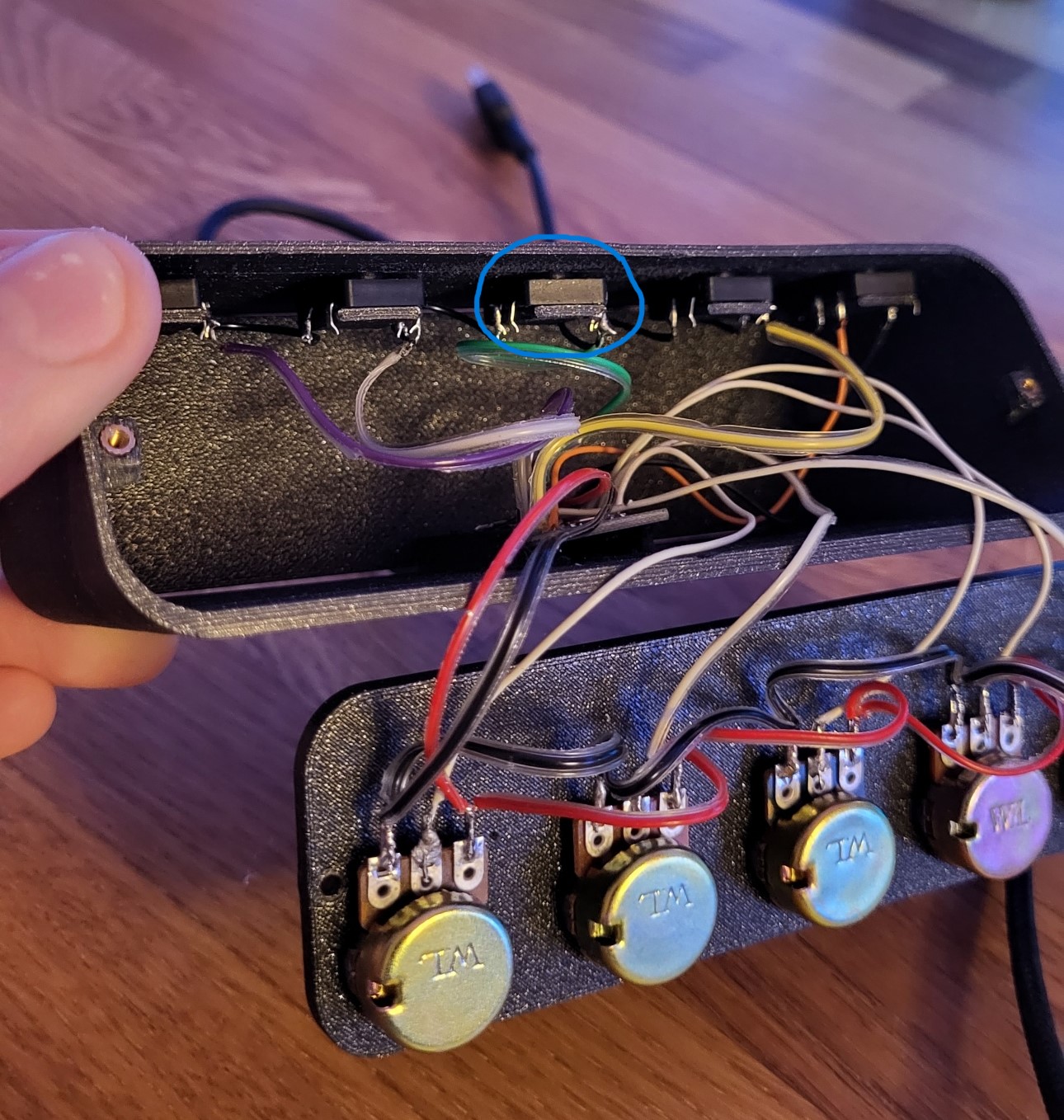
Then you will have to put the M2 threaded insert in the base in order to close the front and back panel. Here's a good video to show you how to use them :
After that, you will have to mount the potentiometer and start soldering the components by following the schematics down bellow.
Finally, you can secure the front and back panel using four M2 countersunk head screws and start to use it !
________________________________________________________________________________________________________________
Schematics : 
__________________________________________________________________________________________________________________
Hardware :
Potentiometer knob ( i bought the 13 × 13 ones ) : https://www.aliexpress.com/item/1005001600815719.html?spm=a2g0o.order_list.order_list_main.56.7b061802nN4zq0
Arduino Pro micro : https://www.aliexpress.com/item/32768308647.html?spm=a2g0o.order_list.order_list_main.40.7b061802nN4zq0
M2/M2.5/M3 Brass threaded inserts kit : https://www.aliexpress.com/item/1005003174906572.html?spm=a2g0o.order_list.order_list_main.96.21ef1802wh1lWo
M2/M2.5/M3 countersunk head screw kit : https://www.aliexpress.com/item/1005003118936938.html?spm=a2g0o.order_list.order_list_main.106.21ef1802wh1lWo
Push buttons (I bought the 12X12X7mm ones) : https://www.aliexpress.com/item/1005002719925776.html?spm=a2g0o.productlist.main.53.12681873Fhc41g&algo_pvid=5883a45f-158e-447b-8dd0-465b78b2d369&algo_exp_id=5883a45f-158e-447b-8dd0-465b78b2d369-26&pdp_ext_f=%7B%22sku_id%22%3A%2212000021855892617%22%7D&pdp_npi=2%40dis%21CHF%210.76%210.76%21%21%21%21%21%4021021aa216727765352552288d06db%2112000021855892617%21sea&curPageLogUid=a8u5UVw8FZ8f