
Printer Config
Obliczymy ostateczną cenę na podstawie wybranego pliku. Sprawdzisz ją i zaakceptujesz przed płatnością.
Zapisane na tym urządzeniu.

Printer config that I am using on PrusaSlicer. (SV06/Ender 3 P)
- Ocena
- 5 / 5
- Polubienia
- 63
- Pobrania
- 1623
- Wydruki
- 2
- Wyświetlenia
- 4640
- Oceny
- 3
Aktualizacja u źródła:
Informacje o modelu
- Źródło
- Printables
- Kategoria
- Test Models
- Licencja
- Creative Commons — Attribution — Share Alike
Hi guys, My name is Lau, a content creator, design engineer, and passionate with 3d printing. Welcome to check out my youtube channel: I made 3d printer reviews videos, tutorial, mod, and more.

https://www.youtube.com/channel/UCBjyI1E1HROh1BAYgeRZy7g
Support my work: (click on image)

https://www.buymeacoffee.com/savagelau
You can get commercial license from here: (click on image)

https://www.patreon.com/SavageLau
______________________________________________________________________________________________________________
Printer Configuration that I am using on Prusa Slicer.
Download config from “Other file”
Steps:
You need to download the configuration file and Prusa Slicer. In order to aovid bug, please make sure your prusa slicer version is 2.5.0.
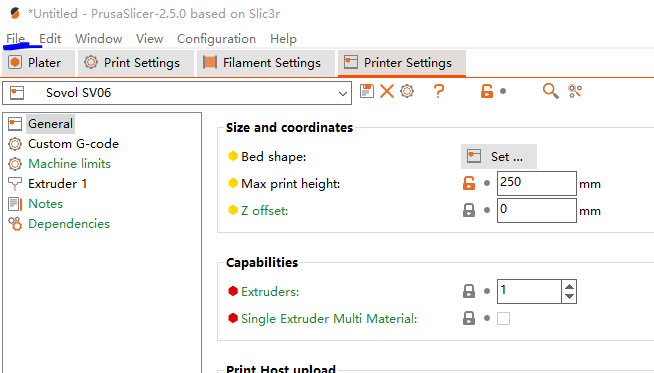
Select “File” from mini tool bar.
Select “Import”.
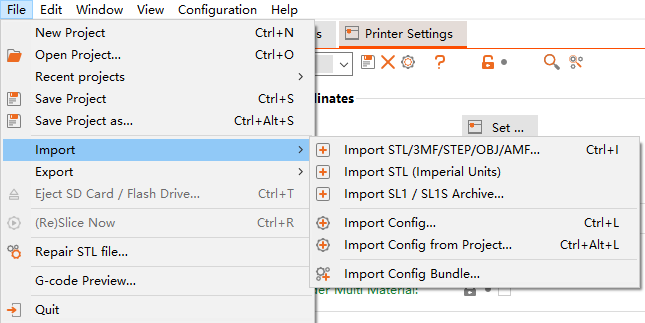
Select “Import Config…”
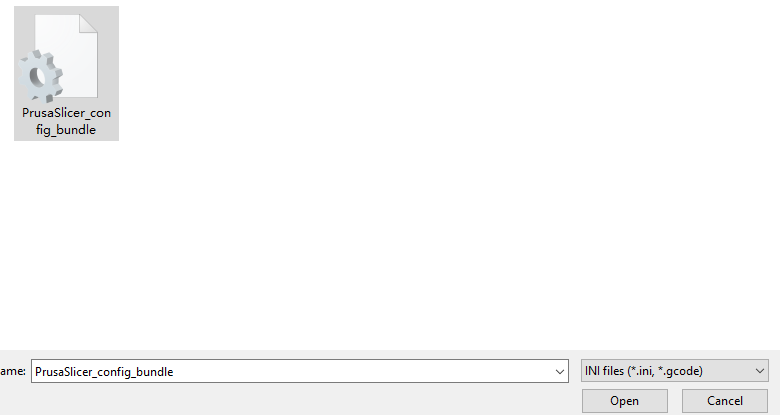
Select the file that you just download from here. hit “Open”
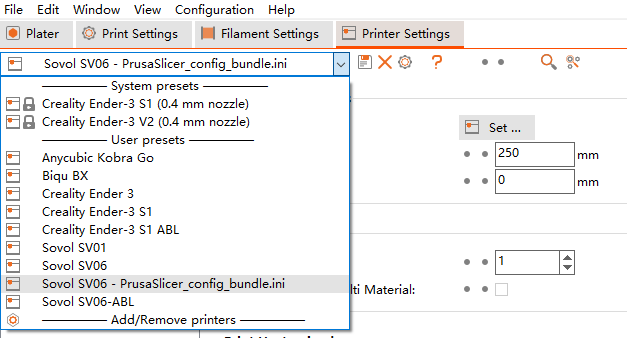
Then, my config will appear on your prusa slicer.
As shown:
Now, Rename it by click here:
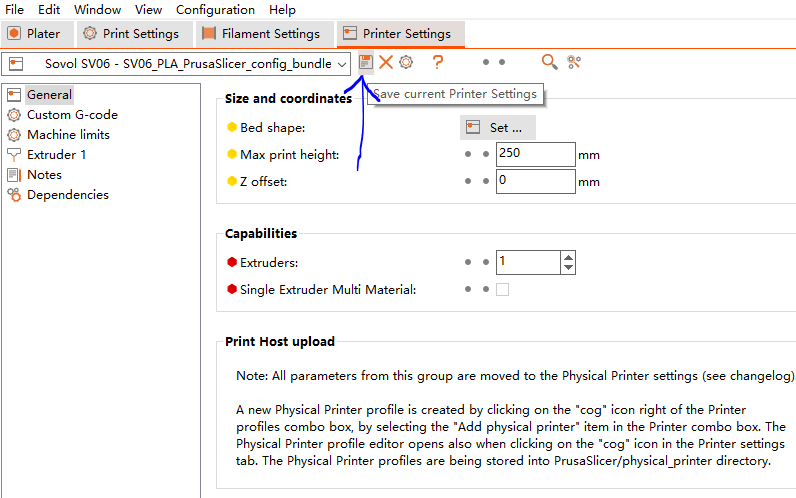
Rename it to whatever you want and hit OKAY.
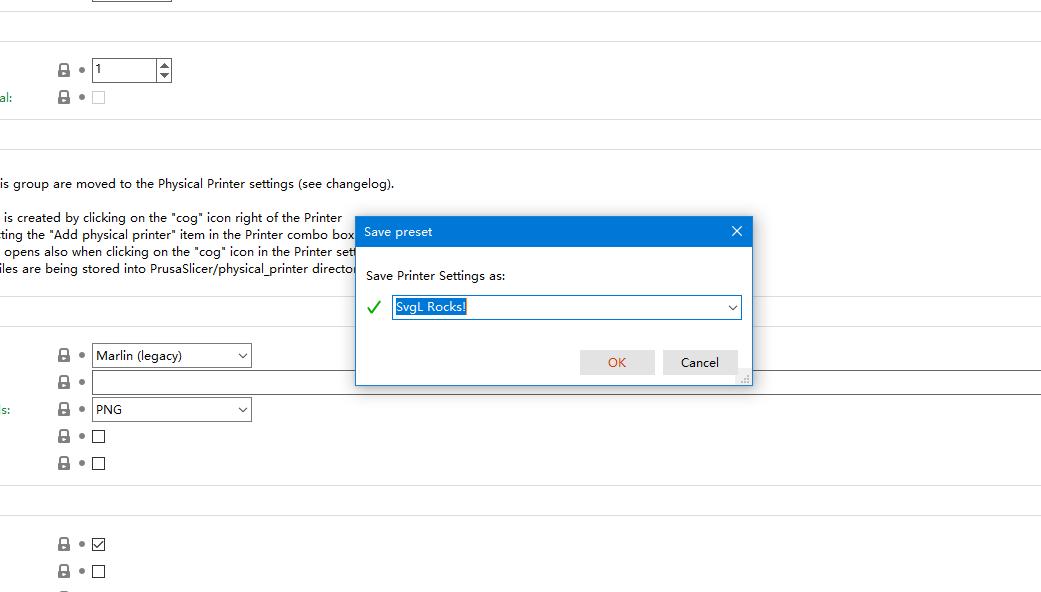
Now, it will store on your computer.
Hope that will help.