
MOTD Planter Template 01 - Make it your own
Obliczymy ostateczną cenę na podstawie wybranego pliku. Sprawdzisz ją i zaakceptujesz przed płatnością.
Orientacyjna cena wydruku pliku
14,51 € – 17,73 € netto (bez VAT)
Dla pliku: floralExample.gcode
To wstępna wycena jednego pliku. Dokładną cenę poznasz przed zamówieniem.
Plik i założenia wyceny
Plik użyty do wyceny
Średnia wycena orientacyjna: 16,12 € netto (środek widełek).
- Masa podana przez autora
- 183 g
- Czas druku podany przez autora
- 17,02 godz.
- Materiał u źródła
- PLA
- Materiał wyceny
- PLA
- Drukarka wyceny
- Bambu Lab P1S - 0.4 nozzle
- Proces wyceny
- 0.20mm Standard
Orientacyjna wycena wyłącznie wybranego pliku, oparta na masie i czasie druku podanych przez autora. Warianty plików nie są sumowane. Ostateczna cena zostanie obliczona po analizie pliku.
Zapisane na tym urządzeniu.

This blank version of "Message of the Day" planters is great for applying your own messages with Prusa Slicer 2.6 alpha
- Ocena
- 0 / 5
- Polubienia
- 9
- Pobrania
- 31
- Wydruki
- 0
- Wyświetlenia
- 548
- Oceny
- 0
Aktualizacja u źródła:
Informacje o modelu
- Źródło
- Printables
- Kategoria
- Home Decor
- Licencja
- Creative Commons — Attribution
This blank version of "Message of the day" planters is great for applying your own messages with Prusa Slicer 2.6 (alpha)
One of the great new features of Prusaslicer 2.6 is that you can project text yourself. This little theme was originally created to show " Message of the Day" and of course you can use it for that too. However, it is also fun to load figurative character sets and to project the figures.

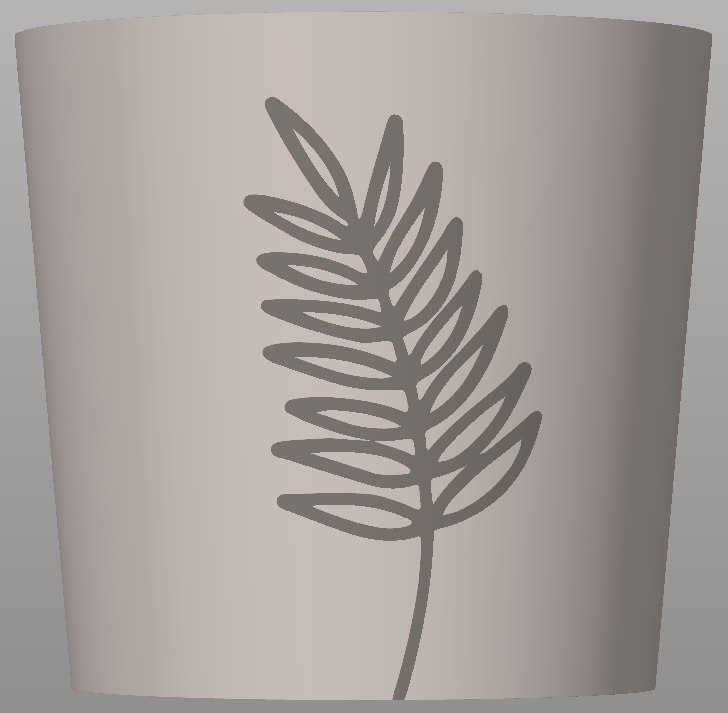


If you want to project something like I did in the floral example the keys 3, 4, 5, and 6 are useful, because they show you the front, back, left and right side of the object. 1 and two will switch to top and bottom view.
Projecting things is really easy. Use the keys 3, 4, 5 or 6 and follow the steps in the video.
I used this fonts https://www.fontspace.com/search?q=floralia
The slicer "uses projection to surface" and not “wrapping” so you cannot use a long string and you cannot wrap completely around an object. It can only project to what's currently visible and the outer sides will be heavily distorted. If you do use long strings it will look like this:

Have fun making them your own.
You can find the 2.6 alpha version here: https://github.com/prusa3d/PrusaSlicer/releases/tag/version_2.6.0-alpha2
If you like this, you might want to check out my other pots and planters, too:
https://www.prusaprinters.org/social/3373-wilko/collections/36089