1 / 2
Opening angle stop for Blum Aventos HF system
Zamów wydruk tego modelu
Obliczymy ostateczną cenę na podstawie wybranego pliku. Sprawdzisz ją i zaakceptujesz przed płatnością.
Zapisane na tym urządzeniu.

Opening-angle-stop for Blum Aventos HF cabinet door system. Set to any angle you want!
- Ocena
- 0 / 5
- Polubienia
- 18
- Pobrania
- 137
- Wydruki
- 0
- Wyświetlenia
- 1416
- Oceny
- 0
Aktualizacja u źródła:
Informacje o modelu
- Źródło
- Printables
- Kategoria
- Other House Equipment
- Licencja
- Creative Commons — Attribution — Noncommercial
SzczegółyPliki (4)Wydruki i komentarze (Wydruki: 0) (Komentarze: 0)Remiksy (0)Kolekcje (18)Powiązane
This angle-stop is for the Blum Aventos HF which is a bi-fold cabinet door system.
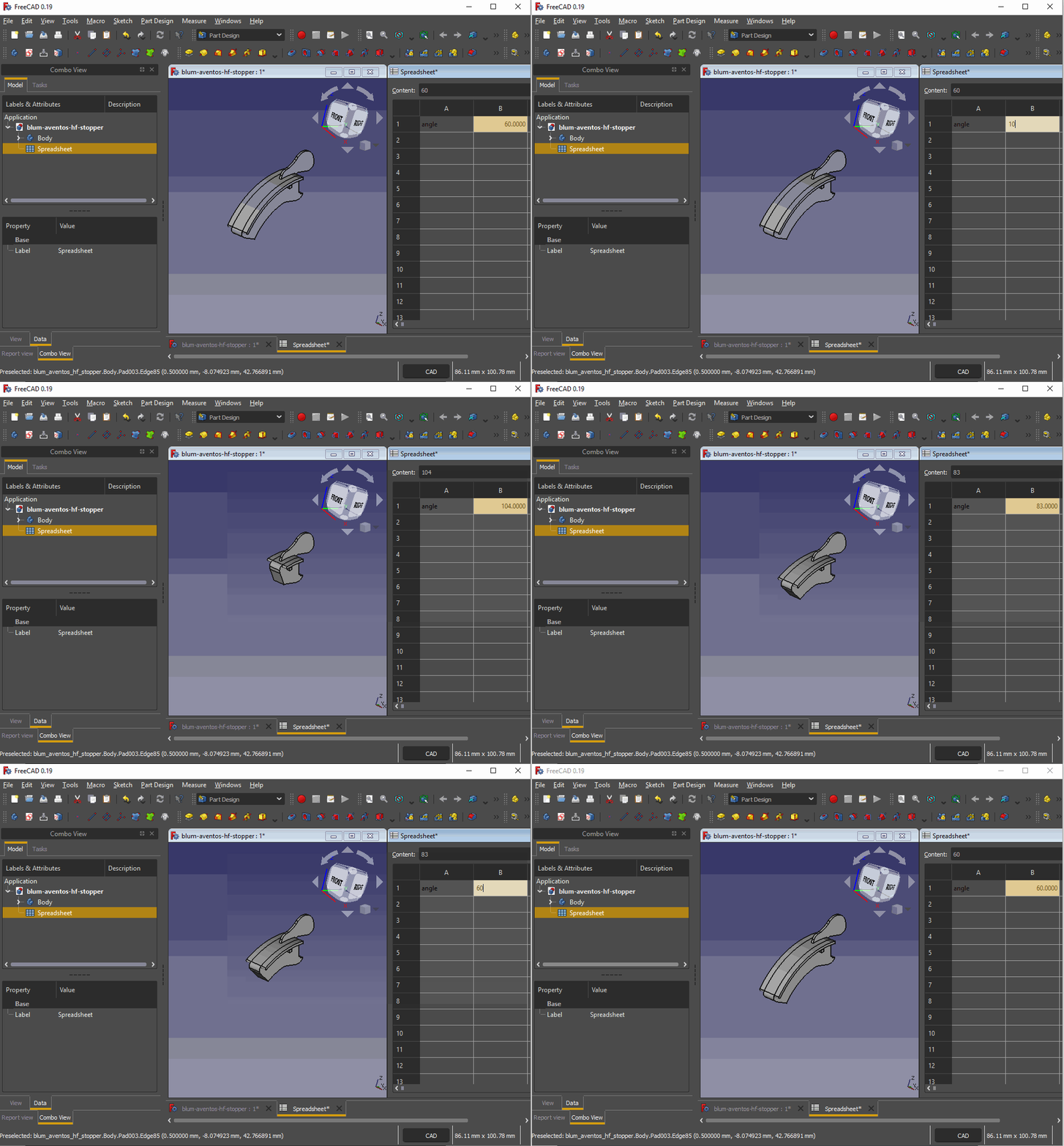
These files provide models to be used in place of any Blum 20F70x1 stopper (such as 20F7011 or 20F7051) but allows your to use any angle instead of the stock 83° and 104° provided by Blum.
Personally I had to set it to 60° to avoid hitting another door.
Usage
- Open the included source
blum-aventos-hf-opening-angle-stop.FCStdfile with FreeCAD (a free and open source 3D modelling software) - From the model tree, double-click on the
Spreadsheetobject. - Modify the
B1cell to the angle value of your choosing. - Single-click on the
Bodyobject from the model tree. - Select
File→Export...(orCtrl+E) and select the output STL file destination. - Slice the outputted STL file using 100% infill with your favourite slicer.
- Print.
- Install using the same method used for stock
20F70x1stoppers. Instructions can be found on Blum's assembly resources.