
The Artificial Trophy, created by Midjourney Bot
Obliczymy ostateczną cenę na podstawie wybranego pliku. Sprawdzisz ją i zaakceptujesz przed płatnością.
Zapisane na tym urządzeniu.

3D model of a trophy based on an artificially generated image
- Ocena
- 0 / 5
- Polubienia
- 44
- Pobrania
- 81
- Wydruki
- 0
- Wyświetlenia
- 2158
- Oceny
- 0
Aktualizacja u źródła:
Informacje o modelu
- Źródło
- Printables
- Kategoria
- Sculptures
- Licencja
- Creative Commons — Attribution — Noncommercial
Instructions
Print all parts (except the ‘Trophy base and chalice.STL’) in it's original orientation and a mirrored copy. These files have (mirror) in the name. You should have 1 base, 2 mirrored left handles, 2 mirrored right handles, 2 mirrored front pieces and 2 mirrored backs of front pieces.
If you print it at 100%, you can use 1.75mm filament in the holes to press fit the two mirrored parts together. This can be done for both handles and the front piece. Then the handles can be press fit in to the two rectangular holes near the top of the cup. The front piece is the only part that must sadly be glued in place in the designated cut out.
To get this colorway:
- The ‘Trophy base and chalice.STL’ must have a filament swap right after the base and right where the foot of the cup ends.
- All the handles can be printed in gold (just one color)
- The ‘Front piece (mirror).STL can be printed in gold (just one color)
- The ‘Back of front piece.STL’ needs a filament swap right before the blue spikes begin. For 0.2mm layer height, this is after layer 3.
The idea
Everyone is talking about AI in 2023. With a lot of different ways these tools can be used, I took the challence upon myself to see if a generated image can be turned into a 3D model.
I used the Midjourney Bot to help me generate a design for a trophy. The prompt I used was:
/imagine a cool first place trophy design white background
After a short wait the AI gave me 4 renders to choose from. I picked based one which one I thought was the best to print.

They are all very cool, but I asked Midjourney to give me some variations on the fourth one, after which I upscaled the second one to get a better quality image.
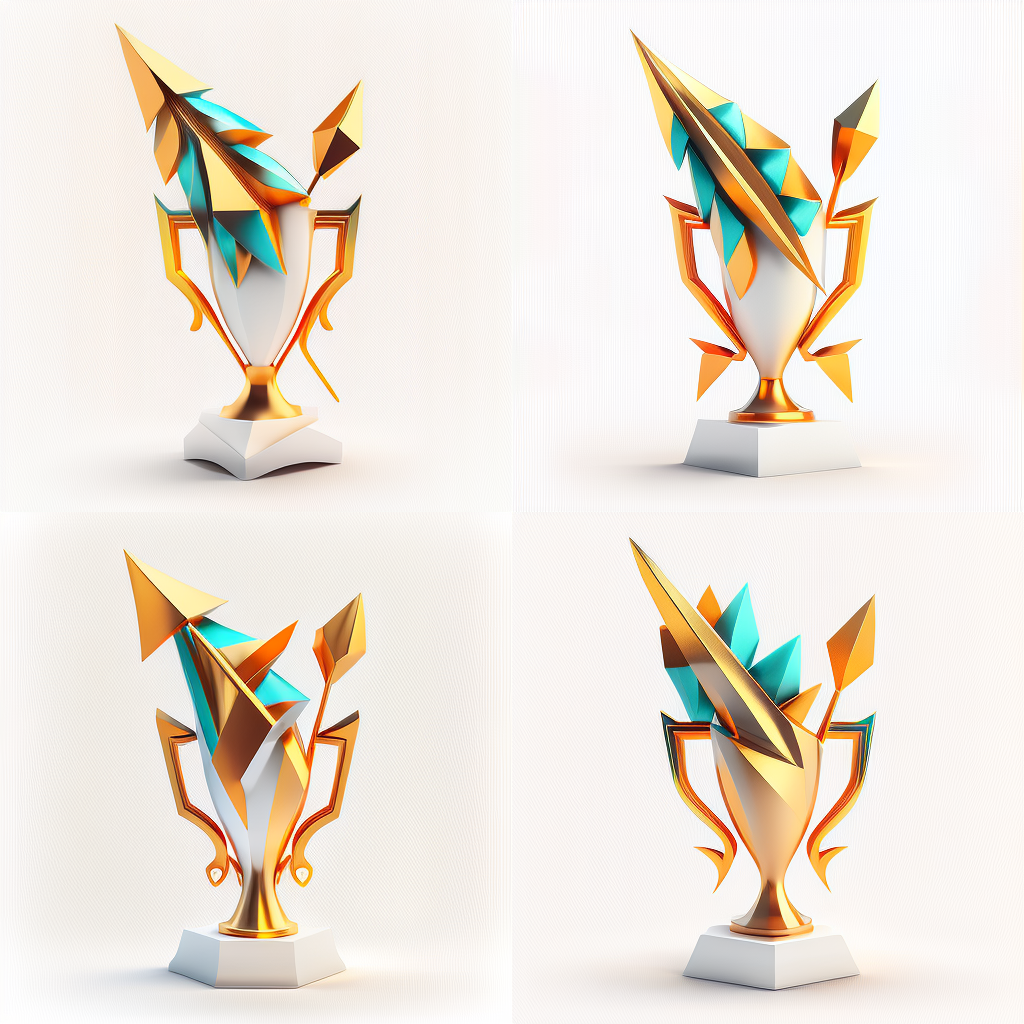
This is the trophy I wanted to model in SolidWorks. This turned out to be quite the challenge.

Modelling
I want to 3D print this trophy, in all three colors without painting, and without a dual extruding printer. I want the trophy to be easy to assemble and to be good looking from all sides. I also want to avoid support material. I came up with the following 3D model:

- Base: Here the base + chalice is one piece that can be printed with filament changes for the gold foot. This was relatively easy to 3D model.
- Handles: The handles were next, since I don't want support, I decided to make them printed flat in two halves. These can then be joined using 1.75mm filament press fit, or just using glue, or both for good alignment.
- Spike: The gold spike on the right side of the trophy is just part of the left handle, so it is printed simultaneously.
- Front piece: This was the hardest to model and keep true to the original image. I decided to cut it up in 2 parts that are then mirrored again. The main part is all gold, the other part has some gold on which the blue triangles are printed using a filament swap. These four pieces can be connected using 1.75mm filament again.
Time spent on the design: about 8 hours (with one Solidworks crash).
Comparison
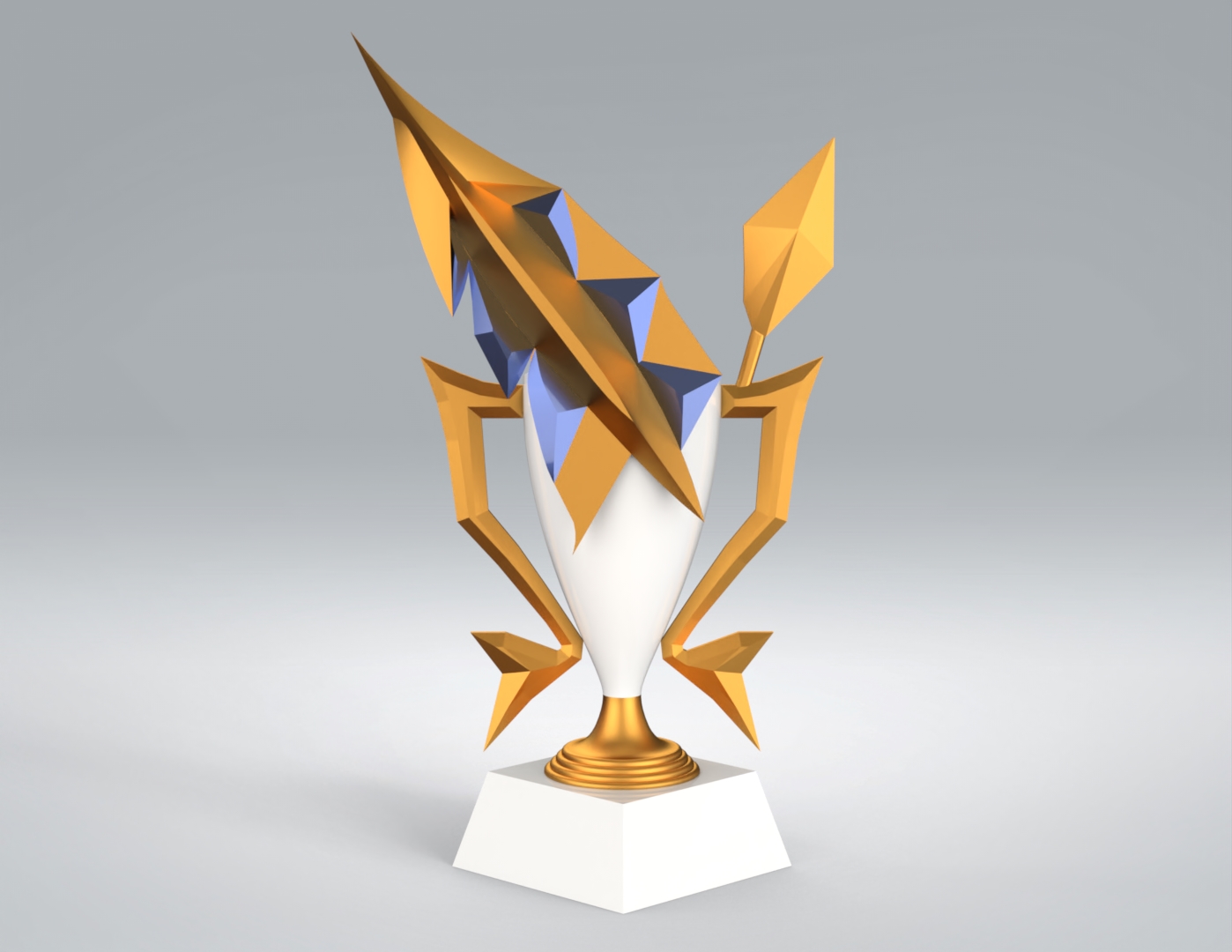
3D model above, Midjourney's render below.
Midjourney's render above, 3D print below.

What I learned
I was going in to this project expecting to be able to create at least 2 trophies that the AI gave me. However, it turns out that trying to model something from a generated image is a lot harder and more time consuming than I first imagined. I am very happy with this result, though!