
OMTech Polar Manual Focus Block
Obliczymy ostateczną cenę na podstawie wybranego pliku. Sprawdzisz ją i zaakceptujesz przed płatnością.
Zapisane na tym urządzeniu.
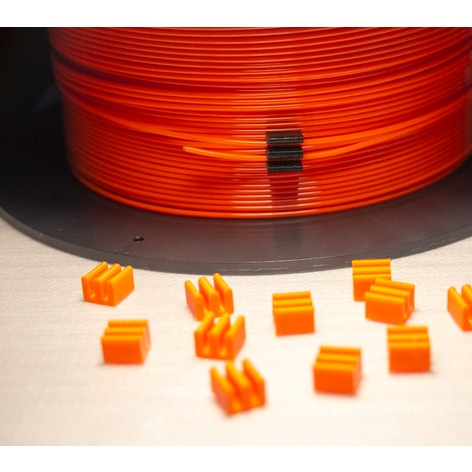
This is the perfect size block for manually focusing your OMTech Polar laser cutter, regardless of material being used.
- Ocena
- 0 / 5
- Polubienia
- 9
- Pobrania
- 120
- Wydruki
- 0
- Wyświetlenia
- 811
- Oceny
- 0
Aktualizacja u źródła:
Informacje o modelu
- Źródło
- Printables
- Kategoria
- Tools
- Licencja
- Creative Commons — Attribution
There are two ways to focus your OMTech Polar:
- Subtract the width of your material in mm from 17mm, then set a z-axis offset in LightBurn while making sure you home the laser lens before each print - WHAT A PAIN!
- Install an external Ruida Controller (RDC6442S) then easily set the ideal focal height before a print using a guide instead of doing math and applying withing the cutting software.
I've found the second option to be far simpler, and I find myself never forgetting to set focus before cuts/engravings now.
Print this block with PLA/PETG large face down at .2mm, 15% cubic infill, and no supports/brim.
To use, simple place the block long edge up on top of your material and then use the controller to lower the lens assemble down until it touch the top of the block - that's it, you are now focused.
When not in use the piece can be stored out of the way for easy access on the chain rail (see photo).
After focusing your laser you can attach my custom lens assembly cover which can be downloaded here (allows you to install/remove even after setting z-axis focal height): https://www.printables.com/model/493600-omtech-polar-replacement-laser-cover