[UNBRANDED] Octahedroflake (with member-requested custom sizes)
Obliczymy ostateczną cenę na podstawie wybranego pliku. Sprawdzisz ją i zaakceptujesz przed płatnością.
Zapisane na tym urządzeniu.

The model you all love, without my logo on it.
- Ocena
- 5 / 5
- Polubienia
- 31
- Wydruki
- 1
- Wyświetlenia
- 1192
- Oceny
- 1
Aktualizacja u źródła:
Informacje o modelu
- Źródło
- Printables
- Kategoria
- Sculptures
Looking for a specific size? Just ask, and I'll generate one for you.
Interested in selling prints of this model?
Join my Exclusive Print Seller Tier on Patreon or my commercial-use tier here on Printables.com for the rights to list and sell prints of this model. Please note that if you are not a member of this tier, printing is intended for personal use only. I appreciate your support!
If you are looking for the pyramid, I moved all those models to their own page. You can find it here.
Features
- The Octahedroflake is designed to be printed with a single perimeter, allowing you to print the entire model with one continuous extrusion if sliced properly.
- With no supports or infill required, this model is easy to print.
- The flat square bottom layer ensures a stable and even print surface for hassle-free printing.
- The intricate design of the Octahedroflake results in a beautiful and stunning final product.
- Made entirely with CadQuery
Important Note (don't resize)
After extensive testing, I've optimized the dimensions, gaps, and thin walls for the best print quality. I recommend printing the model as-is to ensure optimal results without resizing it. I generated a lot of different sizes and configurations. Feel free to message me if you need custom dimensions, and I can generate them for you.
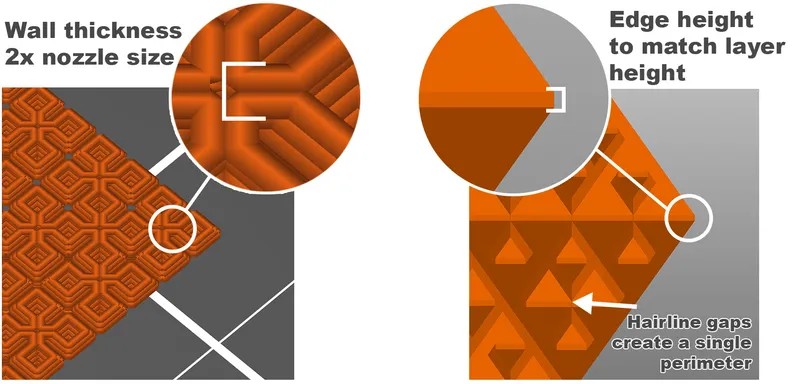
Slicing Instructions:
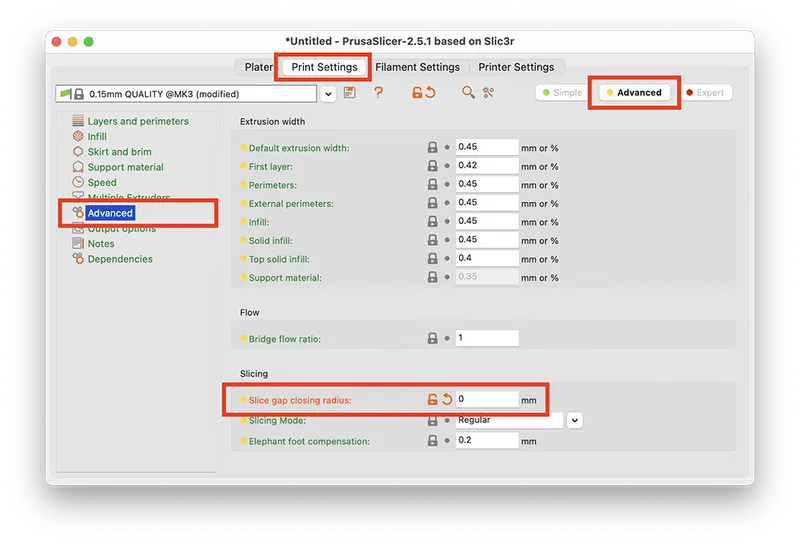
There are hairline gaps in strategic places to make it a continuous perimeter. Normal slicing settings will close these gaps. You'll have to explain to the slicer that you don't want it to do that. (you'll have to enable at least “advanced” mode in PrusaSlicer to do it). Set the closing radius to zero.
Enable the spiral vase mode and give it just one bottom layer. 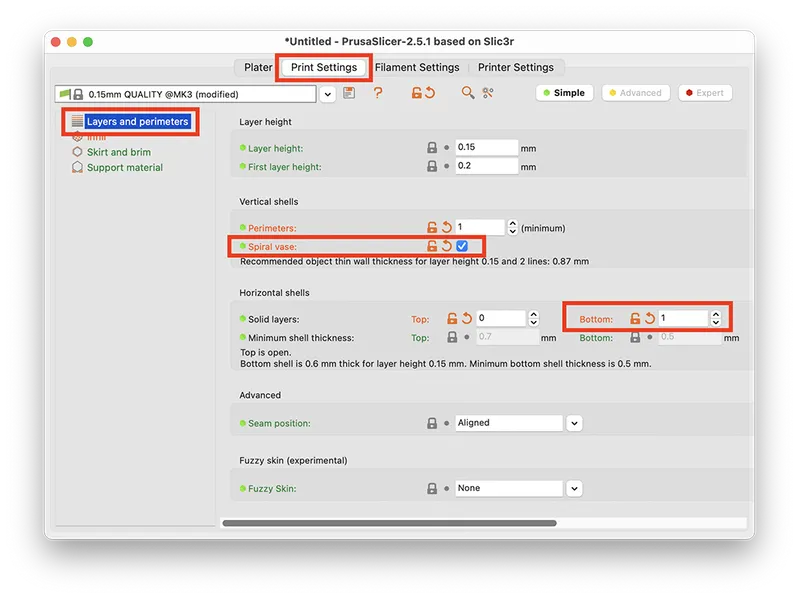
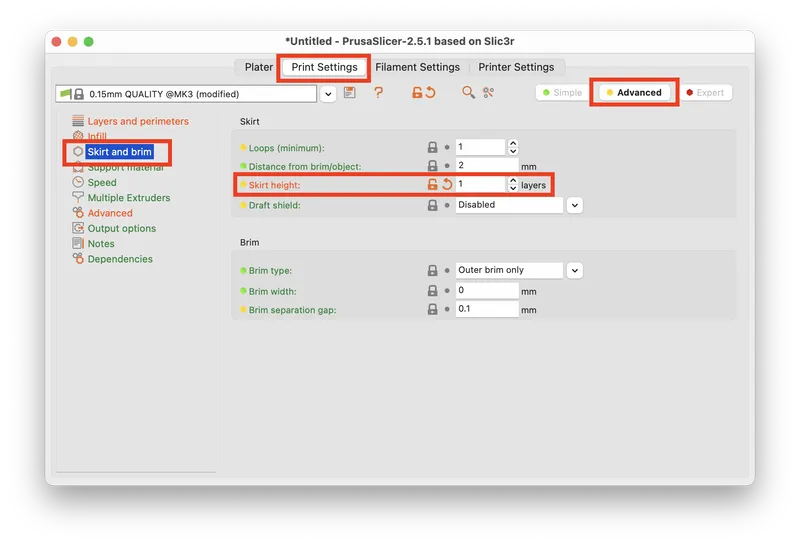
Optional: give it a short skirt so it goes right into the spiral after the first layer.