
Skeloween - the not so scary skeleton
Obliczymy ostateczną cenę na podstawie wybranego pliku. Sprawdzisz ją i zaakceptujesz przed płatnością.
Zapisane na tym urządzeniu.
Skeloween is the not so scary skeleton appearing out of 3d printers just before Halloween.
- Ocena
- 5 / 5
- Polubienia
- 26
- Pobrania
- 78
- Wydruki
- 1
- Wyświetlenia
- 689
- Oceny
- 1
Aktualizacja u źródła:
Informacje o modelu
- Źródło
- Printables
- Kategoria
- Autumn & Halloween
- Licencja
- Creative Commons — Attribution — Noncommercial — NoDerivatives
Skeloween is the not so scary skeleton appearing out of 3d printers just before Halloween.
When I saw the outstanding creepy-cute wooden skeleton on instructables https://www.instructables.com/Simple-Wooden-Skeletons/ (credits for the skeleton style go to heck yes art), I wanted to give it a try and create a 3d printable figure in that style.
I eye-balled it in fusion 360, not using a single measurement and not entering a single parameter, and voilà, the not so scary Skeloween.
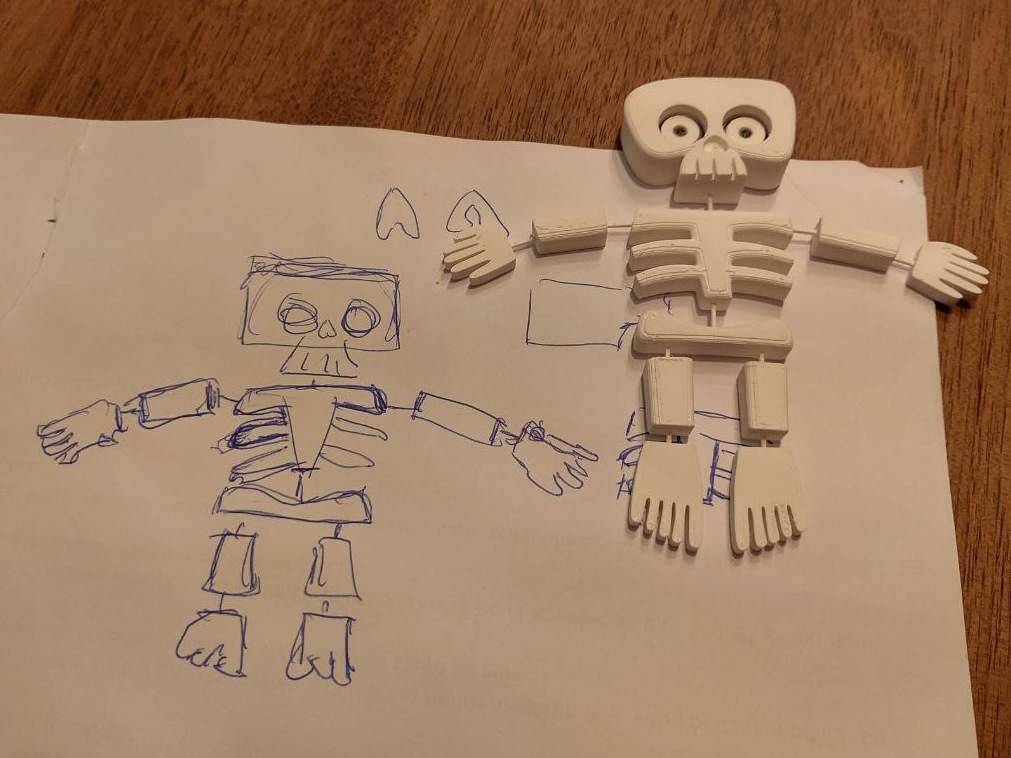
You'll need two colors for this, and the eyes have to be glued in. Alternatively, you may print only the skeleton and use some black markers for the eyes.
Usually trying to avoid bridging, I decided this to be one of the main features of this model: instead of creating holes and attaching some kind of string, I figured a fine bridge would be strong enough to keep the parts together, and flexible enough to give Skeloween some life and character.
I deliberately did not include the bridges in the actual model, so that the model can easily be scaled without them. With the great PrusaSlicer those bridges can easily be added in the slicer, depending on personal preference and material used for printing. You'll find my configuration in the files section.
There are 2 versions of the skeleton:
- With hook : The hook allows hanging Skeloween on a door or a window with a string
- Without hook : If you prefer attaching Skeloween with for example a magnet, choose the version without hook and add a hole in the back of the head with your slicer software to glue the magnet in.
Printing instructions
- Add joints between the skeleton parts, for example boxes 0.8 x 0.8 mm, maybe a bit stronger for the neck.
- Do what you always do!
- Glue the white eye rings onto the black eye discs
- Glue the eyes into the skeleton

For my prints I used Extrudr NX2 PLA and added 0.8 x 0.8 mm joints between the skeleton parts.
Try out different eye forms and sizes, glue them off-center, this will give your skeloween a slightly different look.
!! Please read !!
This is not a toy for children! The joints as thin as I made them in the picture will snap when not handling skeloween carefully! You may want to add a lot stronger joints if you plan to put this in the hands of children.
Have a boo-tiful halloween! |