
PETG Prusament Clamp customizable
Obliczymy ostateczną cenę na podstawie wybranego pliku. Sprawdzisz ją i zaakceptujesz przed płatnością.
Orientacyjna cena wydruku pliku
1,39 € – 1,69 € netto (bez VAT)
Dla pliku: v6 encoche_0.3mm_PLA_MK3_1h10m.gcode
To wstępna wycena jednego pliku. Dokładną cenę poznasz przed zamówieniem.
Plik i założenia wyceny
Plik użyty do wyceny
Średnia wycena orientacyjna: 1,54 € netto (środek widełek).
- Masa podana przez autora
- 27 g
- Czas druku podany przez autora
- 1,17 godz.
- Materiał u źródła
- PLA
- Materiał wyceny
- PLA
- Drukarka wyceny
- Bambu Lab P1S - 0.4 nozzle
- Proces wyceny
- 0.20mm Standard
Orientacyjna wycena wyłącznie wybranego pliku, oparta na masie i czasie druku podanych przez autora. Warianty plików nie są sumowane. Ostateczna cena zostanie obliczona po analizie pliku.
Zapisane na tym urządzeniu.

(v6) Remix of the original PETG Prusament Clamp
- Ocena
- 5 / 5
- Polubienia
- 122
- Pobrania
- 158
- Wydruki
- 7
- Wyświetlenia
- 2096
- Oceny
- 1
Aktualizacja u źródła:
Informacje o modelu
- Źródło
- Printables
- Kategoria
- Test Models
- Licencja
- Creative Commons — Public Domain
NEW (v6), accessory for spooler holder (from 36 to 51 mm (with v5 other part))
NEW (v5), a short version in accessories folder
This model is customizable in Prusa Slicer (2.6.1)
It can clamp from 42 to 57 mm (15 mm of drive) and are reinforced near the clip to be more strong (i have brake one to test).
I am sorry because the print file is in PLA, i have not PETG in stock.
HOW TO MAKE CUSTOM
- Step 1: open prusaclamp v4.3mf (open as Project at prompt menu)
- Step 2: select clip up full and change Z position (for example 10+51mm=61)
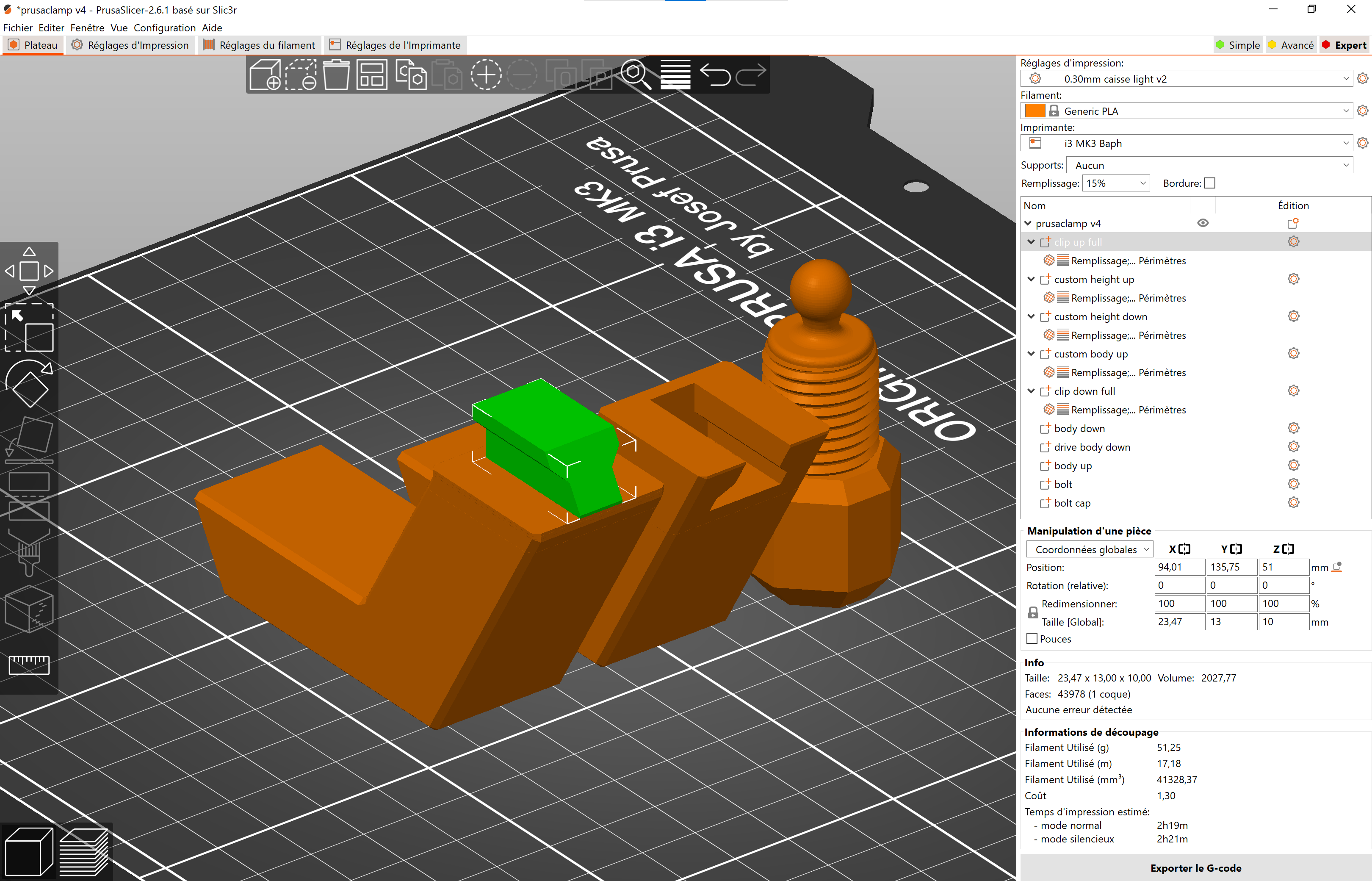
- Step 3: select custom height up, unlock the lock before resize and change the Z height (10+0,5 mm=10,5)
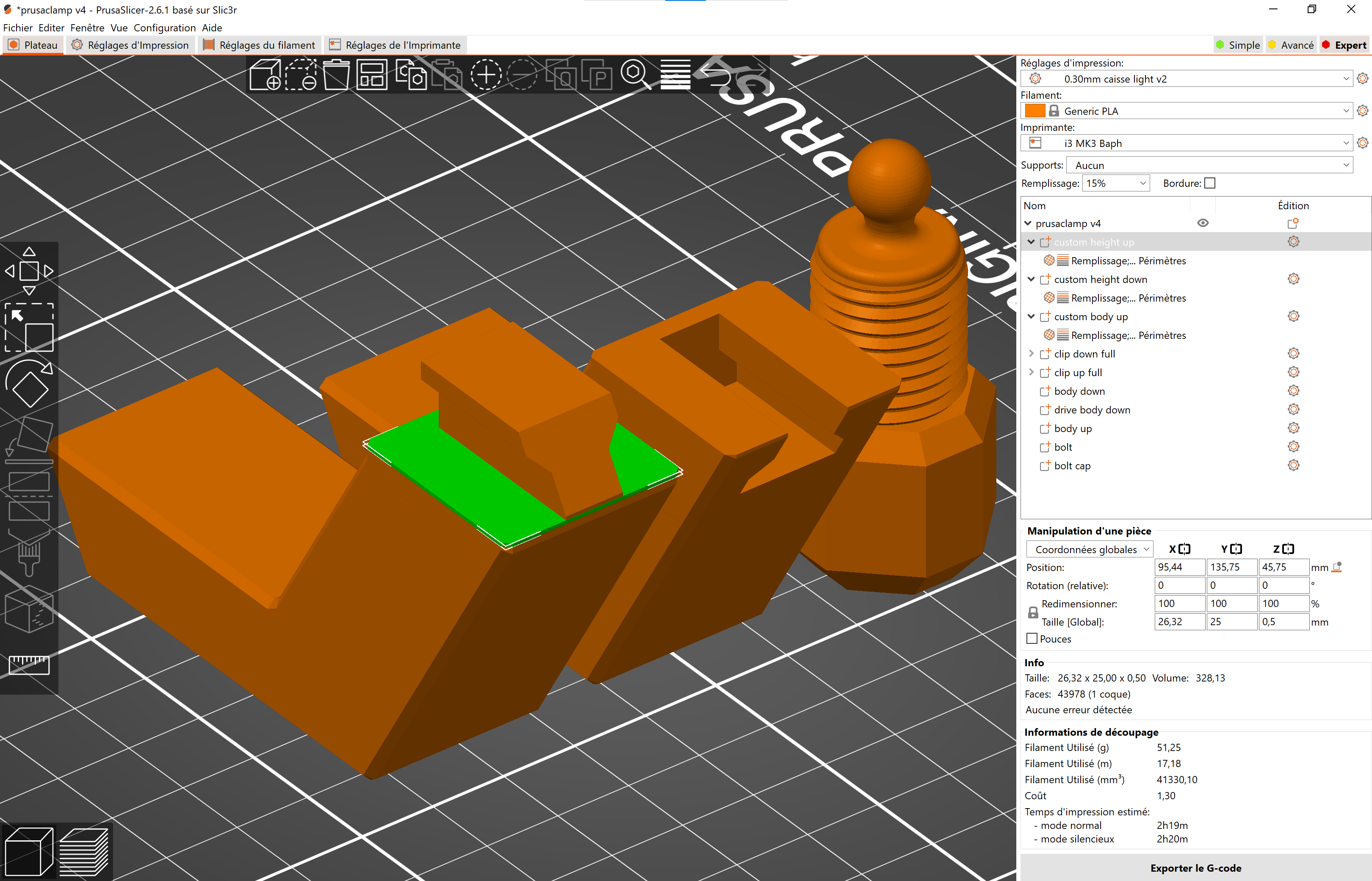
- Step 4: add in Z position the half size you want ((10/2)+45,75 mm =50,75)
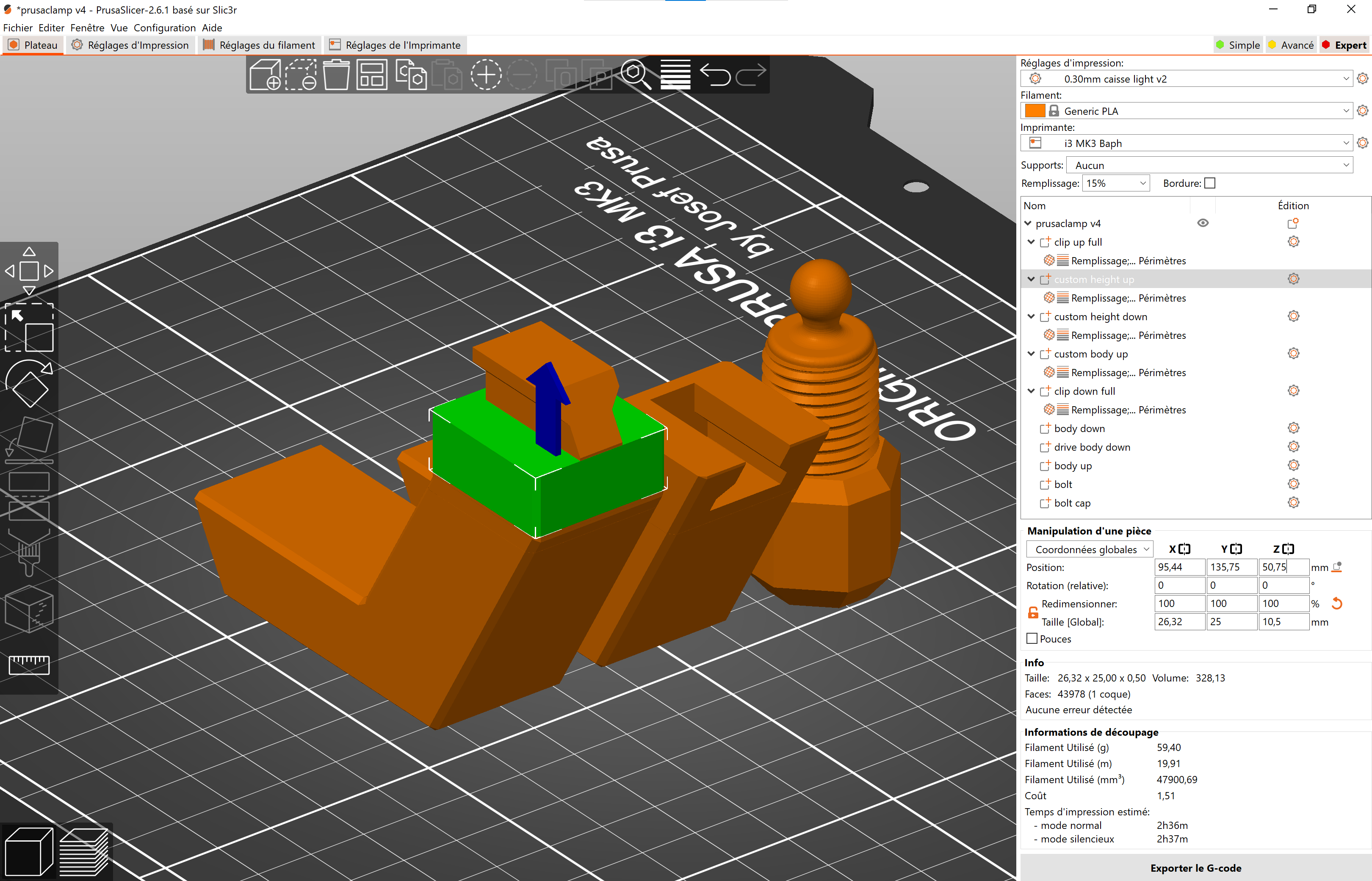
N.B.: play with custom height up and custom height down to have the just quantity of full infill under the clip and other density more down with “custom height down”. You will see in example two more down.
- Step 5: remove the infill in the custom body up
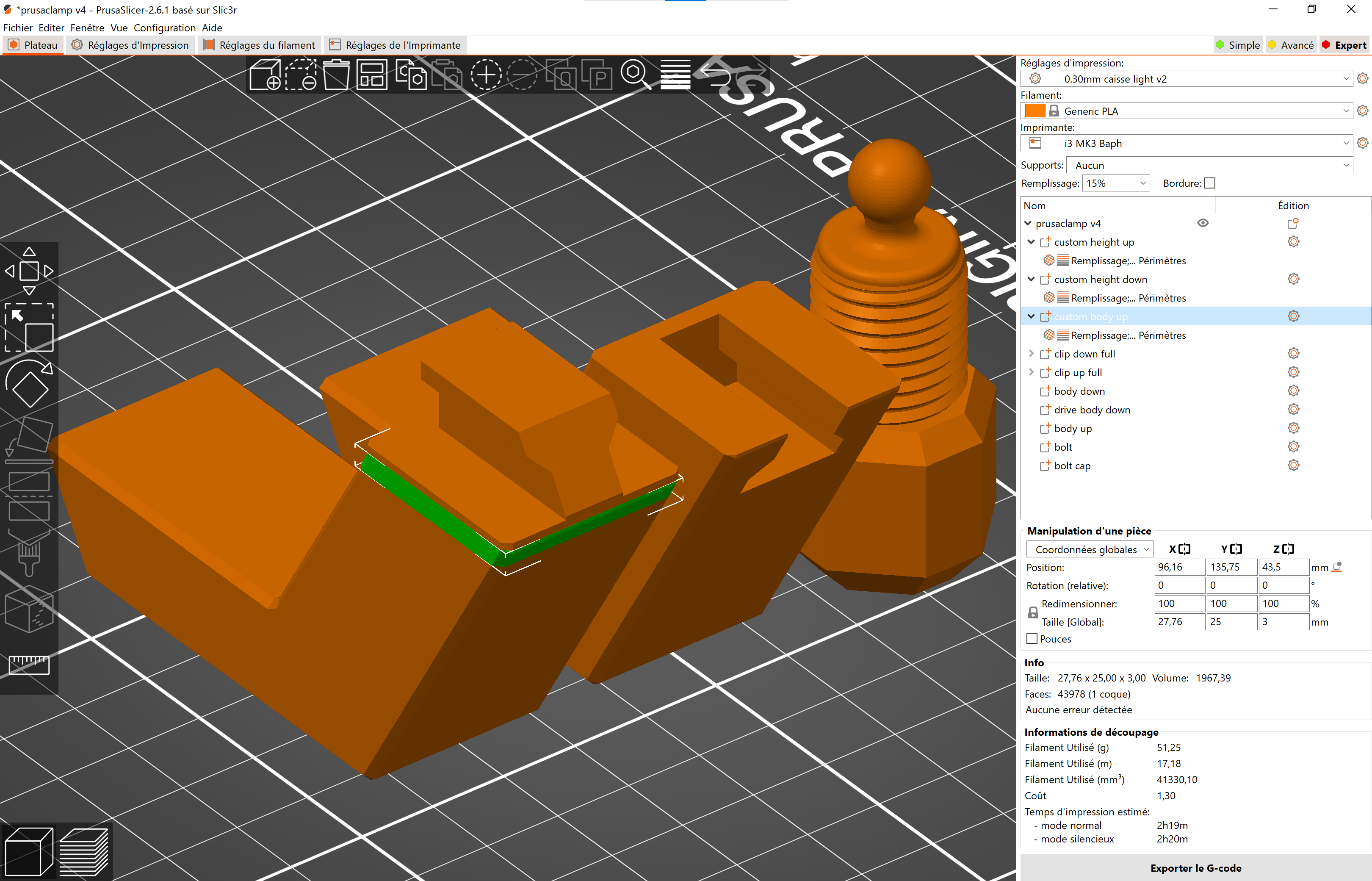
Now you can create different accessory with the *.stl i have given.
For example 2 with custom height up and custom height down:
- Step 1: open prusaclamp v4.3mf (open as Project at prompt menu)
- Step 2: select clip up full and change Z position (for example 20+51mm=71)
- Step 3: select custom height up, unlock the lock before resize and change the Z height (5+0,5 mm=5,5).
- Step 4: add in Z position the difference you have choosing (20-5=15). (15+45,75=60,75) and add the half size of the choice (5/2=2.5). add this in Z position (2,5+60,75=63,25).
- Step 5: select custom height down, change Z height with the difference (15+0,5=15,5), and add the half size of the choice (15/2=7,5). add this in Z position (7,5+45,25=52,75).
- Step 6: remove custom parameters in the custom body up, remove custom parameters in the custom height down.
Enjoy !