
Prusa Balance Game Die
Obliczymy ostateczną cenę na podstawie wybranego pliku. Sprawdzisz ją i zaakceptujesz przed płatnością.
Zapisane na tym urządzeniu.

This is a special two color six sided die, made just for use with Prusa's Balance Game! No supports No MMU!
- Ocena
- 4,667 / 5
- Polubienia
- 39
- Pobrania
- 221
- Wydruki
- 7
- Wyświetlenia
- 1604
- Oceny
- 6
Aktualizacja u źródła:
Informacje o modelu
- Źródło
- Printables
- Kategoria
- Board Games
- Licencja
- Creative Commons — Attribution — Noncommercial — Share Alike
Prusa Balance Die
After printing the Prusa Balance Game - I wanted a New way to play…this die is the answer. In normal game play, each player adds their pieces 1 at a time - with that method, you can sometimes get all of the pieces on without tipping! The dice roll adds some randomness to the game (a link to the Prusa Balance Game can be found at the end of this article).
The die is 6 sided, 2 colors, requires no MMU, no supports and can be printed on almost any machine! If printed per the instructions, you should not need ANY supports!
Note about slicing: When you slice the shell, the slicer may report a stabilty issue, as the center of the “R” is floating with no support - this is not an issue, as once the Inner Block is in place, the floating section will now have a surface to print on (your slicer will not know this!).
Note about the balance game: There are 37 spaces on the playing field, I would suggest printing 22 pawns (Prusa's or Dragon's) for each player (at least).
Rules of the Game
With the Balance Game Die, you can get a “1”,"2", "R", or an "M"
At the start of the game, once you decide who goes first, that person rolls the die - if they get and "M" or an "R", they skip a turn - a “1” or a "2" starts the game.
- If you roll a “1” - you place 1 of your players on the playing field
- If you roll a “2” - you place 2 of your players on the playing field (if you only have one pawn left, you must skip a turn).
- If you roll a “M” - you must “Move” one of your players on the playing field from one location to another.
- If you roll a “R” - you must “Remove” one of your players from the field of play, it is returned to your player pool.
- If there are too few spaces on the board to do what the dice requests (only one space left but two on the die) the player may role again. After that, they skip their turn.
Winning the game: If the playing field is toppled or any players fall off of the playing field - the last person to make a move loses the game. If none are toppled during gameplay, the first player to use up all of their “pawns” is declared the winner.
Alternate Winning: If all of the 37 spaces are filled without tipping, the winner may be called as the one with the most players on the playing field
Printing The Die
I printed my die with Inland PLA+ Black for the inner block, and Inland PLA+ Peak Green for the exterior shell..
The die is printed in two parts - first, print an inner block, then print the outer shell - towards the end of the outer shell print, the previously printed block is slid inside and the print continues - this same method was used on my previous “Shaky Dice” project located elsewhere on Printables.
I have added a Tester & Tester Blocks to make it easier to print. I had successful prints on using both inner block #2 & #3 - I would suggest printing the tester to be sure!
Printing the Tester & Tester Blocks
I printed my tester & blocks with some extra filament I had (also PLA+)
Start by printing the tester and associated “tester blocks” - this will be used to determine the size of the inner block you will print for your final print. If you are slicing this yourself, line up the arrows on the surface, so that the prints all face the same way (when printing and testing).
There are four (4) tester blocks:
#1 - 22.40mm square (one raised dot on top)
#2 - 22.30mm square (two raised dots on top)
#3 - 22.20mm square (three raised dots on top)
#4 - 22.10mm square (four raised dots on top)
Slide each of the the tester blocks (with the arrows matching) through the to see what size you wish to use for your print (you will then choose the Inner Block to match).
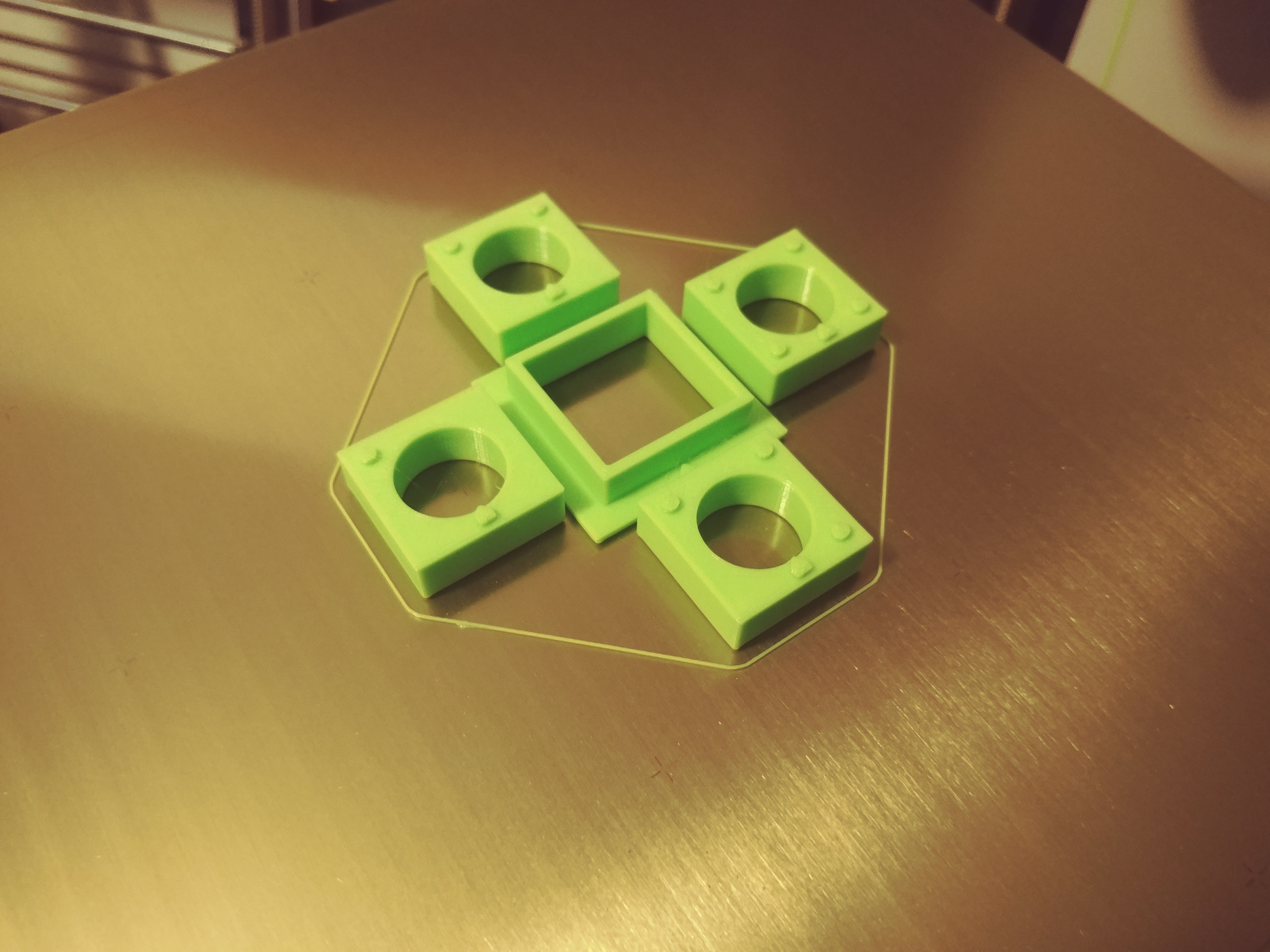
(Notice how the arrows on the tester prints are all facing the same way)
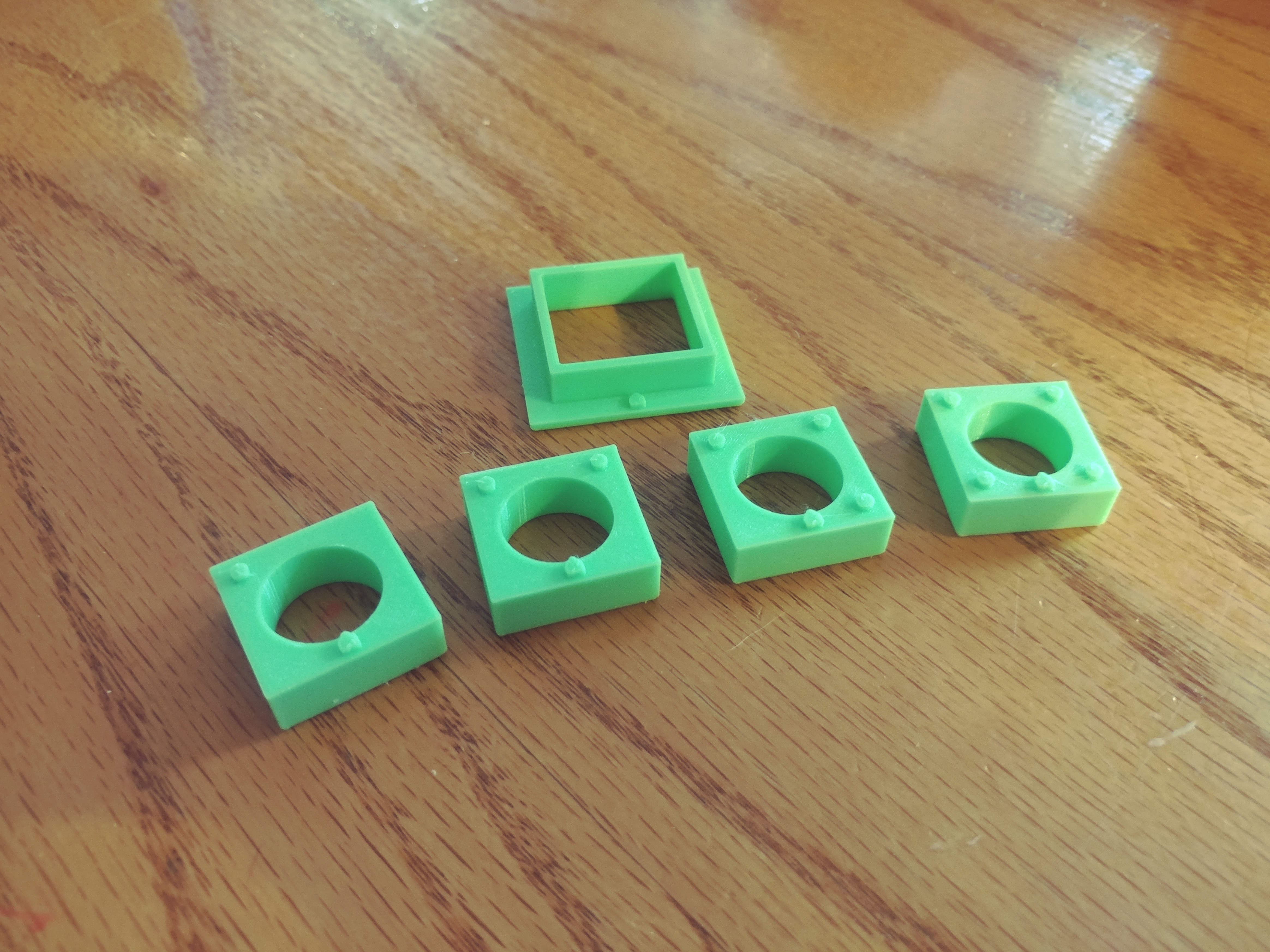
Test Base & Tester Blocks after printing
Printing the Inner Block
The die is printed in two steps…
Step One - Determine what color you want for the “inside block” (this would be the IB files). You need to also determine which block you would like to print (matching the tester block). Print your block, pay attention to the orintation of the arrow on top (you will want to print the shell facing the same way). After the print is complete, test the block in the tester base to see how it fits (I would suggest a little sanding to smooth out the surface and provide an easy fit (the block will be slid into the “shell” partway through the print).

The block is printed and ready to go - this inner block has three dots
(matching the tester block)
Printing the Shell
If you slice your own file, position the part so that the arrow (inside the bottom of the shell) is oriented to match the direction of the inner block that you printed earlier. You also need to position the print to make sure the “R” is the last item to print & set a pause in the print, so that the printer will pause before the “top” is printed. The presliced file is already set, with the arrow facing forward.

The shell has begun printing - notice the orientation of the arrow on the inside bottom of the shell (print was paused for clarity)
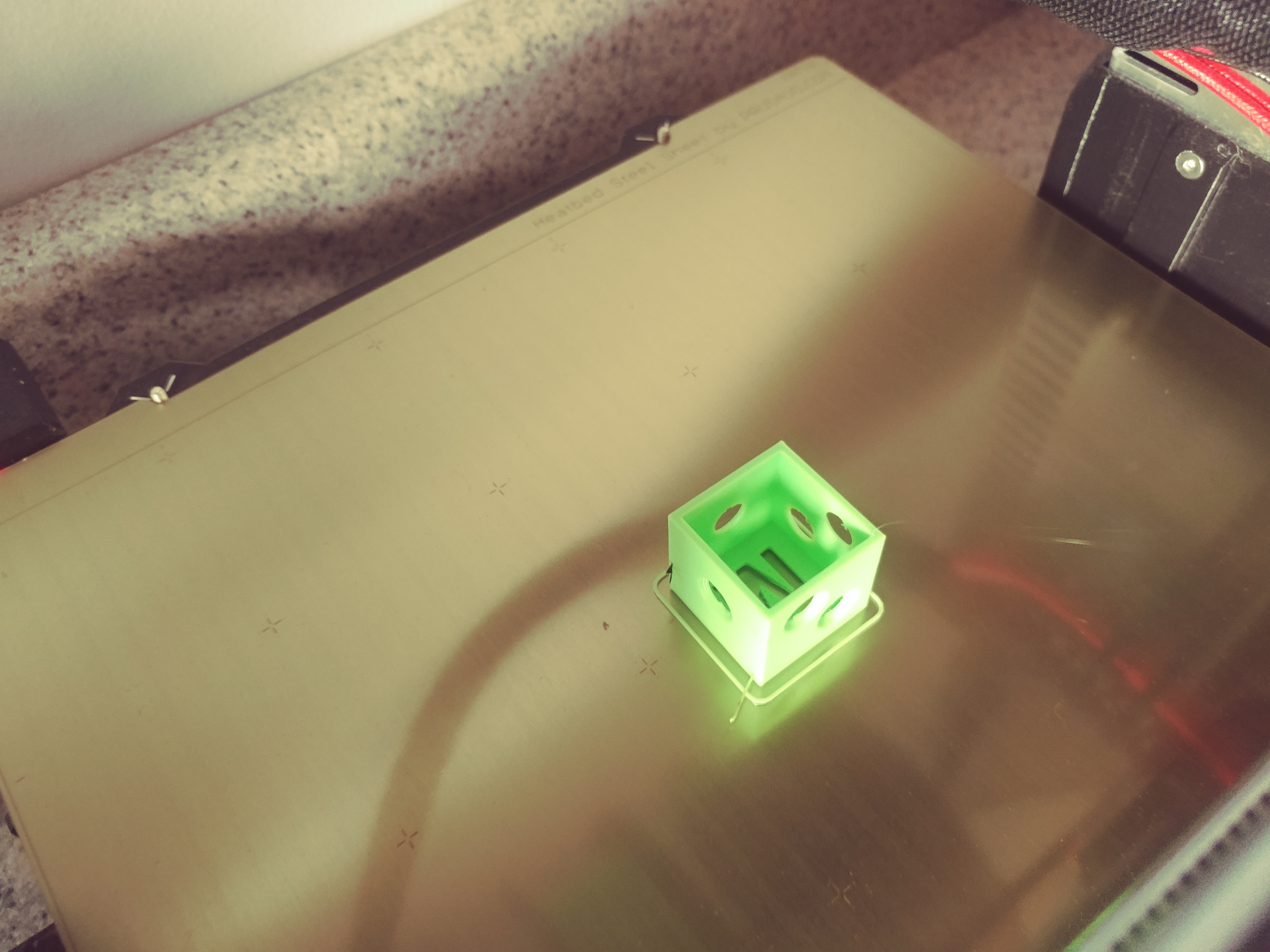
The shell is now paused waiting for the block to be added…
Note about slicing: When you slice the shell, the slicer may report a stabilty issue, as the center of the “R” is floating with no support - this is not an issue, as once the Inner Block is in place, the floating section will now have a surface to print on.
When the pause hits, slide the inner block into the shell, then continue the print.


The inner block is slid down inside, flush with the top edge
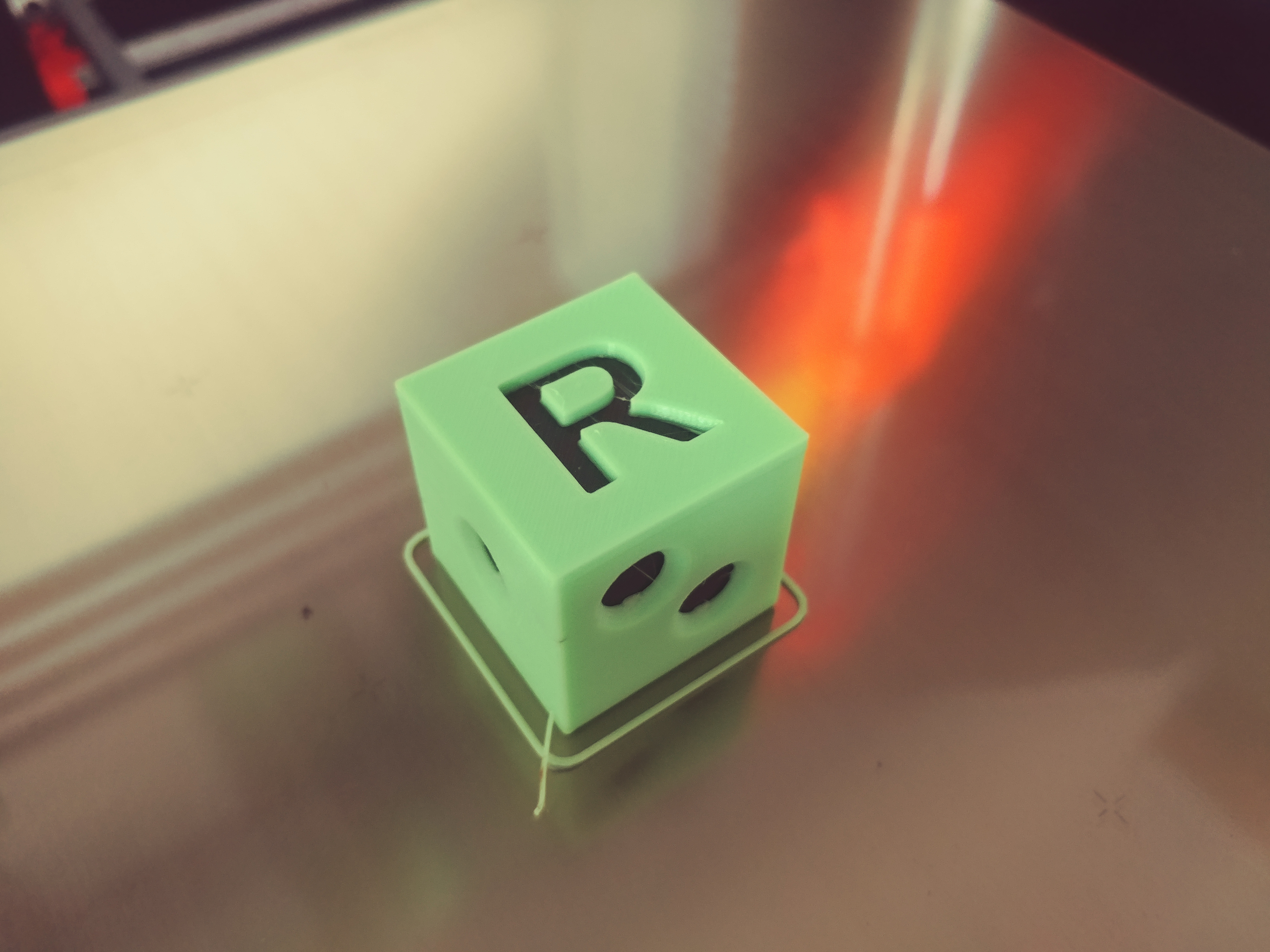
When it finishes, you will have a multi colored die - all six sides.
This design is similar in nature to my “Shaky Dice” also available on Printables. See my other games and puzzles on Printables!
You can find the balance game here: