
Parametric Playing Card Box
Obliczymy ostateczną cenę na podstawie wybranego pliku. Sprawdzisz ją i zaakceptujesz przed płatnością.
Zapisane na tym urządzeniu.

Customisable box for any set of playing cards
- Ocena
- 5 / 5
- Polubienia
- 54
- Pobrania
- 469
- Wydruki
- 5
- Wyświetlenia
- 1788
- Oceny
- 3
Aktualizacja u źródła:
Informacje o modelu
- Źródło
- Printables
- Kategoria
- Board Games
- Licencja
- Creative Commons — Attribution
Do you have various sets of different sized playing cards that are just flopping about without anything to hold them together?
Look no further, this card box can accomodate any set! (as long as it's not bigger than your printer)
The STLs uploaded here are specced to a standard set of Bicycle cards.
Customisation Guide
To customise it you'll need an Onshape account (it's free). Once you have that, here's a link to the document. Copy it into your account and tweak to your heart's content! Simply measure your card set's dimensions and plug them into the variables. The model has tolerances built in so no need to add those yourself.
If you're not familiar with Onshape, don't worry. All you have to do is double click the variables and change the number in the left sidebar (highlighted in the red box):
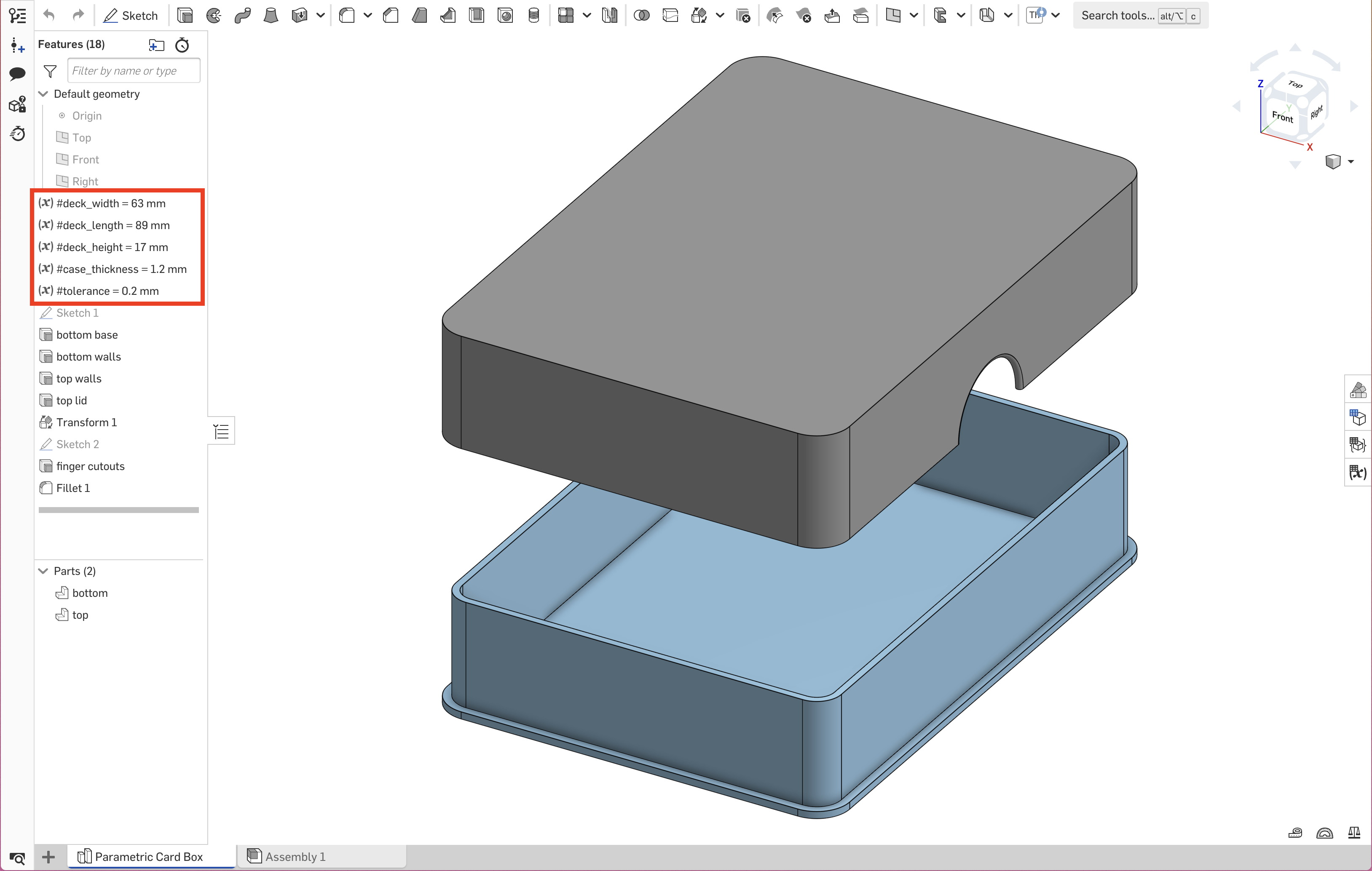
I've tried to give the available variables descriptive names but here's an explainer if anything is unclear. You should only need to change the first three in most cases:
- deck_width: the short side of the cards
- deck_length: the long side of the cards
- deck_height: the thickness of your stack of cards
For special cases there's also:
- case_thickness: the thickness of the bottom, top and walls of the card box. Larger cards may need a thicker box to avoid flex, but even my tall stack of Muffin Time cards is fine with the default. Your mileage may vary.
- tolerance: how much space there is between the top and bottom halves of the box where they slide together. The smaller the number, the tighter the fit.
Only adjust this if you get a very loose or tight fit on your specific printer!
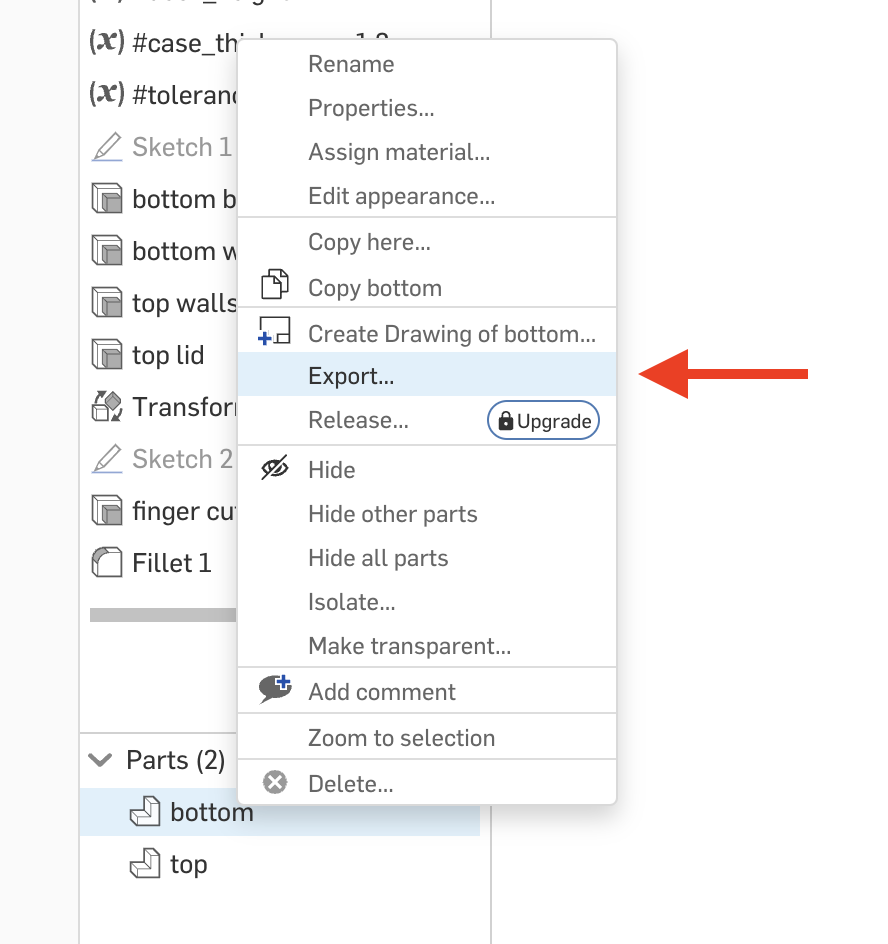
Once you have your dimensions set, right click on each part in the bottom half of the sidebar and select “Export”:
In the dialog that pops up, make sure your options are set as follows (the ones with the red arrows are the important ones):
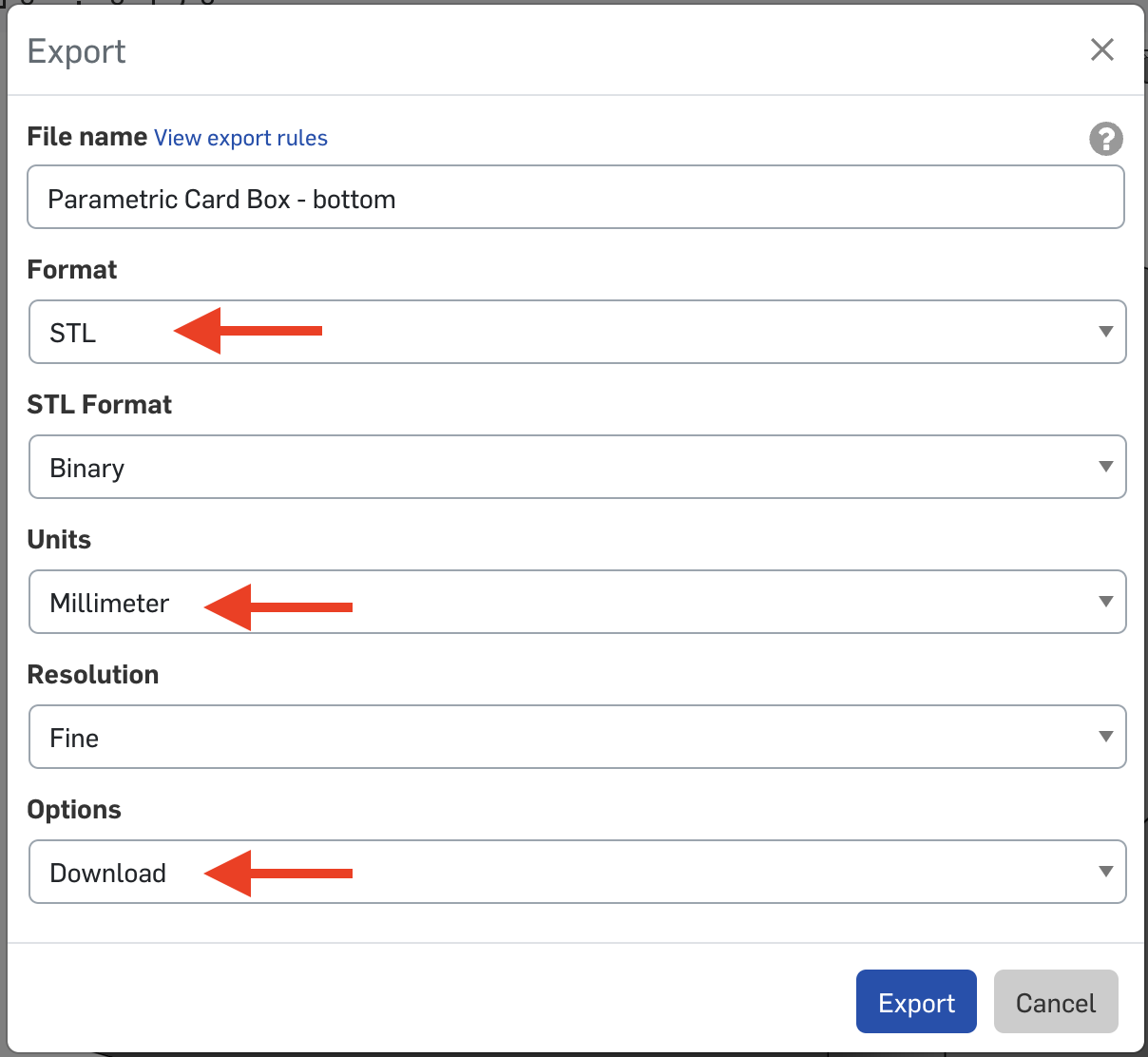
Then hit the “Export” button and you should get a tailored STL in your downloads!