
Ender 3 V3 KE Creality Digital Side Spool Mount
Obliczymy ostateczną cenę na podstawie wybranego pliku. Sprawdzisz ją i zaakceptujesz przed płatnością.
Zapisane na tym urządzeniu.

Remix of the side spool mount to have it perpendicular and to be able to use easily the Creality Digital Spool holder.
- Ocena
- 4,889 / 5
- Polubienia
- 261
- Pobrania
- 1641
- Wydruki
- 16
- Wyświetlenia
- 10 952
- Oceny
- 9
Aktualizacja u źródła:
Informacje o modelu
- Źródło
- Printables
- Kategoria
- Creality Parts & Upgrades
- Licencja
- Creative Commons — Attribution — Noncommercial — Share Alike
Ender 3 V3 KE Creality Digital Side Spool Mount. To reduce vibration on the frame I tried the side spool holder, but I wasn't satisfied with the look and also it felt weak. I wanted to have something similar to the Ender 3 V3 side spool holder, and also being able to read the Creality Digital Spool measured weight easily.
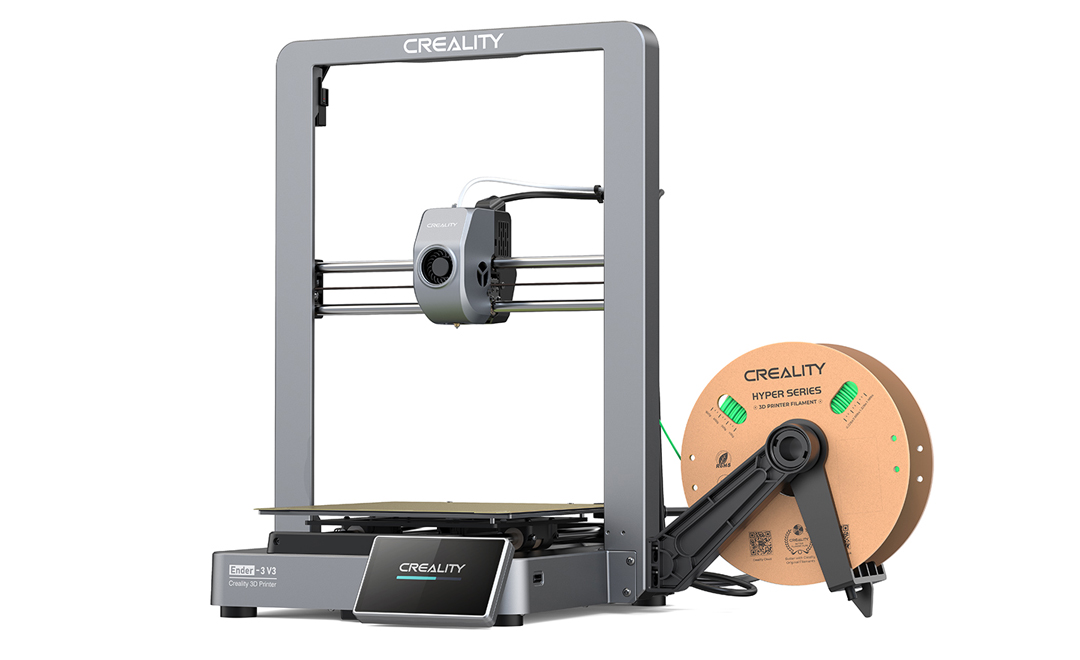
By combining both design I was able to create what I wanted. I feel much more stronger, it helps with the flow of the filament and looks great.
The spool holder work with the mod to rotate the screen, but you will need the long material rack from the Creality Digital Spool holder because the short one (that came with the KE printer) is too much. The short one may work if your screen is vertically (stock position) positioned, but I didn't tested it. Your comments are welcome to improve the design.
Additional materials
- 1x M5x20 bolt
- 2x M5x16 bolt
- 1x M5 washer
- 3x M5 nut
- Material rack
Note: use the one that came with the Digital Spool holder, the shorter one is too short if you have the screen horizontally like me - Creality Spool holder
Installation
- Assemble the Material rack to the printed holder using the M5 bolts, washer and nuts. Note: strongly recommended to that before installing the printed holder to the printer frame because it's easier
- Clip/press in place the printed holder to the printer frame
- Install the Creality Digital Spool holder
Print instructions
- Infill: 15%
- Orientation: Vertically
- Supports: With tree support
Note: I know you can see the two parts I remixed if you look at the model preview on Printables, but I assured you we don't see it when printing it. If you know how to remove this in Fusion360 please let me know, I'm still learning.