
Modular helping hand, holder, high load rotatable arm that you can use in your project
Obliczymy ostateczną cenę na podstawie wybranego pliku. Sprawdzisz ją i zaakceptujesz przed płatnością.
Zapisane na tym urządzeniu.

Modular helping hand, holder, high load rotatable arm
- Ocena
- 0 / 5
- Polubienia
- 144
- Pobrania
- 223
- Wydruki
- 0
- Wyświetlenia
- 2118
- Oceny
- 0
Aktualizacja u źródła:
Informacje o modelu
- Źródło
- Printables
- Kategoria
- Tools
- Licencja
- Creative Commons — Public Domain
Hi,
Here is my project Modular helping hand, holder, high load rotatable arm that you can use in your project. Just use holes on the end / table parts and screw it/mount it on your project :-)
Originally I wanted rotatable arm for my 3D printed display, but I decided to make the arm modular, so anything can be built from the parts. I started with seven basic modules.

With these parts I assembled the swing arm:


Now the system contains approximately 30 modules:

There are 2 types of joints:
- With grooves that fix the joint in the given position after tightening the nut
- Without grooves - even after maximum tightening, it is possible to turn the joint with force
You can, of course, combine both types, but when combined, the joint will behave as if there were joints without grooves on both parts


It is necessary to use M6 screws and nuts to connect the individual joints:
- DIN 603 - Mushroom head square neck bolts M6x45
- Nut M6 (DIN 934) but you can also use Wing nut or Dome cap nut
- Washer, 1mm thick

You will need these parts to connect the rotating / swivel joints and also Desktop joints:
- Hexagon head screw M6x20, like DIN 931, DIN933
- Nut M6 (DIN 934)


Special End part needs little bit longer DIN 603 - Mushroom head square neck bolts M6x55

You can assemble anything from the modules!


How to print?
I printed all parts on Mk3S+ and MK2.5S+ 0.4 nozzle from PLA
Layer 0.15mm, infill 15%, 3 perimeters, no supports.
I recommend this orientation:

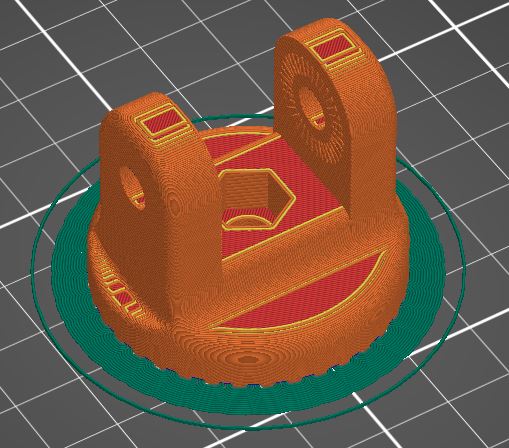
It's a bit more complicated with rotating parts, but it's not a big problem:
Print setting is the same like the other parts, except one:
Use BRIM and set Brim Separation GAP: 0.5
This setting helps to keep the object while printing, it also works as a support, but the object can be easily separated from the brim.
Please try to print test object - just 10 first layer, stop the printer and check if the setting is OK.


Happy printing