
P&LE McKees Rocks Locomotive Shop Wall V2.1
Obliczymy ostateczną cenę na podstawie wybranego pliku. Sprawdzisz ją i zaakceptujesz przed płatnością.
Zapisane na tym urządzeniu.
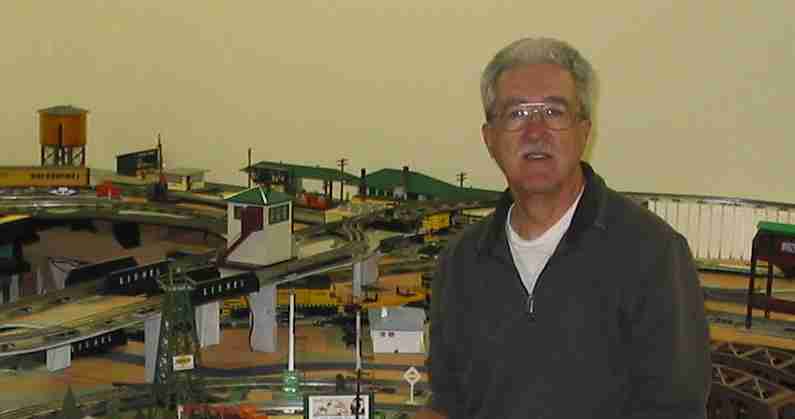
My O scale model train layout represents the section of the Pittsburgh & Lake Erie Railroad between McKees Rocks and…
- Ocena
- 0 / 5
- Polubienia
- 7
- Pobrania
- 42
- Wydruki
- 0
- Wyświetlenia
- 848
- Oceny
- 0
Aktualizacja u źródła:
Informacje o modelu
- Źródło
- Printables
- Kategoria
- Architecture & Urbanism
- Licencja
- Creative Commons — Attribution
My O scale model train layout represents the section of the Pittsburgh & Lake Erie Railroad between McKees Rocks and Youngstown. This wall section (stretcher bond brick pattern) will let you assemble a background flat of the McKees Rocks Locomotive Shop.
This is version 2.1.
Many photos on the Internet, example:
https://www.flickr.com/photos/dwdavidson/4880853220
The representation of the white paint and the lettering should not be printed (select "no" for show_white_banner_and_name). They will have to be painted on the final objects.
The glass block windows should be separately printed in a transparent PLA and could be back lighted. To print just the glass block windows, select "no" for all show options except select "yes" for show_glassblockwindow.
You will need 9 high wall sections and 8 short wall sections. You can get a high wall section by selecting "yes" for all show options except for show_glassblockwindow and show_white_banner_and_name. This should give you a wall with side relief (double wythe), cornice, roof flashing and foundation. There should be an opening for the glass block windows with a sill (rowlock brick pattern) underneath and a concrete header block above.
For the short wall section, turn off the side relief, roof, and cornice. Change the number of brick courses to 106.
Of course, you can change around any of the options and values to get all kinds of different walls and brick sizes.
The 3/8" bedding may be too small to see when printed in HO or N scale. The wall itself might be too thin for a good print - O & G scale walls may be solid enough to print.
Uses Build Plate from the Thingiverse library.
Original development using OpenSCAD 2015.03-3 then moved to 2017.01.20
I've now completed the printing (for O scale) and assembly of the Shops. I made 4 tall sections and 3 short sections (rather than the 17 total on the original). In order to fit on my printer bed, I had to print each section in two pieces. The walls were spray painted in a red that looks like brick. The windows were printed in white PLA.
In front of the building in my layout photo is my fleet of P&LE diesel engines. All MTH (SW-1500, 2x GP-7, GP38-2, and U28B).
The name right now is letters printed on paper and attached to the building using double-sided tape. It follows the contour of the layers of brick. Someday (famous last words) I hope to spray paint the white on the bricks and use large decal letters. This font is close to the font used on the prototype but does not match exactly. I'll have to try to find out what font the P&LE used (maybe an NYC font?).
I've added the P&LE logo to Thingiverse here:
https://www.thingiverse.com/thing:2468652
My web page: http://www.silogic.com/trains/layout.html
Print Settings
Printer Brand:
Prusa
Printer:
Prusa Mk2
Doesn't Matter
Supports:
Doesn't Matter
0.1mm
Infill:
20%
Notes:
Printing with 0.1mm resolution makes the prints take twice as long but with 0.2mm, the bricks did not look good (at least in O scale).
Category: Buildings & Structures