
ESPclock | Digital Clock v1.0
Obliczymy ostateczną cenę na podstawie wybranego pliku. Sprawdzisz ją i zaakceptujesz przed płatnością.
Zapisane na tym urządzeniu.

A simple Digital clock, with or without button
- Ocena
- 0 / 5
- Polubienia
- 15
- Pobrania
- 115
- Wydruki
- 0
- Wyświetlenia
- 961
- Oceny
- 0
Aktualizacja u źródła:
Informacje o modelu
- Źródło
- Printables
- Kategoria
- Electronics
- Licencja
- Creative Commons — Attribution — Share Alike
🚨THIS DESIGN IS NOW DISCONTINUED IN FAVOUR OF A NEW (and better) DESIGN 🚨
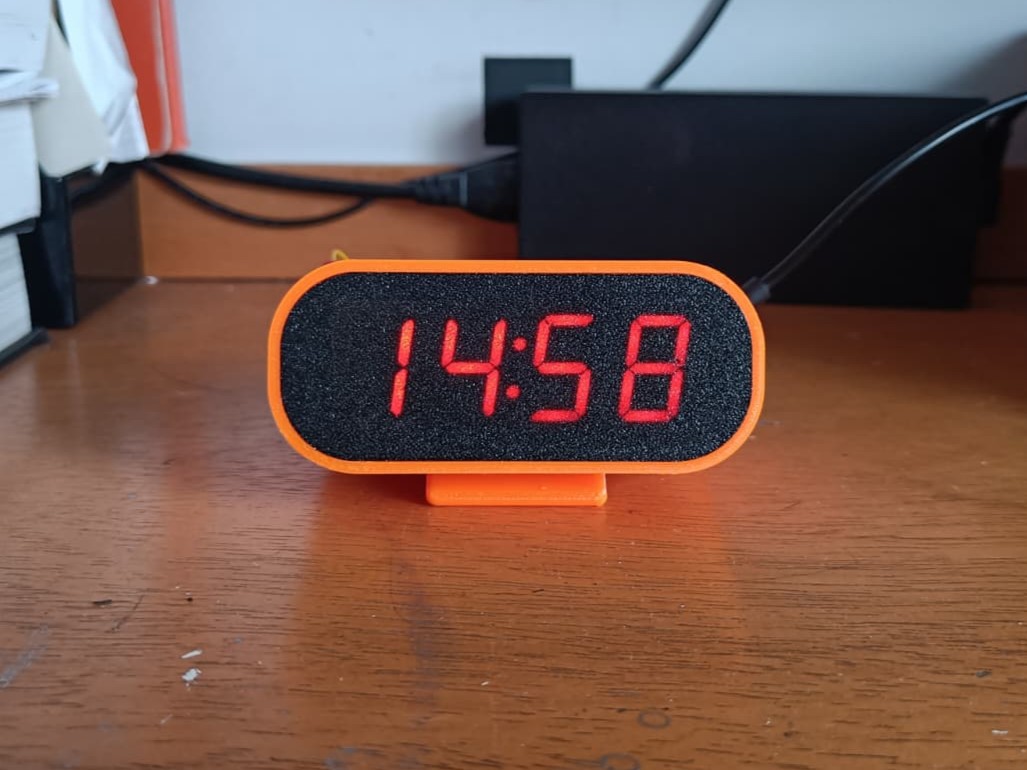
Check the new and updated design of this clock ⬇
https://makerworld.com/it/models/2405754-espclock-bold-digital-clock#profileId-2637281
https://makerworld.com/it/models/1594116-espclock-digital-clock#profileId-2069321
GITHUB (3d models + firmware + instructions)
https://github.com/telepath9/ESPclock
💻👾CIRCUIT DIAGRAM and FIRMWARE
https://github.com/telepath9/TM1637Clock
🟠 How to print
Layer width: 0.4
Layer height: 0.3
Perimeters (case): 3
Supports (case): yes
Perimeters (lid): 1
Supports (lid): no
⚙ What you need
Wemos D1 MINI (mine is V3.0.0) or Wemos S2 mini
TM1637 module https://a.aliexpress.com/_EuPY34F
x9 M2.5x6 screws and x3 M2.5 nuts
(optional) 12mm waterproof button
A small piece of breadboard
Wires
⚪Other
Nuts should be embedded in the case, so remember to add a pause on your slicer, at the right layer (91 if you print with 0.3) , in order to put them in their spots!
Because D1 mini has only 1 GND pin, and we need at least 2 GND pins, the solution i came up was to cut a piece of breadboard, drilling it, solder 3 headers and wiring it to the D1 mini GND, in order to have a GND expander.
About TM1637 module: you can mount it with 3 or 2 screws, because the 4th one isn't so reachable