2D Art Project Solidworks- Batman Logo
Obliczymy ostateczną cenę na podstawie wybranego pliku. Sprawdzisz ją i zaakceptujesz przed płatnością.
Zapisane na tym urządzeniu.

2D Art design project
- Ocena
- 0 / 5
- Polubienia
- 7
- Pobrania
- 151
- Wydruki
- 0
- Wyświetlenia
- 538
- Oceny
- 0
Aktualizacja u źródła:
Informacje o modelu
- Źródło
- Printables
- Kategoria
- 2D Plates & Logos
- Licencja
- Creative Commons — Public Domain
Sameera Sarin
4/26/2024
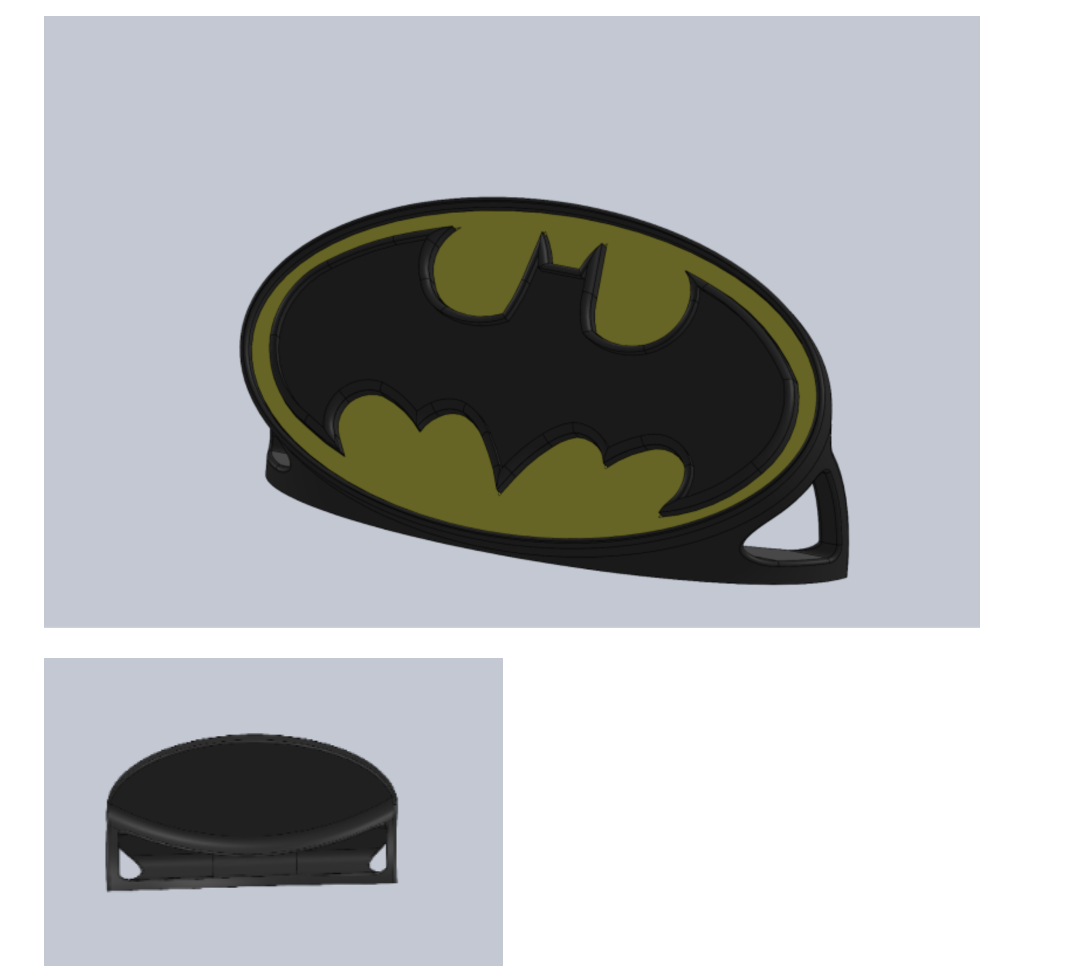
Summary: My group created a 3D model of the Batman Logo. This project consists of three separate pieces, including a personalized dish to hold the logo, a bat signal, and a yellow background. The model was designed with the constraints in mind as it had to fit in a 15cm by 15cm box so it was able to print properly. The dish was designed to support the weight of the model and hold the project at a 60-degree angle to better display the design and the light-capturing sparkling black pigment within the thread that was used to print out the project. My partner, Levi Monstrom, and I made corresponding Batman logos in Solidworks to fulfill the requirements of the 2D art design project requirements
The parts printed out to create this project are displayed below:
| 3mf File Name | Color | What is it? | Filament Description |
| Mossarin_S_Base Stand.3mf | Black | Base and Stand | Sparkle Black |
| Mossarin_S_Yellow Backround.3mf | Yellow | Inner Piece surrounding Bat | Hatchbox Yellow |
| Mossarin_S_Bat.3mf | Black | Center Bat piece | Sparkle Black |
Assembly Instructions:
- First lay out all of the pieces
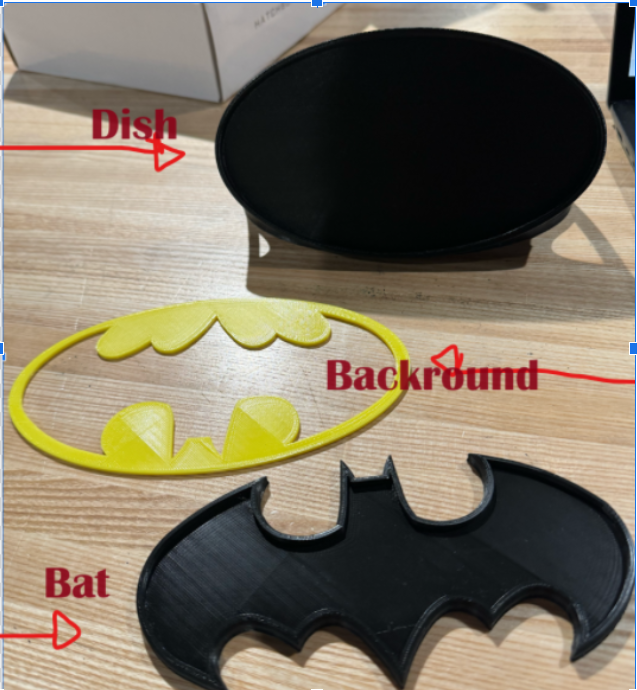
Place the background piece into the dish
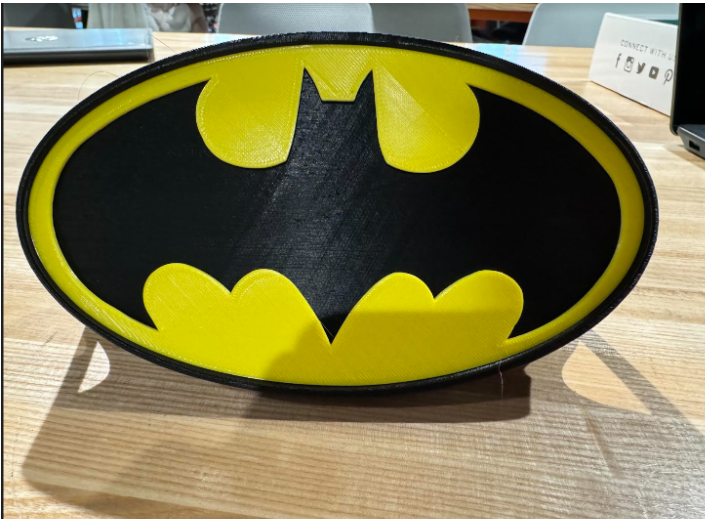
Add the central bat piece into the space between the dish and the background. Make sure to push it in until you hear a click so it stays in palace
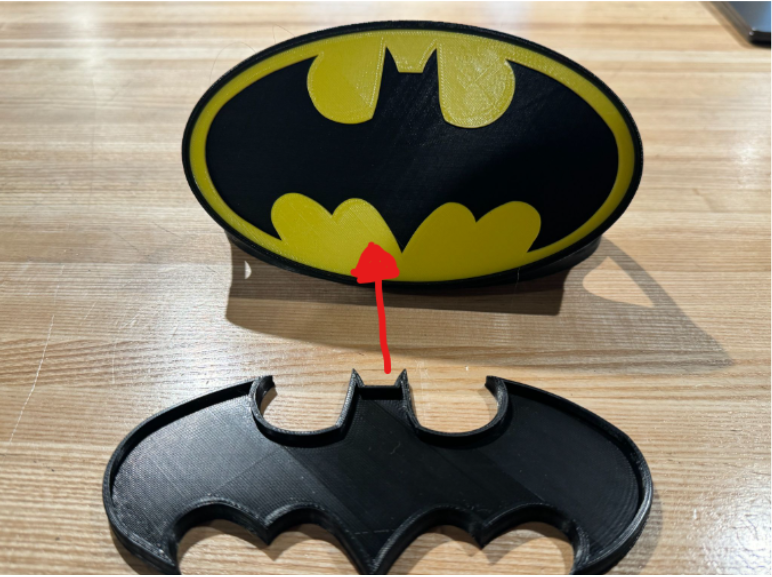
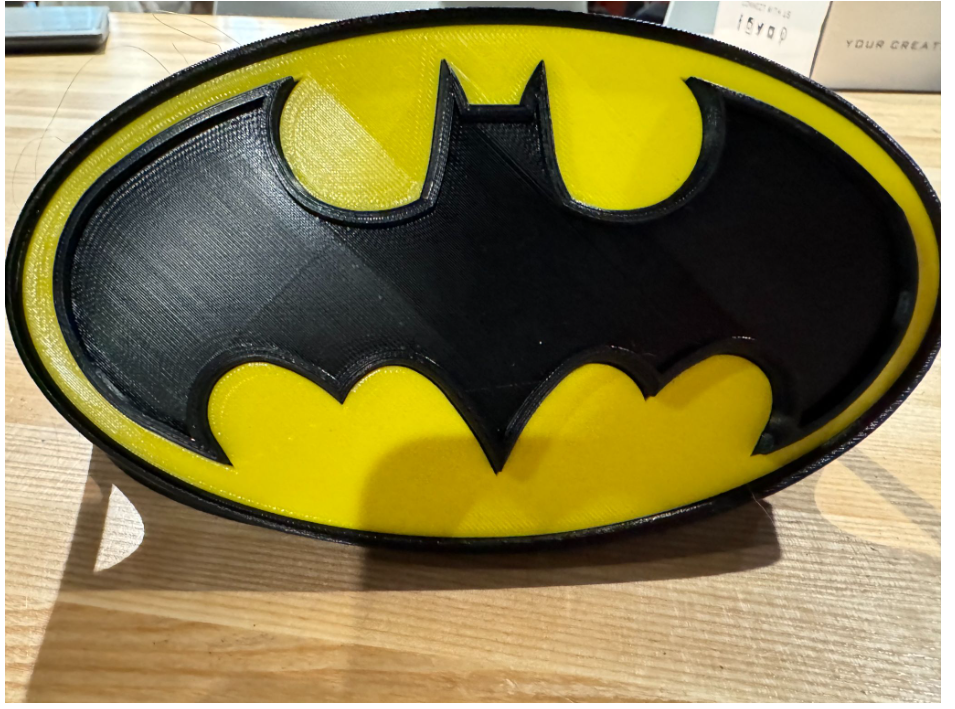
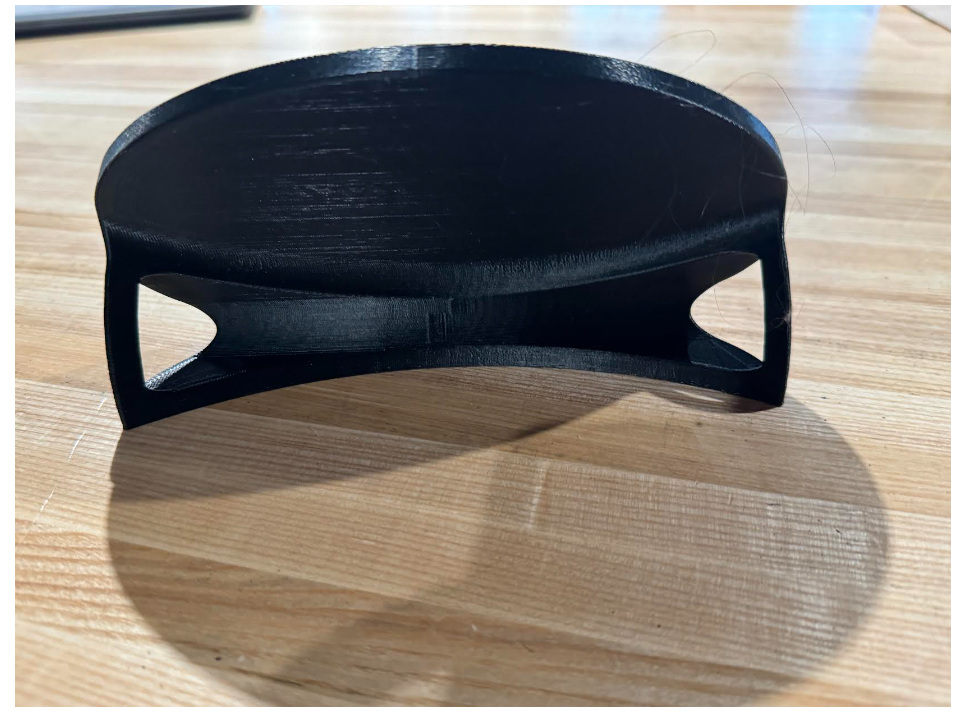
Design Choices:
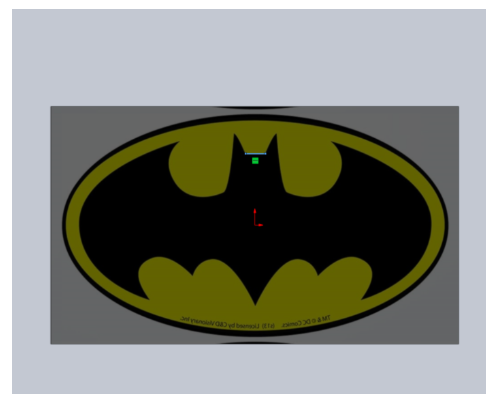
The project was started by importing an image of the Batman logo into Solidworks. The image was Shifted to fit in the constraint box.
Next, All parts of the bat have been sketched out. They trace the shapes within the design very closely. The lines are continuous and there are no breaks in the sketch. The areas between the curves and the straight lines are tangent.
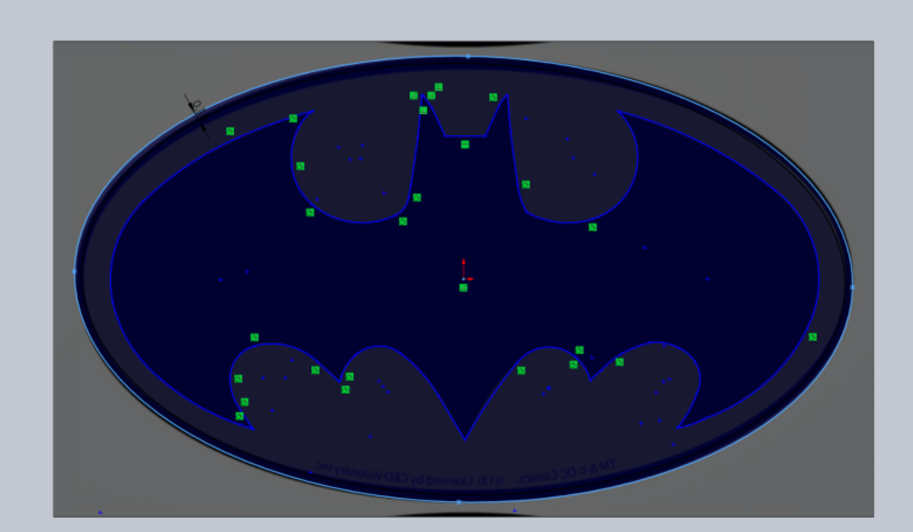
Tried to offset all entities of the bat and create separate layers. The process was incorrect and all sketches were on top of each other which made it impossible to make it into separate parts. All of the parts overlapped and the system was unable to identify individual parts so it was necessary to start the sketch from the beginning and fix the mistakes made
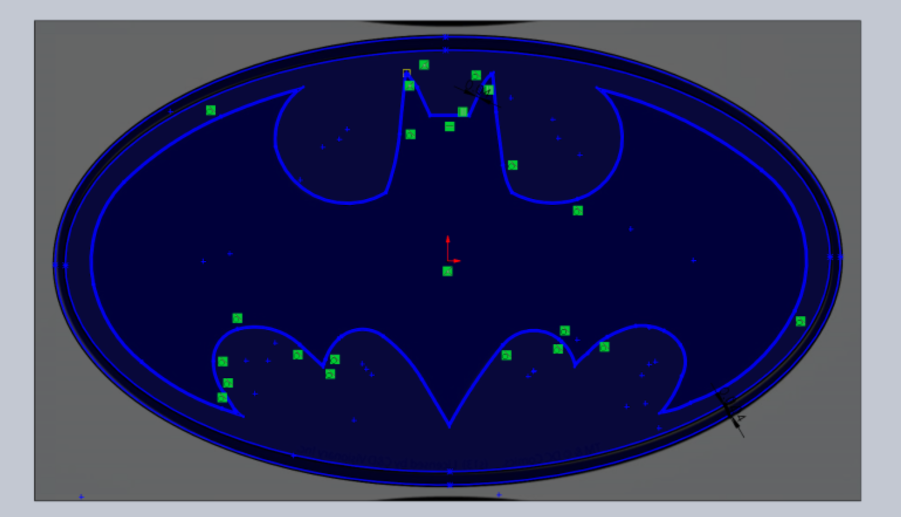
The last step was repeated. The parts were Offset and extended the outer layer of the symbol individually without overlap so layers would be able to be created separately.
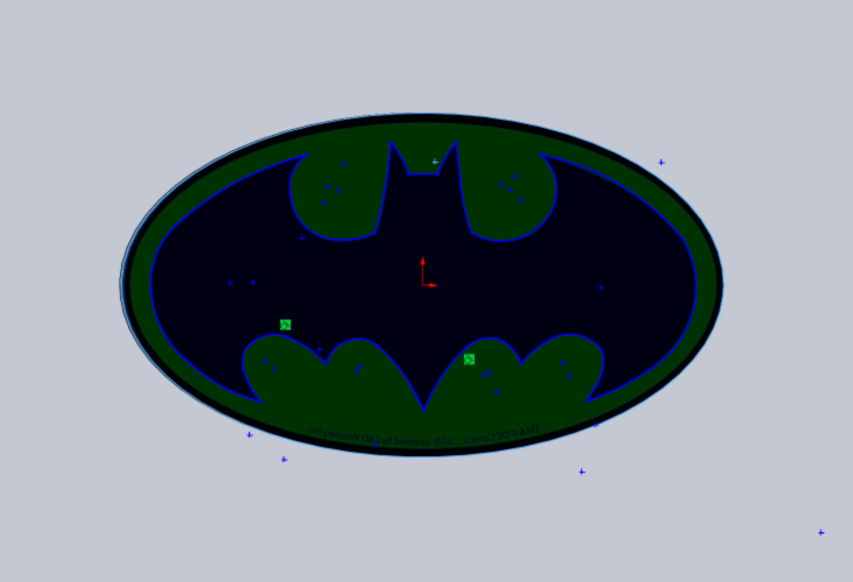
Completed Part E of the Constraint Doc. Individually traced out each part, offset it and extruded it. Fixd any gaps and got rid of unnecessary appearances.
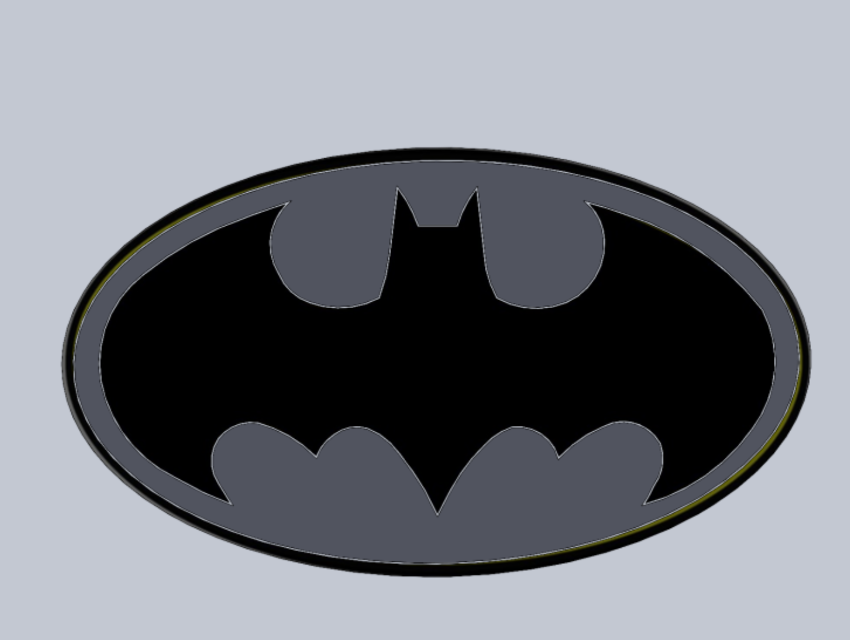
Filets and chamfers were added to the bat's wings to add more texture and complexity to the design. The rim was extruded out more while the inside of the bat was pushed back to create a more shallow appearance. Additionally, a dish was added to the back of the bat.
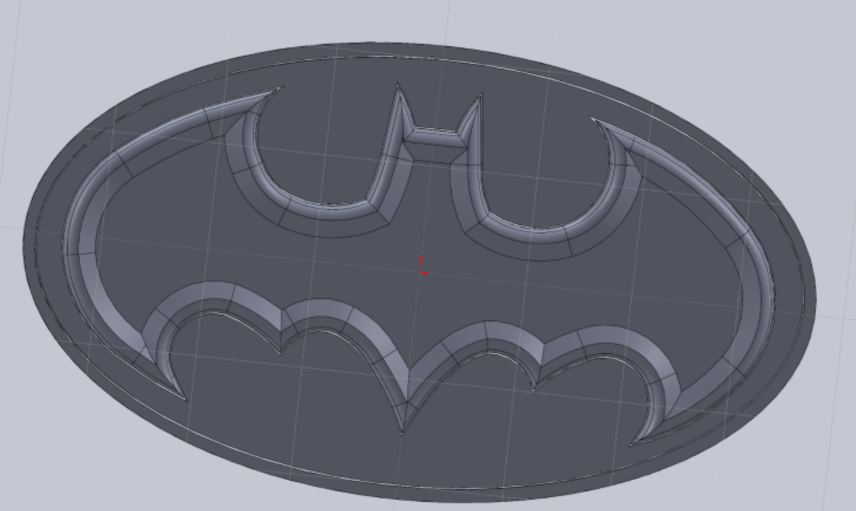
Created the base and fileted the sides of the oval to better hold the parts in. The base/stand was completed. The base leaves the bat standing up at an angle and uses a sleek design to complete the look. Color was also added to the bat.