
Elegoo Neptune 4 Pro/Plus/Max Filament Sensor/ Run-Out Sensor Bracket Mount (Print in Place) with Filament Clip
Obliczymy ostateczną cenę na podstawie wybranego pliku. Sprawdzisz ją i zaakceptujesz przed płatnością.
Zapisane na tym urządzeniu.

Elegoo Neptune 4 Filament Sensor Bracket. Double spool configuration for Elegoo Neptune 4 series.
- Ocena
- 5 / 5
- Polubienia
- 87
- Pobrania
- 773
- Wydruki
- 9
- Wyświetlenia
- 3253
- Oceny
- 8
Aktualizacja u źródła:
Informacje o modelu
- Źródło
- Printables
- Kategoria
- Other Printer Parts & Upgrades
- Licencja
- Creative Commons — Attribution — Noncommercial — Share Alike
Update – September 2025
## Released V2 with a tilted angle for improved filament passthrough and enlarged bypass holes for smoother performance.
Center Position Filament Sensor Bracket
This bracket is designed for use with a double spool configuration, where two spools of filament are used simultaneously. It replaces the original filament sensor bracket and offers a central position for easier filament changes during printing.
Design
To address the limitations of the original bracket for double spool configurations, I designed this more rigid, print-in-place replacement. It eliminates the need for support, offers a clean aesthetic, and allows the sensor to move freely during the printing process, minimizing drag and ensuring smooth filament flow.
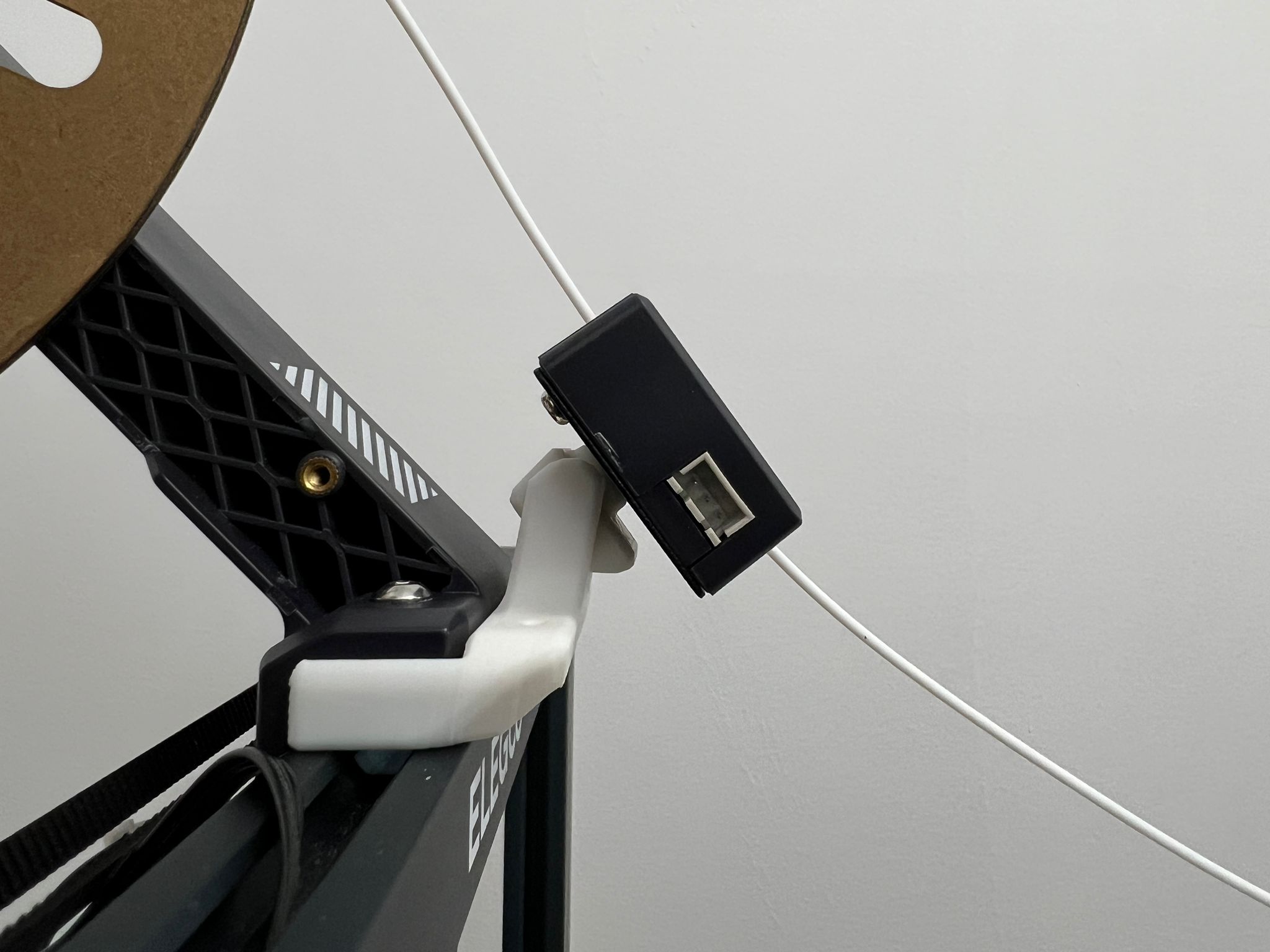

Recommend printing with 0.2mm or finer layer height. Depending on your 3D printer's precision, the print-in-place might not work perfectly. Try scaling the model by +- 1% for optimal results.
Installation
- Unscrew the filament sensor and the bracket and keep all screws.
- Flip the Bracket 180 degrees (You may need to insert a hex key to help loosen the print-in-place component.)
- Screw the Sensor to the bracket (using the same screw provided) before connecting the spool holder to the frame. The design is intended to use the same screw that comes with your printer.