
Dough scraper
Obliczymy ostateczną cenę na podstawie wybranego pliku. Sprawdzisz ją i zaakceptujesz przed płatnością.
Zapisane na tym urządzeniu.

Dough scraper
- Ocena
- 0 / 5
- Polubienia
- 7
- Pobrania
- 24
- Wydruki
- 0
- Wyświetlenia
- 176
- Oceny
- 0
Aktualizacja u źródła:
Informacje o modelu
- Źródło
- Printables
- Kategoria
- Kitchen
- Licencja
- Creative Commons — Attribution — Share Alike
I made a dough scraper with the sourdough bread recipe from my sourdough-mentor, Culinary Exploration. The recipe is from this video where he makes sourdough bread baking easy.
To print the model with the text in another color than the scraper base, there are a couple of steps that needs to be done in the slicer. I am using Bambu studio, but it should be about the same in Prusaslicer and Orcaslicer:
- When loading the model into the slicer, choose yes on the choice to load the file as a single object.
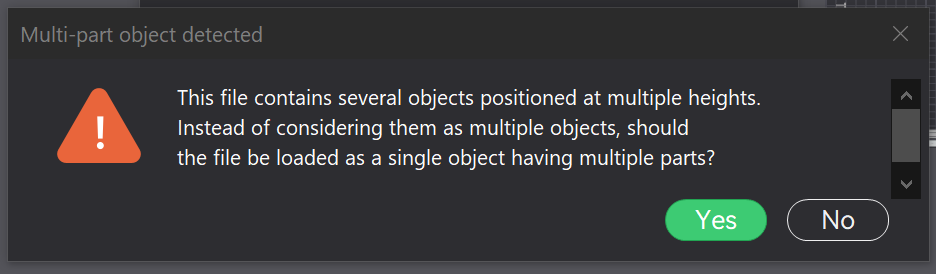
2. Change the Process slider from Global to Objects. Mark all the bodies, then right click and set the filament color you want for the text.

3. Then find the body named ScraperBody, right click and choose the filament you want for the scraper base.
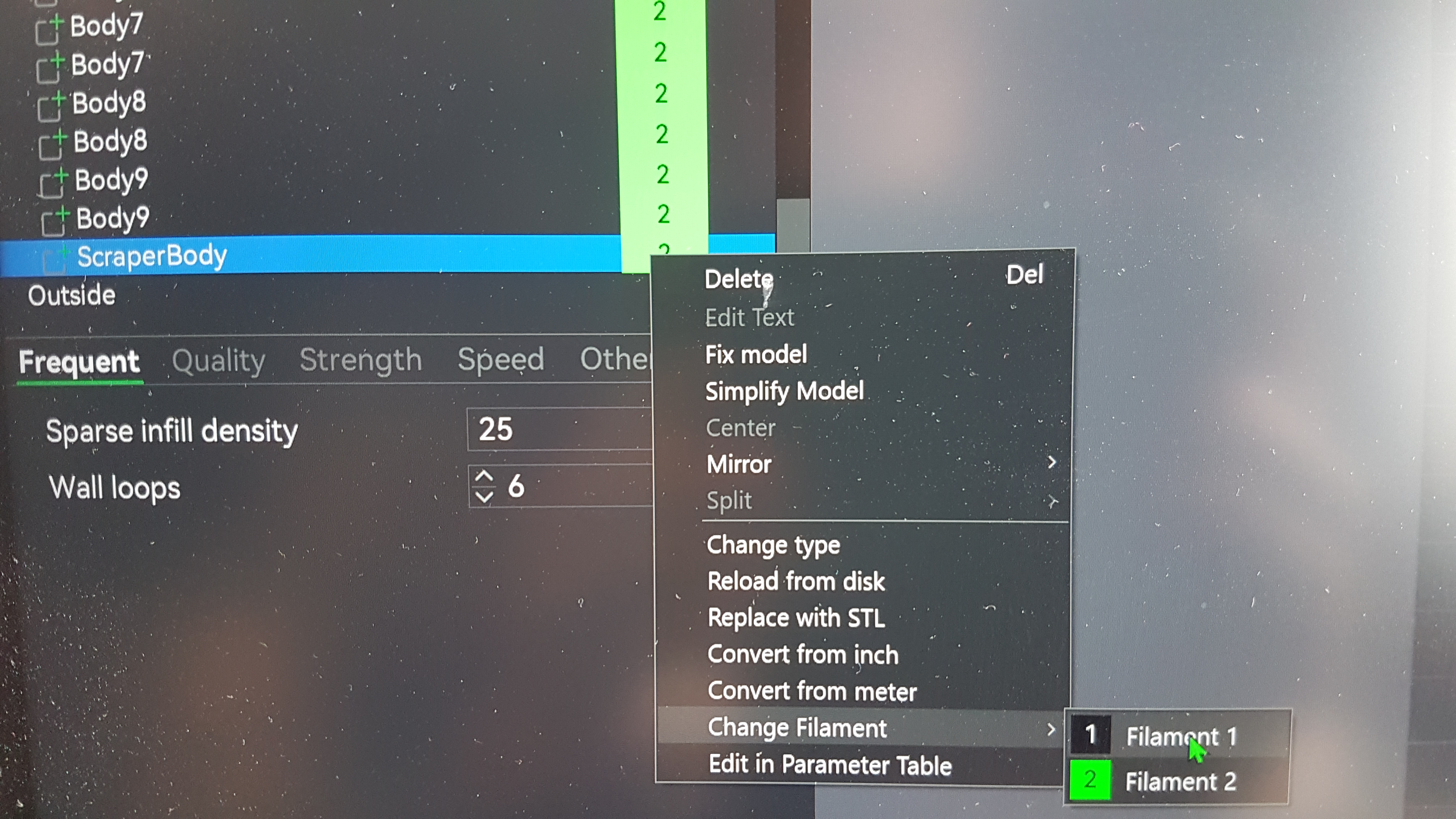
Now the text should look right on both sides of the scraper. If you print it with 0.2mm layer height you get 2 layers of text on each side. If you want the text deeper (more layers) you can change this from the design file in your preferred cad software.

For more about sourdough bread baking and how I made a “Dutch oven” see my webpage: www.robertfriberg.no