
Business Card Box (parametric, customizable, print-in-place)
Obliczymy ostateczną cenę na podstawie wybranego pliku. Sprawdzisz ją i zaakceptujesz przed płatnością.
Zapisane na tym urządzeniu.

Want a pocket-friendly box for business cards? Then here you go - customize it just for you!
- Ocena
- 3,8 / 5
- Polubienia
- 65
- Pobrania
- 478
- Wydruki
- 4
- Wyświetlenia
- 2109
- Oceny
- 5
Aktualizacja u źródła:
Informacje o modelu
- Źródło
- Printables
- Kategoria
- Organizers
- Licencja
- Standard Digital File License
| Welcome to GlennovitS3D. Join the Club on Printables.com to support creation of new models, get access to exclusive models, and get commercial rights, to sell prints. Join today - GlennovitS3D - or check out my model collection or my popular models |
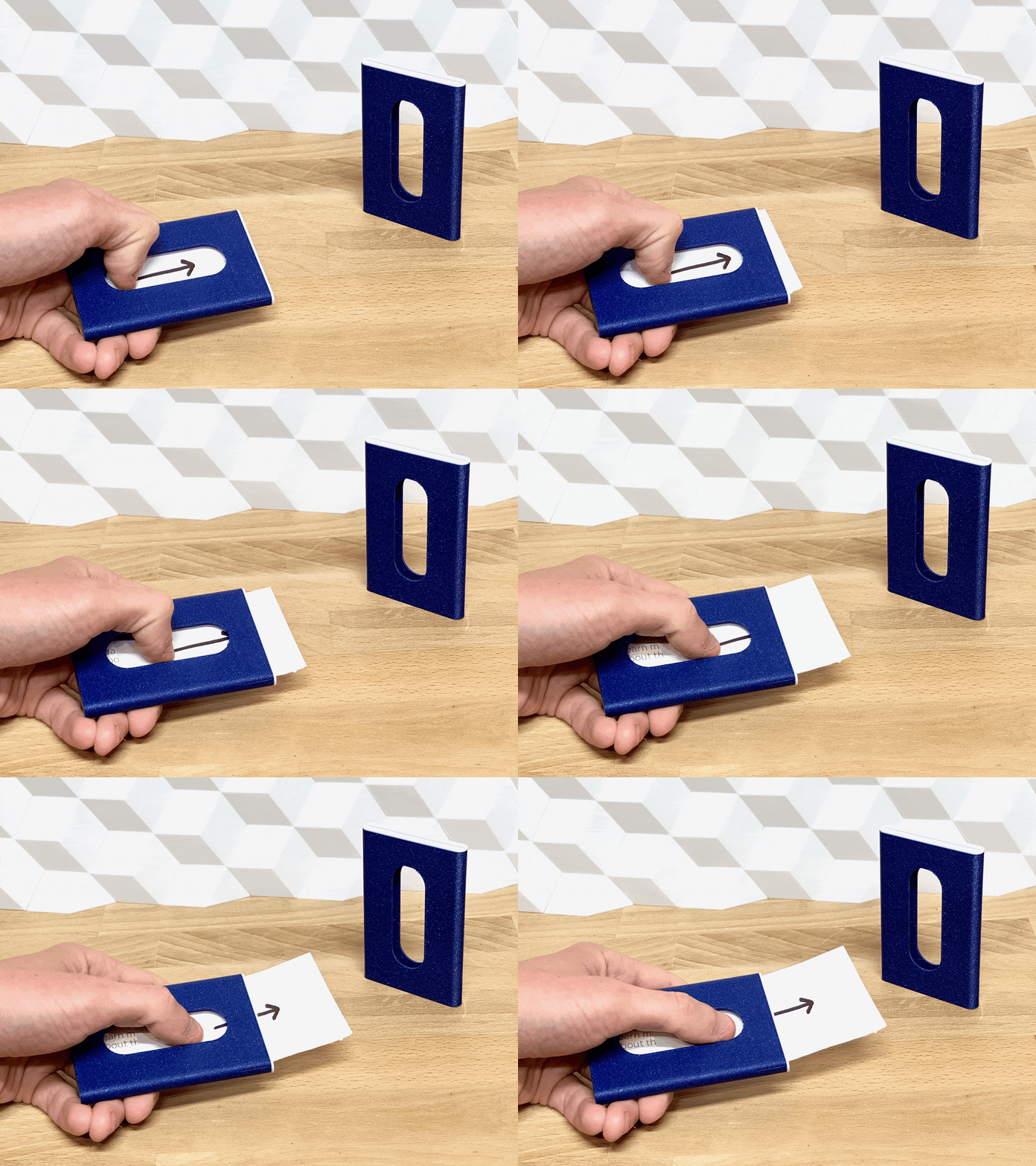
This is a pocket-friendly business card box - easy to use and print-in-place. The way it’s designed, it prevents the cards from falling out if taken out of the pocket upside-down. But the cards easily slides out with a single swipe with a thumb.
Customize it to fit your exact needs! It’s easy - also for non-technical makers ;-)
Overview
The box comes in a default size, ready to print. If you need another size, or want to customize it with personal text - you can use the included OpenSCAD file - or do it online on MakerWorld’s Parametric Model Maker. Customize → Download → Slice → Print!
Assembly
None - it’s print in place - no loose things to assemble this time!
Multicolor prints

This is optional - but looks nice and helps you see in which end the opening is. You can do like this (in Bambu Studio):
- Insert the model
- Paint with the Height Range tool
- Rotate the model to place on opening to make the wipe-tower way smaller!
Alternative solution:
- Insert the model and slice
- In the Preview tab, slide the layer slider down 5-10 layers
- Right-click the + on the layerslider, and press Change Filament - and select the color for the top of the box
- Slice again and print
Print instructions
- Supports: Not needed - but the opening can look cleaner if printed with supports!
- Brim: Yes (to help ensure good bed-adhesion)
- Orientation: The model is oriented in the correct print position - but to save on wipe-tower waste if the top is another color, rotate it 180 degress to stand on the opening.
Happy printing!