
Hardcase v2.1
Obliczymy ostateczną cenę na podstawie wybranego pliku. Sprawdzisz ją i zaakceptujesz przed płatnością.
Zapisane na tym urządzeniu.
Informacje o modelu
- Źródło
- Printables
- Kategoria
- Other Gadgets
- Licencja
- Creative Commons — Attribution — Noncommercial
Hardcase to scale to fit the size of your need.
This new version 2.1 of the hardcase has a list of minor changes as well as functional improvements and design was slightly changed to be easier to print all compared to the old version 1.0. Support when printing is not needed for this version.
Model is free. Please consider uploading a photo of a make and make a rating.
Recommended materials are ABS for the case, stainless steel for hinges etc. and TPU for the seal. You may use ASA as replacement for ABS. PLA was used for prototyping, but this is only recommended for use in normal tempered environments. You may try PETG for a slightly better temperature tolerance compared to PLA, but ABS is the recommended material. The model on the photo is printed in black ABS.
If you print and make the case, uploading pictures of the make will be very much appreciated. When doing so, please specify your choice of scale and choice of filament type/brand/colour.
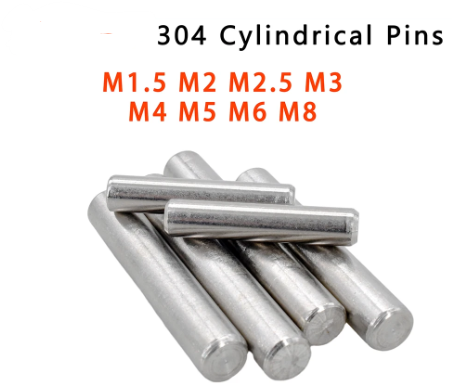
Cylindric material/pins/dowels/rods for locks, hinges and handle are recommended to be in stainless steel although less stronger material can be used.
This is a link to some pins in stainless steel as example https://www.aliexpress.com/item/4000473863693.html
Version 2.1 from 2.0 fixes some rounding errors in the STL format for the case top model.
Scaling:
When scaling the model in the slicer, you need to scale uniformly in X, Y and Z. The approximate sizes for various parts for scale 100%, 75% and 50% are as listed below. You will need 2 pins of each of the 3 types listed:
100% Scaled Variant
- Dimensions: approx. 270x240x122mm (wall typical 4mm).
- Pins for locks: 41 x 4mm Ø. Be precise for nice result.
- Pins for hinges: 75-85 x 4mm Ø.
- Pins for handle: 22 x 6mm Ø. Or a M6x25 bolt (cut off 3mm).
- M4 nut for pressure release button.
- M4x10 Hex SHCS for pressure release button.
75% Scaled Variant
- Dimensions: approx. 203x180x92mm (wall typical 3mm).
- Pins for locks: 30.75 x 3 mm Ø. Be precise for nice result.
- Pins for hinges: 56-63 x 3 mm Ø.
- Pins for handle: 16.5 x 4.5 mm Ø.
- M3 nut for pressure release button.
- M3x8 Hex SHCS for pressure release button.
50% Scaled Variant
- Dimensions: approx. 135x120x61mm (wall typical 2mm).
- Pins for locks: 20.5 x 2 mm Ø. You can use 1.75mm filament.
- Pins for hinges: 37-42 x 2mm Ø. You can use 1.75mm filament.
- Pins for handle: 11 x 3 mm Ø. You can use a M3x12 hex bolt and remove 1mm or a M3x10 hex bolt.
- M2 nut for pressure release button.
- M2x5 Hex SHCS for pressure release button.
The 50% scaled variant can use 1.75mm filament for pin/dowel/cylinder pins for the 2mm diameter unless extra strength is required.
Pressure Release Button:
The pressure release button needs a hex nut to be included in the print. The button and the hex nut is shown here below:
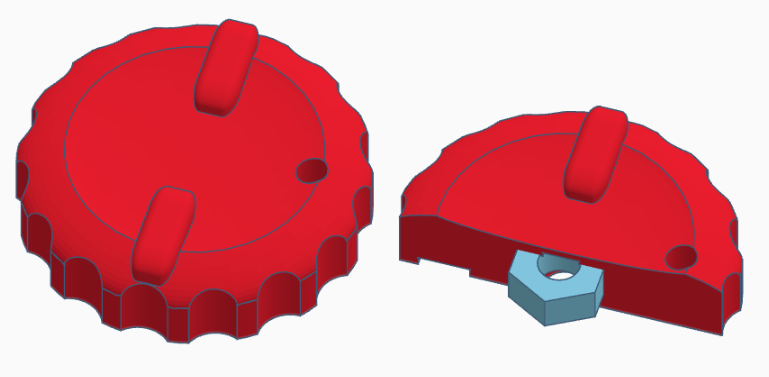
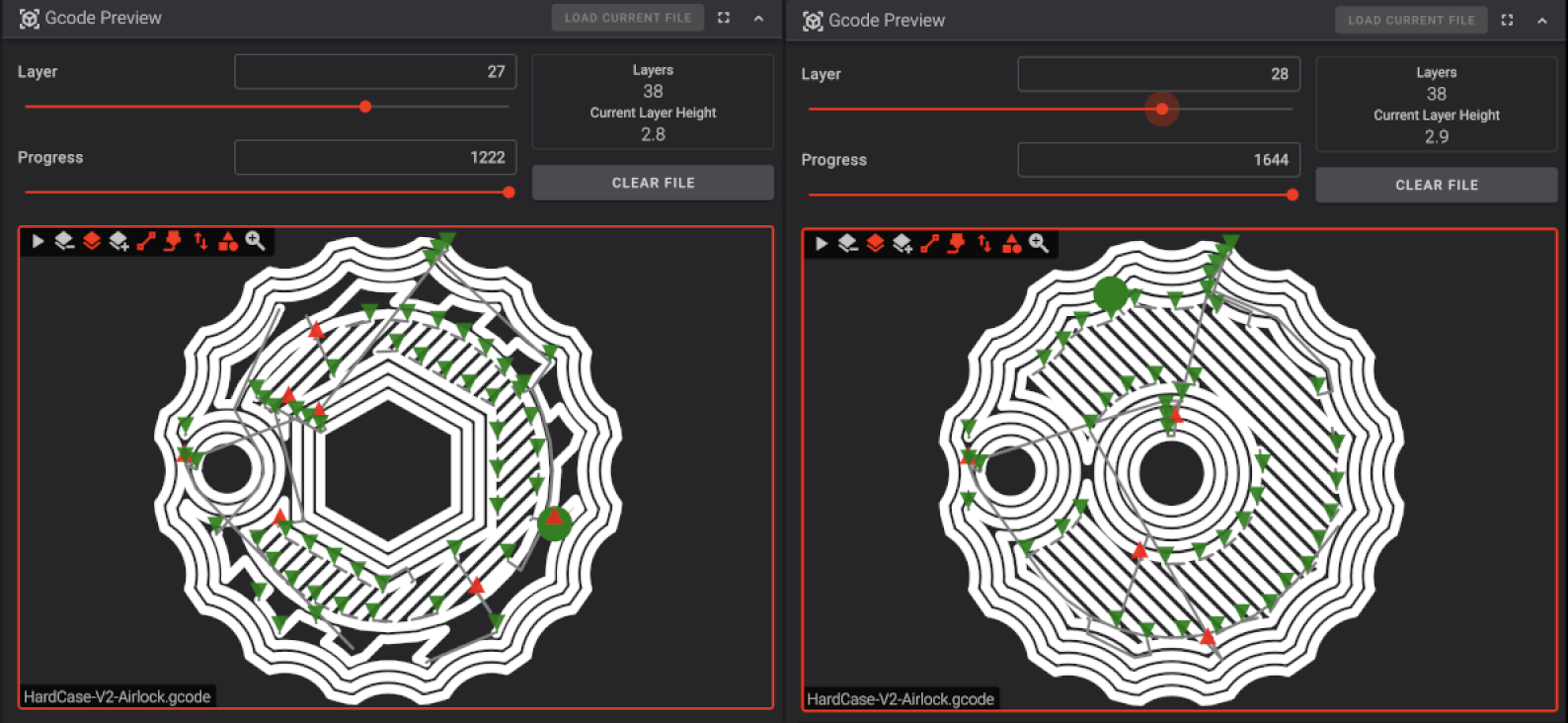
The way you insert the hex nut is that you pause the printer and insert the hex nut just before the printer is going to cover the nut. Below is a table that shows when to pause and insert the nut in the print for 50%, 75% and 100% scales for layer height of 0.2mm and 0.1mm both with a 0.2mm starting layer.
Scale | Layer height 0.2mm | Layer height 0.1mm (0.2mm first layer) |
100% | Pause and insert after lay 27 | Pause and insert after lay 50 |
75% | Pause and insert after lay 21 | Pause and insert after lay 40 |
50% | Pause and insert after lay 14 | Pause and insert after lay 27 |
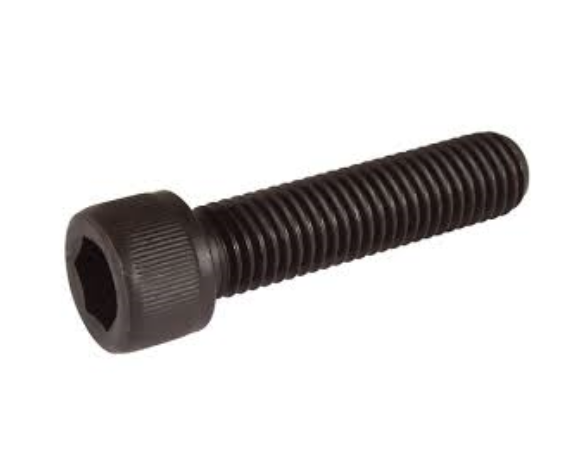
The pressure release button is secured with a M2, M3 or M4 SHCS Hex Bolt as listed earlier.
 |
|---|
SHCS Hex Bolt |
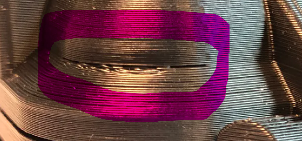
Here is what the last layer and the next layer in the gcode preview can look like before I should place the hex nut. So if the next layer you are going to print looks like the preview on the left side, then it is time to insert the hex nut.
Printer Settings:
Depending on scale variant and hardness of case desired/required, you can print with many walls, many top/bottom layers and 100% infill weakening down to a few walls, a few top and bottom layers and perhaps 30% infill. As a compromise, the following has been use with success:
Quality: 0.4mm nozzle, 0.45mm line width and fixed layer height of 0.2mm.
Walls: 2 for prototype, 3 for standard and 4-5 for a rugged version.
Top/Bottom: 3 for prototype, 4-5 for standard, 6-8 for rugged version (0.2mm layer height).
Infill: Cubic 25% for prototype, 30% for standard and 35-40% for rugged version.
Support: None needed.
Build plate adhesion: None, skirt or brim if you have a problem with warping or have problem keeping some parts sticking to the build plate.
Holes: Please note the model is designed to be printed accurately. If your printer makes holes a little bit smaller than designed, you can add “Hole horizontal expansion” in Cura or similar in your slicer of choice.
Vertical expansion: Please note the model is designed to be printed accurately. If your printer prints a little bit too much material for the walls, don't use “Flow” (in Cura, extrusion multiplier in Prusa Slicer) to fix this. Instead use “Horizontal expansion” (in Cura) and set it to perhaps -0.05mm or whatever works for you.
Variable layer height:
The 50% scaled prototype model on the photo was printed (in ABS) with a fixed layer height of 0.2mm. Test prints with variable/dynamic layer height ranging from 0.1-0.3 was tried with mixed results. Theoretically the roundings on the bottom, the top lid and the handle should get to look a lot nicer with dynamic layer height. Also printing with especially scale 70% and up would gain lot in lower total print time, if dynamic layer height with higher layer height than 0.2mm can be used.
Top/bottom case:
The top and bottom part of the case are recommended to be printed with the top and bottom facing the print bed.
Handle:
The handle is oriented as it should be printed for maximum strength. The handlee is mounted with pins as listed earlier.
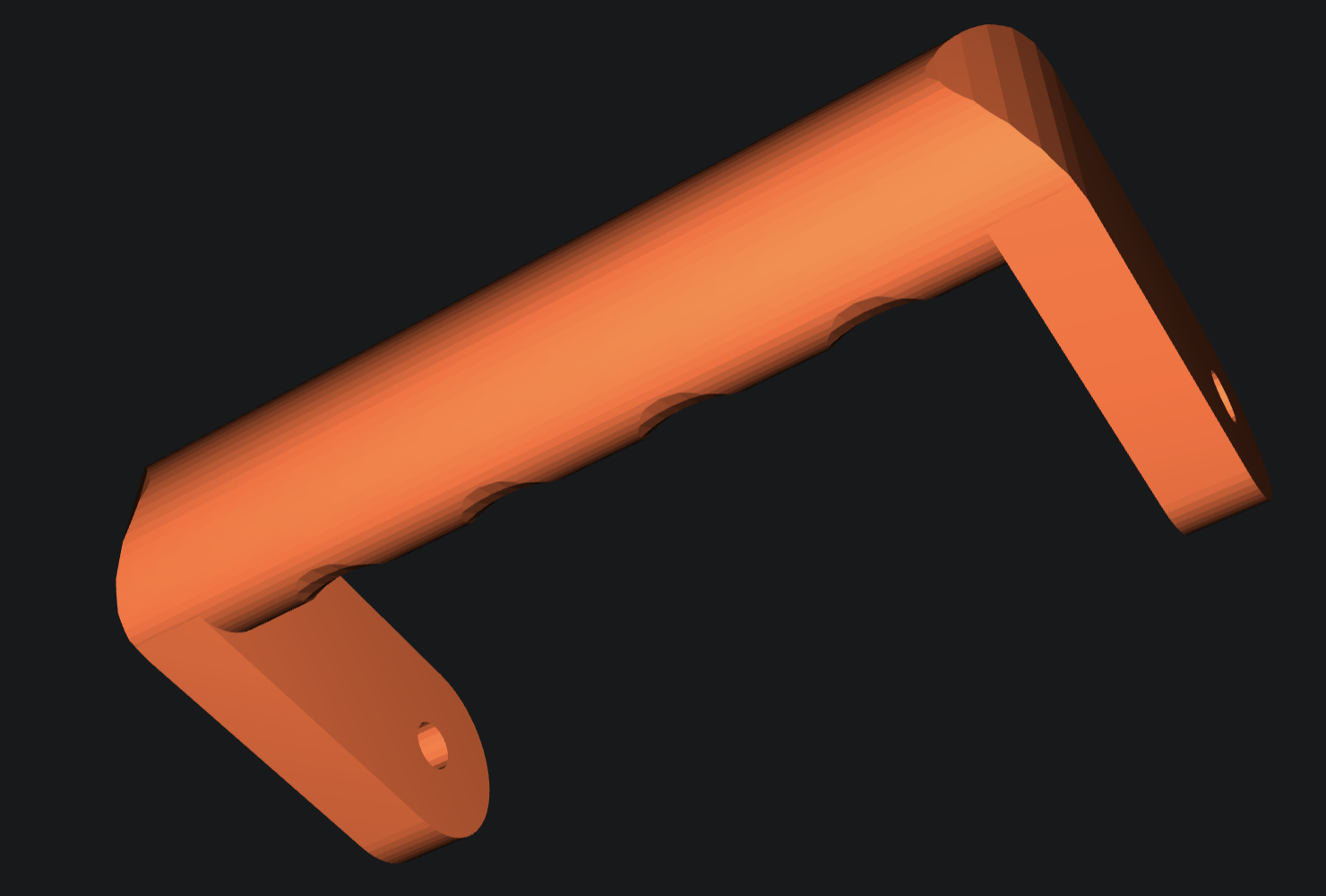
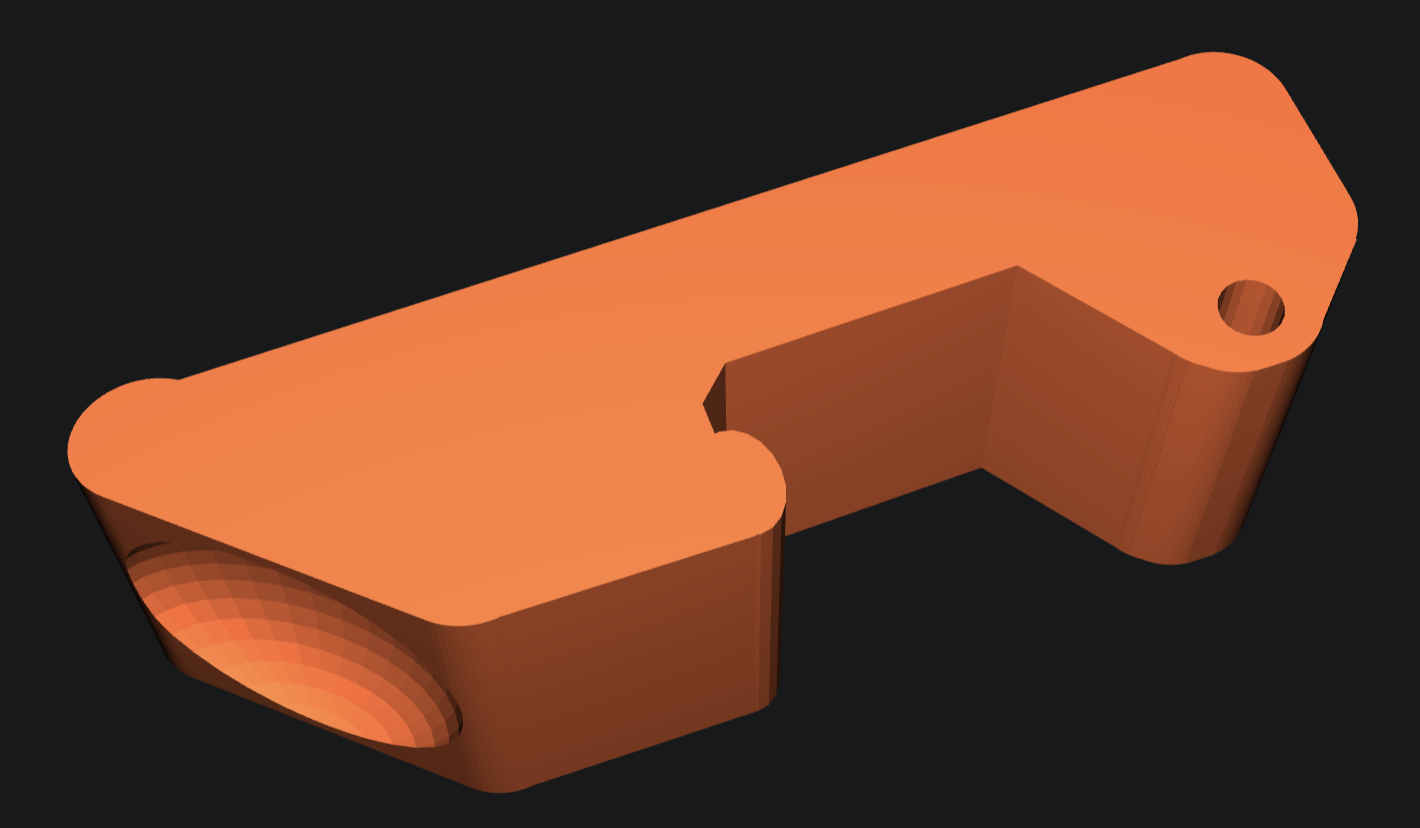
The holes in the locks, the hinges and the handle as well as the holes in top part for lock and hinges and holes in bottom part for hinges and handle are all exact size. Depending on how well you have calibrated your printer and depending on how exact you printer prints, you may have to clean up the holes with drills in the right sizes for your selected scale variant.
Locks:
For the locks (print twice), you should avoid elephant foot and select a negative value of first layer horizontal expansion (Elephant foot compensation in PrusaSlicer). Value will depend on your printer and calibration, but somewhere between -0.1 to -0.35mm may be a good start.
Seal:
The seal is recommended to be printed in TPU or similar soft material. If your seal is to tight or too loose, you may adjust the height (Z scale) of the seal in your slicer. While you need to scale uniformly in X, Y and Z, the Z scale for seal can be slightly additionally adjusted. You can in Cura adjust the thickness of this seal by changing the horizontal expansion parameter under Walls. PrusaSlicer has same ability with then name “XY Size Compensation”. Please note that you in slicer settings may want to set a negative value for first layer horizontal expansion to avoid elephant foot. In PrusaSlicer this is called “Elephant foot compensation”. That said in some cases, an elephant foot is making the seal tighter.
Feet:
The feet are optional and recommended to be printed in TPU. The feet can be glued to the underside of the bottom case with super glue (cyanoacrylate based glue).