
Gridfinity Trading Card Organizer (Magic: The Gathering/MTG, Pokémon, etc.)
Obliczymy ostateczną cenę na podstawie wybranego pliku. Sprawdzisz ją i zaakceptujesz przed płatnością.
Zapisane na tym urządzeniu.

An easy way to organize bulk for various TCGs (MTG, Pokémon, One Piece, etc.) that works with Gridfinity!
- Ocena
- 4,9 / 5
- Polubienia
- 438
- Pobrania
- 2048
- Wydruki
- 9
- Wyświetlenia
- 14 787
- Oceny
- 10
Aktualizacja u źródła:
Informacje o modelu
- Źródło
- Printables
- Kategoria
- Board Games
- Licencja
- GNU General Public License v3.0
The Gridfinity TCG Organizer
Are you tired of having stacks of cards spread around your house/apartment/room? I was, so I created this simple organizer that can be printed standalone or inserted into existing Gridfinity bins!
With these bins/inserts and the dividers, you can easily sort between different colors, CMCs, types, and more! It can fit into whatever drawer you want, and still give you easy access to the cards.
This design was inspired by the 5 rows I've seen at local game stores, and the frustration I experienced while attempting to keep them sorted without falling over. When in a slot, the dividers are more than strong enough to prevent the cards from falling over.

Dimensions
The insert is 69mm wide, and the length depends on which insert size you choose, but it should be the length * 42mm - 15 mm. The depth if placed on a 6U tall Gridfinity bin should be about 41mm. This is so that you have over half the card to grab onto to pull it out easily.
If you want any others dimensions, or you want to modify the dimensions, feel free to grab the .f3d file I've included. There are parameters that you can modify in order to make it better suit your needs.
There are bins and inserts from 2x2 to 7x2 Gridfinity cells.
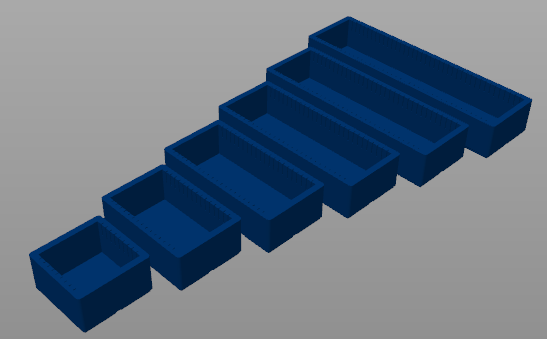

Card Capacity By Size
These estimates are rough because they are based on some quick calculations after testing with cards I own. I believe Foil cards are slightly thicker, so those would mess with the calculations, and I have not accounted for double-sleeved cards. Take these with a grain of salt. Also this assumes you are not using dividers to sort the cards. The numbers will probably decrease by about 2 cards per divider for un-sleeved, or 1 cards for single-sleeved.
| Un-sleeved | Dragon Shield Single-sleeved |
2x2 | 207 cards | 107 cards |
3x2 | 334 cards | 172 cards |
4x2 | 461 cards | 237 cards |
5x2 | 588 cards | 303 cards |
6x2 | 714 cards | 368 cards |
7x2 | 841 cards | 433 cards |
I used my collection of random cards, which probably has a low rate of foils for un-sleeved cards, and I used my decks for sleeved cards which probably have a high rate of foils . I also believe that sleeves also get thicker the more they're played with, so these numbers could be completely different from what you experience. If you would like to contribute your own numbers, especially for double-sleeved or other brands of sleeves, please leave a comment below!
Important Notes
This organizer fits Standard Size TCG cards, both sleeved and un-sleeved. If you want another size, please leave a comment and I can add them, or you can use the .f3d file and adjust the parameters yourself.
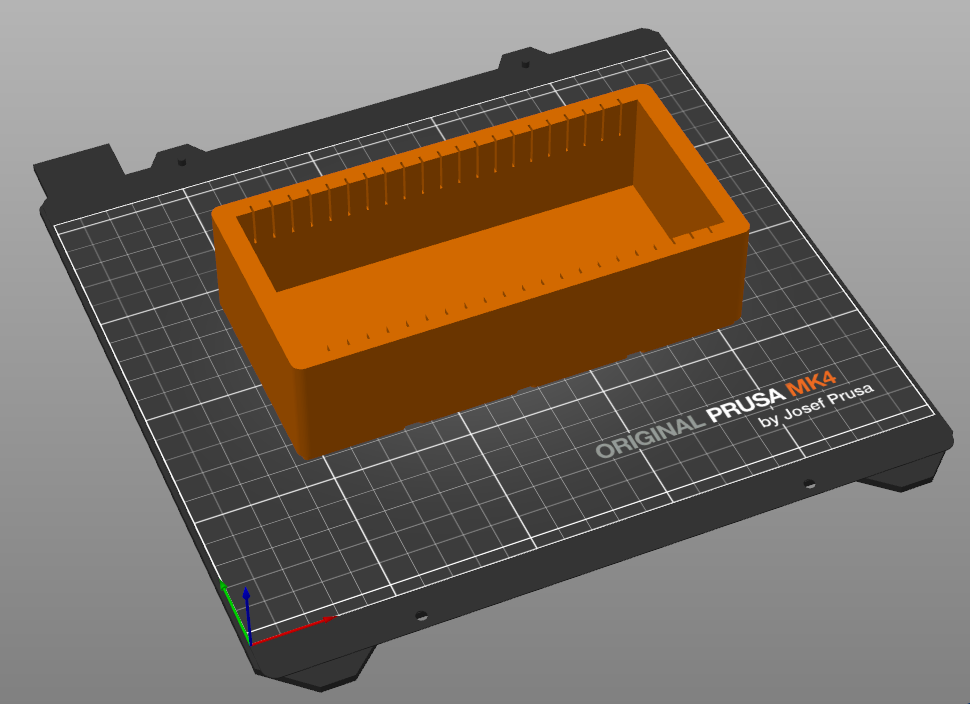
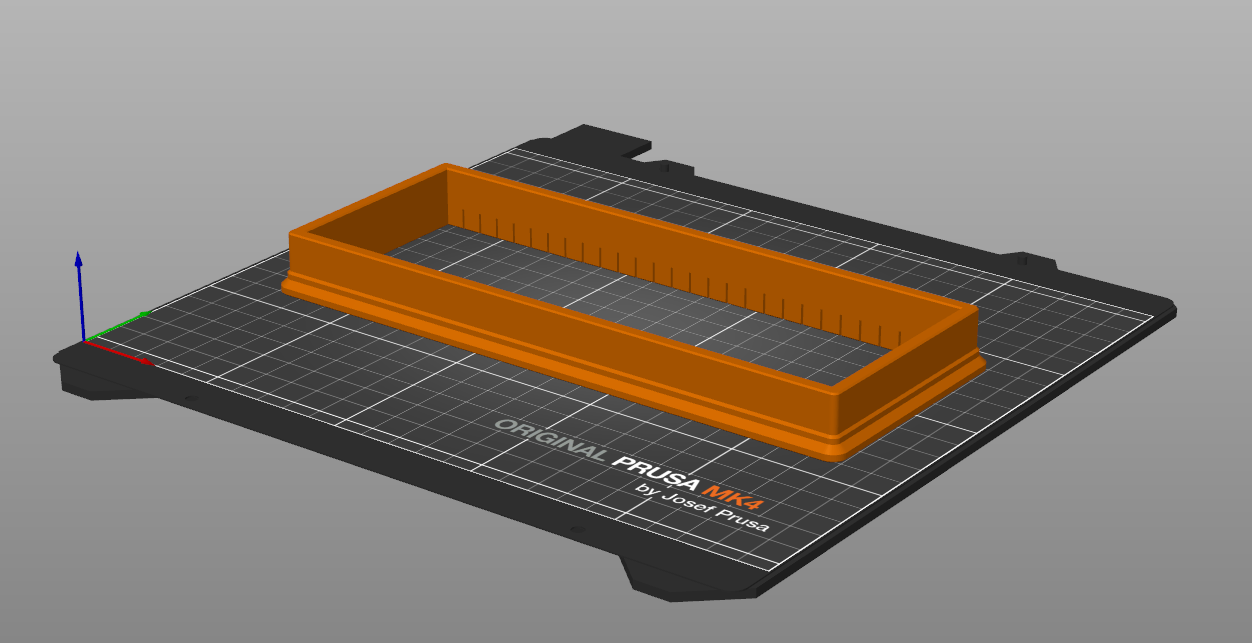
There are Bins and Inserts. If you want to print in one piece, use the Bins. If you want to print in two separate pieces, use the Inserts and print the Bins listed in the following bullet point.
This inserts DO NOT just fit into a Gridfinity grid. They slot into the top of bins. The bins I used are the pmcquay bins found here. I believe that most Gridfinity bins should work so long as you use a bin corresponding to the correct insert (2x2 for a 2x2), although I have not tested.
I used 2x*x6 bins. I believe shorter bins would work, but I would stick with 6 tall bins in order to be safe.
If you use this organizer and it works with bins from any other source or of another size, please let me know, and I'll add it to this description!
Printing Bins
When printing the bins, I used the following settings:
10% Infill (adaptive cubic)
PLA
Add these if you have issues with Warping:
Supports on Build Plate Only
Smooth Sheet
Printing Inserts
When printing mine, I have done the following:
15% infill (a little less would probably be fine)
PLA
No brim, although it would be safe to add a brim
Textured/Smooth steel sheet depending on desired finish
Upside-down inserts to maximize surface contact (and to add a finish to the top)
Printing Dividers
Horizontal dividers for a textured finish

Happy printing!
Future Additions
Labels that can attach to dividers
Bins with the inserts built-in ✅ Complete!
Labels that can attach to inserts
Inserts that can be used in a deckbuilder's toolkit box
Inserts that can be used in a 5 row
Cool suggestions from you? :)

Update 27/08/2026:
@norkle_763782 found a mistake that I made that affected the size of the bin inserts (they were 0.25 mm too long and wide). Shout out to them for using the F360 file to give me pointers to fix it. The v2 insert files have the fix. The other models were unaffected.