
FlexiMount 360
Obliczymy ostateczną cenę na podstawie wybranego pliku. Sprawdzisz ją i zaakceptujesz przed płatnością.
Zapisane na tym urządzeniu.

Flexible, versatile phone cradle—hang or stand securely, 360° adjustable, lightweight, and universal fit.
- Ocena
- 5 / 5
- Polubienia
- 35
- Pobrania
- 68
- Wydruki
- 2
- Wyświetlenia
- 655
- Oceny
- 1
Aktualizacja u źródła:
Informacje o modelu
- Źródło
- Printables
- Kategoria
- Portable Devices
- Licencja
- Creative Commons — Attribution
The FlexiMount 360 is a highly adaptable, versatile phone cradle designed for a wide range of uses, both indoors and outdoors. It functions as both a hanging phone holder and a traditional stand, offering hands-free convenience in any situation. Whether you’re camping, working, or relaxing at home, this cradle enhances your experience with flexibility and ease of use for activities like video watching, reading, video calls, and photography. Plus, it doubles as a practical solution to light up your tent using your phone's flashlight.
Use Cases:
- Hang inside a tent to illuminate the space with flashlight mode or enjoy hands-free viewing while resting.
- Secure it in strategic spots to capture photos, timelapses, or videos—perfect for outdoor adventures or creative indoor shots.
- Use it as a stand for your phone in both horizontal and vertical orientations on any flat surface, making it ideal for desks, tables, or camping gear.
Key Features:
- Universal Fit: Works with all phone sizes and small tablets, providing a secure hold to prevent accidental falls.
- Highly Adjustable: Offers 30 different hanging positions and full 360° viewing flexibility for perfect device positioning.
- Lightweight & Portable: Compact and easy to carry, making it great for packing flat in bags, backpacks, or keeping in your workspace.
- Secure: Designed to hold your device firmly in place, even when used in dynamic or mobile environments.
Printing and Building Instructions:
- Fold the main strap to the desired thickness of the device.
- Pass the strap through the slot and hook it onto the tooth.

- Slide the device in from the side. If it is too loose remove it and tighten the strap by one notch, and slide the device back in again.
- Optionally, secure the strap by feeding it back through the loopback slot.

- Optionally, us the folding dimples to bend the two other straps to adjust the angles of the brackets holding the phone.


- Guide the hook into the hanger and pass it through.
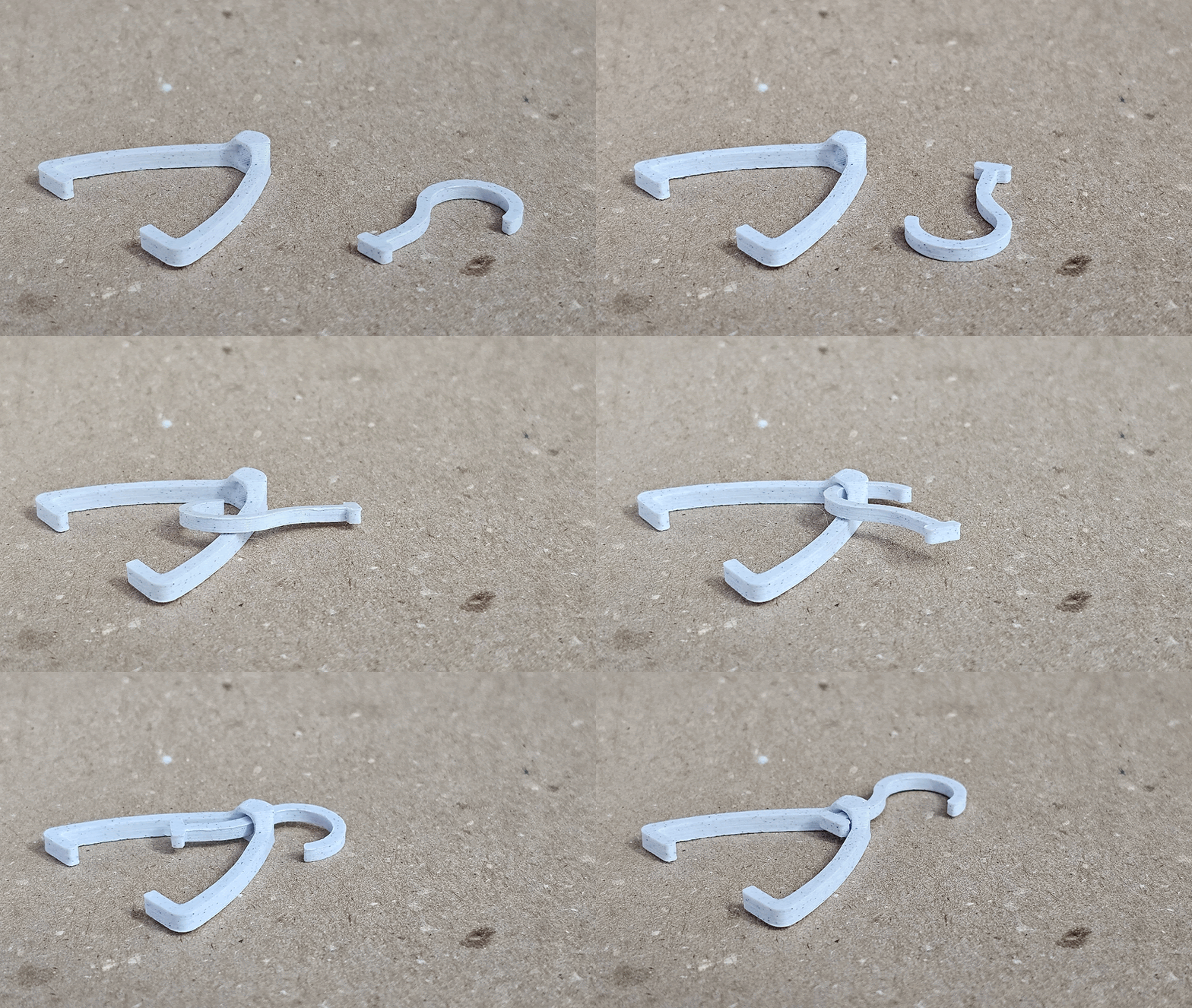
- My print settings (optional):
- Layer height: 0.2
- Nozzle: 0.4
- Infill: 15% gyroid